TL;DR:
- Apple Certified Technicians undergo rigorous training and use proprietary diagnostic tools for safe repairs.
- Certified repairs preserve warranty, ensure genuine parts, and protect data integrity during the process.
- Choosing certified experts in Los Angeles guarantees faster, reliable repairs that maintain device value.
When your MacBook suddenly won’t boot or your iMac’s drive fails mid-project, the instinct is to find the nearest repair shop and hand it over fast. But not every technician who claims to fix Apple devices is equipped to do it safely or correctly. In Los Angeles, the market is flooded with general repair shops offering quick fixes at low prices, and what looks like a bargain can quickly become a costly mistake, especially when irreplaceable data is at stake. Apple Certified Technicians operate under a completely different standard, one that protects your hardware, preserves your data, and keeps your device eligible for future Apple support.
Table of Contents
- What does it mean to be an Apple Certified Technician?
- How Apple Certified Technicians handle data loss and hardware issues
- Fast turnaround and in-store recovery: The new standard
- Why Los Angeles users should always choose certified experts
- What most Apple users miss about certified repair: A real-world perspective
- Connect with trusted Apple Certified Technicians in Los Angeles
- Frequently asked questions
Key Takeaways
| Point | Details |
|---|---|
| Verified skillset | Apple Certified Technicians are trained and tested by Apple to deliver safe and reliable repair. |
| Data safety assurance | Certified techs follow protocols that protect your sensitive information during recovery and repair. |
| Faster repairs | In-store certified service often means quicker turnaround than depot-based shops. |
| Warranty protection | Repairs by certified experts keep your device eligible for Apple support and warranty coverage. |
| Preferred for Los Angeles | Busy LA users benefit most from the expertise and reliability of certified technicians. |
What does it mean to be an Apple Certified Technician?
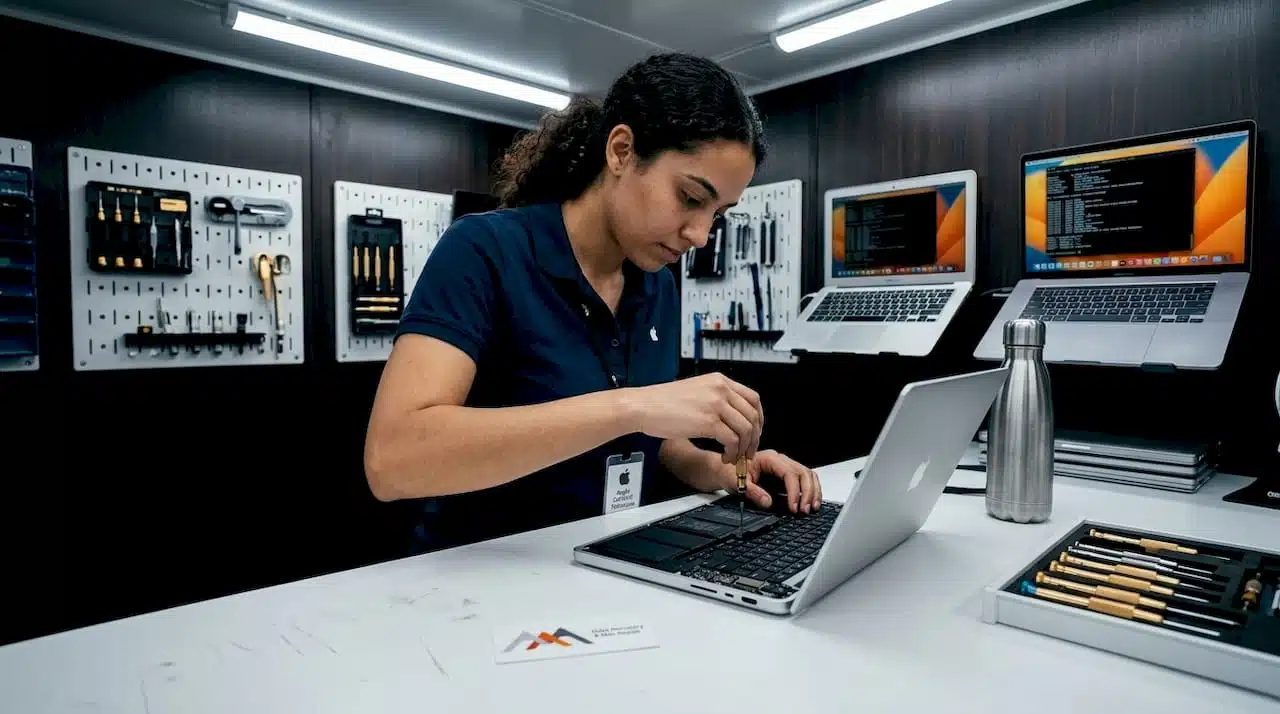
Not all repair credentials are equal, and in the Apple ecosystem, that distinction is especially significant. Apple issues formal certifications to technicians who complete rigorous training programs and pass standardized exams. The most recognized of these is the ACMT, which stands for Apple Certified Macintosh Technician. This credential verifies troubleshooting ability for Macintosh desktop and portable systems using Apple’s own service practices. It is not a generic IT certification or a manufacturer-independent badge. It is issued directly by Apple and requires ongoing education to maintain.
What does this translate to in practice? A certified technician has access to Apple’s proprietary diagnostic tools, which are not available to the general public or uncertified shops. These tools can read system logs, run hardware-level tests on Apple Silicon chips, and identify failures in components like the Thunderbolt controller or the T2 security chip that standard diagnostic software simply cannot reach. They also have access to genuine Apple replacement parts, which are manufactured to exact tolerances and carry Apple’s warranty.
Here is a direct comparison of what you get with certified versus non-certified repair:
| Feature | Apple Certified Technician | Non-Certified Shop |
|---|---|---|
| Training source | Apple-issued curriculum and exams | Varies widely; often self-taught |
| Diagnostic tools | Apple proprietary software and hardware | Third-party or generic tools |
| Replacement parts | Genuine Apple parts | Aftermarket or used components |
| Warranty on repairs | Often preserved or extended | May void existing Apple warranty |
| Data handling protocols | Apple-approved secure procedures | No standardized process |
| OS and firmware knowledge | Current and certified | May be outdated or incomplete |
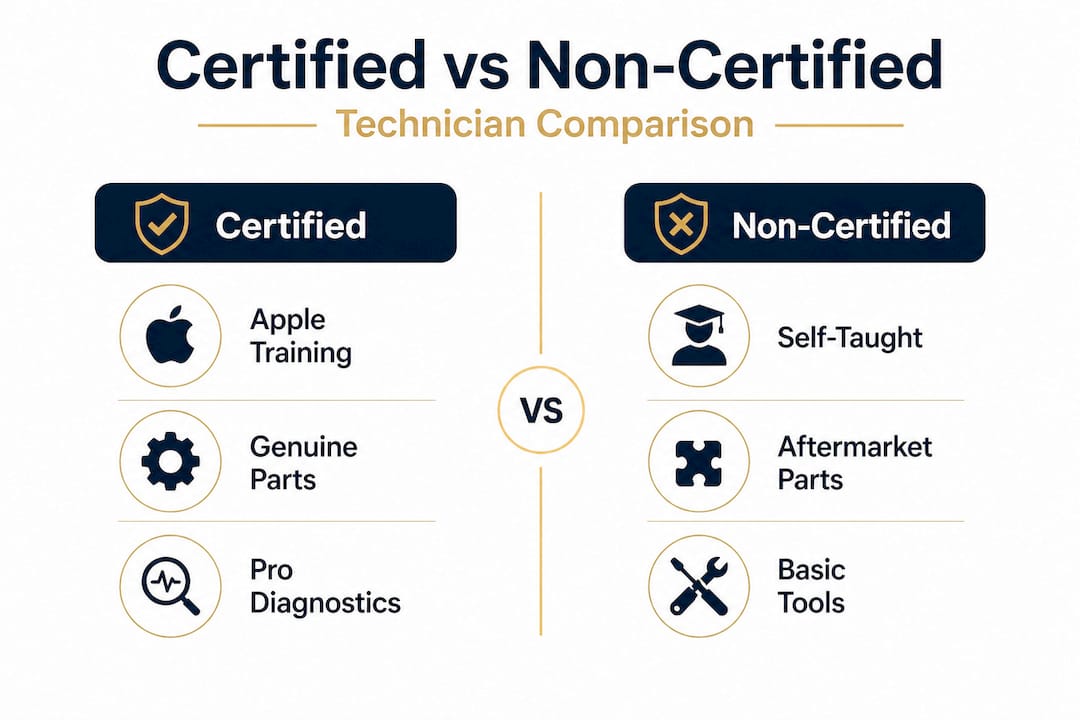
The difference is not subtle. Certified technicians who handle Mac repair work within a structured system that prioritizes both the hardware outcome and the user’s data integrity. Shops that lack this structure may inadvertently cause secondary damage, particularly when dealing with soldered SSDs, FileVault-encrypted volumes, or T2 chip-protected systems.
Key benefits of working with a certified technician include:
- Access to Apple Service Diagnostics (ASD) for precise fault identification
- Knowledge of APFS volume structures and how to safely navigate them during repairs
- Familiarity with Apple’s Independent Repair Provider program requirements
- Guaranteed use of genuine parts that do not trigger system alerts or lock features
- Accountability through Apple’s service tracking and audit systems
For anyone seeking fast MacBook repair without sacrificing quality, certification is the clearest indicator that a shop can deliver both.
How Apple Certified Technicians handle data loss and hardware issues
Understanding certification is the first step, but when your Mac faces real trouble, here’s how a certified expert makes all the difference.
The moment a device arrives with a suspected failure, an Apple Certified Technician begins a structured assessment process rather than making immediate assumptions. This matters enormously because symptoms can be misleading. A Mac that won’t boot might indicate a failed SSD, a corrupted APFS container, a logic board fault, or a firmware issue. Treating the wrong root cause not only wastes time but can permanently destroy recoverable data.
Certified technicians are trained to use Apple Service and Support products and practices to identify and resolve common macOS issues systematically. That means every case follows a defined workflow:
- Initial system assessment: The technician runs Apple Diagnostics or Apple Service Diagnostics to capture hardware error codes and identify failing components without writing to the storage device.
- Data triage and safe imaging: Before any repair work begins, the technician evaluates whether a safe image or backup of existing data can be created. For drives showing early signs of mechanical or NAND failure, this step is critical and time-sensitive.
- Root cause identification: Using error logs, SMC behavior readings, and component-level testing, the technician isolates the failure to a specific layer, whether firmware, hardware, or OS corruption.
- Targeted repair or recovery: With the root cause confirmed, the technician proceeds with the appropriate fix, replacing failed NAND modules, reflowing solder joints, or reinstalling macOS on a verified clean volume.
- Full post-repair validation: After every repair, the system undergoes complete testing across all hardware subsystems to confirm stability before being returned to the client.
“Repairs performed outside of certified channels frequently miss underlying logic board faults, leading to repeat failures within weeks and, in many cases, permanent data loss that could have been prevented.”
This kind of systematic approach is especially valuable when dealing with hard drive issues on older iMac or Mac Pro systems, where the interplay between spinning disk mechanics and macOS journaling can create layered failures. It is equally relevant for newer MacBook Pro models with soldered Apple Silicon storage, where improper handling during a screen replacement, for example, can disrupt NAND controller communication and trigger unrecoverable encryption states.
For a real-world example: a Los Angeles creative professional brings in a MacBook Pro that took liquid damage during a commute. An uncertified shop might dry it out, power it on, and declare it fixed, only for the logic board to fail two weeks later due to oxidation damage to the PCH lanes. A certified technician inspects the board under magnification, identifies corrosion pathways near the GPU interconnect, cleans affected areas using ultrasonic equipment, and tests the system under load before returning it. The result is a stable repair rather than a ticking failure.
Pro Tip: If your Mac shows signs of storage failure such as frequent beach-balling, file system errors, or unexpected shutdowns, stop using the device immediately and consult a certified expert. Continued use can overwrite recoverable sectors and make MacBook Pro data recovery significantly harder or impossible.
Fast turnaround and in-store recovery: The new standard
Having seen the quality of service, let’s dig into why turnaround speed is also a game-changer for Los Angeles users.
For anyone who depends on their Mac for work, every hour of downtime has a measurable cost. Historically, complex Apple repairs often meant shipping devices to Apple’s service depots, a process that could take anywhere from five to ten business days. That model is shifting. Apple’s service infrastructure is increasingly supporting in-store restores, as demonstrated by recent updates allowing Apple Watch software restores to be completed directly at retail locations rather than requiring depot shipment. This signals a broader evolution toward localized, faster service resolution.
Apple Certified Technicians and Apple Authorized Service Providers are positioned to capitalize on this shift because they already have the tools and training to perform in-store repairs that previously required factory-level access. The data speaks clearly:
| Repair type | Certified in-store (avg.) | Depot or non-certified (avg.) |
|---|---|---|
| Battery replacement | Same day | 3 to 5 business days |
| Screen replacement | Same day to next day | 5 to 7 business days |
| SSD data recovery (logical) | 1 to 2 days | 7 to 10 business days |
| Logic board diagnostics | 1 to 2 days | 5 to 10 business days |
| Full system restore | Same day | 3 to 7 business days |
The efficiency gains are significant. Certified shops maintain stock of commonly needed genuine parts, run parallel diagnostic workflows for multiple devices, and carry institutional knowledge that allows experienced technicians to resolve known failure patterns quickly. A technician who has handled hundreds of M1 MacBook Air logic board faults, for instance, can move through diagnosis and repair far faster than someone encountering the issue for the first time.
For Los Angeles users, faster repair also means safer data handling. Every additional day a failing drive is left unaddressed increases the risk of further degradation. Speedy repair services backed by certified expertise are not just a convenience. They are a practical data preservation strategy.
Studies within the Apple service industry suggest that certified technicians resolve over 70% of common hardware and software issues in-store without requiring any depot involvement. That rate drops significantly for uncertified shops, which frequently lack the specialized components or tools needed to complete repairs on-site.
Why Los Angeles users should always choose certified experts
With turnaround time addressed, let’s see why in a busy city like Los Angeles, making the right choice up front is essential and how to do it.
Los Angeles presents a specific set of conditions that make certified repair especially important. The city’s professional density means that devices carry critical client files, unreleased creative work, proprietary business data, and financial records. Devices here also tend to be used heavily, often in transit, in varied environments, and for long hours. This accelerates wear on components like the keyboard, battery, and display hinge, and increases the frequency of failure events.
Certified experts are equipped to use Apple Service and Support tools, which means every diagnostic reading, every part installed, and every OS-level intervention follows a verified protocol. This gives LA users several concrete advantages, including transparent flat-rate or estimate-based pricing, repairs that preserve Apple Care+ coverage where applicable, use of parts that pass Apple’s quality thresholds, and priority scheduling for urgent cases.
The risks of skipping certification and going to an uncertified shop are real and often underestimated:
- Warranty voiding: Non-genuine parts or improper repair procedures can flag a device in Apple’s system and disqualify it from future warranty or trade-in programs.
- Data exposure: Shops without formal data handling protocols may not encrypt or properly secure data accessed during repair.
- Misdiagnosis: Without Apple diagnostic tools, technicians may replace parts that are functional while missing the actual fault, leading to repeated failures.
- Firmware damage: Incorrect OS reinstallation or SMC resets performed without proper knowledge can corrupt the startup firmware, making future repairs more complex and expensive.
- Loss of trade-in eligibility: Devices with signs of unauthorized repair are frequently rejected or significantly devalued during Apple trade-in evaluations.
Pro Tip: Before leaving your device with any repair shop, ask directly whether the technician holds current ACMT certification. Request to see their Apple service credentials. A legitimate certified technician or authorized provider will have no hesitation presenting this information.
For anyone weighing the benefits of professional data recovery, the calculus is straightforward. Paying a modest premium for certified expertise protects the full value of your device, your data, and your ongoing relationship with Apple’s service ecosystem. In a city as fast-moving as Los Angeles, there is little room to recover from the setbacks that uncertified repairs consistently cause.
What most Apple users miss about certified repair: A real-world perspective
After covering certification, repair safety, and speed, here is our on-the-ground view from years of guiding Los Angeles users through device failures and data emergencies.
The most consistent pattern we observe is this: users who come to us after a failed attempt at uncertified repair face longer recovery times, higher costs, and in the worst cases, permanently unrecoverable data. The original issue was often something manageable. A logical file system error, a swollen battery, a failing SSD with early warning signs. But an uncertified attempt to “fix it fast” escalated each of those into a serious problem.
“The most expensive repair is always the second one. Users who chose uncertified service to save money almost always spend significantly more when they return with a compounded failure.”
This is a hard-won lesson that applies directly to the Los Angeles market. Creative professionals, freelancers, and business owners here often prioritize speed and cost at the point of failure, making decisions quickly under pressure. But certification is not a luxury tier of service. It is the baseline standard that Apple designed its ecosystem around.
There is another dimension most users never consider: future eligibility. A Mac repaired with non-genuine parts or via unauthorized procedures may be flagged in Apple’s Repair Registry. When that device later needs an OS upgrade, a hardware diagnostic at the Genius Bar, or a trade-in valuation, its history becomes visible. Devices with unauthorized repair flags are often disqualified from trade-in programs entirely, losing hundreds of dollars in residual value.
Demand for qualified LA repair experts has grown steadily as users in the city increasingly depend on seamless Apple ecosystem integration, from iCloud continuity to Handoff features to Universal Control. Any repair that disrupts the firmware or hardware baseline of a Mac risks breaking these integrations in ways that are difficult to trace and frustrating to resolve. Certified technicians understand the full stack, hardware to OS to cloud services, and they repair accordingly.
Connect with trusted Apple Certified Technicians in Los Angeles
Ready to get your device handled by real experts? Here’s how to take action.
When your Mac needs repair or data recovery, the difference between a successful outcome and a costly setback often comes down to who opens the device first. At Macwest Data Recovery & Mac Repair, we have been serving Los Angeles Apple users since 2006 with certified expertise, genuine parts, and a recovery-first approach that puts your data ahead of everything else.
Whether you’re dealing with a physically failed drive, an unresponsive MacBook, or a corrupted APFS volume, our team brings the tools, training, and verified credentials to handle it correctly. We offer hard drive data recovery for both spinning disk and solid-state storage, alongside a full range of Mac repair services covering everything from liquid damage to logic board replacement. If you are not sure where to start, our step-by-step guide on Mac data recovery steps walks you through what to expect before you even walk through the door.
Frequently asked questions
What is an Apple Certified Technician and why does it matter?
An Apple Certified Technician is trained and tested by Apple to properly diagnose and repair devices following official standards, ensuring safety and long-term reliability. The ACMT credential verifies troubleshooting and repair of Macintosh systems using Apple’s own service practices, which non-certified technicians are not qualified to follow.
How do Apple Certified Technicians protect my data during repair?
They follow strict Apple-approved protocols and use proprietary diagnostic tools to safeguard your data throughout every stage of the repair process. Apple Certified Technicians use Apple Service and Support products and practices designed specifically to protect data integrity during troubleshooting.
Do Apple Certified Technicians offer faster repairs than regular shops?
Yes, certified technicians frequently resolve issues in-store using Apple’s proprietary tools and genuine parts, significantly reducing wait times. Apple’s service evolution is increasingly enabling in-store restores, moving away from slower depot shipping models that add days to the repair timeline.
How can I verify that my technician is Apple Certified?
Ask the shop directly to present their ACMT credentials or proof of Apple Authorized Service Provider status, and any legitimate certified technician will provide this without hesitation.
Is using a non-certified technician risky for my Apple device?
Yes, uncertified repairs risk voiding your warranty, introducing non-genuine parts, causing firmware damage, and in many cases resulting in data loss that certified technicians could have prevented.