TL;DR:
- Liquid spills damage MacBook logic boards more than storage chips, leading to potential data loss if not acted upon quickly. Immediate power-off and professional repair within 24 to 48 hours are essential for the best chance of data recovery. Most data can be recovered even if the MacBook does not power on, especially through microsoldering or direct NAND chip extraction.
MacBook spill damage data loss is defined as the corruption or inaccessibility of stored files caused by liquid exposure that damages logic board components rather than the storage chips themselves. Stop all disk writes immediately if your MacBook has been exposed to liquid. The good news is that data typically remains recoverable after a spill because NAND storage chips fail far less often than the power management and communication controllers on the logic board. Macwestlosangeles has handled liquid damage cases since 2006, and the pattern is consistent: fast action saves data. The difference between a full recovery and permanent loss often comes down to what you do in the first 30 minutes.
What is MacBook spill damage data loss and how does it happen?
MacBook spill damage data loss occurs when liquid triggers short circuits and electrolytic corrosion on the logic board, disrupting the pathways that allow the system to read and write data. The storage itself is rarely the first casualty. Short circuits and electrolytic corrosion begin the moment liquid contacts the board, attacking power management chips, USB-C controllers, and communication lines. Even after the liquid evaporates, conductive residue from sugars and salts continues corroding metal traces. That ongoing corrosion is why a MacBook may appear to dry out and work briefly, then fail days later.
The distinction between logic board damage and storage damage matters enormously for recovery. On MacBook models from 2018 and earlier, the SSD was a removable module. Technicians could pull it and read it directly. On post-2018 models with Apple Silicon and soldered NVMe storage, the chips are physically bonded to the board, which makes direct extraction more complex but not impossible with microsoldering techniques.
| Liquid type | Corrosive risk | Primary damage target |
|---|---|---|
| Plain water | Moderate | Logic board traces |
| Coffee or tea | High | Power management ICs |
| Soda or juice | Very high | Solder joints, capacitors |
| Saltwater | Extreme | All metal contacts |
| Alcohol-based drinks | High | Insulating coatings |
Plain water causes less residue damage than sugary drinks, but no liquid is safe on an open circuit board. Soda and juice leave the most conductive residue, which accelerates corrosion long after the liquid is gone.
Pro Tip: If your MacBook was hit by a sugary drink, the corrosion risk is significantly higher than with plain water. Get it to a professional within 24 hours, not 48.
What should you do immediately after spilling liquid on your MacBook?
The single most important step is to power off the MacBook immediately and unplug every cable, including the MagSafe or USB-C charger. Turning off the MacBook immediately and avoiding any attempt to power it back on dramatically improves both device and data survival rates. Do not press the power button to “check if it still works.” That action sends current through wet circuits and accelerates corrosion damage.
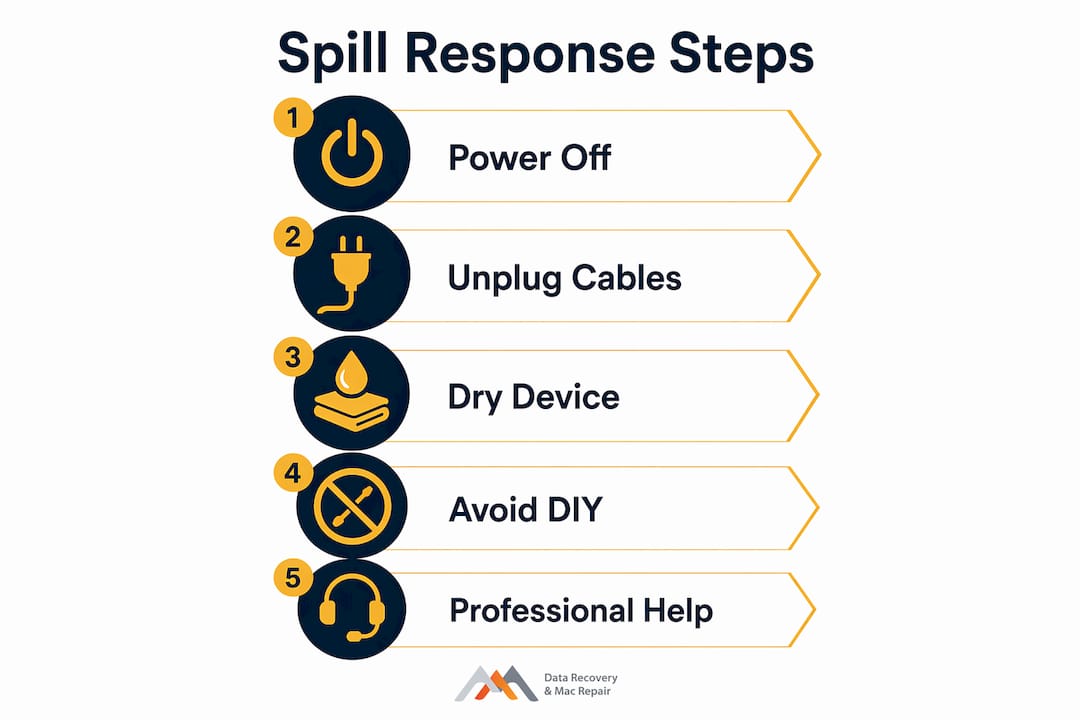
Several common responses make the situation worse, not better. Placing the MacBook in a bag of rice is a myth. Rice does not absorb moisture from internal components, and the delay it creates costs you critical hours. Using a hair dryer pushes liquid deeper into the board and can warp delicate components. Flipping or shaking the device spreads liquid to areas that were previously dry.
What to do:
- Power off immediately by holding the power button
- Disconnect all cables and peripherals
- Tilt the MacBook gently to let surface liquid drain from the keyboard
- Place it on a dry, flat surface with the lid open at a 90-degree angle
- Contact a professional repair service the same day
What to avoid:
- Do not power it on to test functionality
- Do not use rice, silica packets, or heat sources
- Do not shake or flip the device repeatedly
- Do not attempt to open the case yourself unless you have professional tools
- Do not connect it to an external drive or charger
Professional ultrasonic cleaning of the logic board with isopropyl alcohol and specialized EC cleaners halts corrosion and significantly improves repair success. Delays beyond 24–48 hours dramatically reduce the chances of salvaging the board. Every hour matters.
Pro Tip: Wrap the MacBook in a clean, dry cloth and transport it flat to the repair shop. Avoid storing it in a sealed bag, which traps humidity against the board.
What are the MacBook data recovery options after spill damage?
Data recovery often succeeds on MacBooks that will not power on because the storage chips remain physically intact while the logic board components fail. The recovery path depends on the MacBook model and how the storage is configured.
Removable SSD recovery (pre-2018 models)
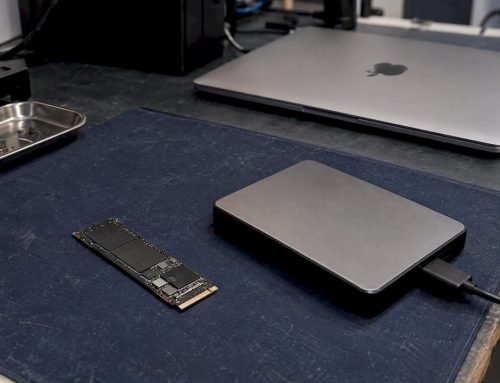
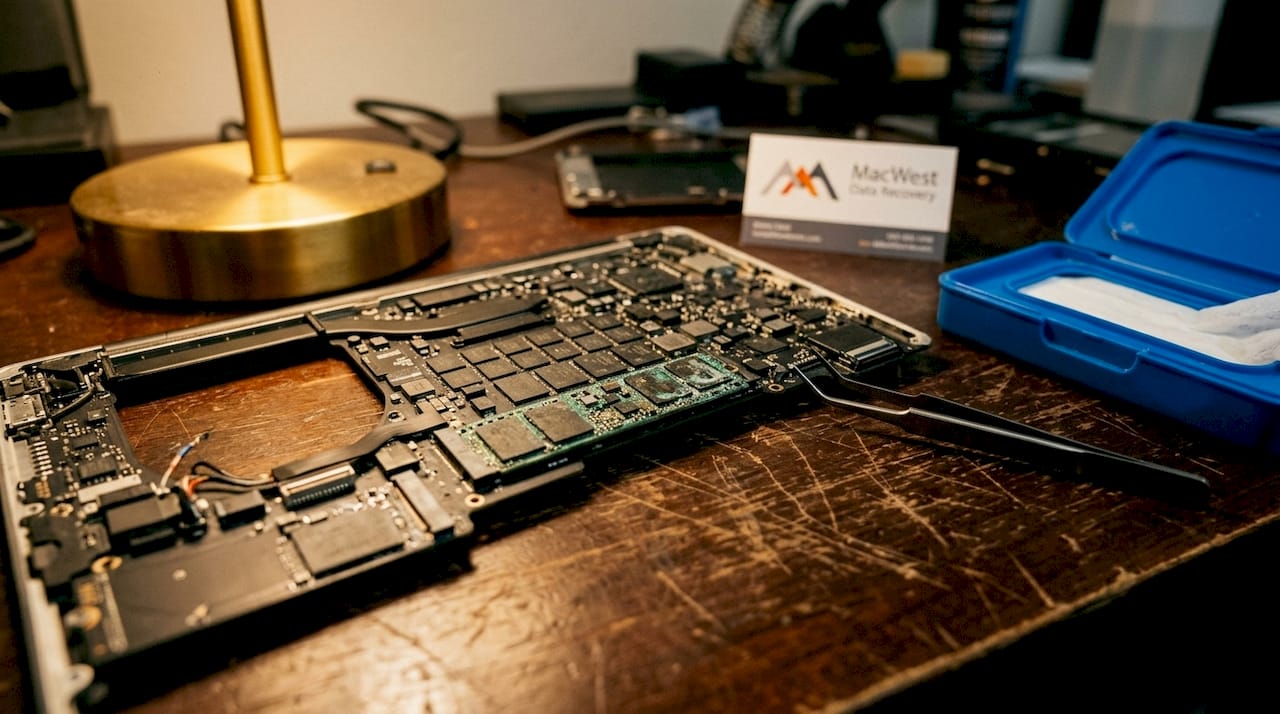
On older MacBook Pro and MacBook Air models, the SSD is a separate module connected via a proprietary connector. A technician can remove it, attach it to a compatible reader, and extract data directly. This process bypasses the damaged logic board entirely. APFS and FileVault-encrypted volumes are readable once the chip is mounted, provided the correct credentials are available.
Soldered SSD recovery (post-2018 and Apple Silicon models)
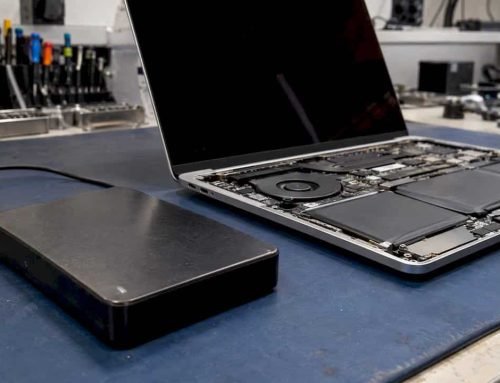
Newer MacBooks use storage chips soldered directly onto the logic board. Recovery requires one of two approaches. The first is logic board repair: a technician performs component-level microsoldering to restore enough board function to boot the system and copy data off. The second is chip-level extraction, which involves removing the NAND chips under a microscope and reading them directly. Both methods require specialized equipment and training.
Understanding logic board repair methods helps set realistic expectations. Board repair is not a simple swap. It involves identifying failed ICs, sourcing replacement components, and reflowing solder joints under magnification.
| Recovery method | Best for | Typical cost range | Timeframe |
|---|---|---|---|
| Direct SSD extraction | Pre-2018 removable SSDs | Lower end of repair pricing | 1–2 days |
| Logic board microsoldering | Post-2018 soldered storage | $500–$1,500 for board work | 3–7 days |
| Chip-level NAND extraction | Severely damaged boards | Higher end, quoted per case | 5–10 days |
| Full board replacement | When repair is not viable | Highest cost option | 3–5 days |
Most liquid damage repair costs range between $500 and $1,500 for logic board work, which is generally less expensive than a full board replacement. Data recovery pricing is quoted separately based on damage severity and model. The earlier a technician assesses the device, the more options remain available.
- Logic board repair and data recovery are two distinct services, though they are often performed together
- APFS, NVMe, and RAID configurations each require specific tools and expertise
- Encrypted volumes require the original Apple ID or FileVault recovery key to access data after extraction
- Protecting data during device repair requires choosing a shop with documented chain-of-custody procedures
What are the signs that spill damage is affecting your MacBook’s data?
Symptoms indicating spill damage include failure to boot, unexplained freezing, slow operation, and sudden shutdowns. These are not random software glitches. They are signs that corrosion is progressing on the logic board and beginning to affect the pathways that read and write data. Corrosion progresses silently, causing delayed hardware failures that can eventually destroy data accessibility entirely.
The most dangerous scenario is a MacBook that appears to recover after a spill and resumes normal operation for days or weeks. Residual corrosion continues working beneath the surface. One morning the device simply does not turn on, and the window for easy recovery has narrowed significantly.
Watch for these specific warning signs after any liquid exposure:
- The MacBook powers on but does not reach the login screen
- The display shows distorted graphics or flickering lines
- The keyboard or trackpad behaves erratically
- The system runs unusually hot without heavy workloads
- Disk Utility reports errors or cannot mount the startup volume
- The MacBook shuts down randomly under normal use
Any one of these symptoms after a spill warrants an immediate logic board failure diagnosis before the situation worsens. Macwestlosangeles offers free diagnostics and follows a “No Recovery, No Charge” policy, which means you pay nothing if data cannot be retrieved. Same-day appointments are available to reduce the time corrosion has to spread.
Key Takeaways
MacBook spill damage data loss is almost always a logic board problem, not a storage problem, and fast professional intervention is the single most important factor in a successful recovery.
| Point | Details |
|---|---|
| Storage chips survive longer | Logic board components fail first; NAND chips often remain intact after a spill. |
| Act within 24–48 hours | Delays beyond this window dramatically reduce recovery and repair success rates. |
| Avoid rice and heat | Both methods delay proper treatment and worsen corrosion damage. |
| Recovery method depends on model | Pre-2018 removable SSDs allow direct extraction; newer soldered chips require microsoldering. |
| Free diagnostics reduce risk | Macwestlosangeles offers free diagnostics and a “No Recovery, No Charge” policy. |
What I’ve learned from years of spill damage cases
After working through hundreds of liquid damage cases at Macwestlosangeles, the pattern that stands out most is how often customers wait too long. They try the rice trick, they let it “dry out” over a weekend, and they power it on repeatedly to check. By the time the MacBook arrives at the shop, the corrosion has spread from the original impact zone to adjacent components that were initially unaffected.
The second most common mistake is assuming the MacBook is dead because it will not turn on. A device that does not boot is not the same as a device with unrecoverable data. I have seen MacBooks come in completely unresponsive where we recovered every file intact because the NAND chips were physically undamaged. The logic board was a mess, but the data was fine. That distinction is not obvious to most users, and it leads people to give up too early.
Component-level microsoldering is what separates a real repair from a parts swap. Replacing the entire logic board costs more, eliminates the original data pathways, and is often unnecessary. Targeted repair of the failed power management IC or USB-C controller can restore full function at a fraction of the cost. That approach requires experience and the right equipment, but it produces better outcomes for both the device and the data.
My recommendation for any MacBook user: keep a current Time Machine backup on an external drive or use iCloud for critical files. That single habit eliminates the urgency entirely. But if a spill has already happened, stop all disk writes, power down, and call a professional the same day. The data is almost certainly still there.
— Kaya
Macwestlosangeles: MacBook spill damage repair in Los Angeles
Macwestlosangeles has provided MacBook liquid damage repair and data recovery services from its West LA location at 12041 Wilshire Blvd, Ste 26, since 2006. The team handles everything from soldered SSD extractions and NVMe data recovery to component-level logic board microsoldering for MacBook Air, MacBook Pro, iMac, and Mac Mini models. Free diagnostics are available with same-day appointments, and the “No Recovery, No Charge” policy means you take no financial risk. For hard drive and SSD data recovery after spill damage, call 310-866-0828 today. Serving Brentwood, Westwood, Santa Monica, Beverly Hills, Venice, Hollywood, and Culver City.
FAQ
Does spill damage always cause data loss on a MacBook?
Spill damage does not always cause data loss. Storage chips fail less often than logic board components, so data frequently remains intact even when the device will not power on.
How quickly do I need to act after a MacBook spill?
Act within 24–48 hours. Delays beyond this window dramatically reduce the chances of successful board repair and data recovery due to accelerating corrosion.
Can I recover data from a MacBook that won’t turn on after a spill?
Yes. A MacBook that will not boot can still yield a full data recovery, especially if the NAND storage chips are undamaged. Technicians use microsoldering or direct chip extraction depending on the model.
What does MacBook water damage recovery cost?
Logic board repair costs typically range between $500 and $1,500. Data recovery is priced separately based on damage severity, model, and the recovery method required.
Is it safe to put a wet MacBook in rice?
Rice does not effectively remove moisture from internal components and wastes critical recovery time. Bring the device to a professional repair shop the same day instead.