Key takeaways: Stop all disk writes immediately if your NAS fails, because continued use can permanently overwrite recoverable data. Mac users in Los Angeles face unique NAS recovery challenges tied to APFS file systems, proprietary NAS firmware, and RAID configurations that standard Mac tools cannot handle. Specialized local experts with hands-on experience since 2006 offer the best chance of full recovery, often with free diagnostics and a no-recovery, no-charge policy.
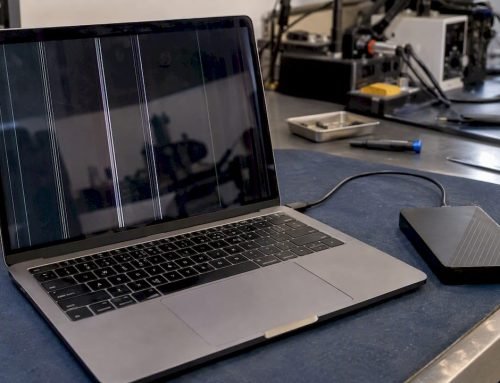
Many Mac users in Los Angeles assume that the same tools capable of rescuing a crashed MacBook drive will work equally well on a failed NAS system. That assumption is one of the most expensive mistakes you can make. NAS devices, whether a Synology unit in a Brentwood home office or a QNAP rack in a Culver City production studio, operate on entirely different architectures than direct-attached Mac storage. The file systems, RAID configurations, and firmware layers involved demand a level of specialized expertise that goes well beyond what any off-the-shelf recovery app can provide. Understanding why this matters, and what your real options are, could be the difference between recovering your data and losing it permanently.
Table of Contents
- Understanding NAS data loss on Macs
- The NAS recovery process: What professionals do differently
- Comparing DIY vs professional NAS data recovery
- Selecting the right data recovery service in Los Angeles
- Our take: Why Mac NAS recovery in LA demands specialized expertise
- Get expert NAS data recovery help in Los Angeles
- Frequently asked questions
Key Takeaways
| Point | Details |
|---|---|
| Mac NAS recovery is specialized | Recovering data from NAS systems used with Macs requires expert tools and local knowledge for successful outcomes. |
| DIY fixes increase risks | Uninformed recovery attempts often reduce the chances of professional data recovery and may cause permanent loss. |
| Local expertise matters | Los Angeles-based providers understand both Mac and NAS-specific issues and can act quickly for LA users. |
| Service choice impacts results | Selecting a reputable recovery service with a proven Mac/NAS track record maximizes the safety of your files. |
Understanding NAS data loss on Macs
NAS (Network Attached Storage) data loss on Macs happens for several distinct reasons, and recognizing the root cause early is critical to a successful recovery. Hardware failures, including failed drive platters, degraded RAID arrays, and power surge damage, are the most common culprits. Logical failures such as corrupted file system metadata, accidental volume deletion, or a botched firmware update can be just as destructive. OS misconfigurations on the Mac side, particularly when switching between APFS and HFS+ volumes or enabling FileVault encryption on shared network drives, introduce additional layers of complexity that most general recovery tools are not built to handle.
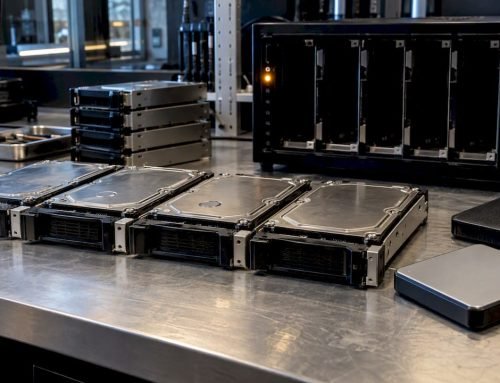
What makes NAS recovery genuinely different from recovering a standard Mac hard drive is the multi-drive architecture. A typical Mac hard drive or NVMe SSD is a single device with a single file system. A NAS, by contrast, may span four or more drives arranged in a RAID 0, 1, 3, or 5 configuration, each holding only a portion of your data. If even one drive in a RAID 5 array fails and a second drive begins degrading during the rebuild process, the entire dataset is at risk.
Proprietary NAS systems add another layer of difficulty. As noted in Best Mac Data Recovery Tools 2025, Synology SHR and Btrfs systems along with QNAP ext4 arrays require manual stripe and parity analysis. APFS and HFS+ are technically compatible with NAS environments, but TRIM on SSDs lowers recovery success rates, human error such as a wrong RAID rebuild worsens cases significantly, and multi-drive failures often require forensic carving to retrieve usable data.
Here are the most common NAS failure scenarios Macwest sees from clients across West LA, Santa Monica, and Beverly Hills:
- RAID degradation after a single drive failure, followed by a failed rebuild attempt
- Accidental volume deletion or reformatting on Synology or QNAP devices
- Firmware corruption that renders the NAS unbootable and the volume inaccessible
- Power surge damage affecting multiple drives simultaneously
- Human error including wrong RAID level selection during setup or rebuild
One misconception worth addressing directly: many users believe that because their NAS showed a “healthy” status before failure, recovery should be straightforward. In reality, silent drive degradation is common, and by the time a NAS reports an error, the damage may already be extensive. Consulting a specialist in data recovery in Los Angeles before attempting any self-repair is always the safer path. You can also learn more about general NAS data recovery methods to understand the technical landscape before your first call.
The NAS recovery process: What professionals do differently
After understanding the causes, let’s examine how data recovery experts actually tackle NAS data loss. The professional recovery process is methodical, and each step is designed to prevent additional damage while maximizing the amount of data retrieved.
- Device isolation: The NAS is immediately taken offline to prevent any further writes to the degraded array. This is the single most important step, and it is one that many users skip when they attempt self-recovery.
- Drive imaging: Each individual drive in the array is imaged sector by sector onto a clean recovery medium before any analysis begins. This preserves the original state of every drive.
- RAID reconstruction: Experts manually analyze stripe size, parity layout, and drive order to reconstruct the RAID configuration virtually, without touching the original drives.
- File system analysis: Once the virtual RAID is assembled, specialists examine the APFS or HFS+ volume structure to locate intact file system metadata and recoverable data segments.
- Forensic carving: In cases where the file system is too damaged to read normally, forensic carving tools scan raw sectors for known file signatures, recovering data even without a functional directory structure.
- Verification and delivery: Recovered files are verified for integrity before being delivered to the client on a clean storage device.
Proprietary systems from Synology and QNAP complicate every stage of this process. Their custom volume managers and journaling systems do not behave like standard Linux ext4 or Mac APFS volumes, which means off-the-shelf recovery software frequently misidentifies the RAID parameters entirely.
“A wrong RAID rebuild is one of the most damaging mistakes in NAS recovery. Once you overwrite parity data with an incorrect configuration, the window for recovery narrows dramatically.”
Pro Tip: Never attempt to rebuild a degraded RAID array using the NAS manufacturer’s web interface if more than one drive has failed. Power the device down immediately and contact a specialist. Reviewing Mac data recovery methods used by professionals can help you understand what to expect before your appointment.
LA-area providers noted for NAS and Mac expertise include 300 Data Recovery in Studio City, SalvageData with multiple Los Angeles locations, and DriveSavers, which carries nationwide reach with documented Apple expertise. Macwest, centrally located at 12041 Wilshire Blvd, Ste 26, near UCLA and the Getty Center, offers same-day appointments and free diagnostics for clients across West LA, Westwood, and Hollywood. Explore options for the best Mac data recovery in LA to compare service levels before committing.
Comparing DIY vs professional NAS data recovery
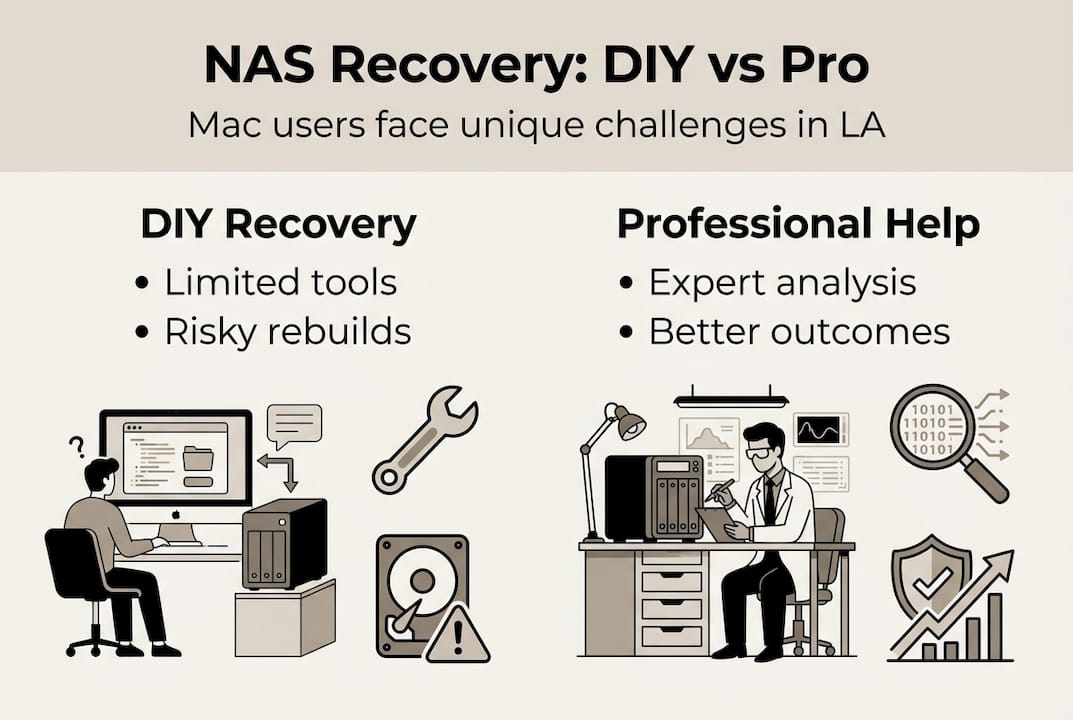
Given the technical hurdles, it’s helpful to compare what you can do yourself versus when calling a pro becomes essential. The table below breaks down the key differences across the most important decision factors.
| Factor | DIY recovery | Professional recovery |
|---|---|---|
| APFS/HFS+ support | Limited, often misreads APFS metadata | Full analysis with specialized tools |
| RAID reconstruction | Guesswork without documentation | Manual stripe/parity analysis |
| SSD TRIM impact | Cannot compensate for overwritten blocks | Forensic carving to recover fragments |
| Risk of further damage | High, especially with wrong RAID rebuild | Minimal, drive imaging done first |
| Cost | Low upfront, high risk of total loss | Higher upfront, better outcome odds |
| Turnaround | Unpredictable | Same-day to several days depending on complexity |
DIY software tools such as Disk Drill or R-Studio can work reasonably well for simple logical failures on single-drive Mac setups. When applied to a multi-drive NAS with a proprietary volume manager, however, these tools frequently misidentify the RAID parameters and begin writing incorrect data, which compounds the damage.
The data is clear on this point: success drops 20 to 30% on APFS compared to HFS+ volumes, and human error such as a wrong RAID rebuild worsens cases substantially. That gap widens further when SSDs with TRIM enabled are involved, because TRIM actively erases blocks that the operating system marks as deleted, leaving less raw data for recovery tools to work with.
Here is when DIY recovery is acceptable versus when you need a professional:
- DIY is reasonable when a single drive fails on a RAID 1 mirror and the second drive is fully healthy
- DIY is risky when two or more drives have failed simultaneously
- DIY is dangerous when the NAS uses a proprietary volume format like Synology SHR or QNAP QRAID
- Professional help is essential when any previous recovery attempt has already been made
For Mac Pro users running NAS arrays in creative or business environments, the stakes are especially high. Mac Pro NAS recovery requires expertise in both the Mac side of the connection and the NAS architecture itself, which is a combination that few general IT shops in LA can genuinely offer.
Selecting the right data recovery service in Los Angeles
Once you recognize the need for expert help, picking the right service is the next crucial step. Los Angeles has no shortage of data recovery providers, but NAS recovery for Mac users is a genuinely specialized niche, and not every shop has the tools or experience to handle it properly.
| Provider | Specialization | Location | Notable feature |
|---|---|---|---|
| Macwest Data Recovery | Mac hardware and NAS recovery, since 2006 | 12041 Wilshire Blvd, Ste 26 | Free diagnostics, no recovery no charge |
| 300 Data Recovery | Hard drive and NAS recovery | Studio City | Yelp-rated, local LA presence |
| SalvageData | Enterprise and consumer NAS | Multiple LA locations | Certified cleanroom facilities |
| DriveSavers | Apple-specific expertise | Nationwide | Long track record with Mac devices |
As documented by 300 Data Recovery Los Angeles, professional NAS data recovery services in LA include providers specializing in both Mac and NAS environments, giving users in areas like Venice, Brentwood, and Culver City meaningful local options.
Before choosing a provider, ask these questions directly:
- Do you have experience with my specific NAS brand and RAID configuration?
- Do you image drives before beginning any recovery work?
- Is there a fee if recovery is unsuccessful?
- Can you provide a written estimate before starting?
- Is your facility secure and confidential for sensitive business data?
Red flags to watch for include providers who demand large upfront fees before any diagnosis, refuse to explain their process, operate without a verifiable physical location, or cannot name the specific tools they use for NAS and Mac file system analysis.
Pro Tip: Always ask whether the provider will give you a free diagnostic before committing to a service fee. Reputable shops, including those listed among the top Mac data recovery LA options, will assess your device before charging anything. For clients across West LA needing local NAS recovery LA, same-day appointments are available at Macwest by calling 310-866-0828.
Our take: Why Mac NAS recovery in LA demands specialized expertise
Having explored all your options, here’s our candid perspective on getting results in LA. The conventional wisdom in data recovery circles is that any competent technician with the right software can handle most recovery jobs. For NAS systems used with Macs, that assumption is simply wrong, and it costs clients real money and real data every year.
What most general recovery shops miss is the interplay between Mac file systems, NAS firmware, and the specific device mix common in Los Angeles. Creative professionals in Hollywood running Synology units formatted with APFS, small businesses in Santa Monica using QNAP arrays connected to iMacs, and freelancers in Westwood with older HFS+ NAS setups all face different failure modes that require different approaches.
We have seen cases where a single failed DIY rebuild attempt eliminated data that would otherwise have been fully recoverable. Investing in a specialist from the start, particularly one with experience on both the Mac hardware side and the NAS architecture side, consistently produces better outcomes. It also costs less in the long run than paying for a second recovery attempt after a failed first one. The Mac repair pros in LA who understand both worlds are the ones worth calling first.
Get expert NAS data recovery help in Los Angeles
If your NAS has failed and your Mac data is at risk, the time to act is now. Stop all disk writes, power down the NAS, and reach out to a specialist who understands both the Mac file system environment and the specific architecture of your NAS device.
Macwest Data Recovery, serving West LA, Santa Monica, Beverly Hills, Brentwood, Westwood, Venice, Hollywood, and Culver City since 2006, offers free diagnostics and a no-recovery, no-charge policy for every case. Same-day appointments are available for urgent situations. Whether you need hard drive and NAS recovery for a single failed unit or a full RAID reconstruction, the team at 12041 Wilshire Blvd, Ste 26 is equipped to help. Find data recovery near you in LA or visit macwestlosangeles.com to schedule your appointment. Call us directly at 310-866-0828 for immediate assistance.
Frequently asked questions
Can you recover APFS-formatted NAS drives used with Macs?
Yes, but success rates drop 20 to 30% compared to HFS+ drives, especially when SSD TRIM was enabled on the device prior to failure.
What makes NAS recovery different from regular Mac data recovery?
NAS recovery involves RAID arrays and proprietary formats that require manual stripe and parity analysis, forensic carving, and specialized tools that go well beyond standard Mac recovery software.
How much does professional NAS data recovery cost in Los Angeles?
Typical NAS data recovery in LA starts around $300 and increases with complexity, with providers like 300 Data Recovery, SalvageData, and Macwest offering free diagnostics before any commitment.
Does trying DIY NAS recovery make things worse?
Yes. Wrong RAID rebuilds and overwriting failed drives during a DIY attempt can permanently eliminate data that a professional would otherwise have been able to retrieve.
What should I do first after NAS data loss on my Mac?
Immediately power down the NAS, stop all disk activity, and contact a local Mac and NAS specialist to maximize your recovery window before any additional damage occurs.