TL;DR:
- Losing critical data on a Mac can end a business project or erase irreplaceable memories, requiring specialized recovery. Macwest Data Recovery stands out with its Apple-specific expertise, “No Data, No Charge” policy, and local Los Angeles presence, reducing risks and turnaround times for complex failures. Promptly stop using the device and contact professional help to maximize your chances of successful data recovery.
Losing critical data on a Mac is not just an inconvenience. It can mean the end of a business project, months of creative work, or irreplaceable personal memories. Plenty of repair shops in Los Angeles claim Apple expertise, but without specialized tools, Apple-specific software knowledge, and a clear recovery policy, your data could be in more danger after you hand it over than before. This article walks through exactly what sets Macwest Data Recovery apart from national chains and generalist shops, when you need professional help, and how to get started if you are facing data loss right now.
Table of Contents
- What makes Macwest different from other data recovery providers?
- How reliable is Macwest? Experience, policies, and reviews
- When to seek professional data recovery: Real-world scenarios
- How to get started with Macwest: Process and what to expect
- The truth about LA data recovery: What most users miss
- Get expert help for your Apple data recovery in Los Angeles
- Frequently asked questions
Key Takeaways
| Point | Details |
|---|---|
| Apple-focused expertise | Macwest specializes in Apple device data recovery and hardware repair for Los Angeles clients. |
| Risk-free recovery policy | With a ‘No Data, No Charge’ guarantee, there is no financial risk if your data cannot be retrieved. |
| Handles simple to complex failures | Macwest addresses both accidental deletions and advanced situations like RAID or SSD failure. |
| Reliable, local, and fast | Emergency services and LA location mean faster turnaround for critical Apple device recoveries. |
| Trust, not just advertising | Customers should check reviews and understand the limits of unverified technical claims when choosing a provider. |
What makes Macwest different from other data recovery providers?
When your MacBook’s SSD fails or your iMac refuses to boot, the first instinct for many Los Angeles residents is to search for the nearest repair shop or contact a national chain. That approach carries real risk. Most generalist shops service a wide range of devices, but Apple hardware requires a fundamentally different skill set. APFS (Apple File System), Apple’s proprietary filesystem introduced in 2017, has a different data structure than Windows-based NTFS drives. A technician trained primarily on Windows systems may not understand how APFS snapshots, clones, or encryption keys interact with the recovery process.
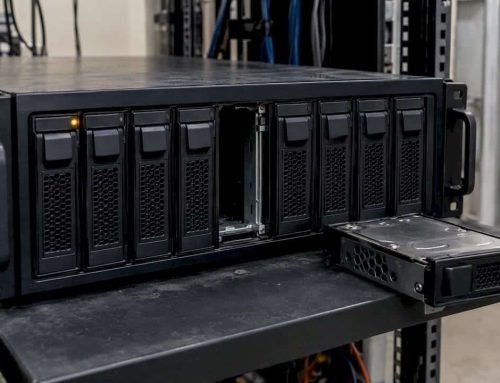
Macwest Data Recovery covers everything from accidental file deletions to complex hardware failures involving RAID arrays, SSDs with direct NAND chip access requirements, and traditional spinning hard drives. As a Los Angeles Apple-focused provider, Macwest handles simple deleted file recovery through complex RAID, SSD, and HDD failures, offering emergency service with a “No Data, No Charge” policy that significantly reduces financial risk for clients.
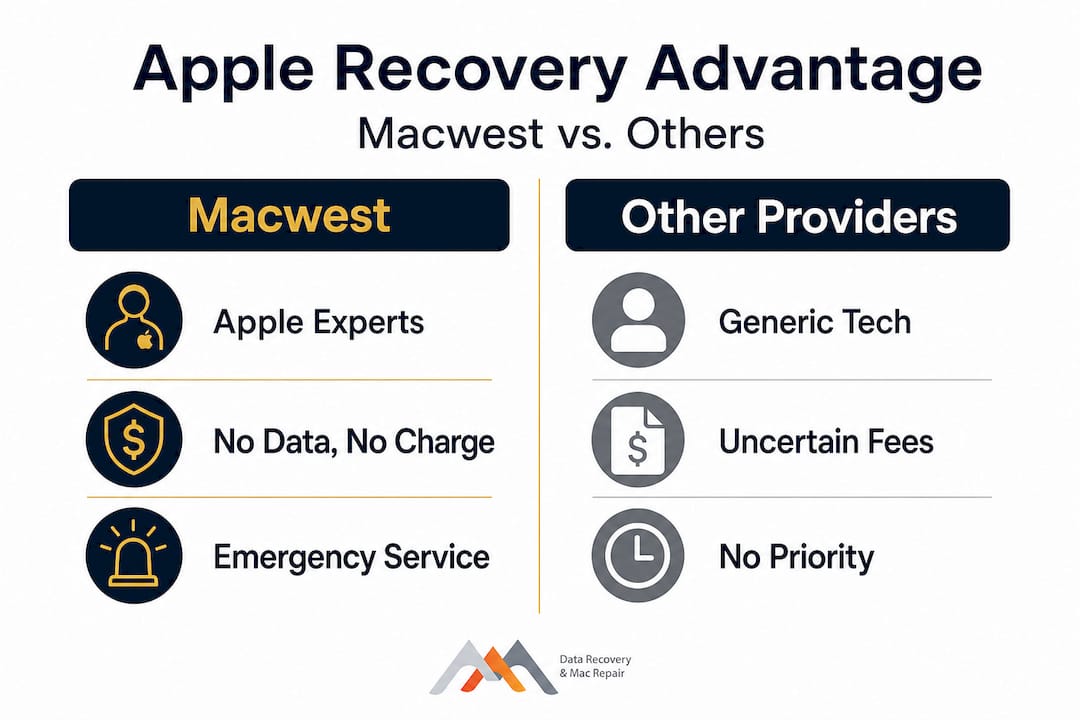
That “No Data, No Charge” policy matters more than most users realize. It means Macwest has skin in the game. If the recovery fails, there is no bill. This creates a direct incentive to succeed where other providers might charge diagnostic fees regardless of outcome.
Here is a direct comparison of what you get across different provider types in the Los Angeles market:
| Feature | Macwest | National chains | Generic local shops |
|---|---|---|---|
| Apple-specific expertise | Yes, primary focus | Partial, multi-platform | Rarely specialized |
| RAID/SSD/HDD recovery | All three | Limited | Limited |
| Emergency/same-day service | Yes | Sometimes | Rarely |
| No Data, No Charge policy | Yes | No | No |
| Local LA turnaround | Faster | Slower logistics | Variable |
| FileVault/APFS knowledge | Yes | Limited | Rarely |
Pro Tip: Before handing your Mac to any shop, ask specifically whether the technician has worked with APFS-formatted drives and soldered SSDs. If they hesitate or redirect, that is a signal to look elsewhere.
The local angle also matters practically. Shipping a failed drive to an out-of-state lab adds transit time and physical risk. Macwest’s central Los Angeles location means you can drop off your device and receive updates without waiting days for shipping confirmation. For businesses running time-sensitive workflows, that difference can be decisive.
“Choosing a data recovery provider is not just about price. It is about understanding what happens to your data if the recovery fails, who handles it during the process, and whether the technician has the Apple-specific knowledge to avoid making a bad situation worse.”
Explore Mac repair service details or review the broader context of Apple forensic recovery to understand the scope of what professional recovery actually involves.
How reliable is Macwest? Experience, policies, and reviews
Trustworthiness in data recovery comes down to three things: transparent policies, verifiable experience, and honest communication about limitations. Macwest has operated in Los Angeles since 2006, giving it nearly two decades of Apple-focused hardware experience. That kind of tenure means technicians have worked through every major macOS transition, from HFS+ through APFS, and every hardware shift from spinning hard drives to the soldered NVMe SSDs found in modern MacBook Pros and Mac Minis.

Here is a breakdown of Macwest’s core service policies and how they compare to standard industry practice:
| Policy or feature | Macwest | Industry average |
|---|---|---|
| No Data, No Charge | Yes | Rare |
| Emergency/priority service | Yes | Limited |
| Apple-exclusive device focus | Yes | No |
| Handles FileVault encryption | Yes | Often not |
| Free initial consultation | Yes | Varies |
| In-person LA drop-off | Yes | Not always |
When researching any data recovery provider, online review platforms can give you a rough sense of responsiveness and customer service. However, community review signals help validate responsiveness, but platform listings alone are not sufficient to independently establish cleanroom standards or specific technical process claims for any provider. This is not a criticism specific to Macwest. It is a limitation of the review ecosystem overall.
What this means for you: use reviews to gauge communication quality, turnaround speed, and whether clients felt respected and informed. Then ask direct technical questions when you contact the provider.
Key red flags to watch for when evaluating any data recovery provider:
- Guaranteed recovery rates without reviewing your specific device
- No written policy on what happens if recovery fails
- Vague answers about who handles your device and where
- No mention of APFS, FileVault, or Apple-specific recovery tools
- Pressure to approve repair before any diagnosis is complete
Macwest’s positioning as an LA data recovery specialist addresses several of these concerns directly. Transparent policies, Apple-centric tools, and a local presence reduce the uncertainty that makes data loss so stressful. You can also review a broader overview of best LA data recovery options to understand how the market is structured and what separates genuine specialists from generalist shops that market themselves as Apple-friendly.
“The most reliable signal that a provider is trustworthy is not the review score. It is whether they give you a clear, direct answer when you ask what happens if your data cannot be recovered.”
For those searching locally, data recovery near you provides an overview of available services and how to begin the process.
When to seek professional data recovery: Real-world scenarios
Not every data loss situation requires the same response. Understanding where your situation falls on the severity spectrum helps you act quickly and appropriately, which directly affects your recovery odds.
Here are four real-world scenarios and the recommended course of action for each:
Home user accidentally deletes a folder: If the files were deleted recently and the drive has not been heavily used since, there is a reasonable chance of recovery using macOS’s built-in Time Machine backup or a reputable software tool. However, if the Mac has been in use since the deletion, every new file written to the drive risks overwriting the deleted data permanently.
Small business with a crashed external RAID array: RAID systems (Redundant Array of Independent Disks) are complex. Rebuilding a failed RAID without understanding the original stripe size, array type (RAID 0, 1, 5, etc.), and controller settings can result in complete data destruction. This is a case where you stop using the system immediately and contact a specialist. Macwest handles everything from simple deleted file recovery to complex RAID and SSD failures, including emergency options for business-critical situations.
Video production studio with liquid-damaged MacBook Pro: Liquid damage is time-sensitive. Powering on a wet logic board causes corrosion and short circuits that permanently destroy components. Do not attempt to charge or restart the device. Bring it in for professional assessment as soon as possible.
Student with a formatted SSD: Formatting an SSD does not immediately erase all data on APFS-formatted drives in many cases, but the window for recovery narrows quickly with each use. Prompt action and professional tools give you the best chance of getting files back.
Common mistakes that significantly reduce recovery odds:
- Running repeated restart cycles on a failing drive
- Installing recovery software on the same drive that lost data
- Opening a physically damaged device without a static-safe environment
- Attempting to clone a failing drive without proper tools
- Waiting days before seeking help, assuming the problem will resolve itself
Pro Tip: The single most important thing you can do immediately after data loss is stop using the device. Every byte written to the storage medium after a deletion or failure reduces the recoverable surface area. Time matters, but inaction on the device itself protects your data.
Reviewing professional recovery benefits can help clarify exactly why specialist intervention outperforms DIY approaches for anything beyond basic accidental deletion. For Mac Pro users specifically, Mac Pro recovery in LA covers the additional complexity that workstation-class hardware introduces.
How to get started with Macwest: Process and what to expect
Once you have decided to seek professional help, the process should feel straightforward and transparent at every stage. Here is what the Macwest intake and recovery process looks like in practice:
- Initial contact: Reach out by phone or online to describe your situation. The team will ask about the device type, symptoms, and what data you need to recover.
- Device drop-off and diagnosis: Bring your Mac to the Los Angeles location. Technicians perform an initial assessment to determine the failure type, whether logical (software-level) or physical (hardware damage).
- Quote and authorization: You receive a clear quote before any recovery work begins. There is no obligation to proceed at this stage.
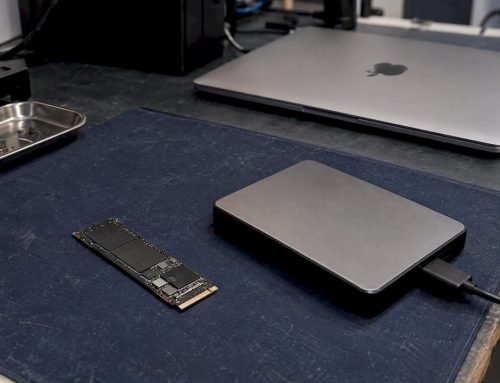
- Recovery process: Depending on complexity, recovery may involve software-based extraction for logical failures or hardware-level intervention for physical damage, including NAND chip access on soldered SSDs.
- Data verification: Before delivery, recovered files are verified to confirm integrity. You are not handed a drive full of corrupted fragments.
- Data return: Files are returned on a new storage medium. The original device is handled per your instructions.
Macwest’s emergency service options apply the “No Data, No Charge” model at every stage, meaning you are protected from paying for a failed outcome regardless of which recovery tier you select.
Typical turnaround times vary by complexity:
- Logical recovery (deleted files, corrupted volume): 1 to 3 business days
- Physical hard drive failure: 3 to 7 business days
- Complex SSD/NAND recovery or RAID rebuild: 5 to 14 business days
- Emergency priority service: accelerated timeline, case-dependent
Before your first drop-off, bring or prepare the following:
- Your Apple ID credentials (needed for FileVault-encrypted drives)
- A description of what happened immediately before the data loss
- A list of the most critical files or folders you need recovered
- Any passwords associated with the device or encrypted volumes
- The original device charger (do not power on if liquid damage is suspected)
For a detailed overview of what the hard drive data recovery process involves, including how mechanical failures differ from electronic ones, that resource breaks down the technical distinctions clearly.
The truth about LA data recovery: What most users miss
After working in the Apple repair and recovery space in Los Angeles since 2006, the pattern that causes the most preventable data loss is not hardware failure. It is user behavior in the minutes and hours immediately following an incident. Most Apple users, even technically literate ones, underestimate how quickly repeated power cycling degrades a failing drive’s recoverable surface. Each failed boot attempt on a mechanically compromised hard drive can cause additional head crashes. Each restart on a logically corrupted SSD can overwrite the metadata that makes file reconstruction possible.
The second most damaging pattern is misplaced trust in generic cleanroom or certification claims. Review platform listings help validate responsiveness, but cleanroom and process claims are not independently verified through directory listings alone. This applies to every provider in the market. The responsible approach is to ask direct questions: What class is your cleanroom? What Apple-specific tools do you use for NAND access? What is the chain of custody for my device during recovery?
“In a market where every shop advertises Apple expertise, the differentiator is not the claim. It is the willingness to answer specific, technical questions without deflection.”
The third overlooked risk is the assumption that good reviews equal verified technical competence. A shop can have excellent customer service and still lack the proprietary tools required to access a soldered M2 SSD or reconstruct a RAID-5 array with a failed controller. Reviews tell you how a shop treats people. They do not tell you whether the technician has actually recovered data from a MacBook Pro with a T2 security chip or an Apple Silicon M3 device.
For a deeper look at what separates surface-level repair shops from genuine recovery specialists in Los Angeles, the best Apple laptop repair insights resource addresses these distinctions in practical terms.
Pro Tip: Always ask any recovery provider to clarify in writing what happens to your device and your data if recovery is not successful. A trustworthy provider will answer immediately and clearly. Vagueness at this stage is a warning sign.
Get expert help for your Apple data recovery in Los Angeles
If you are dealing with data loss on a Mac, iMac, MacBook, or any Apple storage device right now, the most important step is to stop using the device and contact a specialist promptly. Macwest Data Recovery has served Los Angeles individuals and businesses since 2006, covering everything from routine deletions to the most technically demanding RAID and SSD recovery scenarios.
Whether you need hard drive data recovery, emergency RAID reconstruction, or standard Mac repair services after liquid damage or a logic board failure, Macwest offers transparent pricing, a clear “No Data, No Charge” guarantee, and the Apple-specific expertise that generalist shops simply cannot match. Reach out today through the local LA data recovery page to describe your situation and receive a free initial consultation. The sooner you act, the better your recovery odds.
Frequently asked questions
What if my Mac can’t be repaired or my data can’t be recovered at all?
With Macwest’s “No Data, No Charge” policy, you are not billed if the recovery attempt is unsuccessful, removing the financial risk from an already stressful situation.
How quickly can I get my data back with Macwest?
Emergency service options allow Los Angeles clients to receive accelerated turnaround, though exact timelines depend on the complexity and severity of the failure involved.
Does Macwest handle both simple and advanced data loss situations?
Yes. Macwest’s coverage ranges from straightforward accidental deletions all the way through to complex RAID array reconstructions, SSD NAND-level access, and full hard drive failure recovery.
Are Macwest’s cleanroom facilities and technical claims independently verified?
Directory and review platform listings do not independently verify cleanroom standards or specific technical processes for any provider, which is why asking direct questions during your initial consultation is essential.
What should I do immediately after suffering data loss on my Apple device?
Stop using the device right away, avoid repeated restarts, do not attempt to install recovery software on the affected drive, and contact a professional recovery service as quickly as possible to protect whatever data remains.