TL;DR:
- Prompt same-day Mac repair is crucial for Los Angeles professionals to minimize downtime affecting revenue and reputation. A structured diagnostic process and thorough protocols ensure quality and data safety, preventing recurring issues and costly rework. Trustworthy shops emphasize diagnostic transparency, experience, and comprehensive procedures over quick fixes to deliver reliable, efficient service.
When your MacBook freezes mid-presentation, your iMac won’t boot before a client deliverable, or liquid damage shuts down your entire workflow without warning, the clock starts running immediately. For Los Angeles professionals, creatives, and business owners, downtime is not just inconvenient — it directly costs money, reputation, and client trust. The real question most users never think to ask is not whether same-day Mac repair is available, but whether the shop they’re trusting can actually deliver quality alongside speed, and what separates a reliable emergency repair from a rushed job that creates bigger problems down the road.
Table of Contents
- The urgency: When does same-day Mac repair matter most?
- Speed without shortcuts: How quality is protected in same-day repairs
- What can go wrong? Risks of rushed repairs and how to avoid them
- Making same-day repair work for you: Tips for urgent but safe Mac service
- The uncomfortable truth about same-day repairs: It’s not just speed that matters
- Get same-day Mac repair and data recovery that doesn’t cut corners
- Frequently asked questions
Key Takeaways
| Point | Details |
|---|---|
| Speed and quality matter | True same-day Mac repair uses disciplined processes to deliver both fast and reliable results. |
| Risks of shortcuts | Rushed repairs can create bigger issues or lose your data, so always ask about diagnostics and guarantees. |
| Choose reputable providers | Look for shops that communicate their process—don’t just pick the cheapest or fastest option. |
| Prepare for your visit | Bring key items like your charger and service history to ensure quick and safe repair. |
The urgency: When does same-day Mac repair matter most?
Some Mac issues genuinely cannot wait two to five business days for a standard repair appointment. A freelance video editor with a client review scheduled tomorrow, a law firm whose paralegal’s MacBook Pro stores active case files, or a UCLA student days before finals — these are not situations where “we’ll call you in three days” is an acceptable answer. The stakes are immediate and measurable.
The groups most vulnerable to downtime in Los Angeles include:
- Creative professionals: Graphic designers, music producers, and video editors often work on project-based contracts where missing a single deadline can cost a client relationship or a payment milestone.
- Remote workers and consultants: With hybrid and remote work now standard across many LA industries, a non-functional Mac cuts off access to communication tools, cloud platforms, and internal networks.
- Small business owners: Point-of-sale systems, accounting platforms, and customer management software all rely on functioning hardware. Even a few hours offline can result in lost revenue.
- Students and academics: Submission portals close, exams happen on set schedules, and research data does not pause because a hard drive has failed.
Beyond income, there’s the anxiety of data exposure. When a Mac fails unexpectedly, many users are immediately concerned about whether their files — financial records, client assets, personal photos — are recoverable. Understanding the benefits of professional Mac data recovery early in the process helps set realistic expectations for what’s possible when urgent repair and data concerns overlap.
“True same-day success comes from robust diagnostic processes, not just speed claims. Shops that prioritize structured workflows consistently deliver better outcomes.” — A principle supported across the repair industry’s leading operational research.
Field service research confirms this: first-time fix rates are directly tied to stronger operational performance metrics, and poor first-visit outcomes extend overall repair timelines significantly. Speed without a structured process often just delays the real fix.
Pro Tip: Before calling a repair shop, write down the exact symptoms your Mac is showing, any error messages, and when the problem started. This one step alone can cut diagnostic time significantly and improve the chance of a genuine same-day resolution.
Speed without shortcuts: How quality is protected in same-day repairs
Not every shop that advertises “same-day Mac repair” operates the same way. The difference between a reputable provider and a quick-fix shop often comes down to whether they treat speed as the goal or as the outcome of a well-executed process.
A structured same-day diagnostic at a quality shop typically follows this sequence:
- Intake assessment: The technician documents the device’s condition, collects the reported symptoms, and notes any prior repair attempts or liquid exposure.
- Hardware diagnostics: Using Apple Service Diagnostics (ASD) or equivalent tools, the technician runs systematic tests on logic board components, storage, RAM, and power circuits.
- Data safety check: Before any component is touched, the technician verifies whether data is at risk and discusses backup or recovery options with the client.
- Component-level evaluation: For issues like logic board failures or liquid damage, a quality shop inspects at the board level rather than defaulting immediately to part replacement.
- Repair and validation: The actual repair is completed, followed by post-repair testing to verify that no secondary issues were introduced.
Compare that to what a corner-cutting shop might skip:
| Step | Process-driven shop | Corner-cutting shop |
|---|---|---|
| Intake documentation | Thorough, written record | Verbal only, easy to overlook |
| Hardware diagnostics | Systematic, tool-assisted | Visual inspection only |
| Data safety discussion | Standard before any repair | Often skipped entirely |
| Logic board evaluation | Component-level inspection | Replace and hope |
| Post-repair testing | Full functional validation | Quick power-on check |
| Risk of rework | Low | Significantly higher |
Same-day service can introduce quality tradeoffs when shops rush diagnostics or skip careful protocols. Independent providers who invest in structured approaches reduce rework while still achieving fast turnaround times. And the data backs this up: high first-time fix rates are a direct indicator of whether a repair shop is operating with disciplined processes or just moving fast.
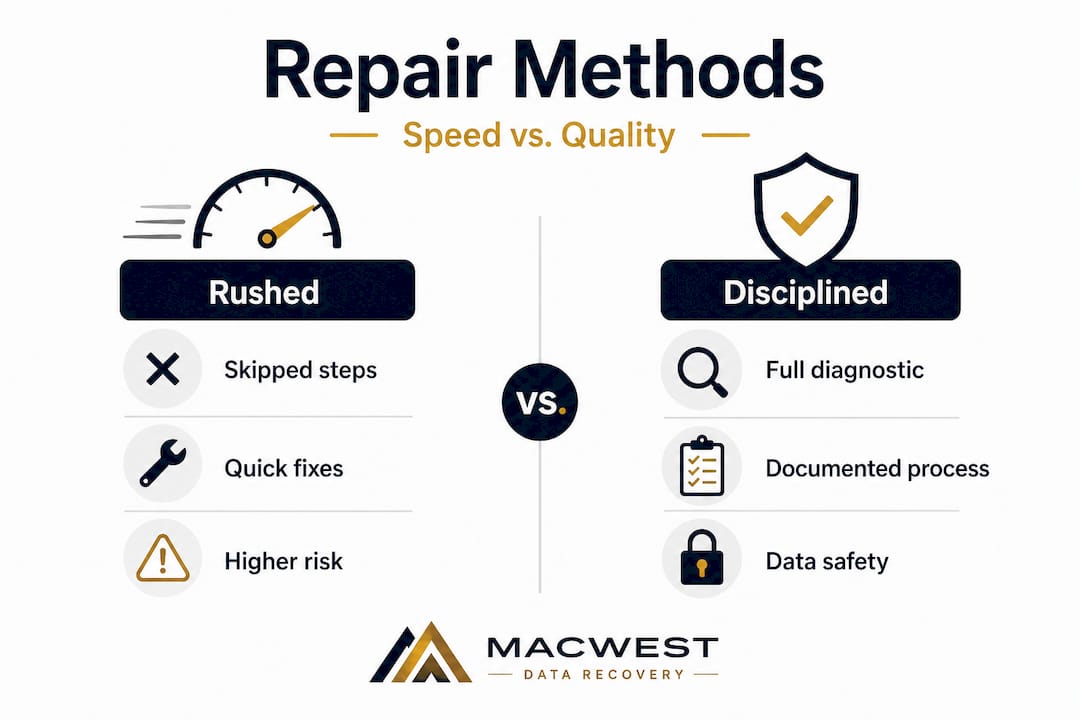
When evaluating a shop for getting fast, reliable MacBook repair in Los Angeles, ask specific questions before you commit. Explore your Mac repair options in Los Angeles carefully, and do not let price alone guide you to a decision you may regret.
Pro Tip: Ask any shop directly: “What diagnostic tools do you use, and what is your process before you start the actual repair?” A reputable technician will answer this confidently and specifically. Vague responses are a signal worth taking seriously.
What can go wrong? Risks of rushed repairs and how to avoid them
The consequences of a poorly executed same-day repair are not always obvious in the first 24 hours. Sometimes the Mac powers on, the user leaves satisfied, and the real problem surfaces a week later when the drive fails completely, a logic board issue causes random shutdowns, or missing screws or connectors lead to new hardware symptoms.
Here are the most common failure points when a shop prioritizes speed over process:
- Data loss during repair: If a technician replaces storage without first verifying whether recovery is possible or needed, files may be permanently overwritten or lost.
- Incomplete liquid damage treatment: Liquid damage requires systematic cleaning with isopropyl alcohol, drying under controlled conditions, and corrosion inspection at the component level. Skipping any part of this process often leads to progressive corrosion that causes failure weeks later.
- Misdiagnosed root cause: Replacing a battery when the real issue is a faulty USB-C charging circuit, or installing a new screen when the GPU is failing, results in the user paying for a repair that does not solve the underlying problem.
- ESD damage: Improper handling of logic boards without electrostatic discharge (ESD) precautions can introduce subtle damage to NAND chips or power management integrated circuits that may not show up immediately.
- Voided warranty or future repair complications: Using incorrect replacement parts or leaving screws missing can complicate legitimate future repairs.
Rushing diagnostics or skipping careful protocols introduces quality tradeoffs that often cost users more in the long run than taking an extra few hours would have. The comparison is direct:
| Scenario | Rushed repair | Careful same-day repair |
|---|---|---|
| Initial cost | Lower (often) | Moderate to standard |
| Risk of return visit | High | Low |
| Data safety | Not guaranteed | Addressed proactively |
| Long-term outcome | Often problematic | Durable and reliable |
| Total cost over time | Frequently higher | Predictable |
Before you hand your Mac over, review the MacBook repair steps a quality shop should follow so you know what to expect and can recognize when a process is being skipped.
Signs a shop may be rushing your repair:
- They quote a flat price without asking about symptoms or running any diagnostics first
- They cannot clearly explain what they will check before starting work
- They do not ask about your data or whether you have a backup
- The turnaround promise seems impossibly fast given the complexity of the issue
- There is no written estimate, warranty, or documentation offered
“A first-time fix is almost always faster than a fix plus a return visit. Shops that focus on getting it right the first time end up delivering the fastest overall resolution.”
Making same-day repair work for you: Tips for urgent but safe Mac service
Getting a fast, safe repair when you truly need it is entirely achievable in Los Angeles — if you approach it with the right preparation and the right questions. The key is shifting your mindset from “who can fix it fastest” to “who can fix it right within today’s window.”
Follow these steps when you need urgent Mac service:
- Back up your data first, if at all possible. If your Mac powers on, even slowly, use Time Machine, an external drive, or iCloud to preserve as much data as you can before dropping the device off. If it won’t boot, do not force it — tell the technician immediately.
- Document your symptoms precisely. Screenshot any error messages. Note whether the issue appeared after a software update, physical drop, or liquid exposure. This cuts diagnostic time materially.
- Call ahead, don’t just walk in. Confirming parts availability and technician capacity before you arrive increases the realistic chance of a same-day completion.
- Ask about data safety protocols upfront. Any quality shop will confirm their process for handling drive data before repair begins. If they brush this off, that is important information.
- Request a written estimate and timeline. Same-day service should still come with documentation of what work will be done, what parts will be used, and what the repair warranty covers.
- Verify credentials and experience. Years in business, Google reviews, and whether the shop has experience with your specific Mac model (especially newer Apple Silicon machines with soldered SSDs and T2 or M-series security chips) all matter.
- Evaluate the guarantee. A shop confident in its work will offer a repair warranty. No warranty, no confidence.
Independent providers who emphasize structured approaches consistently reduce rework while maintaining fast turnaround. Whether you’re seeking MacBook repair service in Los Angeles or looking for top iMac repair experts in LA, the same standard applies: transparency, documentation, and a repeatable diagnostic process before any component is touched.
Pro Tip: Look specifically for local shops that have been operating in Los Angeles for many years. Longevity in this market signals that their processes work. A shop that has been serving LA clients since the mid-2000s has navigated every Mac architecture from PowerPC to Apple Silicon, and that depth of experience is genuinely hard to replicate.
The uncomfortable truth about same-day repairs: It’s not just speed that matters
Here is what nearly two decades of repairing Macs in Los Angeles has taught us: speed is rarely the real problem. The real problem is that most users, understandably, cannot evaluate whether the repair they received was actually correct until something goes wrong again.
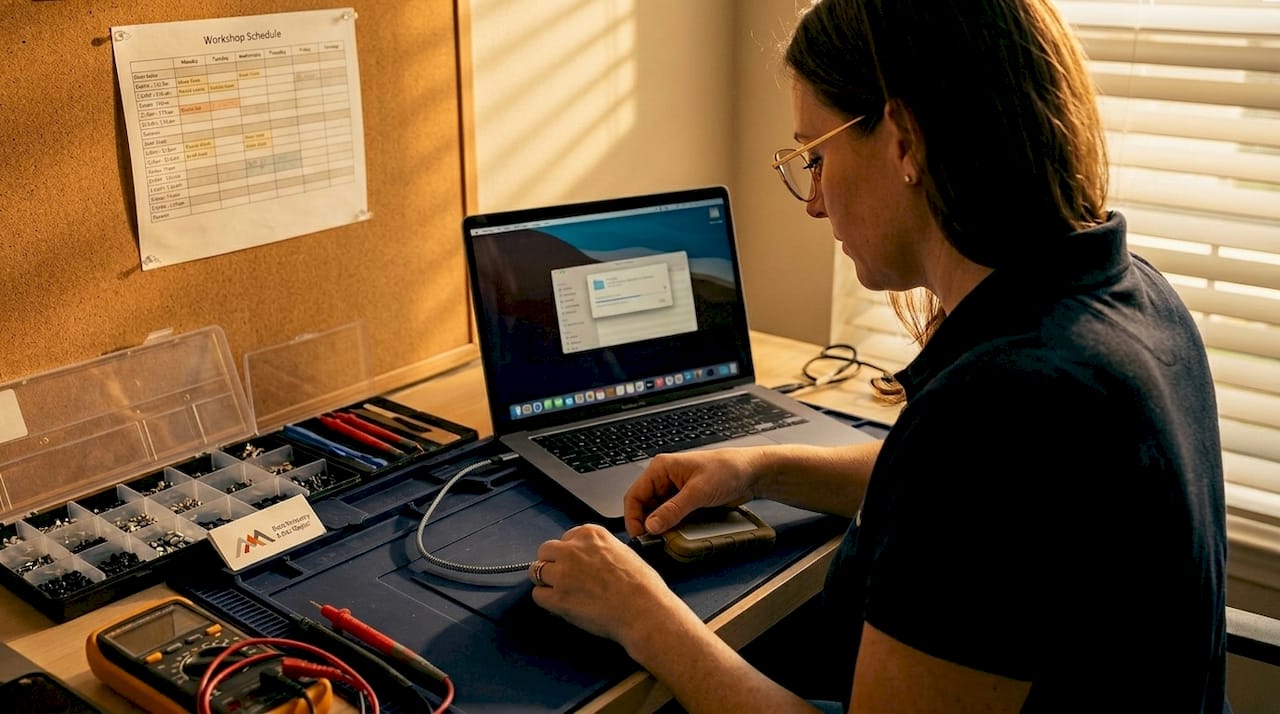
A quick turnaround feels reassuring. You get your Mac back the same day, it powers on, and the immediate anxiety disappears. But if the technician skipped a full logic board inspection after liquid exposure, or replaced your battery without testing the charging circuit, the relief is temporary. The issue resurfaces weeks later — often worse, because moisture corrosion or an undertreated electrical fault has progressed.
We have seen this pattern repeatedly with clients who came to us after a prior repair elsewhere. What should have been a contained liquid damage cleanup became a full logic board replacement because corrosion was left untreated. What could have been a straightforward SSD recovery became a permanent data loss because the prior shop attempted repairs before preserving the drive’s contents.
The uncomfortable reality is that operational performance and first-time fix rates are the real indicators of a shop’s competence, not how fast they claim to work. A shop with a high first-time fix rate is, by definition, also the fastest shop — because they are not generating return visits that double the time cost for you.
This is why a professional data recovery perspective matters even in a hardware repair context. Protecting your data during repair is not an optional add-on; it is part of what makes a same-day repair genuinely successful rather than just temporarily satisfying.
Be skeptical upfront. Ask hard questions. A shop that handles those questions confidently, with specific answers about their diagnostic tools and process, has earned the right to work on your device.
Get same-day Mac repair and data recovery that doesn’t cut corners
When your Mac fails and the clock is running, you need more than a fast promise — you need a team that has the tools, the process, and the track record to back it up.
At Macwest Data Recovery & Mac Repair in Los Angeles, urgent same-day service has been our standard since 2006. Every repair starts with a structured diagnostic, every data-at-risk situation is flagged before work begins, and every client receives a transparent estimate with a documented repair warranty. Whether you need Mac repair service in Los Angeles, professional data recovery near you in Los Angeles, or simply want to understand your options before committing, our team is here to guide you through it clearly and efficiently. For clients who want confidence alongside speed, explore what fast, reliable MacBook repairs actually look like when quality protocols are never compromised.
Frequently asked questions
Does same-day Mac repair cost more than regular turnaround?
Yes, most shops charge a premium for same-day service, reflecting both the urgency and the prioritization of technician resources to complete your repair within a compressed window.
How can I tell if a shop is cutting corners?
Look for vague answers about their diagnostic process, pressure to sign off immediately without a written estimate, or no mention of data safety steps — quality providers explain their process clearly and without hesitation, because rushing diagnostics introduces quality tradeoffs that responsible shops actively avoid.
Is same-day Mac repair available for liquid damage?
It is possible if the necessary cleaning materials and replacement parts are in stock, but quality providers always follow full ultrasonic or isopropyl cleaning procedures and thorough corrosion inspection protocols, because skipping careful protocols with liquid damage nearly guarantees recurring issues within weeks.
Does same-day service include data recovery if my drive failed?
Some shops offer same-day data recovery for logical failures such as accidental deletion or software corruption, but confirm that the shop uses proven recovery tools and does not attempt repairs that could overwrite or further damage your drive’s stored data.
What should I bring with me for fastest service?
Bring your original charger, any external backup drives you own, a written note of the symptoms and error messages you observed, and any relevant account credentials that the technician may need to run post-repair diagnostics on your system.