TL;DR:
- Drive failure includes issues like head crashes, the Click of Death, PCB burnout, NVMe controller faults, and logical corruption. Quick action is critical, as continuing to use a failing drive can cause irreversible data loss, and recovery varies depending on the failure type.
Drive failure is defined as any malfunction that prevents a storage device from reading, writing, or making data accessible. The most recognized examples of drive failure include mechanical head crashes, the Click of Death, PCB burnout, NVMe controller faults, and logical file system corruption. Each type produces distinct symptoms, and recognizing them fast is the difference between a full recovery and permanent data loss. Stop all disk writes immediately if your drive shows any of the signs described below.
1. Examples of drive failure: mechanical head crashes
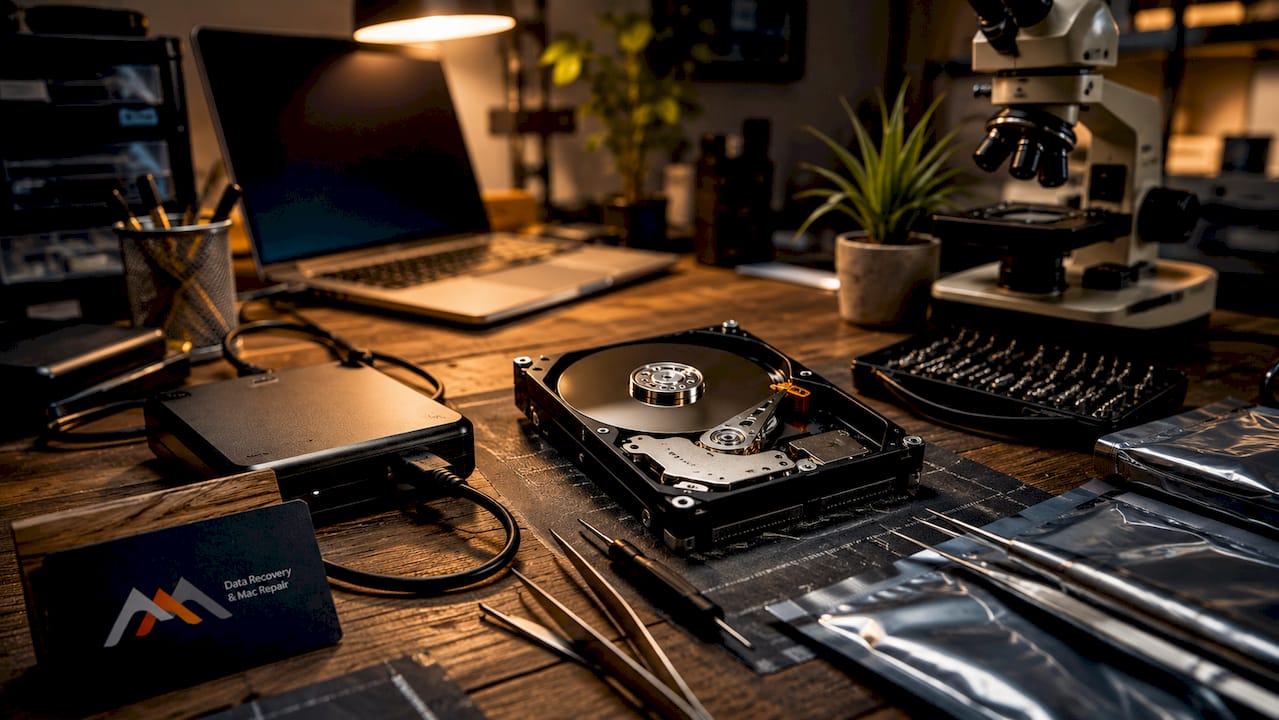
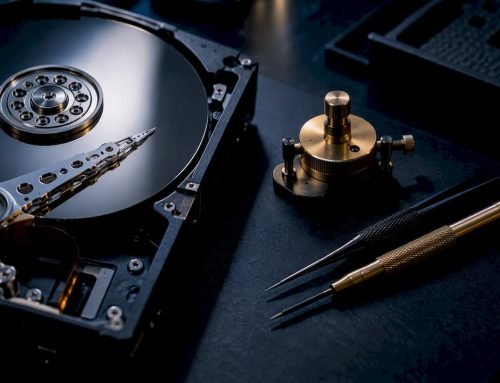
A head crash occurs when the read/write heads inside a hard drive physically contact the spinning platters. The heads normally float nanometers above the platter surface on a cushion of air. Any shock, vibration, or internal component failure can close that gap and cause the heads to scrape the magnetic coating off the platters. The result is permanent data destruction in the affected sectors, and every additional second the drive spins worsens the damage.
Common signs of a head crash include:
- A grinding or scraping sound during operation
- Repeated read errors in macOS Disk Utility or Windows Event Viewer
- The drive spinning up but failing to mount
- Visible scoring on platters when opened by a technician
Pro Tip: Power down the drive the moment you hear grinding. Continued operation scores additional platter tracks and reduces the recoverable data surface area.
Recovering from a head crash requires a clean room environment to prevent airborne particles from contaminating the platter surface during head replacement. Professional clean room data recovery services typically range between $800 and $2,500, depending on the extent of platter damage and the number of heads involved.
2. The Click of Death: a classic mechanical failure
The Click of Death is one of the most well-known hard drive failure examples among technicians. It results from the actuator arm repeatedly slamming against its mechanical stop because the read heads cannot find their calibration track. Each failed positioning attempt risks permanent data loss with every rotation of the platters.
The clicking pattern is typically rhythmic, repeating every few seconds. Drives affected by this fault usually fail to appear in BIOS or macOS System Information. The underlying cause is most often head failure, but firmware corruption on the drive’s internal service area can produce identical symptoms. Do not confuse this with the normal seek sounds a healthy drive makes during heavy read/write activity.
Recovery requires head stack replacement in a clean room, followed by firmware-level repair to restore the service area. This is not a DIY repair. Any attempt to open the drive outside a controlled environment introduces contamination that permanently destroys recovery prospects.
3. Electronic and PCB failures
Electronic failure is a distinct category from mechanical damage. PCB failure symptoms include no spin-up on power application, a burning smell near the drive, and the drive being completely undetected in BIOS. A power surge, liquid contact, or a failed TVS diode on the PCB are the most common reasons for drive failure in this category.
Key signs of electronic failure:
- Drive is silent when powered on (motor does not spin)
- Burning or chemical smell from the drive enclosure
- BIOS or macOS shows no drive present
- USB enclosure lights up but drive does not respond
Important: Swapping a PCB from an identical donor drive is rarely sufficient for modern hard drives. Each drive stores unique adaptive data on a ROM chip soldered to the PCB. That chip must be transferred to the donor board, or the drive will not initialize correctly.
Diagnosing PCB failure requires a multimeter check of the TVS diodes and a controlled power-on test. Macwestlosangeles handles PCB-level logic board component repair as part of its hard drive recovery services.
4. NVMe controller failures: the silent threat
NVMe drives represent a newer and more dangerous category of electronic failure. Unlike traditional HDDs, NVMe drives can fail silently without producing any audible warning. NVMe controller failures may log repeated “controller-fatal-status” events that lead to total drive failure, often undetected by standard SMART monitoring tools.
The Samsung 990 PRO is a documented real-world case. Units affected by controller-level faults reported healthy SMART values right up until the point of complete failure. The drive would disappear from the system without warning, taking all data with it. This pattern shows why SMART data alone is not sufficient to detect all electronic failures in modern NVMe storage.
System log monitoring through macOS Console or Linux kernel logs provides earlier warning than SMART in these cases. Look for repeated “disk0s2: I/O error” entries or NVMe timeout events. If those appear, back up immediately and treat the drive as failing even if SMART reports no issues.
5. Logical drive failures: software-level corruption
Logical drive failures occur due to software-level corruption such as damaged partition tables or corrupted file systems, with no physical damage to the hardware. The drive itself is mechanically sound, but the operating system cannot read or interpret the data structure correctly. This is the most recoverable category of disk drive failure cases.
Common causes and recovery steps:
- Corrupted partition table: Use TestDisk or macOS Recovery to rebuild the partition map without overwriting data.
- APFS or HFS+ file system errors: Run First Aid in Disk Utility. For severe corruption, tools like Disk Drill or R-Studio can reconstruct the directory structure.
- Accidental deletion or formatting: Stop using the drive immediately. Every new write overwrites potentially recoverable file data.
- FileVault encryption key loss: Recovery requires the original recovery key. Without it, data is unrecoverable regardless of the tool used.
- Bad sector accumulation: Clone the drive with ddrescue before attempting any repair, so you work from a copy rather than the degrading original.
Logical failures give you the best odds of self-recovery, but timing matters. The longer a drive stays in active use after a logical fault, the more data gets overwritten. For Mac users, hard drive data loss causes and recovery options are covered in detail for APFS-specific scenarios.
6. Flash drive failure examples: physical damage and recovery
USB flash drive failures follow a different pattern than hard drive failures. Bent USB drives usually fail due to broken connector pins and torn copper tracks on the PCB rather than damage to the controller or NAND chips. This distinction matters because it means the actual data storage components are often intact even when the drive appears completely dead.
Signs that a flash drive has suffered physical damage:
- The connector feels loose or moves independently of the housing
- The drive is not detected when inserted but shows no visible breakage
- The drive was bent, dropped, or had force applied to the connector
- Repeated insertion attempts produce no recognition
Pro Tip: Stop inserting a bent or damaged flash drive. Repeated insertion risks short-circuit damage, but acting promptly preserves strong recovery odds if the NAND and controller chips are intact.
Recovery from physical flash drive damage centers on micro soldering the torn PCB copper tracks and reattaching the USB connector. Micro soldering PCB tracks is often more critical than chip-level component work for successful data retrieval. When the controller and NAND chips survive intact, recovery success rates are high with proper micro soldering technique.
7. Comparison of common drive failure types and user actions
The table below summarizes the four main failure categories, their typical symptoms, and the correct immediate response.
| Failure type | Typical symptoms | Immediate action | Recovery outlook |
|---|---|---|---|
| Mechanical (head crash) | Grinding, clicking, no mount | Power off immediately | Requires clean room; $800–$2,500 |
| Click of Death | Rhythmic clicking, BIOS no-detect | Power off, do not retry | Clean room head replacement needed |
| Electronic (PCB/NVMe) | No spin, burning smell, silent failure | Unplug, do not power on again | PCB repair or controller recovery |
| Logical (file system) | Errors, missing files, wrong volume name | Stop all writes, clone first | Good odds with software tools |
| Flash drive (physical) | No detection, loose connector | Stop inserting, seek micro solder repair | High if NAND chips are intact |
Mechanical and electronic failures demand professional intervention immediately. Logical failures allow a careful DIY attempt, provided you clone the drive first and stop all writes. Flash drive failures sit in between: the hardware repair is specialized, but the data survival rate is favorable when you act quickly.
Key takeaways
Drive failure recovery success depends almost entirely on how fast you stop using the affected drive and which failure type you are dealing with.
| Point | Details |
|---|---|
| Mechanical failures need clean rooms | Head crashes and Click of Death require professional clean room repair costing $800–$2,500. |
| NVMe drives can fail without SMART warnings | Monitor system logs for controller-fatal-status events, not just SMART health scores. |
| Logical failures are most recoverable | Stop all disk writes and clone the drive before attempting any file system repair. |
| Flash drive damage is usually in the PCB | Broken copper tracks, not NAND chips, cause most bent USB drive failures. |
| Speed determines recovery outcome | Every second a failing drive stays powered on reduces the amount of recoverable data. |
What I’ve learned from years of watching drives fail
The most consistent mistake I see is people continuing to use a drive after it starts clicking or grinding. The instinct to keep trying makes sense. You want your files back. But every additional spin of a mechanically failing drive scores more platter surface and shrinks the recoverable area. Power it off and leave it off.
The second mistake is trusting SMART data too completely. Modern NVMe drives like the Samsung 990 PRO have shown that a drive can report perfect health scores right up until it stops responding entirely. Kernel logs catch what SMART misses. If you are on a Mac, open Console and search for NVMe timeout or I/O error entries before you assume the drive is fine.
Logical failures are the one area where a careful, informed user can often recover data without professional help. Tools like Disk Drill and TestDisk work well when used correctly on a cloned copy of the drive. The key word is cloned. Never run recovery software directly on the failing original. For Mac users navigating APFS corruption, the hard drive restoration steps guide covers the process clearly.
DIY attempts on mechanical or electronic failures almost always make things worse. Clean room work and PCB micro soldering require equipment and training that go well beyond what any software tool can replicate. Know which category your failure falls into before you decide how to respond.
— Kaya
Professional drive failure recovery in Los Angeles
Macwestlosangeles has handled mechanical, electronic, and logical drive failures since 2006 from its location at 12041 Wilshire Blvd, Ste 26 in West Los Angeles, serving Santa Monica, Beverly Hills, Brentwood, Westwood, Venice, Hollywood, and Culver City. The team offers free diagnostics, a no-recovery, no-charge policy, and same-day appointments for urgent cases. Recovery capabilities cover NVMe and RAID (0, 1, 3, 5) systems, APFS and HFS+ volumes, logic board component repair, and clean room head replacement. If your drive is clicking, silent, or showing file system errors, contact Macwestlosangeles at (310) 866-0828 or book through the hard drive data recovery page to maximize your recovery window.
FAQ
What are the most common examples of drive failure?
The most common examples include mechanical head crashes, the Click of Death, PCB burnout, NVMe controller faults, and logical file system corruption. Each type produces distinct symptoms and requires a different recovery approach.
How do I know if my hard drive has a mechanical failure?
Clicking, grinding, or scraping sounds during operation are the clearest signs of disk failure at the mechanical level. Power the drive off immediately and do not attempt to restart it.
Can a drive fail without any warning signs?
Yes. NVMe drives can fail silently without triggering SMART warnings, as documented in Samsung 990 PRO controller failures. Monitoring system logs for controller-fatal-status or I/O error events provides earlier detection than SMART alone.
What is the difference between logical and physical drive failure?
Logical failure involves software-level corruption such as a damaged partition table or corrupted APFS file system, with no hardware damage. Physical failure involves mechanical or electronic damage to the drive components themselves.
Is it safe to keep using a drive that shows errors?
No. Continued use of a failing drive overwrites recoverable data and worsens mechanical damage. Stop all disk writes immediately, clone the drive if possible, and consult a professional before taking further action.