TL;DR:
- RAID 10 is ideal for transactional databases and virtual machines due to its performance and redundancy. RAID 6 offers safer large-capacity storage solutions by tolerating two drive failures, especially with drives above 8 TB. Businesses should always implement off-array backups, stop writes immediately during failures, and consult professionals for recovery.
For most business workloads, RAID 10 is the right default for transactional databases and virtual machines, RAID 6 is the safer choice for large-capacity storage and backup tiers, and RAID 5 should be avoided on any array using modern drives larger than 8–16 TB. If you are already facing a failure, stop all disk writes immediately and do not attempt a rebuild without a recovery plan.
Quick picks by workload:
- Transactional databases / VMs: RAID 10 (mirroring + striping, no parity penalty, survives one drive per mirrored pair)
- General file shares with small drives: RAID 5 (distributed parity, good capacity efficiency, minimum 3 drives)
- Large-capacity storage / backups / repositories: RAID 6 (double parity, survives two simultaneous failures, minimum 4 drives)
- Scratch / speed-only with no redundancy needed: RAID 0, but only with verified off-array backups
Two immediate safety rules apply regardless of RAID level: RAID is not a backup (ransomware and accidental deletes replicate across every drive instantly), and any APFS or NVMe array showing degraded status should be isolated before any rebuild attempt. Macwest Data Recovery has handled RAID failures on NVMe and APFS volumes since 2006 and offers free diagnostics for businesses in the Los Angeles area.
Table of Contents
- What are the main RAID types for businesses?
- How do you choose the right RAID level for your workload?
- What technical risks should change your RAID choice?
- How should you implement RAID safely in a business environment?
- What should you do when your RAID array fails?
- Key Takeaways
- The RAID mistake most businesses make too late
- RAID failure in Los Angeles? Macwest can help today
- FAQ
- Useful sources and further reading
What are the main RAID types for businesses?
RAID levels balance four competing priorities: redundancy, read/write performance, usable capacity, and rebuild safety. The table below maps each level to those dimensions so you can compare at a glance.
| RAID Level | Drive Failure Tolerance | Read / Write Performance | Capacity Efficiency | Min. Drives | Best-For Workload | Rebuild Risk on Large Drives |
|---|---|---|---|---|---|---|
| RAID 0 | None | Highest read + write | — | 2 | Scratch, temp storage, video editing | Catastrophic (no redundancy) |
| RAID 1 | N−1 drives | Good read / moderate write | 50% (2-drive pair) | 2 | Boot volumes, critical OS mirrors | Low (only 1 drive to sync) |
| RAID 5 | 1 drive | Good read / moderate write | (n−1)/n | 3 | File shares, small-drive arrays | High on drives ≥8 TB |
| RAID 6 | 2 drives | Good read / slower write | (n−2)/n | 4 | Large-capacity storage, backups | Moderate (second parity protects rebuild) |
| RAID 10 | 1 per mirrored pair | Excellent read + write | 50% | 4 | Databases, VMs, NVMe tiers | Low (mirror rebuilds one drive at a time) |
| RAID 50 | 1 per RAID 5 sub-group | High read + write | High | 6 | Large enterprise arrays | Moderate |
| RAID 60 | 2 per RAID 6 sub-group | High read + write | Moderate | 8 | Very large enterprise arrays | Lower than RAID 50 |
Pro Tip: On modern 16–22 TB drives, a RAID 5 rebuild reads every remaining drive for hours or days under load. A single unrecoverable read error during that window can destroy the entire array. RAID 6 is the safer default for any array using drives above 8 TB.
RAID 50 and RAID 60 require multiple drives due to their combined striping and parity schemes; both combine striping with distributed parity to raise throughput and fault tolerance for large enterprise arrays, but the drive count and cost make them impractical for most small businesses.
How do you choose the right RAID level for your workload?
Three questions frame every RAID decision: how much performance do you need, how much fault tolerance can you afford to lose, and how much usable capacity are you willing to give up? Work through the steps below in order.
- Is the workload write-heavy or latency-sensitive? If yes, choose RAID 10. Parity calculations add latency on every write; RAID 10 avoids that math entirely by mirroring.
- Are your drives 8 TB or larger? If yes, eliminate RAID 5 from consideration. Use RAID 6 for capacity-focused tiers and RAID 10 for performance tiers.
- Is usable capacity efficiency a priority? RAID 6 on a 6-drive array yields 67% usable capacity; RAID 10 on the same six drives yields only 50%. If raw capacity matters more than write speed, RAID 6 wins.
- Is budget constrained? RAID 5 on smaller drives (under 4 TB) remains a cost-effective option for file shares where rebuild windows are short and the risk of a second failure is lower.
- Does one server need mixed tiers? A mixed-tier approach is often optimal: a mirrored RAID 1 for the boot volume, RAID 10 for database or hypervisor datastores, and RAID 6 for bulk capacity or backup repositories.
Recommended picks by workload:
- Transactional databases / VMs: RAID 10
- General file shares (drives under 4–8 TB): RAID 5
- Large-capacity storage, backups, NAS repositories: RAID 6
- Scratch / speed-only (no redundancy required): RAID 0 with verified off-array backups
Use the RAID capacity planning tool to model usable capacity and rebuild windows before committing to a configuration.
What technical risks should change your RAID choice?
Rebuild risk is the primary technical threat for any array using large-capacity drives. When a drive fails in a RAID 5 array, the controller must read every remaining drive in full to reconstruct the missing data. On a 16–22 TB drive, that rebuild can run many hours or days under production load. If a second drive returns even one unrecoverable read error during that window, the entire array is lost. RAID 6’s second parity block means the rebuild can survive that second error, which is why it has become the standard for large-capacity storage.
Parity write penalty is the second risk most businesses underestimate. Every write to a RAID 5 or RAID 6 array requires reading old data, calculating new parity, and writing both. On spinning HDDs the penalty is manageable; on NVMe, where raw latency is measured in microseconds, parity overhead can negate the performance gains entirely. RAID 10 avoids parity math and is the preferred configuration for all-NVMe tiers.
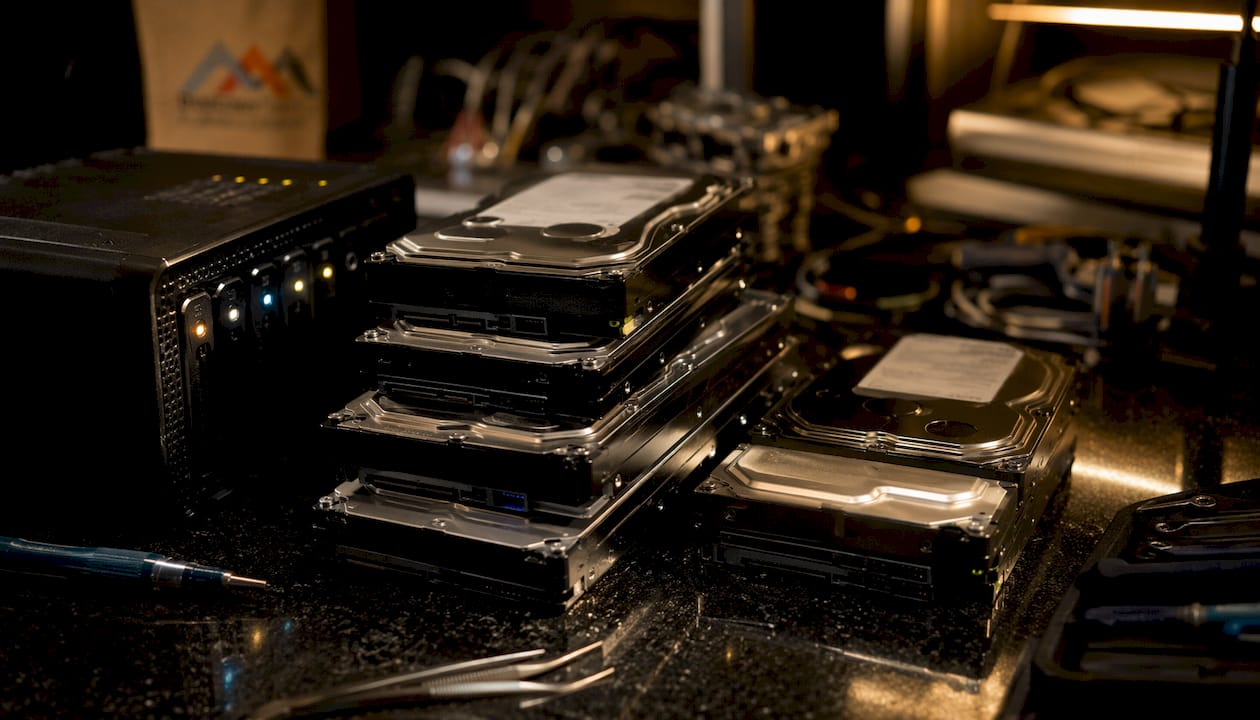
Hardware RAID controllers add another constraint. Many legacy RAID cards cannot saturate multiple Gen4 or Gen5 NVMe drives simultaneously. When controller bandwidth becomes the bottleneck, a pass-through HBA combined with software-defined mirroring often delivers better throughput and simpler management.
Pro Tip: Always configure at least one hot spare in any RAID 5 or RAID 6 array. A hot spare begins rebuilding automatically the moment a drive fails, cutting the exposure window before a second failure can occur.
Key technical risks at a glance:
- RAID 5 on large drives: high second-failure risk during long rebuild windows
- Parity write penalty: degrades NVMe write latency on RAID 5/6
- Hardware RAID controller bottleneck: limits Gen4/Gen5 NVMe throughput
- No hot spare: extends the degraded-array window after a single drive failure
How should you implement RAID safely in a business environment?
Choosing the right RAID level is only the first step. Safe implementation requires the following checklist before any array goes into production.
Implementation checklist:
- Confirm your controller or HBA supports the RAID level you have chosen; check vendor documentation such as Dell PowerEdge RAID specifications for minimum drive counts and parity behavior
- Use drives rated for RAID or NAS workloads (CMR, not SMR, for spinning disks)
- Configure at least one hot spare for RAID 5 and RAID 6 arrays
- Enable SMART monitoring and set alerts for reallocated sectors and pending errors
- Schedule regular integrity checks (scrubs) during low-traffic windows
- Test a full restore from backup before the array goes live
- Keep separate off-array backups; RAID replicates ransomware and accidental deletes instantly
Minimum drives and usable capacity by level:
| RAID Level | Minimum Drives | Usable Capacity Formula |
|---|---|---|
| RAID 0 | 2 | n × drive size |
| RAID 1 | 2 | 1 × drive size (50% of raw) |
| RAID 5 | 3 | (n−1) × drive size |
| RAID 6 | 4 | (n−2) × drive size |
| RAID 10 | 4 | 50% of raw |
| RAID 50 | 6 | Varies by sub-group size |
| RAID 60 | 8 | Varies by sub-group size |
For APFS volumes on macOS, note that APFS handles its own copy-on-write metadata; pairing APFS with a hardware RAID controller requires verifying that the controller presents a single logical volume to the OS rather than individual drives. On NVMe tiers, prefer software RAID or a pass-through HBA to avoid controller bottlenecks.
What should you do when your RAID array fails?
Stop all disk writes immediately. Every write to a degraded array increases the risk of overwriting recoverable data and can accelerate a second drive failure.
After stopping writes, follow these triage steps: power down the array if multiple drives are showing errors, photograph or note all LED status indicators, and do not reinitialize or rebuild the array without first imaging the surviving drives.
RAID failure symptoms and likely causes:
| Symptom | Likely Cause | Immediate Action |
|---|---|---|
| “Degraded” status, one drive offline | Single drive failure | Note hot spare status; do not force rebuild without imaging |
| Read errors during active rebuild | Second drive developing errors | Stop rebuild immediately; call a professional |
| Array not recognized after reboot | Controller failure or split metadata | Do not reinitialize; preserve drives as-is |
| Multiple drives showing SMART errors | Age, heat, or firmware issue | Isolate array; back up immediately if accessible |
| Encrypted / inaccessible volume post-event | Ransomware replicated across array | Isolate from network; do not pay ransom before consulting recovery |
Do not attempt a DIY rebuild when two or more drives have failed or when the controller itself has failed. Each rebuild attempt on a compromised array overwrites parity data and reduces the probability of a full professional recovery. Preserve the drives exactly as they are and contact a specialist.
For businesses running APFS or NVMe RAID configurations, recovery complexity increases significantly. Macwest Data Recovery has provided expert RAID recovery for Los Angeles businesses since 2006, with free diagnostics, no recovery, no charge, and same-day appointments available. See real-world RAID failure cases for context on what professional recovery actually involves.
Pro Tip: Document your array’s RAID level, drive model, controller firmware version, and last-known-good backup date before a failure happens. That information cuts diagnostic time significantly when recovery is urgent.
Key Takeaways
RAID 10 is the right default for write-heavy business workloads, RAID 6 is the safer choice for large-capacity arrays on drives above 8 TB, and no RAID level replaces a separate, verified off-array backup.
| Point | Details |
|---|---|
| RAID 10 for performance tiers | Best for transactional databases, VMs, and NVMe arrays where write latency matters. |
| RAID 6 for large drives | Survives two simultaneous drive failures; safer than RAID 5 on drives above 8 TB. |
| RAID is not a backup | Ransomware and accidental deletes replicate instantly across all drives in the array. |
| Stop writes on failure | Halting disk writes immediately is the single most important step to preserve recoverable data. |
| Macwestlosangeles for recovery | Free diagnostics, no recovery, no charge, and same-day appointments since 2006 in Los Angeles. |
The RAID mistake most businesses make too late
Most RAID failures Macwest Data Recovery sees in the field share one pattern: the business chose RAID 5 because it looked like the best balance of cost and redundancy, then upgraded to larger drives without reconsidering the configuration. A 4-drive RAID 5 array built on 4 TB drives is a reasonable choice. The same array rebuilt with 18 TB drives is a liability. The rebuild window stretches from hours to days, and the probability of a second unrecoverable read error during that window is not theoretical — it is routine.
The second mistake is treating RAID as a backup. RAID preserves availability after a drive failure; it does nothing to protect against the threats that actually destroy business data in 2026: ransomware, accidental deletion, and controller corruption. Every business running a RAID array needs a separate backup strategy, tested regularly, stored off the array.
If you are running APFS volumes on a Mac Pro or Mac Mini with attached RAID storage, the recovery path after a controller failure is more complex than on a standard server. Macwest handles logic board component repair alongside RAID recovery, which matters when the failure involves both the storage array and the host hardware. Call 310-866-0828 for same-day diagnostics.
RAID failure in Los Angeles? Macwest can help today
When a RAID array goes down, the clock starts immediately. Macwest Data Recovery, located at 12041 Wilshire Blvd, Ste 26 in West Los Angeles, offers hard drive and RAID recovery services with free diagnostics and a no recovery, no charge policy. The team has specialized in RAID failure recovery, APFS volume reconstruction, NVMe array triage, and logic board component repair since 2006.
Same-day appointments are available for businesses in West LA, Santa Monica, Beverly Hills, Brentwood, Westwood, Venice, Hollywood, and Culver City. Call 310-866-0828 to speak with a technician directly.
FAQ
What RAID level is best for a small business server?
RAID 10 is the most reliable choice for small business servers running databases or virtual machines; RAID 6 is better for large-capacity file storage using drives above 8 TB.
Is RAID 5 still safe to use in 2026?
RAID 5 is acceptable on arrays using drives under 4–8 TB with a hot spare configured, but it carries significant rebuild risk on modern large-capacity drives and should be replaced by RAID 6 in those environments.
Does RAID replace a backup strategy?
No. RAID is not a backup; it replicates ransomware, accidental deletes, and controller corruption across all drives simultaneously. A separate, off-array backup is always required.
What should I do first when my RAID array fails?
Stop all disk writes immediately, note all drive LED statuses, and do not attempt a rebuild or reinitialization until the surviving drives have been imaged by a professional.
Can Macwestlosangeles recover data from a failed RAID array?
Yes. Macwest Data Recovery has provided RAID recovery for Los Angeles businesses since 2006, with free diagnostics, no recovery, no charge, and same-day appointments at 12041 Wilshire Blvd, Ste 26. Call 310-866-0828.
Useful sources and further reading
- Standard RAID levels — Wikipedia’s technical reference for RAID definitions, minimum drive counts, and capacity formulas
- RAID Level Comparison — RAID Calculator’s side-by-side breakdown of RAID 0 through RAID 10 tradeoffs
- RAID level 1, 5, 6, 10 explained — Liquid Web’s practical guide to choosing by performance, fault tolerance, and capacity
- Comparing RAID levels: 0, 1, 5, 6, 10 and 50 explained — TechTarget’s enterprise storage reference including RAID 50 and RAID 60
- RAID 1 vs 5 vs 6 vs 10: choosing the right level for your server — Servnet UK’s guidance on matching RAID level to drive size, write profile, and rebuild risk
- PowerEdge RAID level specifications — Dell’s vendor documentation for RAID behavior, parity mechanics, and minimum drive counts
- RAID data recovery — Los Angeles — Macwest’s RAID recovery service page with expert methods for local business arrays
- Step-by-step RAID recovery guide — Macwest’s comprehensive recovery workflow for degraded and failed arrays