TL;DR:
- Creating secure, recoverable copies of digital files protects against data loss from cyberattacks, hardware failures, or accidental deletion. Having a tested backup strategy reduces recovery time, prevents financial ruin, and removes the need for ransom payments. Local experts in Los Angeles offer specialized data recovery services when backups fail or hardware is damaged.
Data backup is defined as the practice of creating secure, recoverable copies of your digital files so that any loss event, whether a cyberattack, hardware failure, or accidental deletion, does not result in permanent damage. The benefits of data backup extend far beyond simple file safety. For individuals and small business owners, a tested backup strategy is the single most effective defense against financial ruin, extended downtime, and ransomware. Industry standards like CISA’s 3-2-1 backup rule and 2026 cybersecurity benchmarks confirm that unprotected businesses face catastrophic and often irreversible consequences when data loss strikes without a recovery plan in place.
1. What are the financial benefits of regular data backups?
The median total cost of a small business data breach is $164,000 in combined legal, forensic, and recovery expenses. That figure does not include lost revenue, reputational damage, or the cost of rebuilding customer trust. For most small businesses, a single incident at that scale is fatal.
Downtime compounds the damage. Small businesses face revenue losses averaging $60,000 per incident, and recovery without a backup can stretch for months. A verified backup cuts that recovery window from weeks to hours, which directly protects cash flow and client relationships.
Paying a ransom is not a reliable alternative. The average ransom payment is $13,500, but that amount excludes forensic investigation, system rebuilding, and the reality that many attackers do not restore data after payment. A backup eliminates the ransom decision entirely.
- Customer records, financial data, and proprietary files represent the highest-value targets
- Prioritizing critical data reduces storage costs and shortens restore times during a crisis
- Backing up everything without a priority system wastes time and delays recovery when speed matters most
Pro Tip: Audit your data quarterly and label files by recovery priority. Tier 1 covers customer records and financial data. Tier 2 covers operational documents. Tier 3 covers everything else. Restore Tier 1 first and you are back in business faster.
2. How do data backups ensure business continuity?
Without a verified backup, the average recovery time after a data loss event stretches to 187 days. That is six months of degraded operations, lost clients, and mounting costs. A tested backup reduces that timeline to hours or days, depending on the volume of data and the recovery method used.

The word “tested” carries the full weight here. An untested backup is not a backup. It is a false sense of security. Quarterly restore drills verify that backup files are intact, credentials are current, and the recovery process actually works before an emergency forces the issue.
Business continuity also depends on where backups are stored. The CISA 3-2-1 backup rule specifies three copies of data, stored on two different media types, with one copy offsite or offline. That structure protects against physical disasters like fire or flood, which destroy on-site backups along with the original data.
- Create three copies of every critical dataset
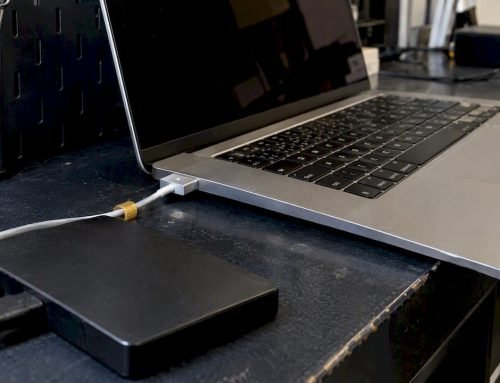
- Store copies on two different media types, such as an external drive and a cloud service
- Keep one copy completely offsite or offline, disconnected from your network
- Test restoration from each copy at least once per quarter
- Document the recovery process so any team member can execute it under pressure
Pro Tip: Schedule restore drills on your calendar the same way you schedule tax deadlines. A drill that reveals a corrupt backup file before a crisis is one of the most valuable hours you will spend all year.
3. What cybersecurity advantages come from having proper data backups?
88% of SMB breaches now involve ransomware, a 37% increase year over year. That statistic reflects a deliberate shift by attackers who have identified small businesses as high-value, low-defense targets. A verified backup is the single most effective countermeasure because it removes the attacker’s leverage entirely.
Ransomware works by encrypting your files and demanding payment for the decryption key. If you have a clean, recent backup stored offline, you restore from that copy and the attack fails. 64% of ransomware victims now refuse to pay ransoms, but only those with verified backups survive that decision without permanent data loss.
The critical distinction most owners miss is the difference between syncing and backing up. Syncing services mirror live data in real time, which means an encrypted or corrupted file syncs immediately across all connected devices. A true versioned backup maintains point-in-time copies, allowing rollback to a clean state from before the attack occurred.
- Immutable backups cannot be altered or deleted, even by ransomware that gains network access
- Air-gapped or offline backups remain safe because ransomware cannot reach what is not connected
- The enhanced 3-2-1-1-0 framework adds one immutable copy and zero errors in verification testing as the new baseline
- Encrypted backups protect data in transit and at rest, preventing secondary exposure during recovery
4. How do backups support compliance and industry standards?
CISA designates data backup as a foundational element of every small business cyber defense plan, not an optional upgrade. Compliance with CISA guidelines reduces regulatory risk and demonstrates due diligence to auditors, insurers, and clients who ask about your data protection practices.
Documented recovery plans are a specific requirement in most compliance frameworks. A backup that exists but has no documented recovery procedure fails an audit the same way a missing backup does. Tested recovery plans with written procedures satisfy both technical and administrative compliance requirements.
| Backup Practice | Standard or Authority | Purpose |
|---|---|---|
| 3-2-1 backup rule | CISA | Ensures geographic and media redundancy |
| Immutable backup copy | 3-2-1-1-0 framework | Protects against ransomware encryption of backups |
| Quarterly restore testing | CISA, cybersecurity best practice | Verifies backup integrity before emergencies |
| Documented recovery plan | Compliance audits | Satisfies administrative requirements and reduces liability |
| Encrypted backup storage | Data protection standards | Prevents unauthorized access during storage and transfer |
Cyber liability insurance policies increasingly require documented backup practices as a condition of coverage. Businesses that cannot demonstrate a tested backup strategy face higher premiums or denied claims after an incident. A backup program that meets CISA standards protects both your data and your insurance position.
5. What practical advantages do backups offer to Los Angeles Mac users?
Local Mac users in West LA, Santa Monica, Brentwood, and Culver City face the same ransomware and hardware failure risks as any other small business, but they also have access to specialized local recovery support that most markets lack. Speed of recovery depends heavily on proximity to expert help when a backup alone is not enough.
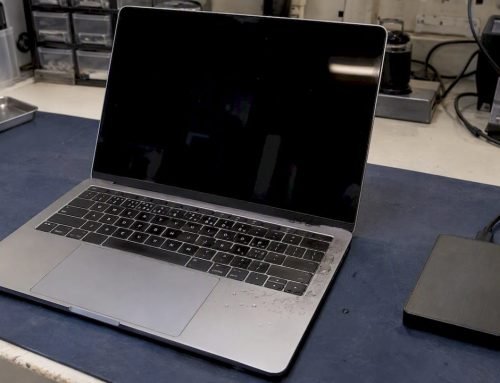
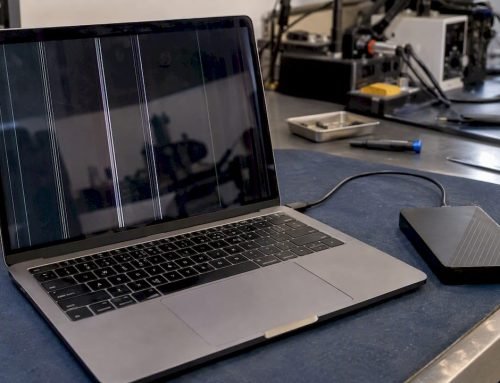
If your Mac suffers physical damage, such as liquid intrusion, a failed NVMe SSD, or a logic board fault, a backup protects your data but does not repair the machine. That is where local expertise in APFS file systems, RAID configurations, and soldered SSD recovery becomes the difference between a one-day fix and a weeks-long ordeal.
- Stop all disk writes immediately if you suspect data loss; continued use overwrites recoverable data
- Free diagnostics let you understand the scope of damage before committing to a recovery path
- Same-day appointments at Macwestlosangeles mean you are not waiting days for an assessment
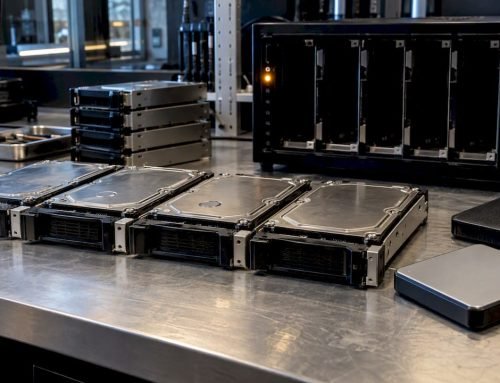
- Macwestlosangeles has operated since 2006, with direct experience in Mac data recovery across APFS, HFS+, NVMe, RAID 0, RAID 1, RAID 5, and memory card formats
- The “No recovery, no charge” policy removes financial risk from the diagnostic process
Pro Tip: Keep a printed copy of your backup credentials and recovery steps in a physical location separate from your computer. If your machine is stolen or destroyed, you need that information to restore from your offsite backup without delay.
Key takeaways
A tested, offsite backup is the most cost-effective defense a small business or individual can deploy against data loss, ransomware, and extended downtime.
| Point | Details |
|---|---|
| Financial protection | A verified backup prevents $164,000 median breach costs and eliminates ransom payment decisions. |
| Business continuity | Tested backups reduce recovery time from 187 days to hours, protecting revenue and client relationships. |
| Ransomware defense | Immutable or offline backups let you refuse ransom demands without losing data permanently. |
| Compliance alignment | CISA’s 3-2-1 and 3-2-1-1-0 frameworks satisfy audit, insurance, and regulatory requirements. |
| Local recovery support | Macwestlosangeles provides same-day diagnostics and expert Mac recovery since 2006 at no charge if recovery fails. |
Why most backup strategies fail before they are ever tested
I have seen the same pattern repeat across hundreds of data loss cases: the backup existed, but nobody had ever restored from it. A folder syncing to iCloud or Google Drive is not a backup. It is a mirror. The moment ransomware encrypts your local files, that sync pushes the encrypted versions to the cloud within minutes. The “backup” is now just as compromised as the original.
The businesses that recover cleanly are the ones that treat backup integrity as a recurring operational task, not a one-time setup. They run restore drills. They verify checksums. They keep at least one copy completely offline. When the attack hits, they restore from a clean point-in-time snapshot and are back in operation within hours.
The uncomfortable reality is that most backup failures are discovered during the emergency, not before it. Corrupt files, expired credentials, and misconfigured retention policies are invisible until you need them to work. A quarterly drill costs two hours. A failed recovery costs months.
My recommendation is direct: treat your backup as a product, not a setting. Test it. Document it. Store one copy somewhere ransomware cannot reach. If you are on a Mac and your storage has failed physically, do not attempt DIY recovery on an NVMe or APFS volume. The data is likely still there, but the wrong tool or approach will overwrite it permanently.
— Kaya
Macwestlosangeles: expert data recovery when backups are not enough
When a backup exists but the hardware has failed, or when no backup was in place at all, Macwestlosangeles provides the specialized recovery expertise Los Angeles Mac users rely on. Serving West LA, Santa Monica, Beverly Hills, Brentwood, and Culver City from 12041 Wilshire Blvd, Ste 26, the team has recovered data from damaged hard drives, failed SSDs, corrupted APFS volumes, RAID arrays, and liquid-damaged logic boards since 2006. Free diagnostics are available with same-day appointments, and the hard drive data recovery service operates on a strict “No recovery, no charge” policy. Call (310) 866-0828 to speak with a technician directly.
FAQ
What are the main benefits of data backup?
Data backup protects against permanent file loss from ransomware, hardware failure, accidental deletion, and physical disasters. A verified backup also eliminates the need to pay ransoms and reduces recovery time from months to hours.
What is the 3-2-1 backup rule?
The 3-2-1 rule, recommended by CISA, requires three copies of your data stored on two different media types, with one copy kept offsite or offline. The enhanced 3-2-1-1-0 framework adds one immutable copy and mandates zero errors in verification testing.
How often should I test my backups?
Quarterly restore drills are the standard recommended by cybersecurity authorities. Testing confirms that backup files are intact, credentials work, and the recovery process completes successfully before an emergency forces the issue.
Is cloud syncing the same as a backup?
No. Syncing mirrors live data in real time, so any corruption or ransomware encryption propagates immediately to the synced copy. A true backup maintains versioned, point-in-time copies that allow rollback to a clean state before the damage occurred.
What should I do if my Mac fails and I have no backup?
Stop all disk writes immediately to avoid overwriting recoverable data. Contact a specialist like Macwestlosangeles at (310) 866-0828 for free diagnostics. Recovery from APFS, NVMe, and RAID volumes is possible in many cases even without a prior backup.