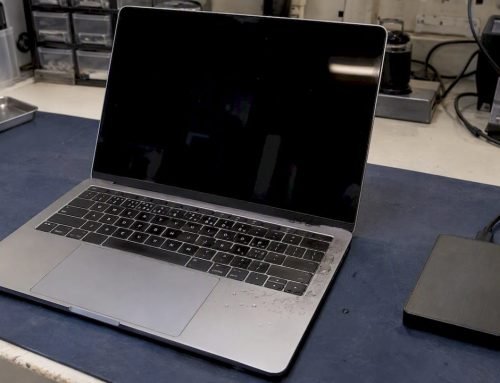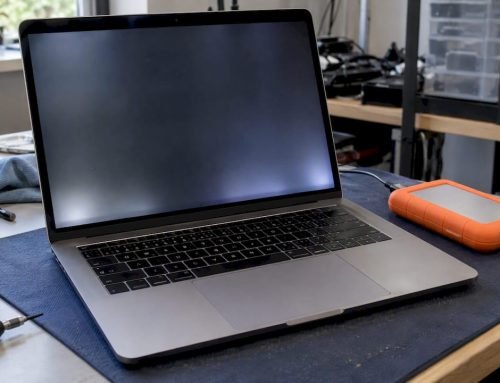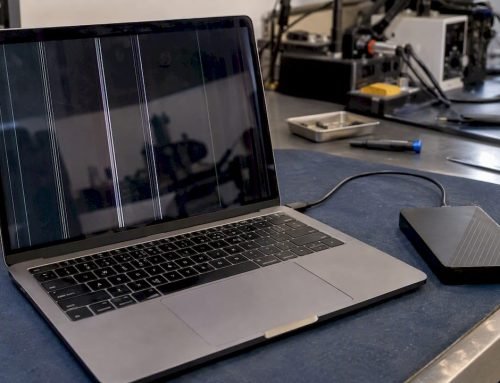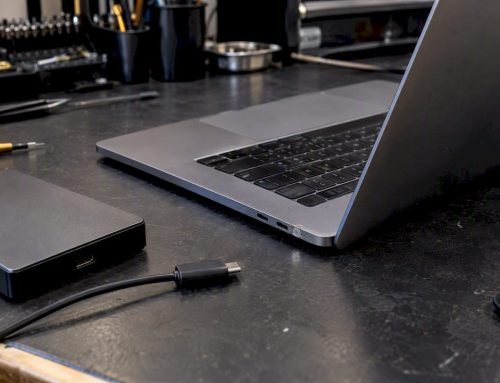
A MacBook keyboard replacement cost varies widely depending on the repair path, model, and whether the top case needs replacing, often ranging from a minor fix price to a full top case assembly cost. Apple’s out-of-warranty retail pricing is generally at the higher end for keyboard repairs, while independent repair labs typically offer more affordable rates for comparable work. If you’re dealing with sticky or unresponsive keys, we recommend starting with a free diagnostic so you know exactly which repair path your machine needs, and booking same-day service if the issue is affecting your work right now.
TL;DR:
- Apple’s dedicated butterfly keyboard program ended in November 2024; repairs outside standard warranty or AppleCare+ are billed as out of warranty.
- Modern MacBook keyboards often share a top case with the battery and trackpad, so one damaged key can require a full assembly replacement.
- Repair costs range from $100 to $700; minor fixes may finish the same day, while full top case replacements take one to seven business days.
- Liquid exposure can cause logic board corrosion, so stop using the MacBook, avoid further disk writes if data matters, and seek professional diagnostics promptly.
Table of Contents
- U.S. Price Ranges: Apple vs Authorized vs Independent Shops
- Why MacBook Keyboard Repairs Cost What They Do
- What to Expect During a Professional Keyboard Repair
- DIY Risks and a Safe Troubleshooting Checklist
- How We Handle Keyboard Replacements at Our Los Angeles Lab
- Breaking Down the Bill: Labor and Parts Separately
- Apple Retail vs Third-Party Repair: Where the Value Actually Lies
- Verifying a Repair Provider’s Credentials and Authenticity
- Common Pricing Pitfalls to Watch For
- Caring for Your MacBook After a Keyboard Replacement
- Repair or Replace: A Quick Way to Decide
- Get a Free Diagnostic and Same-Day Service From Our Los Angeles Lab
- FAQ
- Sources
U.S. Price Ranges: Apple vs Authorized vs Independent Shops
Pricing for a MacBook keyboard repair depends heavily on where you take it and whether your machine falls under any active coverage. Apple’s dedicated keyboard service program, which once covered butterfly-switch repairs at no charge for eligible machines, officially ended in November 2024. As of 2026, keyboard repairs that fall outside the standard one-year warranty or an active AppleCare+ plan are treated as standard out-of-warranty paid repairs.
At Apple retail, out-of-warranty keyboard repairs tend to run higher because the keyboard is bundled into the top case assembly, which includes the battery and trackpad. If your MacBook still has AppleCare+ coverage, your out-of-pocket cost drops significantly, sometimes to a flat service fee. Without that coverage, you’re paying for a full assembly swap rather than a simple key replacement.
Independent repair shops and local labs generally offer more flexibility on pricing, particularly for issues that don’t require a full top case replacement. A single sticky key or minor debris issue might be resolved with a targeted repair, while a full top case swap brings the independent-shop price closer to what Apple charges, though usually still somewhat lower.
Here’s a general breakdown of what to expect:
- Minor key or keycap repair: lower end of the range, often resolved same-day without replacing the whole assembly.
- Full top case replacement at Apple retail (out-of-warranty): the highest cost tier, since the entire assembly including battery and trackpad is swapped.
- Full top case replacement at an independent shop: typically less than Apple’s retail rate for the same assembly-level work.
- Combined top case plus battery replacement: often a better value than paying for each separately, since labor overlaps.
Exact quotes vary by model year, parts availability, and whether your machine needs additional work like logic board inspection. A shop that’s seen the specific model before will usually quote faster and more accurately than one working from a generic price list.
Why MacBook Keyboard Repairs Cost What They Do
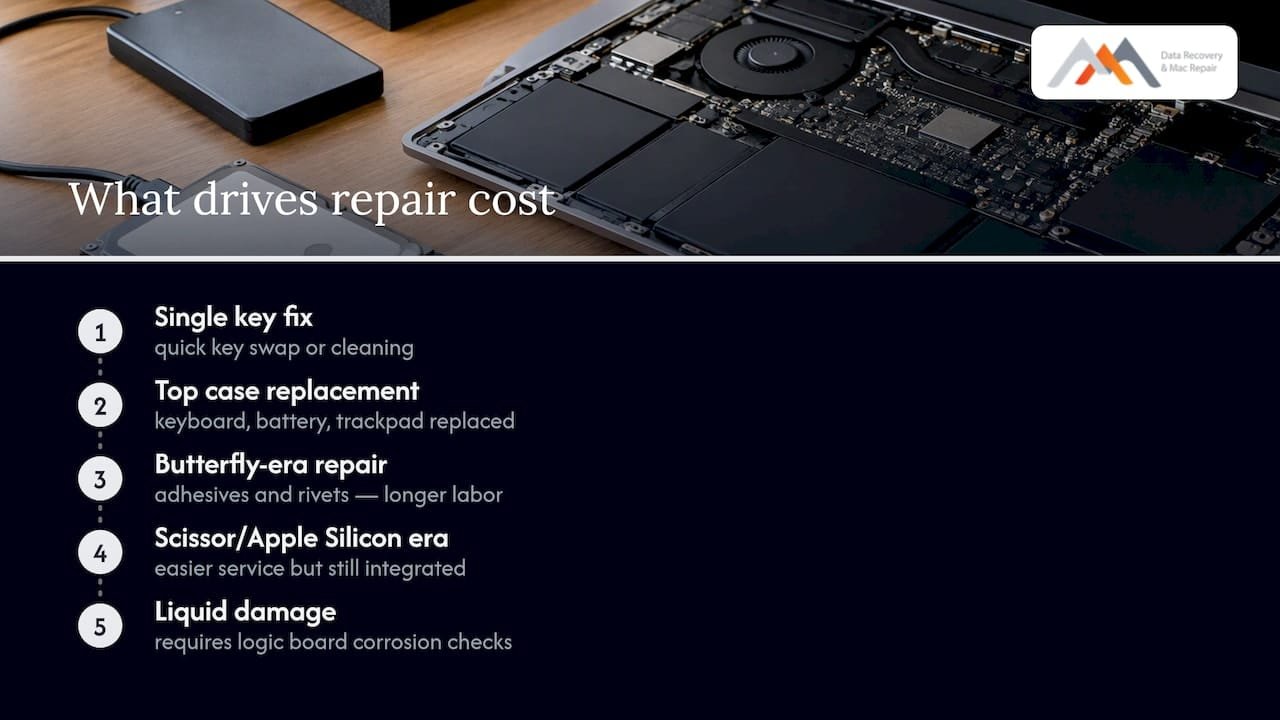
The price difference between a simple key fix and a full keyboard replacement comes down to how Apple engineers the keyboard into the rest of the laptop. On most modern MacBooks, the keyboard isn’t a standalone part you can pop out and swap. It’s integrated into the top case assembly along with the battery and trackpad, which means replacing a broken keyboard often means replacing that entire unit.
The keyboard is part of a larger assembly, not a separate module. iFixit’s teardown guides confirm that on Retina-era and later MacBooks, the keyboard, battery, and trackpad all live on one assembly. Replacing a damaged key can mean replacing the whole top case, which is why a single bad key sometimes costs nearly as much as a full keyboard failure.
Model year matters too. Butterfly-switch keyboards used on several MacBook Pro and MacBook generations were notoriously prone to sticking keys from dust and debris, and repairing them required extensive disassembly. iFixit’s documentation on the butterfly keyboard shows that removing and replacing it involves adhesives and rivets, which makes the job closer to a chassis-level repair than a simple part swap. Later scissor-switch keyboards and Apple Silicon era MacBooks are generally easier to service, but they’re still built into the top case on most models.
Damage scope changes the quote dramatically. A single sticky key is a much smaller job than a full keyboard failure, and both are smaller than a keyboard damaged by a liquid spill that also reached the logic board. Once liquid exposure is involved, a technician has to check for corrosion on the logic board, not just the keyboard, which adds diagnostic time and potential part costs.
Parts source and labor time affect your final price. OEM Apple parts generally cost more than aftermarket alternatives, and labor time increases substantially when adhesives and rivets need careful removal.
A typical top case replacement on an integrated-keyboard MacBook can take a technician a full disassembly sequence involving adhesive removal and rivet replacement, which is why labor charges for this repair run higher than for a standalone component swap.
What to Expect During a Professional Keyboard Repair
A proper keyboard repair starts with diagnostics, not a quote. When a MacBook comes in for a keyboard that isn’t responding correctly, the first step should always be a free diagnostic that confirms what’s actually wrong before any parts get ordered.
A thorough diagnostic typically covers:
- Key-by-key function testing to isolate whether one key, several keys, or the entire keyboard is affected.
- Trackpad and battery health checks, since both share the same assembly on most models.
- Visual and internal inspection for corrosion if there’s any history of liquid exposure.
- Logic board inspection to rule out damage that would change the repair scope entirely.
Once the diagnostic is complete, the repair path splits in two directions. A minor fix, like clearing debris from under one or two keys, can sometimes be handled the same day. A full top case replacement is a different workflow entirely: it involves ordering the correct assembly for your exact model and year, carefully removing adhesives, and reassembling the battery, trackpad, and keyboard as one unit.
Turnaround times reflect that difference. Simple fixes are often same-day. A top case replacement typically takes one to seven business days, depending on parts availability, and longer if a part has to be special-ordered for an older or less common model.
Pro Tip: Always ask for a written warranty period on the replacement part and labor before you approve the repair, so you know exactly what’s covered if the same issue returns.
Before you approve any repair, ask what warranty applies to the replacement part itself. Apple’s own warranty terms note that replacement parts may carry a 90-day coverage period or assume the remaining product warranty, whichever is longer. A reputable independent shop should offer something comparable in writing.
DIY Risks and a Safe Troubleshooting Checklist
Modern MacBooks are not designed for easy at-home disassembly. The keyboard, battery, and trackpad are bonded together with adhesives, and on several models the battery itself is glued directly to the top case. Attempting to pry this apart with household tools risks puncturing the battery, bending the logic board, or snapping connectors that are expensive to replace even when the original keyboard issue was minor.
There are a few safe things you can try before calling a professional:
- Restart the machine and check if the issue persists after a clean boot.
- Reset keyboard-related settings in System Settings to rule out a software glitch mimicking a hardware problem.
- Gently blow out visible debris from under a sticky key using compressed air, holding the can upright to avoid moisture.
- Avoid prying with metal tools or attempting to remove a glued-in battery yourself.
If liquid has reached the keyboard, the calculus changes immediately. Stop using the device, and if you suspect data is at risk, stop all disk writes immediately. Continuing to use a wet MacBook risks shorting the logic board, which turns a $200 to $400 keyboard repair into a far more expensive logic board or data recovery situation. Our guide on spill damage and data loss walks through what to do in the first few minutes after a spill.
Pro Tip: If you smell a burning odor, see visible corrosion, or the trackpad stops responding along with the keyboard, treat it as a logic board issue and get professional diagnostics the same day.
When choosing a repair provider, ask directly whether diagnostics are free, whether same-day appointments are available, and whether the technician can perform component-level repair work rather than only swapping entire assemblies.
How We Handle Keyboard Replacements at Our Los Angeles Lab
We have experience repairing Mac hardware and handle keyboard and top case replacements regularly. Every job starts with a free diagnostic, so you know the actual scope of the problem, whether it’s a single sticky key or a full assembly swap, before you commit to a repair.
Our intake process typically moves through a few clear steps:
- Intake and initial inspection, where we document the symptoms and check for visible damage or corrosion.
- Free diagnostic testing of the keyboard, trackpad, battery, and logic board.
- Written estimate covering parts and labor separately, so there are no surprises.
- Repair and reassembly, including top case installation when the keyboard is integrated.
- Post-repair testing of every key, the trackpad, and battery charging behavior before the machine goes back to you.
We regularly resolve top case swaps on butterfly and scissor-switch models, spill-related keyboard failures that also require logic board attention, and combined battery-plus-keyboard replacements when both parts share the same assembly.
| Scenario | Typical repair path | Turnaround |
|---|---|---|
| Single sticky key, no liquid exposure | Targeted key/keycap service | Often same-day |
| Multiple unresponsive keys | Full top case assembly replacement | 1 to 7 business days |
| Liquid exposure affecting keyboard and logic board | Diagnostic plus component-level logic board repair | Varies by damage scope |
| Combined keyboard and aging battery | Combined top case replacement | 1 to 7 business days |
If you’re in Brentwood, Westwood, Venice, Hollywood, Culver City, Santa Monica, or Beverly Hills, our lab at 12041 Wilshire Blvd, Ste 26, sits centrally between the 405 and Santa Monica, close to UCLA and the Getty Center. You can reach us directly at 3108660828 to book a same-day diagnostic.
Breaking Down the Bill: Labor and Parts Separately
A clear keyboard repair quote should separate labor from parts, not bundle them into one number. Parts cover the physical component, whether that’s a single keycap, a key module, or a full top case assembly including the battery and trackpad. Labor covers the technician’s time removing adhesives, disconnecting cables, testing functions, and reassembling the machine.
For a minor repair, parts cost is often minimal since debris removal or a keycap swap doesn’t require ordering a major assembly, and labor is correspondingly short. For a full top case replacement, parts make up the larger share of the bill since the assembly itself, battery included, is the expensive component. Labor still adds meaningfully to the total because of the adhesive removal and rivet work documented in iFixit’s teardown guides.
Ask any provider, Apple or independent, for a quote that itemizes these two categories. A shop that only gives you one lump number is harder to compare against other estimates, and it’s worth asking why the breakdown isn’t offered if it isn’t volunteered upfront.
Apple Retail vs Third-Party Repair: Where the Value Actually Lies
Apple retail repair carries the advantage of using OEM parts and Apple-certified technicians, and if your machine still has AppleCare+, the cost advantage can be significant. Once that coverage lapses, out-of-warranty Apple pricing for a top case replacement tends to be the highest option on the table, because Apple prices the full assembly as a single part number regardless of how minor the original symptom was.
Independent labs and authorized third-party providers can often do the same assembly-level work for less, particularly when the technician has experience with your specific model year. The value gap widens further when your MacBook also needs logic board attention or data recovery alongside the keyboard fix, since a lab with in-house component-level repair capability can often address both in one visit rather than sending the machine to a separate specialist.
The right choice depends on your coverage status and how urgently you need the machine back. If AppleCare+ is active, that’s typically your lowest-cost path. If it’s expired, getting a written, itemized quote from an independent provider before committing to Apple’s retail price is a reasonable step for most owners.
Verifying a Repair Provider’s Credentials and Authenticity
Before handing over your MacBook, confirm a few basics about who’s doing the work. Ask whether diagnostics are free and whether that diagnostic includes a written, itemized estimate before any repair begins. A provider confident in their pricing will put it in writing without hesitation.
Ask specifically whether the technician performs component-level logic board repair in-house, or whether complex cases get shipped elsewhere. A lab with genuine in-house capability can usually explain, in plain terms, what a top case replacement involves on your specific model.
Check how long the business has operated and whether it has a verifiable physical location you can visit, rather than a mail-in-only address. A shop that’s been doing this work for years, through multiple generations of MacBook keyboard designs, has likely seen your specific issue before.
Finally, ask what the post-repair warranty covers and get it in writing. Apple’s own warranty documentation notes replacement parts may carry a 90-day warranty or inherit the remaining product warranty, and reputable independent shops typically offer comparable terms.
Common Pricing Pitfalls to Watch For
The most common pitfall is accepting a verbal quote without a written breakdown of parts and labor. Without that detail, you can’t tell whether you’re paying for a minor key fix or being upsold into a full assembly replacement you don’t need.
Watch for providers who quote a price before running any diagnostic at all. Keyboard symptoms can stem from a single stuck key, a failing battery pushing up against the keyboard, or early logic board corrosion, and each has a different price tag. A provider quoting sight unseen is guessing.
Be cautious of unusually low quotes that don’t specify whether parts are OEM or aftermarket. A dramatically cheaper price sometimes reflects a lower-quality aftermarket assembly that may not match the original key feel or durability.
Also watch for providers who add last-minute charges once the machine is already disassembled. An itemized written estimate, agreed to before work begins, protects you from this.
Caring for Your MacBook After a Keyboard Replacement
Once your keyboard or top case has been replaced, ask what warranty period applies to both the part and the labor, and get it in writing if it wasn’t already included in your estimate. Keep that documentation somewhere easy to find in case you need warranty service later.
Going forward, avoid eating or drinking directly over the keyboard, and keep liquids at a safe distance from the machine entirely. If anything spills, our spill damage guide covers the immediate steps to take before damage spreads to the logic board.
Periodically clean around the keys with compressed air to prevent debris buildup, which is one of the more common causes of sticky keys on scissor-switch models. If keys start feeling inconsistent again after the repair, contact your provider promptly rather than waiting, since catching an issue early is almost always cheaper than letting it progress to the logic board.
Repair or Replace: A Quick Way to Decide
If your MacBook is relatively recent and holds data you can’t easily recreate, repair almost always makes more sense than replacement. A keyboard issue on an otherwise healthy machine is a contained problem with a predictable cost.
The calculation shifts once the machine is older and other components start failing alongside the keyboard. If you’re also seeing battery swelling, intermittent logic board issues, or repeated keyboard failures on the same machine, the combined repair costs can start approaching what a newer device would cost. In that situation, ask for a combined top case plus battery quote rather than paying for each separately, since the labor overlap usually makes it the better value.
If there’s any risk to your data, whether from a spill, a logic board issue, or erratic behavior you can’t explain, prioritize getting lab diagnostics before you decide anything else, and tell the technician immediately if you suspect data loss is possible. That one conversation can change how the whole repair is handled.
— Kaya
Get a Free Diagnostic and Same-Day Service From Our Los Angeles Lab
If your MacBook keyboard is acting up, the fastest way to get a real answer is a free diagnostic, not a guess based on a forum post. We offer free diagnostics on every keyboard and top case repair, and for data recovery situations, we have a no recovery, no charge policy.
Call us to describe your symptoms and ask about same-day appointments. We’ll ask a few quick questions upfront, when the issue started, whether liquid was involved, and what model and year you’re running, so we can give you an accurate estimate before you come in. For a full view of what we handle on MacBook, iMac, and Mac Pro hardware, visit our Mac repair service page.
If you’re trying to decide whether a repair makes financial sense versus a device upgrade, a tool like TickClip’s product verdict analysis can help you compare current MacBook pricing before you commit either way. Once you know your direction, our team is ready to get you a written estimate the same day you call.
FAQ
How much does it cost to replace a MacBook Pro keyboard?
MacBook Pro keyboard replacement typically costs between $100 and $700, depending on whether the repair is a minor key fix or a full top case assembly swap. Apple’s out-of-warranty retail pricing tends toward the higher end, while independent repair shops often come in lower for the same assembly-level work.
Is it worth repairing a 7-year-old MacBook?
It depends on what else is failing alongside the keyboard. If the keyboard is the only issue and the battery and logic board are healthy, repair is usually worth it, but if multiple components are failing at once, the combined cost may approach what a newer device would cost.
Can a MacBook keyboard be replaced?
Yes, MacBook keyboards can be replaced, though on most modern models the keyboard is integrated into the top case assembly along with the battery and trackpad. This means a keyboard repair often means replacing that entire assembly rather than a standalone part.
Does Apple replace keyboard keys for free?
Apple’s dedicated keyboard service program, which once covered certain butterfly-switch repairs at no charge, ended in November 2024. As of 2026, keyboard repairs are covered free only under an active standard warranty or AppleCare+ plan; otherwise they’re billed as out-of-warranty repairs.
How long does a MacBook keyboard replacement take?
A minor keyboard fix can often be completed the same day, while a full top case replacement typically takes one to seven business days depending on parts availability. Turnaround can extend further if a specific part needs to be special-ordered for an older model.
Sources
- Apple ends Mac ‘butterfly keyboard’ service program
- Retina MacBook 2016 Upper Case Assembly Replacement – iFixit