To fix sticky MacBook keys, shut the Mac down, unplug it, and clean under the keys with compressed air held at a 75-degree angle. If a spill caused the sticking, stop all disk writes immediately: power the Mac off, do not restart it, and bring it in before the liquid reaches the logic board and the drive. At Macwest Data Recovery & Mac Repair, we have repaired Macs in Los Angeles since 2006, and we offer free diagnostics, same-day appointments, and a no recovery, no charge policy. You can call us at 310-866-0828.
TL;DR
- Dust, crumbs, and dried drinks cause most sticky keys. A careful compressed-air routine, done with the Mac off, clears many of them.
- After a spill, keep the Mac off and unplugged. Sticky keys can be the first visible sign of liquid on the logic board, and the data on the SSD is at risk until the Mac is inspected.
- If keys stay sticky after cleaning, the fault is usually under the keycap or on the board. We run free diagnostics and offer same-day appointments at 12041 Wilshire Blvd, Ste 26, West Los Angeles.
Table of Contents
- Why MacBook keys get sticky
- Symptom guide: what your keys are telling you
- How to clean sticky keys without damaging the keyboard
- If a spill caused the sticky keys
- Why keys stay sticky after cleaning
- When to stop cleaning and book a repair
- What happens when you bring a MacBook to us
- Business and IT users
- Get a same-day appointment
- FAQ
- Sources
Why MacBook keys get sticky
Sticky, repeating, or skipping keys come from something physical between the keycap and the switch beneath it. iFixit’s keyboard guide lists drink spillage, food crumbs, and other substances gumming up the keys as the common causes.
The keyboard design matters too. MacRumors explains that butterfly keyboards use a central hinge with less key travel than scissor mechanisms, and that crumbs, dust, and other particulates can jam the mechanism. The result is keys that do not press properly, skip keystrokes, or repeat characters. That is why a speck that would be harmless on an older keyboard can disable a key on a thin one.
The cause usually falls into one of three groups:
- Dry debris: crumbs, dust, pet hair, and skin flakes lodged under the cap.
- Dried residue: sugary coffee, soda, or juice that dried into a film around the switch.
- Liquid that went further: a spill that passed the key and reached the keyboard backing, the trackpad area, the battery, or the logic board.
The third group is the one that matters for your data, and it is where a cleaning routine stops being the right tool.
Symptom guide: what your keys are telling you
This table separates a surface problem from one that needs a bench inspection. It is a guide to likely causes, not a diagnosis.
| What you notice | Likely cause | What to do |
|---|---|---|
| One key feels gritty or does not spring back, no spill | Debris under the keycap | Clean with compressed air as described below |
| A key types twice or skips occasionally | Particles in the key mechanism | Clean with compressed air, then test in a text editor |
| Several keys feel tacky after a drink was nearby | Dried sugary residue | Shut down, stop using the Mac, and book a free diagnostic |
| Keys stick and the Mac also shuts off, lags, or shows odd behavior | Liquid on the logic board or battery | Keep it off and unplugged, and call us the same day |
| Keys stick after cleaning and a whole row misbehaves | Keyboard assembly or board fault | Book a diagnostic for keyboard repair or replacement |
| Keys register as held down in apps or the login screen | Stuck switch or a shorted key line | Shut down and have it inspected |
How to clean sticky keys without damaging the keyboard
If there was no spill, this is the method that Apple’s keyboard cleaning guidance gives for an unresponsive key or one that feels different on supported models. Follow it exactly.
- Shut down and unplug. Power off the Mac and disconnect the power adapter and any accessories.
- Hold the Mac at 75 degrees. Tilt it so the keyboard faces you at a steep angle.
- Use compressed air with the straw about half an inch from the keys. Spray in a left-to-right motion across the keyboard.
- Rotate and repeat. Turn the Mac to each side and spray left to right again.
- Keep the can upright. Do not invert it, because the propellant can come out as liquid.
- Test the key in a text editor after the Mac is back on.
Where it goes wrong: spraying from too close, tilting the can, or blasting air into a Mac that is wet inside. Air pushes liquid and grit deeper toward the board. If any liquid was involved, skip this method and go to the spill section below.
Cleaning the surface of the keys
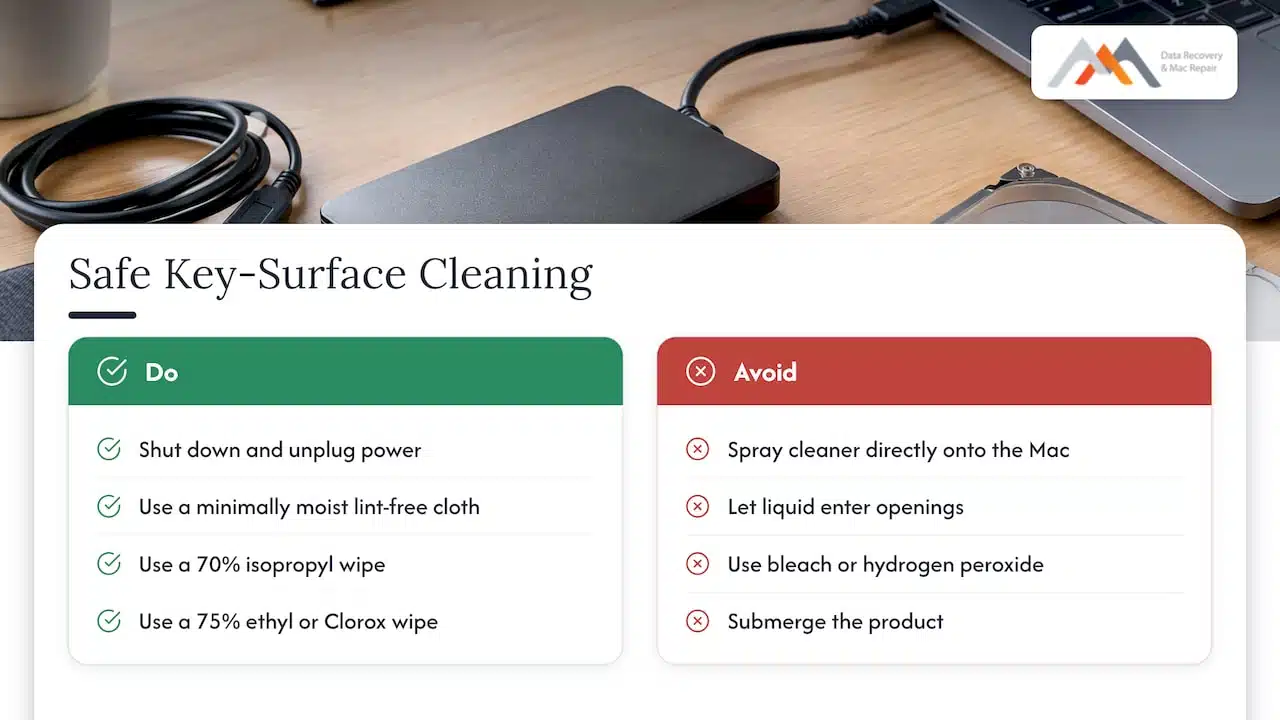
For the tops of the keys and the case, Apple’s general cleaning guidance, updated in November 2026, says to shut down the MacBook and unplug the power adapter first. Use a soft, lint-free cloth with minimal moisture. Never spray cleaner directly onto the Mac, and keep liquid out of every opening.
The same page permits gentle wiping of a keyboard with a 70% isopropyl alcohol wipe, a 75% ethyl alcohol wipe, or Clorox Disinfecting Wipes. It also says not to use products containing bleach or hydrogen peroxide, and never to submerge a product in a cleaning agent. So the answer to the common question is yes, a 70% alcohol wipe is fine on the key surface, used lightly. It cleans the top of the key, though. It does not reach residue under the cap.
Should you pop the keycaps off?
We advise against it on current MacBooks. The caps clip onto thin plastic hinges that break easily, and a broken clip means a replacement keyboard instead of a cleaning. If a key is still stuck after the compressed-air method, bring it to us and we will look at it under magnification rather than risking the hinge.
If a spill caused the sticky keys
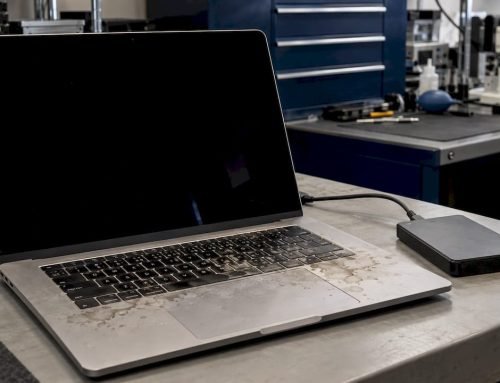
Stop all disk writes immediately. In practice that means holding the power button until the Mac is off, then unplugging the charger and every accessory. Do not try to see if it still works.
Then follow the sequence AppleInsider and Macworld both describe:
- Disconnect power and peripherals.
- Gently blot visible liquid without pushing it toward openings.
- Let it dry passively. Do not use a hair dryer, heater, compressed air, or rice.
- Do not restart the Mac or reconnect the charger while moisture might remain inside.
If you are soaking wet, standing in water, or see signs of battery danger, iFixit’s spill guidance says to avoid touching the device or plug and to cut power at the breaker if needed. Your safety comes before the laptop.
Why a working Mac is not a safe Mac
Macworld warns that liquid damage can show up days or weeks after a spill, and AppleInsider notes that a wet keyboard can hide internal moisture. A Mac that boots normally right after a spill has not proven it is undamaged. Corrosion builds slowly on the board and on the contacts around the SSD, and each power-on gives it more current to work with.
Sugary or greasy spills deserve extra caution. A university technology-support page advises turning the computer off and referring it for service after such a spill instead of treating it as routine cleaning.
What this means for your files
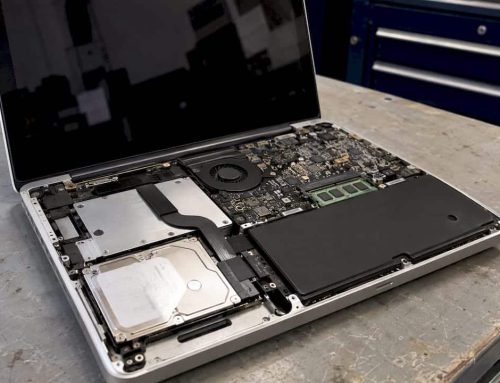
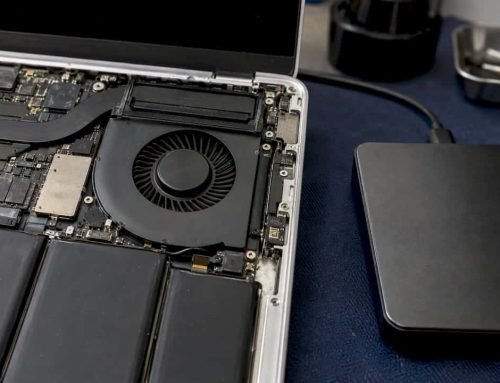
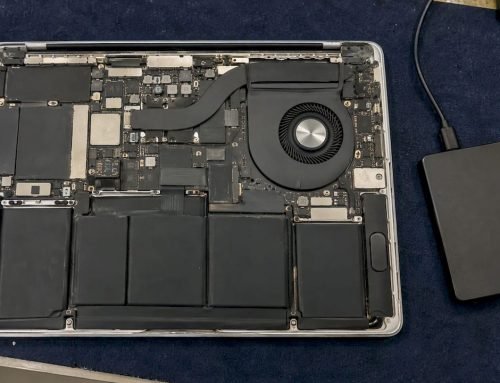
On modern MacBooks, the SSD is soldered to the logic board. Your photos, documents, and projects live on the same board the liquid is attacking, and with FileVault encryption on, the data is tied to that hardware. You cannot simply pull a drive and plug it into another computer. Recovery on these Macs means working at component level: cleaning the board, repairing shorted lines with micro-soldering, and then reading the storage, whether it is APFS-formatted internal flash or an NVMe-based module.

That is work we do in our lab. Our positioning is built around in-house engineering: precision micro-soldering, forensic imaging, and component-level logic board repair, including on Apple Silicon Macs. Read more in our guide to MacBook spill damage and data loss or protecting your data after a MacBook water spill.
Why keys stay sticky after cleaning
This is the question most people reach after the compressed-air routine fails. The usual reasons:
- Residue is under the cap, not around it. Dried soda or coffee forms a film on the switch that air cannot lift.
- The mechanism is bent or cracked. A hinge that was pressed hard, or a cap that was pried, does not return to its original shape.
- Liquid reached the keyboard assembly. The keys feel tacky or intermittent because the contacts underneath are contaminated.
- The fault is not mechanical. Several keys, or an entire row, that act up together point toward the keyboard flex cable or the logic board, not individual switches.
- Sticky Keys is turned on in macOS. If keys seem to stay held while the physical keys move freely, this is an accessibility setting, not hardware. It can be turned off in System Settings under Accessibility, then Keyboard.
Repeated aggressive cleaning is the one thing that makes the first four worse. If one careful round has not worked, stop. Our page on MacBook keyboard not working walks through what we check next, and the keyboard replacement cost page explains what a replacement involves.
When to stop cleaning and book a repair
Book a diagnostic when any of these is true:
- A key is still unresponsive after one correct round of Apple’s compressed-air method.
- Liquid may have entered the Mac, even if it seems to run fine.
- The Mac has shut off, restarted by itself, or charged oddly after a spill.
- Keys stick across a whole row or section.
- You have files you cannot lose and no current backup.
Apple’s guidance says internal liquid exposure calls for service as soon as possible, and that you should keep a spill-affected Mac off and unplugged and avoid repeated power-on attempts. We agree with that, and it is why we offer same-day appointments. The sooner the board is cleaned, the less corrosion has to be repaired.
A note on the old keyboard repair program
Apple’s 2018 keyboard service program covered eligible listed MacBook models for four years after their first retail sale. For most machines that window has long passed, so a sticky butterfly keyboard today is generally a paid repair. We give you a free diagnosis and a clear answer on keyboard repair options before you decide anything.
What happens when you bring a MacBook to us
We are at 12041 Wilshire Blvd, Ste 26, between the 405 and Santa Monica, near UCLA and the Getty Center. The location is convenient from Westwood, Brentwood, Santa Monica, Beverly Hills, Venice, Culver City, and Hollywood.
- Free diagnostics. We inspect the keyboard and look for liquid residue and corrosion. Our guide on spotting MacBook water damage lists the signs we look for.
- Data first when there was a spill. If the Mac was wet, protecting your files comes before cosmetic repair.
- Repair at component level. Our liquid damage service covers cleaning and repair, and our logic board repair guide explains how board work is done.
- No recovery, no charge. If we cannot recover your data, you do not pay for the recovery.
For a MacBook that was on a desk when a drink went over, the whole process often starts and finishes with a call. Phone 310-866-0828 and we will tell you whether to bring it in that day.
Business and IT users
If the Mac belongs to a company, a sticky keyboard after a spill is also a continuity problem. Staff keep working on a damaged machine, and every restart risks the data. We handle Mac repair and data recovery for business clients, including RAID and server storage, RAID levels 0, 1, 3, and 5 among them, and our RAID data recovery page covers those arrays. IT teams can bring a spill-affected MacBook straight to us with the same free diagnostics and same-day appointments.
Our view: sticky keys are a warning, not just an annoyance
We have worked on Macs in Los Angeles since 2006, and our view is simple: a sticky key is worth taking seriously because you cannot tell from the keyboard alone how far the cause goes.
A crumb under a keycap is a ten-minute fix. A sweet drink that reached the board is a different job, and the difference is only visible under magnification. That is why we offer free diagnostics: you should know which case you have before you spend anything.
On current MacBooks the keyboard, the SSD, and the logic board are tied together closely. Our lab is set up for component-level logic board repair and micro-soldering, so we can work on the board itself rather than treating the whole machine as unrecoverable. With a no recovery, no charge policy, the risk of trying us sits with us.
If you have spilled anything on a MacBook, switch it off, leave it unplugged, and call us for a same-day appointment.
Kaya
Get a same-day appointment
If your keys are sticking after a spill, or still sticking after careful cleaning, we can look at the Mac the same day. Our Mac repair service in Los Angeles covers MacBook Pro, MacBook Air, iMac, Mac mini, and Mac Pro, and our Mac data recovery service covers internal drives, SSDs, RAID, and memory cards. Diagnostics are free. Call 310-866-0828 to book.
FAQ
Can I use alcohol wipes to clean my Mac keyboard?
Yes, with the Mac shut down and unplugged. Apple’s guidance permits gentle wiping of the keyboard with a 70% isopropyl alcohol wipe, a 75% ethyl alcohol wipe, or Clorox Disinfecting Wipes. Do not use bleach or hydrogen peroxide products, and keep moisture out of every opening.
Why are my keys still sticky after I clean them?
Residue under the keycap, a bent mechanism, or liquid that reached the keyboard assembly are the usual causes. Compressed air cleans around the key but cannot dissolve a dried sugary film. If one careful round did not work, book a free diagnostic rather than cleaning again.
Can I pop the keys off my MacBook Air?
We do not recommend it. The clips under the caps are thin and break easily, which turns a cleaning job into a keyboard replacement. We can inspect and clean the key under magnification at our West LA lab.
My MacBook keys stick after a spill. What should I do first?
Stop all disk writes immediately by shutting the Mac down and unplugging everything. Blot visible liquid gently, do not use heat, air, or rice, and do not turn it back on. Then call 310-866-0828 for a same-day appointment so your data can be protected.
Why is Sticky Keys still on after I turn it off?
That is a macOS accessibility feature, separate from a physical key sticking. Check System Settings under Accessibility, then Keyboard, and confirm the setting is off. If keys physically do not release, the cause is hardware and the Mac should be inspected.
Sources
- How To Fix Sticky Keyboard Keys on a MacBook, iFixit
- MacBook Pro / Air Butterfly Keyboard Issues, MacRumors
- How to clean the keyboard of your MacBook or MacBook Pro, Apple Support
- How to clean your Apple products, Apple Support
- How to save your wet Mac from water damage, AppleInsider
- Spilled water on your Mac? What to do immediately, Macworld
- Ask iFixit: I Spilled Liquid on My Laptop, Now What?
- Keep Your MacBook Clean, Northern Michigan University Technology Support Services
- Apple Launches Repair Program for Faulty MacBook and MacBook Pro Keyboards, MacRumors