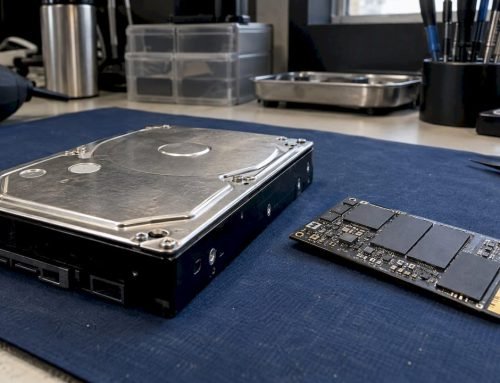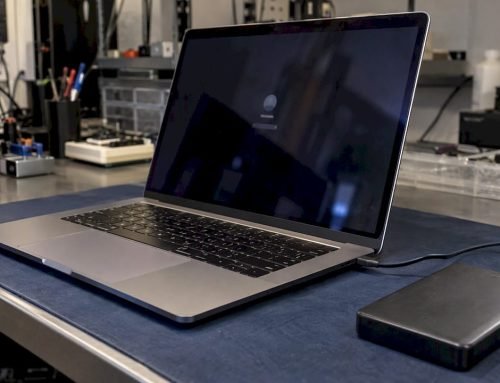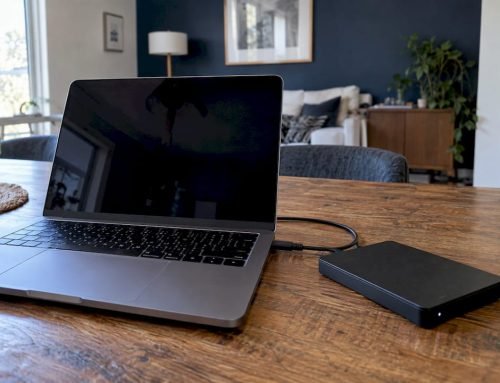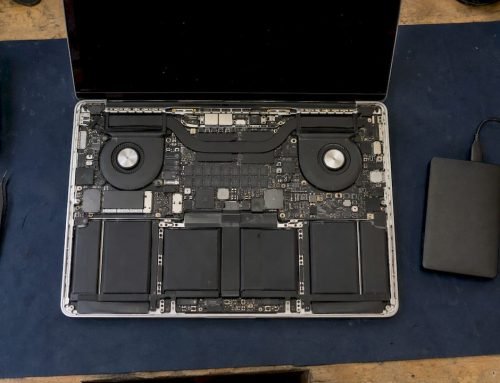
Stop all disk writes immediately: if your MacBook Pro randomly freezes, loses its drive or shows a flashing question mark, shut it down, stop using it and do not keep rebooting, because a failing SATA cable can look exactly like a dying drive and every extra boot risks the files on it. A SATA cable failure means the thin flex cable that links the internal drive to the logic board has cracked, loosened or been worn through, so the Mac intermittently loses contact with storage that may itself be perfectly healthy. At Macwest Data Recovery & Mac Repair, at 12041 Wilshire Blvd, Ste 26 in West Los Angeles, we have worked on Macs since 2006, and we offer same-day appointments, free diagnostics and a no recovery, no charge policy. Call us at 310-866-0828.
TL;DR
- A SATA (hard drive) flex cable fault mostly affects older Unibody MacBook Pros with an internal 2.5-inch SATA drive, and it can mimic a failing disk.
- Typical signs are random freezes, a drive that disappears from Disk Utility, a question mark folder at startup, or a sleep light and sensor that stop working.
- Do not keep power-cycling the Mac or repeatedly reopening the case: each attempt can worsen a marginal connection and overwrite or corrupt data.
- Newer Macs with soldered NVMe storage have no SATA cable, so similar symptoms point to the SSD, the logic board or its components instead.
- Call 310-866-0828 for a same-day appointment and free diagnostics. If we cannot recover your data, you do not pay.
Table of Contents
- What a MacBook SATA cable failure actually is
- Which MacBooks are affected
- Symptoms of a failing SATA cable
- What to do first when your files are at stake
- Why the drive can be fine and still not show up
- When cable replacement is enough and when to go for recovery
- Old SATA Macs versus newer NVMe Macs
- What recovery looks like at Macwest
- Where we are and who we serve
- Prevention for Macs you plan to keep
- Frequently asked questions
- Sources
What a MacBook SATA cable failure actually is
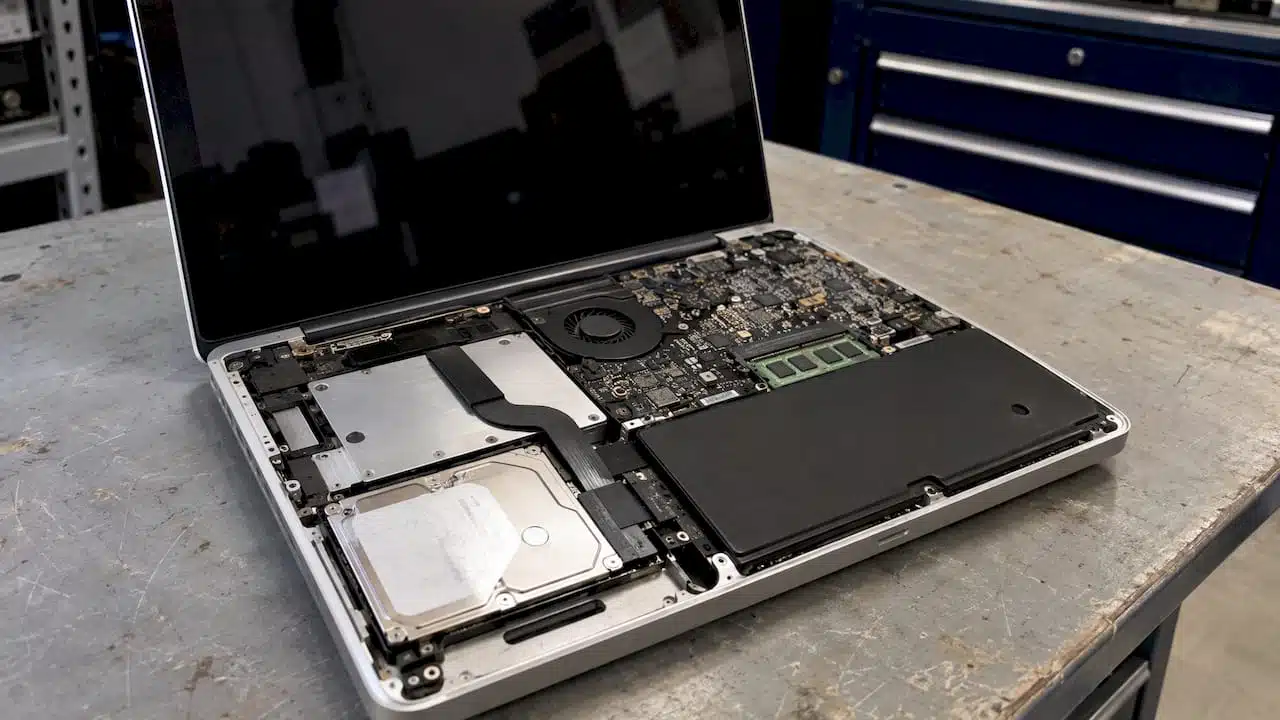
Older MacBook Pro models do not plug the drive straight into the logic board. A flat, flexible ribbon runs from the drive bay to a connector on the board, and on many Unibody models that same cable assembly also carries the sleep indicator light and the infrared (IR) sensor. According to iFixit’s Late 2011 13-inch hard drive cable guide, the Early and Late 2011 13-inch models share a compatible cable that includes the sleep LED and IR sensor. That is why a cable problem sometimes shows up as a dead sleep light before anything else.
The cable is not a simple wire. It is a layered flex circuit that bends every time the case is opened and sits close to the aluminum body of the Mac. The same guide warns that its connectors can break during handling and that the cable can rub against ridges inside the case. Over years of heat, vibration and laptop flexing, the protective film wears, conductors crack, or the connector loses firm contact.
The result is a drive that is there one minute and gone the next. Your files are usually still on the platters or flash cells. The danger is what happens next: a Mac that loses its drive mid-write can corrupt the file system, and repeated attempts to boot can make a marginal situation worse.
Which MacBooks are affected
Cable compatibility is model-specific. iFixit’s 17-inch Unibody cable guide covers the Early 2009 through Mid 2010 cable and treats the Early 2011 17-inch as a separate part, which shows that two models that look alike can need different cables.
Across the field, the pattern looks like this:
| Mac type | Internal storage connection | Is a SATA cable a likely suspect? |
|---|---|---|
| Unibody MacBook Pro, 2009 to 2012 (13, 15 and 17-inch) | 2.5-inch SATA drive or SATA SSD on a flex cable | Yes, especially with intermittent drive loss |
| Older white and black MacBooks (such as the A1181) | 2.5-inch SATA drive on a flex cable | Yes, if the drive drops out or the Mac will not see it |
| Retina MacBook Pro and MacBook Air, 2012 to 2017 | Proprietary flash module on the board | No SATA cable; look at the SSD module or board |
| Apple Silicon MacBooks (M1 and later) | Soldered NVMe storage | No SATA cable; look at the logic board |
| iMac with 3.5-inch drive | SATA data and power cables | Possible, depending on year |
The Mid 2012 13-inch MacBook Pro (A1278) has a long-standing reputation for hard-drive cable trouble. An independent parts specialist has documented several revisions of its cable and a thicker protective film on later versions, and describes the issue as touching much of the Unibody lineup. If you own that model and the drive keeps vanishing, the cable belongs at the top of the list.
One more wrinkle: not every SATA problem is a broken cable. In 2011, MacRumors reported that a SATA performance problem on the 17-inch MacBook Pro involved interference between the neighboring battery-indicator cable and the SATA cable, a configuration unique to that model. Cable routing and signal quality matter, not only whether the ribbon is physically torn. If you want broader background on how storage fails over time, this overview of hard drive failure trends is a helpful companion.
Symptoms of a failing SATA cable
These are the signs we see described most often when a flex cable is the cause:
- The Mac freezes or beachballs at random, then recovers or restarts.
- The internal drive vanishes from Disk Utility, then reappears after a reboot or after the Mac is nudged or moved.
- A flashing folder with a question mark appears at startup although the macOS installation was fine yesterday.
- The sleep indicator light stops working, or the Mac no longer reacts to the IR remote sensor.
- Slow file copying, or errors that come and go without a pattern.
- The Mac wakes from sleep with the drive missing.
What makes cable faults confusing is that they imitate drive failure. An Apple Support Community thread describes a cable producing disk-like symptoms, including hangs, even though the drive passed a SMART test (SMART is the drive’s built-in self-reporting of its health).
Cable, drive or logic board: a quick comparison
| What you notice | Points toward the cable | Points toward the drive | Points toward the logic board |
|---|---|---|---|
| SMART status in Disk Utility | Reads Verified, yet the drive drops out | Reads Failing or About to Fail | Drive not listed at all, no matter the drive |
| Behavior | Comes and goes when the Mac is moved or reopened | Gets steadily worse, slow reads, bad sectors | Constant, never improves |
| Sound (mechanical drives) | Normal | Clicking, grinding or repeated spin-up | Normal |
| Sleep light and IR sensor | Often stop working with the cable | Unaffected | Often unaffected |
| Pattern after replacing parts | Fixed by a new cable | Fixed by a new drive | Persists with a known-good drive and cable |
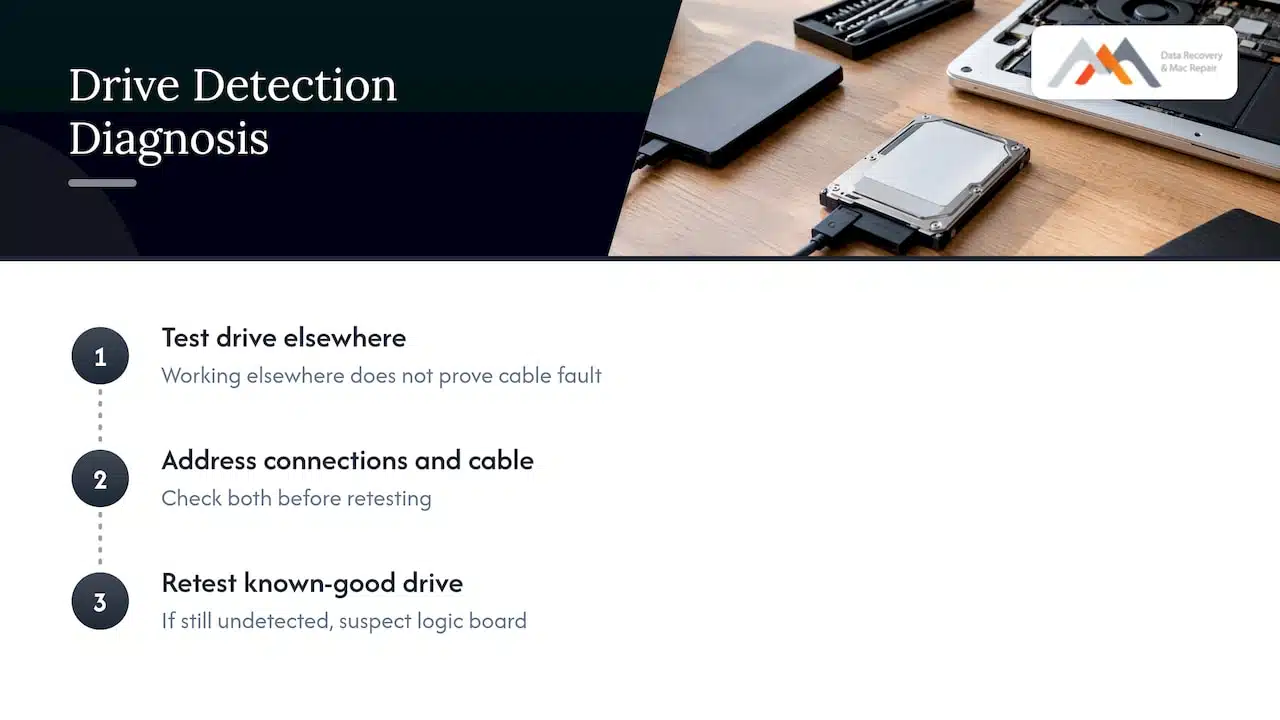
Apple’s archived service guidance supports this logic. In its 2008 MacBook Pro service manual, a Failing or About to Fail SMART status points to replacing the drive, while a damaged flex-cable connector points to replacing the cable. Its Late 2008 15-inch guide lays out the order for a drive missing from Disk Utility: check SMART, reseat the flex cable, inspect the connectors, then test a known-good drive and cable before suspecting the logic board.
That sequence is sound, but it assumes the data on the drive does not matter. If it does, the sequence has to be run carefully, because every reseat and reboot is another chance for the connection to fail mid-write.
What to do first when your files are at stake
The first rule is the one we opened with: stop all disk writes immediately. In practice:
- Shut the Mac down normally if it responds, or hold the power button if it does not. Do not leave it running with the drive flickering in and out.
- Do not reinstall macOS, erase the disk or run repair utilities. Erasing and reinstalling destroy exactly the data you are trying to keep. Apple’s own service documentation does not treat reinstalling or erasing as a data-preservation step.
- Do not open the case repeatedly or flex the cable. The connector and the film on the ribbon are fragile, and the iFixit guide above specifically warns that connectors can break.
- Do not run the Mac for “one more try.” If it happens to boot and your data is not backed up, the priority is to copy the files that matter to another location, not to run more repairs. Then finish the repair later.
- Note what you saw. Whether the sleep light died, whether the drive clicked, and what Disk Utility showed help narrow the cause quickly.
- Call us. We offer same-day appointments, and diagnostics are free.
A clicking sound from a mechanical drive is a different matter from a cable fault. It can indicate physical damage to the drive, and it is a reason to power off immediately and bring it in rather than testing further.
Why the drive can be fine and still not show up
It is tempting to think “the drive is okay, so only the cable matters.” Sometimes that holds, but not always. A repair account from an independent user showed a drive that worked normally when connected elsewhere while the Mac’s own internal SATA controller on the board had failed. In other words, a healthy drive does not prove the cable was the culprit. If a known-good drive still is not detected after the connections and cable are addressed, Apple’s archived sequence moves suspicion to the logic board.
This is where component-level skill matters. When the fault is on the board, the answer is not a new cable but board-level diagnosis: tracing the SATA lines, checking connectors and power rails, and repairing failed components. We do logic board repair at component level, using precision micro-soldering, and our diagnostics are free. If you want to understand what a board fault means for your files, our guide to MacBook logic board data loss explains it, and the logic board failure signs page lists the symptoms side by side.
When cable replacement is enough and when to go for recovery
Replacing the cable is appropriate when reseating the connections and testing with known-good parts implicate the cable or its connector. It is the cheaper fix when the drive is healthy and your data is backed up.
Professional recovery is the better route when any of these apply:
- The drive reports Failing or About to Fail in SMART.
- A mechanical drive clicks, grinds or will not spin.
- The files are irreplaceable and you have no current backup, and the drive is getting worse.
- The drive appears and disappears, and each reappearance is short.
- The Mac has liquid damage, or a past repair left the board in doubt.
- The disk shows as unallocated or the APFS or HFS+ volume will not mount.
The archived Apple service guidance points the same way: where the drive itself shows failing status or mechanical symptoms, a professional assessment is more prudent than repeated repair experiments.
What the repair itself involves
A cable replacement on a Unibody MacBook Pro means removing the lower case, disconnecting the battery, removing the drive and sensor brackets, lifting the old cable off its adhesive and transferring the sensor bracket if the new cable does not include it. The connectors on both ends are small and easy to tear, and a replacement cable that rubs against a sharp ridge inside the case can fail again. That is why careful handling matters when the drive holds data you cannot replace. Our technicians do this work in-house in our West LA lab, so the diagnosis, the repair and the recovery stay under one roof.
Old SATA Macs versus newer NVMe Macs
Many searchers land here from a symptom rather than a model. If your Mac was built after about 2012, the story changes.
| Feature | Older SATA MacBook Pro | Retina and Apple Silicon Macs |
|---|---|---|
| Storage type | 2.5-inch SATA HDD or SSD | Proprietary flash module or soldered NVMe |
| Cable between storage and board | Yes, a flex cable | None, or a direct connector |
| Typical “drive missing” cause | Cable, drive or SATA controller | SSD, NAND, logic board or power components |
| Data access path | Drive can be imaged once the connection is stabilized | Often requires board-level work and NAND access |
| Encryption | FileVault possible | FileVault plus the Apple security chip on newer models |
On modern Macs, a missing drive is not a cable problem at all. Soldered NVMe storage lives on the logic board, so recovery often depends on repairing the board enough to reach the storage or accessing the NAND. Apple Stores frequently treat such boards as unrecoverable. We claim advanced, in-house engineering with precision micro-soldering, forensic imaging and component-level logic board repair for Apple Silicon Macs, which is why many customers come to us after being told the data is gone. For more, read our guides on MacBook SSD failure and SSD not showing up on Mac.
A related, well-known cable problem on newer Macs is FlexGate, which affects the display cable on certain MacBook Pro models rather than storage. If your screen behavior is the problem, see our FlexGate repair page.
What recovery looks like at Macwest
When you bring a Mac in, we start with a free diagnostic to find out whether the cause is the cable, the drive, the storage controller or the logic board. Because the fault can sit in any of these, the diagnosis decides the plan. Our no recovery, no charge policy means you pay only when we recover your data.
We recover data from:
- Internal and external hard drives and SSDs, including APFS and HFS+ volumes
- NVMe and soldered SSD storage on newer MacBooks
- RAID arrays (RAID 0, 1, 3 and 5) and NAS units, relevant to businesses and IT providers who run Mac-based storage
- Memory cards, deleted or formatted drives, and encrypted FileVault volumes
If your problem also involves an external drive that will not mount, see external drive not mounting on Mac. For businesses with arrays or servers, our RAID data recovery page covers how multi-disk failures are handled.
Where we are and who we serve
Our lab is at 12041 Wilshire Blvd, Ste 26, Los Angeles, between the 405 and Santa Monica, near UCLA and the Getty Center. We serve West LA, Santa Monica and Beverly Hills, along with Brentwood, Westwood, Venice, Hollywood and Culver City. Same-day appointments are available, so a Mac that failed this morning can be in front of a technician today. A local lab also means you hand the Mac over in person and skip the shipping and mail-in delays that can leave a failing machine sitting in transit.
To book, call 310-866-0828, or see our Mac data recovery services and Mac repair service in Los Angeles pages.
Our perspective
We have been recovering data from Macs since 2006, and the pattern behind SATA cable failures has not changed: a person sees a flickering drive, tries one more reboot, then another, and by the time they call, a repair that was straightforward has become a recovery job. The cable itself is cheap. The files on the drive are not.
That is why we put diagnosis ahead of parts. A missing drive can be a cable, a drive, a storage controller or a logic board, and each needs a different fix. Free diagnostics let you learn which one it is without paying for guesses, and our no recovery, no charge policy means the risk of a failed attempt is ours, not yours.
For newer MacBooks with soldered NVMe storage, the same principle applies with more at stake: logic board component repair and forensic imaging are what get data out when Apple Silicon machines stop booting. If your Mac is acting up and your files matter, stop using it and bring it to us.
Kaya
Prevention for Macs you plan to keep
If your older Unibody MacBook Pro is still working, a few habits reduce the chance of a sudden loss:
- Keep a current Time Machine or cloned backup, because no cable or drive repair is as reliable as having your files in two places.
- Treat random freezes, a missing sleep light or an occasional question mark folder as early warnings, not quirks.
- Avoid opening the case repeatedly, because the cable and its connectors wear with handling.
- Replace aging mechanical drives before they click.
- Have a technician check the cable routing whenever the bottom case is opened for any other repair, since protective film and sharp case edges are known wear points.
A backup made while the Mac still boots is worth far more than a recovery after it stops. If it boots today and you have no backup, copy your files first, then arrange the repair.
Frequently asked questions
Can a bad SATA cable make my MacBook lose its hard drive?
Yes. A cracked or loose flex cable can make the internal drive disappear intermittently, even though the drive and your data are intact. The same symptoms can come from a failing drive or the logic board, so a proper diagnosis is needed before replacing anything. Our diagnostics are free.
Which MacBook Pro models have SATA cable problems?
The issue is tied to older Unibody MacBook Pros with a 2.5-inch SATA drive, with the Mid 2012 13-inch A1278 often cited as especially prone. Retina MacBook Pros, MacBook Airs from the same era and Apple Silicon Macs use flash storage and have no SATA cable. Cable parts differ by model, so the exact year and size matter.
Should I replace the cable myself if my data is not backed up?
If your data is not backed up, do not experiment. The connectors are fragile and each failed attempt can corrupt files. Shut the Mac down and call us at 310-866-0828 for a same-day appointment, and we will assess the cable, drive and board for free.
How much does it cost to recover data from a MacBook with a cable or drive fault?
We do not publish a fixed price because the cost depends on what failed and what the recovery requires. Diagnostics are free, and under our no recovery, no charge policy you pay only if we recover your data. Call us for an assessment.
Can you recover data from a newer MacBook that will not boot?
Yes, we work on MacBooks, iMacs, Mac Minis and Mac Pros, including logic board and soldered SSD cases. Our approach combines component-level board repair, micro-soldering and forensic imaging. Bring the Mac in and we will tell you what is possible.
Sources
- iFixit: MacBook Pro 13" Unibody Late 2011 hard drive cable replacement
- iFixit: MacBook Pro 17" Unibody hard drive cable replacement
- MacRumors: Fix for 2011 17-inch MacBook Pro SATA issues found
- Apple Support Community: Diagnosing MacBook Pro hard drive cable failure
- Apple Service Source: MacBook Pro 2008 service manual
- Apple Service Source: MacBook Pro 15-inch, Late 2008
- Analysis of hard drive failure trends