TL;DR:
- The Mac recovery partition often fails due to interrupted updates, APFS container damage, or SSD degradation, causing boot issues. Reinstalling macOS over the current system safely rebuilds the recovery volume without data loss, especially on newer macOS versions. Without a recovery partition, essential functions like Disk Utility and OS reinstallation become inaccessible, increasing emergency risks.
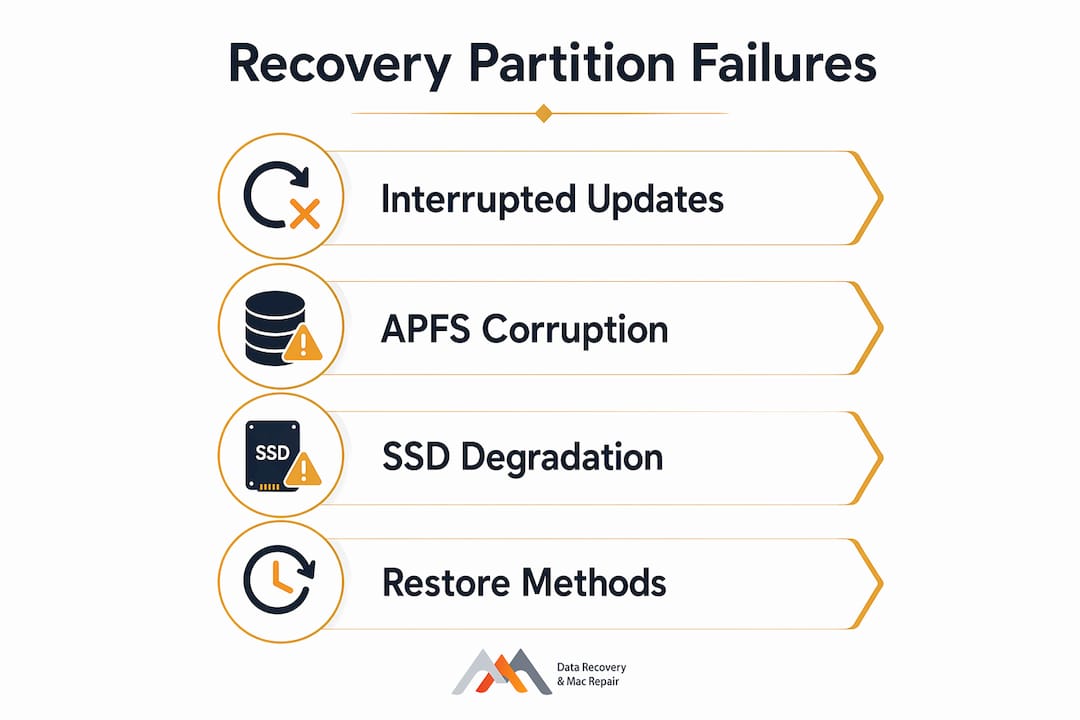
The Mac recovery partition fails most often because of interrupted macOS updates, APFS container corruption, physical NVMe SSD degradation, or third-party partitioning tools that break the GUID Partition Map. When any of these conditions occur, the bootloader loses its reference to the recovery volume, and you see symptoms like a flashing folder with a question mark, the error “Recovery server could not be contacted,” or the system bypassing recovery and booting straight into macOS. Stop all disk writes immediately if you suspect data loss alongside the recovery failure.
The fastest safe fix is to reinstall macOS over your existing system without erasing user data. This triggers the installer to audit the GUID Partition Map and rebuild the missing APFS recovery volume automatically. Legacy tools marketed as “Recovery Partition Creator” no longer work reliably on macOS Ventura or Sonoma, so the reinstall path is the recommended method as of 2026.
Key symptoms at a glance:
- Flashing folder with question mark on startup
- “Recovery server could not be contacted” error in Internet Recovery
- Mac boots to normal macOS instead of the recovery environment
diskutil listin Terminal shows no volume labeled “Recovery”- Startup key combinations (Command+R on Intel, power button hold on Apple Silicon) produce no result
Why does the Mac recovery partition fail?
The recovery partition is not a traditional standalone slice of the disk. On APFS-formatted drives, it exists as a hidden volume role within a shared container alongside the System and Data volumes. That architecture makes it flexible, but it also means that anything disrupting the container can make the recovery volume invisible to the bootloader without actually deleting it.
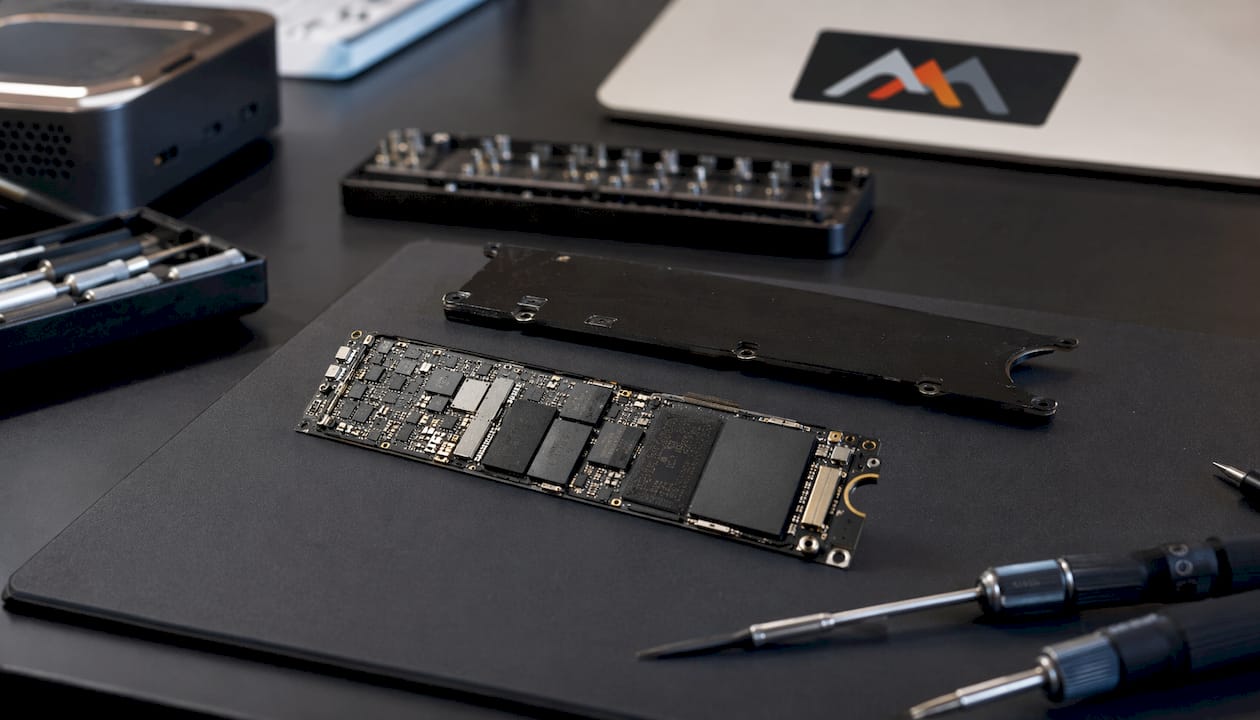
Interrupted macOS updates are the single most common trigger. A power loss or forced shutdown mid-update can leave the APFS volume group in a partially written state, where the recovery image files are incomplete or the volume role assignment is lost. Third-party partitioning tools present a related risk: software that resizes or reformats without respecting the GUID Partition Map can corrupt the recovery system by removing the hidden volume or breaking container boundaries.
Physical SSD degradation is a hardware-level cause that often goes undetected until recovery fails. Aging NAND cells can drop service sectors where the recovery image is stored, and the symptom frequently appears as a recovery boot failure before any obvious data loss occurs. Recurrent recovery failures paired with beach-balling or sluggish performance are a reliable indicator of underlying SSD wear.
Pro Tip: Run diskutil list in Terminal before assuming the recovery volume is gone. In many APFS configurations, the volume exists but is simply unmounted. If you see a volume with the role “Recovery” in the output, a full OS reinstall may not be necessary.
Additional causes worth knowing:
- FileVault encryption: A FileVault-encrypted Recovery HD appears locked or inaccessible until you enter the correct password at boot. This is normal behavior, not a failure.
- Firmware password: A forgotten firmware password locks the recovery partition separately from FileVault and requires an Apple Store appointment to reset.
- APFS logical errors: Catalog file corruption or extent refcount tree issues within the container prevent the recovery volume from mounting even when the files are physically intact.
- Boot Camp or third-party encryption software: These tools can conflict with the recovery system by altering partition roles or encrypting volumes in ways Apple’s bootloader does not recognize.
How to restore and rebuild the Mac recovery partition
The recommended restoration path depends on how severely the recovery volume is affected. Start with the least destructive method and escalate only if needed.

Method 1: Reinstall macOS over the existing system (recommended)
This is the safest restoration method and preserves all user data. The macOS installer checks the GUID Partition Map, detects the missing or damaged recovery volume, and creates a new APFS volume role populated with the BaseSystem.dmg files needed for emergency boots. Download the macOS installer from the App Store or Software Update, launch it, and point it at your existing Macintosh HD volume without erasing.
If the standard reinstall interface is unavailable, boot into Internet Recovery (Option+Command+R on Intel Macs) and trigger the installation from there. Internet Recovery downloads a recovery image directly from Apple’s servers, which is slower but bypasses local disk corruption entirely.
Method 2: Terminal command in Recovery Mode
If you can reach a partial recovery environment, open Terminal from the Utilities menu and run:
softwareupdate --fetch-full-installer --full-installer-version 13.x.x
Replace the version number with your target macOS release. Once downloaded, launch the installer from the Applications folder via the command line to rebuild the recovery volume.
Method 3: The resize-refresh technique (advanced)
For stubborn cases where the recovery volume exists but refuses to mount, the resizeContainer command forces the kernel to re-index all APFS volumes. Shrink the container by 1GB, then immediately restore it to the original size. This triggers a full APFS container verification and frequently causes a ghosted recovery volume to remount. Run diskutil verifyDisk first to confirm the container itself is healthy before attempting this.
Method 4: DFU mode with Apple Configurator 2
When neither Paired nor Fallback Recovery responds on an Apple Silicon Mac, DFU mode firmware refresh is the path forward. Connect the affected Mac to another Mac via USB-C charging cable (not Thunderbolt), open Apple Configurator 2, download the current IPSW image, and use it to refresh the firmware. This restores the full recovery volume group from scratch.
Pre-restoration checklist:
- Back up all accessible data to an external drive or Time Machine before proceeding.
- Connect to a stable power source and reliable network.
- Verify the APFS container with
diskutil verifyDisk disk0before any resize operation. - Confirm your macOS version target before running Terminal installer commands.
- Remove all non-essential peripherals and connect wireless keyboards via cable.
What happens when you operate without a recovery partition?
The recovery partition is not required for day-to-day use, but losing it disables critical maintenance functions that most users only discover they need during an emergency. Disk Utility’s First Aid, Time Machine restores, OS reinstallation, and Startup Security Utility are all gated behind the recovery environment.
Deleting or losing the recovery partition also disables “Find My Mac.” Without it, the Mac cannot be remotely locked or wiped through iCloud, which is a meaningful security gap for business users managing a fleet of devices. Startup security settings, including Secure Boot configuration, are only accessible within the recovery environment, so a missing recovery volume can prevent IT technicians from changing boot policies on managed machines.
Operationally, the absence forces reliance on external bootable media for any repair work. Creating a bootable USB installer is a reasonable workaround, but it adds friction during an already stressful failure event. The macOS recovery system has evolved into a complex volume group structure, and certain recovery utilities simply have no equivalent outside that environment.
Key risks of delayed repair:
- Inability to run Disk Utility First Aid during filesystem emergencies
- No access to Startup Security Utility for Secure Boot changes
- “Find My Mac” disabled, removing remote lock and wipe capability
- Forced dependence on Internet Recovery, which requires a stable connection and is significantly slower
- Prolonged downtime if hardware failure progresses before a local recovery option is available
How to verify recovery partition health and prevent future failures
Verifying the recovery volume takes under a minute. Open Terminal and run diskutil list. Look for a volume labeled “Apple_APFS_Recovery” or simply “Recovery” within the APFS container. If it appears, the volume exists. To confirm the files inside are intact, boot into recovery and check that Disk Utility, Terminal, and the reinstall option all load correctly.
Pro Tip: After any major macOS update, reboot into recovery mode and verify that Startup Security Utility opens without errors. If it reports unavailability, you may be running Fallback Recovery rather than Paired Recovery, which means the update did not fully propagate the recovery volume.
Preventive practices that consistently protect recovery partition integrity:
- Never interrupt a macOS update. Keep the Mac connected to power and a stable network for the full duration, including the post-install reboot.
- Avoid third-party partitioning tools. Use only Apple’s built-in Disk Utility when resizing or reformatting, and always select the GUID Partition Map scheme.
- Run
diskutil verifyDisk disk0periodically to catch APFS container errors before they escalate. - Monitor for early signs of SSD degradation such as slow boot times, unexpected shutdowns, or frequent beach-balling.
- Maintain a current Time Machine backup to an external drive so that even a full disk erase and reinstall does not result in data loss.
- On Apple Silicon Macs, confirm that Fallback Recovery is available as a secondary safety net after each major OS update.
For IT technicians managing multiple machines, scheduling a quarterly diskutil list audit across the fleet catches missing recovery volumes before users encounter them during an actual emergency.
When to call a professional: Macwestlosangeles in Los Angeles
Some recovery partition failures point to hardware problems that no Terminal command can fix. When recurrent failures accompany sluggish performance, unexpected shutdowns, or beach-balling, the underlying cause is often a degrading NVMe SSD or a logic board component issue affecting storage controller communication. Attempting further software repairs on a physically failing drive risks accelerating data loss.
Macwestlosangeles has specialized in Apple data recovery and Mac repair since 2006, serving West LA, Santa Monica, Beverly Hills, Brentwood, Westwood, Venice, Hollywood, and Culver City from its location at 12041 Wilshire Blvd, Ste 26. The team handles APFS volume reconstruction, NVMe SSD recovery, RAID (0, 1, 3, 5) systems, and logic board component repair at the level where recovery partition restoration intersects with hardware diagnostics.
Services that apply directly to recovery partition failures:
- Free diagnostics with no recovery, no charge if data cannot be retrieved
- Same-day appointments for urgent recovery partition and data loss situations
- APFS container repair and volume group reconstruction
- NVMe SSD assessment and data extraction from degraded drives
- Logic board repair for storage controller faults affecting system volumes
- Mac repair services covering MacBook, iMac, Mac Mini, and Mac Pro
If your Mac is showing recovery partition errors alongside any hardware symptoms, call Macwestlosangeles at 310-866-0828 before the situation worsens. For hard drive and SSD data recovery in the LA area, same-day evaluation is available.
Key Takeaways
The Mac recovery partition fails primarily due to interrupted updates, APFS container corruption, or NVMe SSD degradation, and reinstalling macOS over the existing system is the safest method to restore it without data loss.
| Point | Details |
|---|---|
| Top causes of failure | Interrupted macOS updates, APFS container corruption, SSD degradation, and third-party partitioning tools are the primary culprits. |
| Safest restoration method | Reinstalling macOS over the existing system rebuilds the recovery volume without erasing user data. |
| Advanced fix option | The resizeContainer Terminal command forces APFS re-indexing and can remount a ghosted recovery volume without a full reinstall. |
| Risks of missing recovery | Losing the partition disables Disk Utility First Aid, Startup Security Utility, and “Find My Mac.” |
| Prevention priority | Never interrupt a macOS update, avoid third-party partitioning tools, and run periodic diskutil verifyDisk checks. |
FAQ
Is there any problem if I delete the recovery partition?
Deleting the recovery partition disables “Find My Mac,” blocks access to Startup Security Utility, and prevents OS reinstallation without external bootable media. It is only advisable for professionals who have a bootable USB installer ready.
How do you restore a missing Mac recovery partition?
Reinstall macOS over your current system without erasing data. The installer automatically detects the missing recovery volume and rebuilds it as part of the installation process.
How do you rebuild the recovery partition using Terminal?
Boot into Internet Recovery, open Terminal from the Utilities menu, and run softwareupdate --fetch-full-installer with your target version number. Once downloaded, launch the installer from the command line to trigger the rebuild.
Do you really need a recovery partition on a Mac?
The recovery partition is not needed for everyday use, but it is critical for disk repairs, OS reinstallation, and security settings. Without it, you must rely on Internet Recovery or a bootable USB drive during emergencies.
Why does my Mac go straight to Internet Recovery instead of local recovery?
When the local recovery volume is missing or corrupted, the Mac automatically switches to Internet Recovery, downloading a recovery image from Apple’s servers. This is significantly slower and confirms the local recovery volume needs to be rebuilt.