TL;DR:
- Hardware damage involves physical or electrical degradation that impairs computer components, risking data loss. Recognizing signs like clicking drives, overheating, or burn marks early enables targeted repairs and prevents complete system failure. Professional diagnostics and repairs, especially for logic boards and storage devices, are essential to save data and restore functionality.
Hardware damage is defined as any physical or electrical degradation of computer components that impairs functionality, corrupts data, or causes complete system failure. Examples of hardware damage range from a motherboard destroyed by a lightning surge traveling through a coaxial cable to an SSD that silently transitions to read-only mode before failing entirely. Understanding these failure types is the first step toward protecting your data and making informed repair decisions. For Mac users in Los Angeles, recognizing these signs early can be the difference between a targeted repair and a total data loss event.
1. Common examples of hardware damage and their symptoms
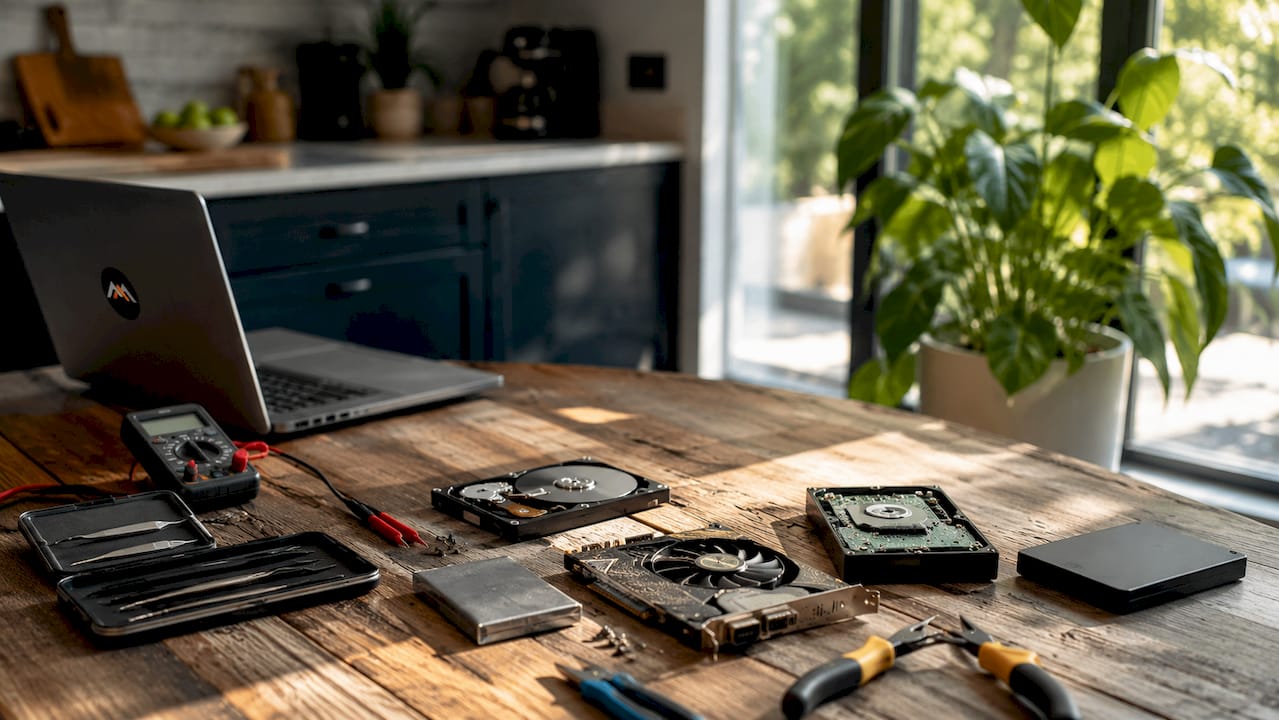
The most frequently encountered hardware damage examples fall into four categories: electrical damage, thermal failure, physical impact, and component wear. Each category produces distinct symptoms that, when recognized early, allow for intervention before catastrophic failure occurs.
Common hardware failure symptoms include clicking or grinding noises from hard drives, frequent system crashes, overheating, and sudden shutdowns. These signals are not cosmetic. They indicate that a component is operating outside its design parameters and approaching failure.
Key signs of hardware damage to watch for include:
- Clicking or grinding sounds from a hard drive, indicating head or platter damage
- Slow boot times and read-only file status on SSDs, which are early SSD failure signs often mistaken for software problems
- Burning smell or visible scorch marks on a logic board or power connector
- Screen flickering or complete display failure following a drop or liquid exposure
- System freezes after a fresh OS install, which almost always point to hardware degradation rather than software conflicts
Pro Tip: If your Mac freezes consistently after a clean macOS reinstall, stop troubleshooting software. The behavior points directly to a failing NVMe SSD or degraded RAM, both of which require hardware diagnostics, not software fixes.
2. Power surge damage to motherboards and logic boards
Power surge damage is one of the most destructive hardware malfunction types because it can render a system completely non-functional in milliseconds. A surge delivers voltage far beyond what integrated circuits are rated to handle, burning traces on the PCB and destroying chips that cannot be individually replaced.
A documented June 2026 incident illustrates the severity: a lightning surge via coax cable destroyed a desktop PC and router simultaneously, leaving burn marks on the wall. This pathway, through internet coaxial cables rather than power outlets, is widely underestimated. Most users protect their power strips but leave their modem and router completely exposed.
On Apple hardware, logic board damage from power surges typically presents as a machine that powers on briefly then shuts down, or one that shows no signs of life at all. The T2 security chip and Apple Silicon die are particularly vulnerable because they are soldered directly to the logic board with no socket-based isolation.
3. Overheating and thermal failure in GPUs and CPUs
Thermal failure is the second most common category of hardware damage examples in modern computers, and it is almost always preventable. Normal GPU operating temperatures fall between 86°F and 185°F. Sustained readings above 194°F during routine tasks signal cooling obstruction or thermal compound degradation, not a temporary spike.
The mechanism works as follows:
- Dust accumulates in heatsink fins and fan blades, reducing airflow by a measurable margin over 12 to 18 months of normal use.
- Thermal paste between the die and heatsink dries out, increasing thermal resistance and raising junction temperatures.
- The GPU or CPU enters thermal throttling, reducing clock speeds to shed heat. Performance drops noticeably.
- If throttling cannot maintain safe temperatures, the system triggers an emergency shutdown to prevent permanent damage.
- Repeated thermal cycling at high temperatures degrades solder joints on the GPU die, eventually causing intermittent display failures or complete GPU death.
Real-world example: RTX 4090 units with melted 12VHPWR connectors represent a well-documented thermal and electrical failure case. Repair documentation from 2026 shows that melted power connectors often leave the underlying PCB functional, meaning targeted connector repair can save the card rather than requiring full replacement.
On MacBook Pro and iMac models, thermal failure manifests as fan noise at idle, unexpected shutdowns during video rendering, and kernel panics logged under “CPU over temperature” in system diagnostics.
4. Physical damage from drops, spills, and impacts
Physical damage is the most visible category of hardware damage types, but its internal consequences are frequently more severe than the external evidence suggests. Drops, spills, and shocks cause cracked screens, loose ports, and motherboard failures, and they complicate warranty claims in ways that purely electrical failures do not.
Common physical damage scenarios include:
- Liquid intrusion on a MacBook logic board, where corrosion spreads across traces over days or weeks after the initial spill, causing failures that appear long after the incident
- Cracked display assemblies on MacBook Air and MacBook Pro, where the LCD and backlight layers separate from the glass, producing black bars, dead zones, or complete display failure
- Loose or broken Thunderbolt and USB-C ports caused by repeated connector stress, which can damage the port controller IC on the logic board itself
- PCB burn marks from short circuits, such as the documented case of a GeForce RTX 4080 where a short circuit burned through the PCB, requiring board-level repair rather than simple component swap
Pro Tip: If your MacBook has been exposed to liquid, do not attempt to power it on or charge it. Applying power to a wet logic board accelerates corrosion and can convert a repairable board into one with irreversible trace damage. Bring it to a professional for free diagnostics first.
For Apple hardware specifically, physical damage almost always voids the standard warranty. AppleCare+ covers accidental damage with a service fee, but only if the device has not been opened by a non-authorized party. Opening the device to inspect damage yourself can void coverage entirely, as noted in warranty documentation for devices with physical damage.
5. Storage device failures: HDDs, SSDs, and RAID arrays
Storage device failure is the hardware damage category with the highest direct risk to your data, and it is the one most frequently misdiagnosed. Hard disk drives and solid-state drives fail through entirely different mechanisms, which means the warning signs differ significantly.
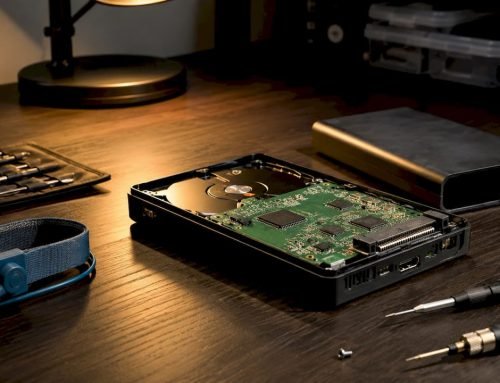
Unusual heat, burning smells, clicking noises, swollen batteries, and flickering lights are strong indicators of hardware damage rather than cosmetic issues. For HDDs specifically, the clicking sound known as the “click of death” indicates read/write head failure, where the head is attempting and failing to locate the data track. At this point, continued operation risks scoring the magnetic platters and making data recovery significantly more difficult.
SSDs fail silently by comparison. Files becoming read-only, slow boot times on an otherwise clean system, and APFS volume errors in Disk Utility are the primary indicators. Because these symptoms overlap with software issues, many users spend weeks troubleshooting macOS before identifying the NVMe SSD as the source. For hard drive failure signs, early detection is the single most important factor in successful data recovery.
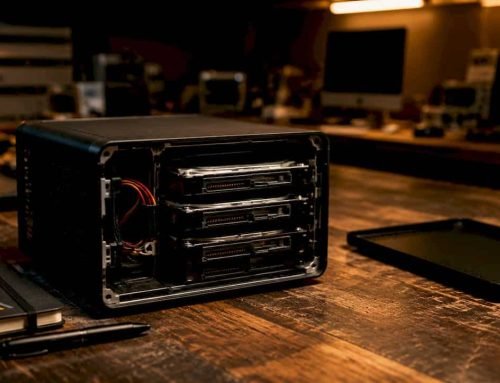
RAID arrays present a compounded risk. A single drive failure in a RAID 0 configuration results in total data loss across the entire array. RAID 1, 3, and 5 configurations provide redundancy, but a second drive failure during the rebuild process after the first failure is a documented and common cause of complete array loss.
6. Component wear and capacitor degradation
Component wear is the hardware damage type that follows the most predictable timeline, yet it is the one most users ignore until failure is complete. Hardware failures follow a bathtub curve lifecycle, with elevated failure rates at early life and end-of-life stages, separated by a stable middle period. The end-of-life phase is preceded by warning signs that are consistent and recognizable.
Electrolytic capacitors on logic boards and power delivery circuits are the most common wear-related failure point. As capacitors age, their electrolyte evaporates, reducing capacitance and increasing equivalent series resistance. The visible sign is a bulging or leaking capacitor top. The functional sign is system instability, random reboots, and failure to POST.
Connectors degrade through a different mechanism: repeated mating cycles cause contact plating to wear through, increasing resistance and generating heat. On MacBook charging circuits, this presents as intermittent charging, where the MagSafe or USB-C connection works only at certain angles. Left unaddressed, the heat generated by a high-resistance connection can damage the charging IC on the logic board itself.
7. Comparing hardware damage types by severity and repair complexity
Understanding the effects of hardware damage requires comparing failure types side by side. The table below summarizes the most common hardware damage examples by severity, primary symptom, and typical repair outcome.
| Damage type | Severity | Primary symptom | Repair complexity | Data risk |
|---|---|---|---|---|
| Power surge | Critical | No POST, burn marks | Logic board replacement or component repair | High |
| Thermal failure | High | Throttling, shutdowns | Cooling repair, thermal paste replacement | Moderate |
| Physical impact | Variable | Cracked screen, dead ports | Screen replacement or board repair | Moderate to High |
| Liquid damage | High | Corrosion, intermittent failure | Logic board cleaning and component repair | High |
| SSD wear | Moderate to High | Slow boot, read-only files | SSD replacement, data recovery | High |
| HDD mechanical failure | High | Clicking, no mount | Cleanroom head replacement | Critical |
| Capacitor degradation | Moderate | Random reboots, no POST | Component-level soldering | Low to Moderate |
When replacement is unavoidable versus when repair is possible depends largely on whether the damage is isolated or systemic. A melted power connector with an intact PCB is repairable. A logic board with burned traces across multiple power rails typically requires full replacement. Professional diagnostics, not visual inspection alone, determine which category applies.
Key takeaways
Hardware damage follows predictable patterns, and early symptom recognition is the most effective way to prevent total data loss and reduce repair costs.
| Point | Details |
|---|---|
| Power surges destroy logic boards | Lightning via coaxial cables is an underestimated surge pathway that can destroy motherboards and routers instantly. |
| Thermal failure is preventable | Sustained GPU temps above 194°F signal cooling failure; regular cleaning and thermal paste replacement prevent permanent damage. |
| SSD failures are silent | Read-only file status and slow boot times after a clean OS install indicate NVMe degradation, not software issues. |
| Physical damage complicates repair | Liquid and impact damage on Apple hardware can void warranties and require board-level repair rather than part swaps. |
| Early detection saves data | Hardware failures follow a bathtub curve with predictable warning signs; acting on early symptoms prevents catastrophic loss. |
What I’ve learned about hardware damage after years of Mac repairs
Working with damaged Mac hardware since 2006, the pattern that stands out most is not the dramatic failures. It is the slow, quiet ones that users dismiss for weeks before bringing a device in. An SSD transitioning to read-only mode, a MacBook that takes 90 seconds to boot instead of 20, a fan that runs at full speed during a browser session. These are not minor inconveniences. They are the hardware equivalent of a check engine light that has been on for three months.
The conventional advice to “back up your data” is correct but incomplete. What actually matters is recognizing the specific symptom profile that distinguishes a software issue from a hardware failure. Intermittent freezing after a fresh macOS install is not a macOS problem. Slow boot times on a machine with a clean APFS volume are not a Spotlight indexing problem. These symptoms point to hardware degradation patterns that will worsen on a predictable timeline.
The other insight worth stating directly: not every hardware failure requires full device replacement. Targeted logic board repair, connector replacement, and component-level soldering can restore devices that a less experienced technician would write off. The experience in data recovery required to make that judgment correctly is the difference between a $200 repair and a $2,000 replacement. Always get a professional diagnostic before accepting a replacement quote.
— Kaya
How Macwestlosangeles addresses hardware damage and data recovery
Macwestlosangeles has provided Mac repair and hard drive data recovery in Los Angeles since 2006, serving clients across West LA, Santa Monica, Beverly Hills, Brentwood, Westwood, Venice, Hollywood, and Culver City. The team handles the full range of hardware damage types covered in this article, including logic board repair after power surges, liquid damage restoration, NVMe SSD recovery from APFS volumes, and RAID 0, 1, 3, and 5 array reconstruction. Free diagnostics are available with same-day appointments for urgent cases, and the no-recovery, no-charge policy applies to all data recovery work. For Mac hardware damage of any severity, call 310-866-0828 or visit the office at 12041 Wilshire Blvd, Ste 26, Los Angeles.
FAQ
What are the most common examples of hardware damage?
The most common hardware damage examples include power surge destruction of logic boards, overheating GPU and CPU failures, physical damage from drops and liquid spills, SSD wear causing read-only file errors, and HDD mechanical failure indicated by clicking sounds.
How do I identify hardware damage vs. a software problem?
Hardware damage is indicated when symptoms persist after a clean OS reinstall, including slow boot times, random shutdowns, and system freezes. Signs of hardware failure such as burning smells, clicking noises, and swollen batteries confirm the issue is physical, not software-related.
Can hardware damage be repaired without replacing the whole device?
Yes. Targeted repairs such as connector replacement, thermal paste application, and component-level logic board soldering can restore functionality without full device replacement. Melted power connectors are a documented example where the underlying PCB remains functional after isolated repair.
What happens to data when hardware is damaged?
Data risk depends on the damage type. Power surges and HDD mechanical failures carry the highest data loss risk, while capacitor degradation and screen damage typically leave storage intact. Stop all disk writes immediately if you suspect storage device failure, and contact a professional data recovery service before attempting further use.
How do I know if my Mac’s SSD is failing?
Slow boot times on a clean APFS volume, files unexpectedly becoming read-only, and Disk Utility reporting volume errors are the primary indicators of NVMe SSD failure in Mac systems. These symptoms are frequently misattributed to macOS or FileVault encryption issues, so hardware diagnostics are required to confirm the source.