TL;DR:
- Logic board failure signs such as power loss, shutdowns, and peripheral issues indicate critical faults requiring immediate attention. Early diagnosis and component-level repairs, like micro-soldering and ultrasonic cleaning, can often prevent full board replacement and data loss. Recognizing multiple symptoms promptly and seeking professional diagnostics significantly improves repair success and preserves valuable data.
Logic board failure signs are the specific symptoms indicating your Mac’s central circuit board is malfunctioning, requiring immediate attention to prevent data loss or permanent hardware damage. Apple refers to this component as the logic board, though it performs the same function as a motherboard in non-Apple systems. Recognizing these signs early is the difference between a repairable component fault and a total board replacement. Macwestlosangeles has diagnosed and repaired Mac logic boards since 2006, and the patterns below are what technicians look for first.
1. Common logic board failure signs on a Mac
The most common symptoms of logic board failure include complete power-on failure, random shutdowns, kernel panics, internal storage detection failure, and peripheral connectivity loss despite intact ports. Each of these points to a fault at the board level rather than a single isolated component. Understanding which combination of symptoms you are experiencing narrows the diagnosis significantly.
- No power at all: The Mac shows no fan spin, no startup chime, and no Apple logo. This points to a failed power delivery circuit on the board, not simply a dead battery.
- Random shutdowns and unexpected restarts: The system powers off without warning, often under load. This typically indicates a failing voltage regulator or a shorted MOSFET (a transistor that controls power flow to specific circuits).
- Kernel panics: Repeated kernel panic crashes, where macOS displays a gray or black restart screen, signal that the CPU, RAM, or their interconnects on the logic board are failing.
- Display glitches and corrupted graphics: Horizontal lines, color distortion, or a completely black screen while the Mac is otherwise running point to a GPU fault or a failed GPU power rail on the board.
- Peripheral failures: USB-C and Thunderbolt ports stop responding even though the ports themselves are physically undamaged. This indicates the controller chips managing those ports have failed.
- Storage not detected: macOS cannot find the internal NVMe SSD at startup, or Disk Utility shows no drives. This can mean the SSD controller on the logic board has failed, not necessarily the SSD itself.
- Wi-Fi and Bluetooth dropping: Persistent connectivity failures in both Wi-Fi and Bluetooth simultaneously suggest the wireless module or its power supply on the board has degraded.
- Charging problems: The Mac does not charge despite a working MagSafe or USB-C cable and adapter. A failed charging IC (integrated circuit) on the logic board is the most common cause.
- Overheating with no load: The Mac runs extremely hot even during light tasks, indicating a failed thermal sensor or a power circuit drawing excess current.
Early minor overheating and occasional USB disconnects are early motherboard failure warnings that users frequently miss, leading to costlier repairs later. Treating these as minor inconveniences is a mistake that typically results in a more extensive repair bill.
Pro Tip: If your Mac shows two or more of these symptoms simultaneously, the probability of a board-level fault increases substantially. A single symptom in isolation, such as one USB port not working, is more likely a software or peripheral issue.
2. How technicians diagnose logic board failure in Macs
Professional diagnosis involves external display testing, voltage rail checks, and diagnostic software to detect board-level errors such as NDM001 or VDH002. These steps separate logic board faults from display panel failures, battery issues, and software corruption. Skipping this process leads to unnecessary and expensive board replacements.
The standard diagnostic sequence used at Macwestlosangeles follows this order:
- Rule out software and peripherals first. Reset NVRAM and SMC, test with a known-good power adapter, and boot into macOS Recovery. Symptoms overlap with other hardware issues, so basic troubleshooting before assuming board failure prevents misdiagnosis.
- External display test. Connecting the Mac to an external monitor via USB-C or HDMI isolates whether the fault is in the display panel or the GPU circuitry on the logic board.
- Voltage rail testing. A technician uses a multimeter or oscilloscope to check whether the board’s power rails are delivering correct voltages. A dead 3.3V or 5V rail immediately identifies the failed power stage.
- Apple Configurator and diagnostic codes. Apple’s diagnostic tools generate specific error codes. NDM001 indicates a memory fault; VDH002 points to a video or GPU issue. These codes direct the repair to the correct board section.
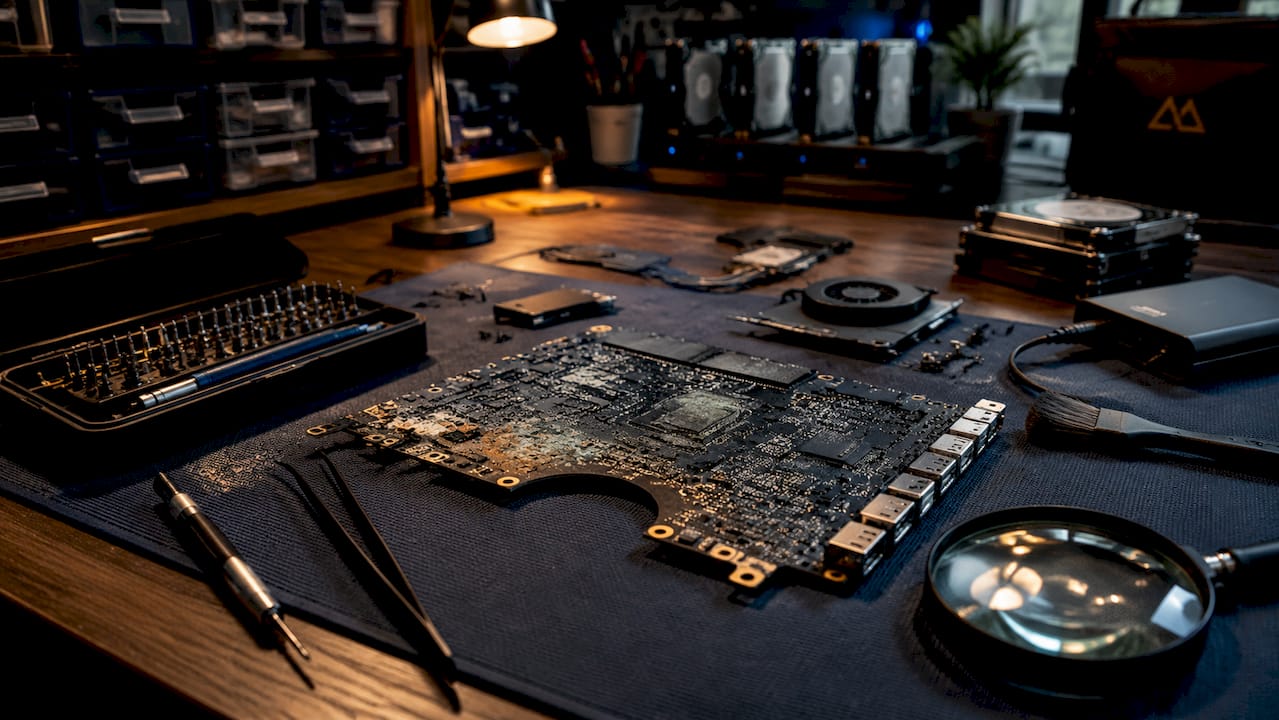
- Visual inspection under magnification. Technicians examine the board under a stereo microscope for corrosion, lifted solder joints, burned components, or liquid residue on traces and pads.
- T2 chip evaluation. The Apple T2 chip, found in 2017 to 2020 Intel Mac models, controls encrypted APFS storage and secure boot. A T2 fault can mimic general logic board failure and requires chip-level diagnostic procedures before any repair decision is made.
| Diagnostic Step | What It Rules Out |
|---|---|
| NVRAM/SMC reset | Software-level power and display faults |
| External display test | Display panel failure vs. GPU board fault |
| Voltage rail check | Identifies specific failed power stage |
| Apple diagnostic codes | Pinpoints memory, GPU, or storage controller faults |
| Visual inspection | Detects corrosion, liquid damage, lifted joints |
| T2 chip evaluation | Separates security chip faults from board-wide failure |
3. What causes logic board failures and how to prevent them
Liquid damage is the most common and insidious cause of logic board failure in MacBooks and iMacs. Liquid spills initiate corrosion processes that silently degrade circuit paths over days to months, meaning a Mac that survives an initial spill can fail weeks later without warning.
The primary causes of logic board failure include:
- Liquid damage: Coffee, water, and other liquids bridge circuit traces, causing short circuits and progressive corrosion. Drying alone is insufficient. Professional ultrasonic cleaning is required to remove corrosive residue from board traces and pads.
- Overheating: Sustained high temperatures degrade solder joints and capacitors over time. Blocked vents, failed fans, and dried thermal paste all contribute. MacBook Pro models used heavily for video rendering or machine learning workloads are particularly vulnerable.
- Power surges: Using uncertified third-party chargers or plugging into unstable power sources can send voltage spikes through the charging circuit, destroying the charging IC or MOSFET array.
- Physical shock: Dropping a MacBook can fracture microscopic solder joints on the logic board. The Mac may continue working for days before a fractured joint fully separates and causes failure.
- Component aging and manufacturing defects: Certain GPU and T2 chip generations have documented failure rates. The 2011 to 2013 MacBook Pro GPU delamination issue is a well-known example of a manufacturing-related logic board failure.
Pro Tip: If liquid contacts your Mac, power it off immediately and do not attempt to restart it. Powering on after a spill forces current through corroded traces and accelerates damage. Bring it to a repair specialist for ultrasonic liquid damage cleaning within 24 hours for the best recovery outcome.
Prevention is straightforward in practice. Use only Apple-certified MFi chargers, keep vents clear of dust, replace thermal paste every two to three years on heavily used machines, and schedule fan cleaning annually. These steps extend board life significantly.
4. Repair options once logic board failure signs appear
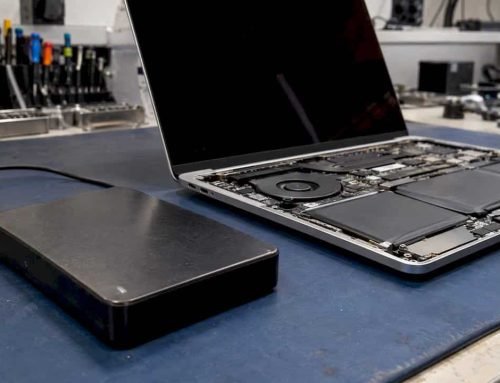
Many logic board failures are repairable at the component level, including failed MOSFETs and charging ICs, which contradicts the common misconception that all failures require full board replacement. Component-level repair, often called micro-soldering, is more cost-effective and preserves the original board along with its paired T2 security chip and APFS-encrypted NVMe storage.
The realistic repair options, from least to most invasive, are:
- Micro-soldering component repair: A technician removes and replaces failed capacitors, MOSFETs, charging ICs, or USB-C controller chips under a microscope. This is the preferred approach for boards with isolated faults and no widespread corrosion.
- Ultrasonic cleaning: Boards with liquid damage are submerged in an ultrasonic cleaner with isopropyl alcohol or a specialized cleaning solution. This removes corrosive residue from traces, vias, and pads that visual inspection cannot reach.
- Logic board replacement: When damage is too extensive for component repair, a full board replacement is the only option. This is the most expensive path and carries implications for data access, since the T2 chip pairs with the board’s encrypted storage.
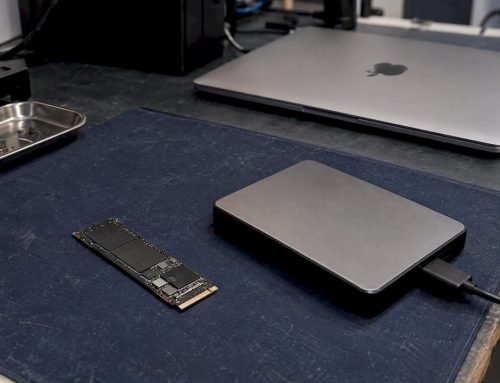
- Data recovery before repair: If the board is too damaged to power on, data recovery from the NVMe SSD may still be possible through direct NAND access, depending on the encryption state and FileVault status.
| Repair Type | Best For | Relative Cost |
|---|---|---|
| Micro-soldering | Isolated component faults | Low to moderate |
| Ultrasonic cleaning | Liquid damage with intact traces | Moderate |
| Full board replacement | Widespread or irreparable damage | High |
| Data recovery only | Non-repairable boards with critical data | Varies |
Pro Tip: Always request a written diagnostic report and cost estimate before authorizing any logic board repair. A reputable shop will identify the specific failed component, not just quote a flat board replacement fee. Transparency at this stage protects you from unnecessary costs.
Logic board failure usually starts with minor, repairable faults such as failed capacitors or corrosion. Ignoring initial symptoms can lead to cascading permanent damage, meaning some Mac devices that appear completely dead may still be recoverable through micro-soldering if addressed promptly. For a detailed walkthrough of the repair process, the MacBook logic board repair guide covers each stage from diagnosis to reassembly.
Key takeaways
Logic board failure in a Mac is almost always preceded by identifiable symptoms, and component-level repair is possible in most cases when those symptoms are addressed before damage spreads.
| Point | Details |
|---|---|
| Recognize multiple symptoms | Two or more concurrent symptoms strongly indicate a board-level fault rather than an isolated issue. |
| Diagnose before replacing | Voltage rail testing, Apple diagnostic codes, and T2 chip evaluation prevent unnecessary full board replacements. |
| Liquid damage is progressive | Powering on after a spill accelerates corrosion; ultrasonic cleaning within 24 hours improves recovery odds. |
| Component repair is viable | Failed MOSFETs, charging ICs, and capacitors can be replaced via micro-soldering without replacing the entire board. |
| Data recovery is still possible | Even on non-booting Macs, NAND-level data recovery may retrieve APFS-encrypted files before or after board repair. |
What I’ve learned diagnosing Mac logic boards since 2006
The single most damaging misconception I encounter is that a Mac which won’t turn on is automatically a total loss. That assumption costs people money and, more importantly, their data. In the majority of cases Macwestlosangeles handles, the board has one or two failed components, not widespread destruction. The device looks dead, but the actual fault is a shorted MOSFET or a corroded charging IC that a skilled technician can replace in under two hours.
The second pattern worth noting is how often liquid damage arrives weeks after the original spill. A client brings in a MacBook that “just stopped working,” and under the microscope the board shows advanced green corrosion across multiple traces. The spill happened a month earlier, the Mac kept working, and the owner assumed it was fine. It was not fine. Corrosion was progressing the entire time, and by the time the Mac failed, the repair window had narrowed considerably.
My practical advice: treat early overheating and intermittent USB disconnects as early warning signs that warrant a diagnostic appointment, not a restart and a wait-and-see approach. The cost of a free diagnostic is zero. The cost of waiting until the board is fully compromised is substantially higher, and data recovery becomes less certain. Same-day appointments exist for exactly this reason.
— Kaya
How Macwestlosangeles can help with your Mac’s logic board
Macwestlosangeles has provided expert Mac repair services in West LA since 2006, with a dedicated focus on component-level logic board diagnostics and repair for MacBook, iMac, Mac Mini, and Mac Pro. The shop offers free diagnostics with no recovery, no charge on data recovery cases, and same-day appointments for urgent situations. Technicians perform micro-soldering repairs, ultrasonic liquid damage cleaning, and full board replacements when necessary, with written estimates provided before any work begins. Located at 12041 Wilshire Blvd, Ste 26, near UCLA and the Getty Center, Macwestlosangeles serves clients across Brentwood, Westwood, Santa Monica, Beverly Hills, Venice, Hollywood, and Culver City. Call 310-866-0828 to schedule a same-day diagnostic appointment.
FAQ
What are the first signs of logic board failure on a Mac?
The earliest logic board failure signs are minor overheating under light loads, intermittent USB or Thunderbolt port failures, and occasional unexpected restarts. These symptoms often precede more serious failures like complete power loss or kernel panics.
Can a Mac logic board be repaired without full replacement?
Yes. Many failures are repairable at the component level through micro-soldering, replacing failed MOSFETs, capacitors, or charging ICs without replacing the entire board. Full replacement is only necessary when damage is too widespread for component-level repair.
Does liquid damage always destroy a Mac logic board?
Not immediately. Liquid damage causes ongoing corrosion that progresses over days to months, but professional ultrasonic cleaning performed promptly can remove corrosive residue and prevent full failure. Drying the device alone does not stop the corrosion process.
How does the Apple T2 chip affect logic board diagnostics?
The T2 chip, present in 2017 to 2020 Intel Mac models, controls APFS-encrypted storage and secure boot. T2 faults can mimic general logic board failure, so specialized chip-level diagnostics are required before any repair decision is made to avoid misdiagnosis.
Is my data recoverable if the logic board fails completely?
In many cases, yes. If the NVMe SSD itself is intact, direct NAND access techniques can retrieve data even from a non-booting Mac, depending on FileVault encryption status and the extent of board damage. Contact Macwestlosangeles at 310-866-0828 to assess your specific situation.