TL;DR:
- A local specialist in West Los Angeles offers same-day, in-house data recovery with a no-charge policy if recovery fails. They handle a full range of failure types, including RAID, liquid damage, and NVMe drives, providing quick, secure service. For urgent cases, calling 310-866-0828 ensures immediate assessment and prompt recovery.
Stop all disk writes immediately if you are dealing with an active data loss situation. For Los Angeles users, the best immediate alternative to byodcomp.com is a local specialist with same-day appointments, in-house clean-room capability, and a clear “no recovery, no charge” policy. Macwest Data Recovery & Mac Repair, operating since 2006 at 12041 Wilshire Blvd, Ste 26, fits that description precisely — call 310-866-0828 to book a same-day diagnostic.
Why a local specialist is the strongest first call:
- Same-day and emergency appointments mean no shipping delays when every hour counts
- Free diagnostics let you confirm the failure type before committing to a recovery fee
- “No recovery, no charge” eliminates financial risk on unsuccessful attempts
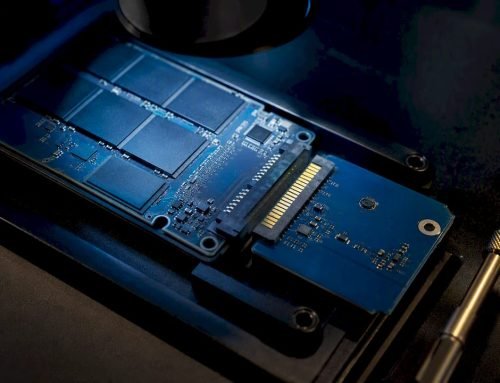
- In-house APFS, NVMe, and RAID (0, 1, 3, 5) expertise handles the full range of Mac storage architectures
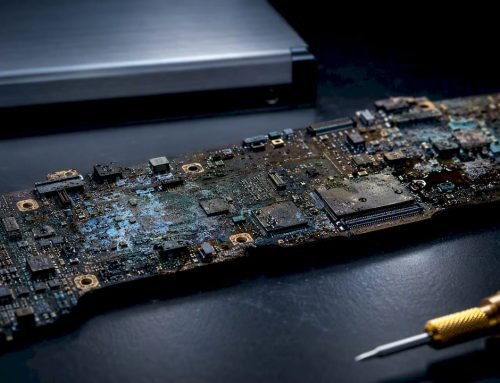
- Logic board component repair covers liquid-damage cases that most mail-in labs decline
- Macwest has served West LA, Santa Monica, Beverly Hills, Brentwood, Westwood, Venice, Hollywood, and Culver City since 2006
Table of Contents
- How do the main byodcomp.com alternatives compare?
- Which alternative category fits your situation?
- How do you choose the right provider?
- What are realistic timelines and costs?
- Why Macwest Data Recovery is a direct alternative for LA users
- Key Takeaways
- What experience actually teaches you about urgent recoveries
- Macwest Data Recovery serves West LA with same-day appointments
- FAQ
How do the main byodcomp.com alternatives compare?
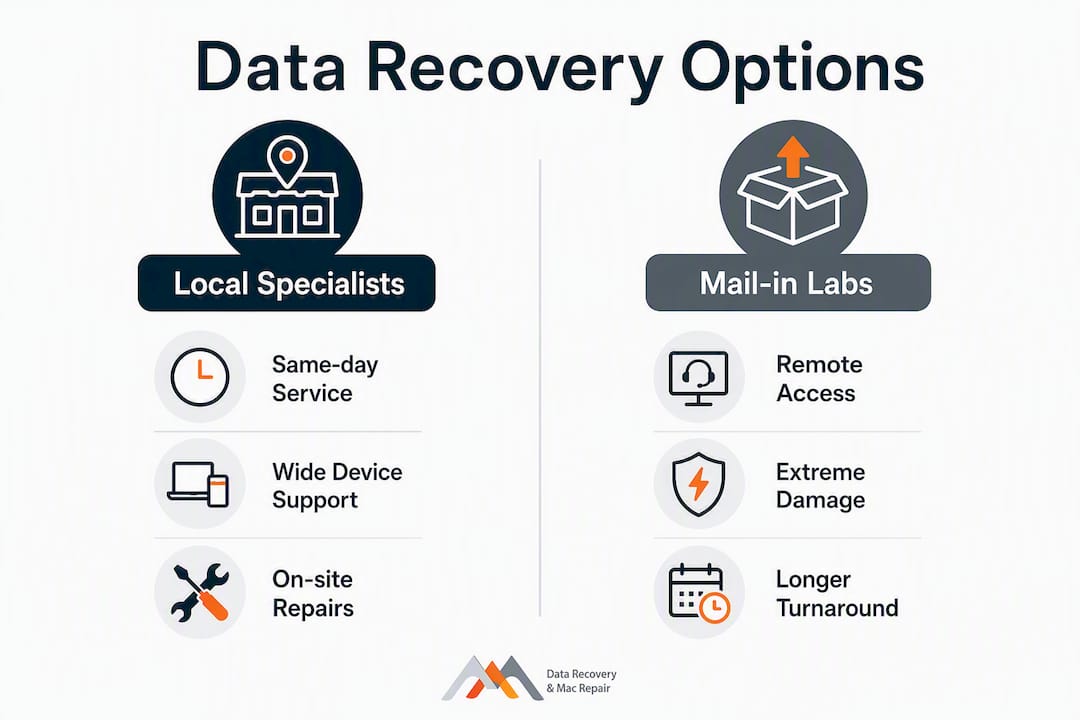
The four realistic categories for US users are a local specialist, a mail-in national lab, manufacturer or authorized repair, and DIY recovery software. Each fits a different failure type and urgency level.
| Category | Best for | Devices supported | Same-day availability | Recovery capability | Pricing model | Data security | Location requirement | Guarantee |
|---|---|---|---|---|---|---|---|---|
| Local specialist | Urgent Mac/PC, RAID, liquid damage | Mac, Windows, RAID, SSD, NVMe, phones | Yes | Logical + physical, RAID reconstruction | Free diagnostics; no recovery, no charge | In-house chain-of-custody | In-person | Case-by-case written estimate |
| Mail-in national lab | Complex physical failures, large RAID arrays, remote users | Mac, Windows, RAID, SSD, NVMe | No (3–10+ business days) | Logical + physical, RAID | Intake fee + variable; no recovery, no charge varies | Tracked shipping + lab custody | Mail-in | Varies by provider |
| Manufacturer / authorized repair | Warranty-covered hardware faults | Brand-specific devices | Varies | Limited data recovery; hardware repair focus | Warranty or flat repair fee | Authorized service chain | In-person or mail-in | Manufacturer warranty |
| DIY software | Logical deletions, accidental reformats | Mac, Windows, some phones | Immediate | Logical only; no physical or RAID | Free trials; paid licenses vary | User-controlled | None (software) | None |
Which alternative category fits your situation?
Local specialist: the right call for most LA users
A local specialist handles the widest range of failure types under one roof. Macwest’s technicians work directly with APFS-formatted drives, NVMe SSDs, soldered MacBook storage, and RAID arrays configured in levels 0, 1, 3, and 5. Logic board component repair — the kind required after liquid damage — is performed in-house rather than outsourced. For anyone in West LA, Santa Monica, or Beverly Hills with an urgent Mac failure, walking in with the device and leaving the same day with recovered data is a realistic outcome. Chain-of-custody stays entirely within the shop, which matters for IT managers handling sensitive business records.
Mail-in national lab: for remote users or extreme physical damage
Mail-in labs make sense when you are outside Los Angeles or when a failure is so severe that even a local specialist would need to escalate. Some local shops act as intake partners and forward drives to larger clean-room facilities rather than processing them in-house — always confirm before shipping. Turnaround runs 3–10+ business days once the drive arrives, and shipping adds another variable. The trade-off is access to industrial-grade clean rooms for platter-level damage, at a cost that often exceeds local specialist pricing.
Manufacturer and authorized repair: hardware first, data second
Apple Authorized Service Providers and direct Apple repair channels prioritize hardware functionality over data retrieval. They are the right choice when a device is under AppleCare+ and the primary goal is a working machine rather than recovering specific files. Data recovery is rarely their core competency, and complex cases involving RAID or physical platter damage are typically referred out.
DIY recovery software: only for logical failures
DIY software tools can recover deleted files and accidentally formatted volumes, but they are ineffective against physical drive failures, electronic damage, or RAID configurations. If you hear clicking, detect a burning smell, or see a drive that is not spinning up, stop immediately and do not run any software. Attempting software recovery on a physically damaged drive risks overwriting the sectors that a professional could still read. Tools like Disk Drill or R-Studio work well for simple logical losses on healthy hardware — nothing more.
Pro Tip: Before sending any drive to a mail-in service, ask two direct questions: “Do you process drives in your own clean room?” and “Do you accept shipped media?” Many local shops do not accept mail-in drives and will only work with devices brought in person.
How do you choose the right provider?
Prioritize same-day diagnostics and a written “no recovery, no charge” policy for any high-value data loss. The following steps and questions will help you vet providers quickly.
Immediate steps:
- Stop all disk writes immediately — do not save new files, run updates, or restart the device.
- Note any physical symptoms: clicking, grinding, burning smell, failure to spin up, or liquid exposure.
- Call the provider before visiting and ask: What is your turnaround for APFS/NVMe/RAID cases? Do you have an in-house clean room? What is your diagnostic fee? How do you document chain-of-custody?
- Request a written estimate before any work begins, and confirm the “no recovery, no charge” policy in writing.
- Ask whether drives are processed on-site or forwarded to a third-party lab.
Red flags to watch for:
- Vague or non-committal turnaround estimates (“it depends” with no range given)
- Refusal to explain chain-of-custody procedures
- No written estimate or guarantee before work starts
- Inability to perform in-house clean-room work for physical failures
- No clear policy on what happens if recovery fails
For IT managers, data loss prevention planning should include pre-vetting a local specialist before a failure occurs — not after. Having a provider’s number on file cuts response time dramatically when a RAID array goes down during business hours.
What are realistic timelines and costs?
Physical or RAID failures consistently push both cost and time higher than logical recoveries. Avoid DIY attempts in those cases.
| Recovery type | Typical turnaround | Typical cost range | Key variables |
|---|---|---|---|
| Same-day / emergency (logical) | Usually within a day | Moderate cost | Drive accessibility, APFS encryption status |
| Standard logical recovery | Few days | Moderate cost | File system type, volume size |
| Physical HDD / SSD recovery | Several business days | Higher cost | Platter condition, clean-room parts needed |
| RAID reconstruction | Over several business days | Higher cost | Number of drives, RAID level, parity integrity |
| Logic board repair + recovery | Several business days | Moderate to higher cost | Component damage extent, NVMe access |
Timeline guidance:
- Triage begins the moment you stop writes and call for a diagnostic appointment
- Same-day workflows at a local specialist compress the intake-to-diagnosis step to hours, not days
- Mail-in adds 2–5 business days of shipping time before the lab clock even starts
- A dropped hard drive requires immediate triage; every power cycle after a platter impact increases the risk of permanent loss
Why Macwest Data Recovery is a direct alternative for LA users
Macwest Data Recovery & Mac Repair has operated from 12041 Wilshire Blvd, Ste 26 since 2006, making it one of the longest-running local specialists in the West LA area. The service scope covers the full range of failure types that bring users to byodcomp.com and beyond:
- Free diagnostics on every case, with no obligation to proceed
- “No recovery, no charge” policy — you pay only when data is successfully retrieved
- Same-day and emergency appointments for urgent Mac, PC, and phone failures
- APFS, NVMe, and RAID (0, 1, 3, 5) recovery handled in-house
- Logic board component repair for liquid-damaged MacBook, iMac, Mac Mini, and Mac Pro
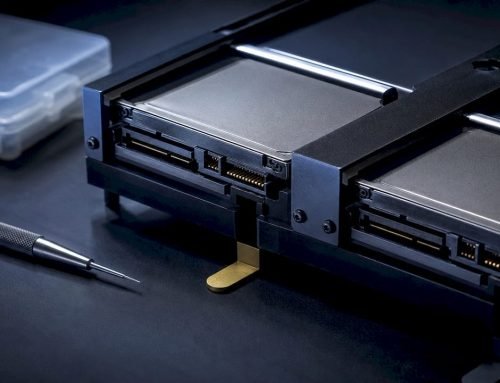
- Hard drive, SSD, RAID, and phone recovery with documented chain-of-custody
- Hard drive and RAID recovery services listed openly with intake and diagnostic details
Technician experience directly affects recovery outcomes for complex cases — RAID reconstructions and logic-board repairs especially. Macwest’s two decades of documented case work on Apple hardware are a material advantage over generalist shops.
Key Takeaways
For Los Angeles users, a local specialist with same-day appointments, in-house RAID capability, and a “no recovery, no charge” policy is the strongest immediate alternative to byodcomp.com for data recovery and Mac repair.
| Point | Details |
|---|---|
| Stop writes first | Halt all disk activity before contacting any provider to preserve recoverable data. |
| Local specialist advantage | Same-day diagnostics and in-house clean-room work eliminate shipping delays and custody gaps. |
| Cost and timeline reality | Logical recovery typically costs a moderate fee and completes within a few days; RAID and physical cases usually incur higher costs and take longer to complete. |
| DIY software limits | Software tools handle logical deletions only — never use them when physical symptoms are present. |
| Macwestlosangeles recommendation | Call 310-866-0828 for same-day appointments, free diagnostics, and no-recovery-no-charge service in West LA. |
What experience actually teaches you about urgent recoveries
The triage sequence matters more than most clients realize. When a drive arrives showing physical symptoms, the first step is always to stop writes and image the drive under controlled conditions before any recovery attempt. That initial image is what separates a recoverable case from a permanently lost one. Logical versus physical determination happens at diagnostics, and from there the workflow branches: logical cases move quickly, often same-day; physical cases escalate to clean-room work or RAID lab reconstruction.
What the timeline data above cannot fully capture is how much technician judgment affects outcomes at each branch point. A RAID 5 array with two failed drives and inconsistent parity requires someone who has reconstructed that configuration before, not someone reading a manual for the first time. Macwest’s depth on APFS-encrypted NVMe drives and multi-drive RAID arrays reflects two decades of that kind of case work. For IT managers evaluating providers, ask directly: “How many RAID reconstructions have you completed this year, and what was your success rate?” A confident, specific answer is the clearest signal of genuine capability. Call 310-866-0828 for a same-day assessment.
Macwest Data Recovery serves West LA with same-day appointments
When data loss hits, the difference between a recovered drive and a permanent loss often comes down to how fast you reach a qualified technician. Macwest Data Recovery & Mac Repair has provided hard drive, SSD, and RAID recovery to West LA, Santa Monica, Beverly Hills, Brentwood, Westwood, Venice, Hollywood, and Culver City since 2006, with free diagnostics and a “no recovery, no charge” guarantee on every case. Services cover MacBook, iMac, Mac Mini, and Mac Pro repairs, liquid-damage logic board work, phone recovery, and RAID reconstruction across levels 0, 1, 3, and 5.
Call 310-866-0828 now to schedule a same-day appointment at 12041 Wilshire Blvd, Ste 26 — centrally located between the 405 and Santa Monica, near UCLA and the Getty Center.
FAQ
What is the best local alternative to byodcomp.com in Los Angeles?
Macwest Data Recovery & Mac Repair at 12041 Wilshire Blvd, Ste 26 offers same-day appointments, free diagnostics, and a “no recovery, no charge” policy for Mac, PC, RAID, and phone recovery. Call 310-866-0828 to book.
When should I use DIY software instead of a professional service?
DIY recovery software is appropriate only for logical failures — deleted files or accidentally formatted volumes on a physically healthy drive. Stop immediately and call a specialist if you hear clicking, detect a burning smell, or see any sign of physical damage.
How long does data recovery typically take?
Logical recoveries at a local specialist often complete same-day to within a few days; physical HDD or SSD cases typically run several business days, and RAID reconstructions usually take over several business days depending on array complexity.
Does Macwest accept mail-in drives from outside Los Angeles?
Macwest primarily serves in-person clients in the West LA area. Contact the shop directly at 310-866-0828 to discuss your specific situation and confirm the best intake option.
What should I ask any data recovery provider before committing?
Ask whether they have an in-house clean room, what their turnaround is for your specific failure type (APFS, NVMe, RAID), whether they offer a written “no recovery, no charge” guarantee, and how they document chain-of-custody from intake to delivery.