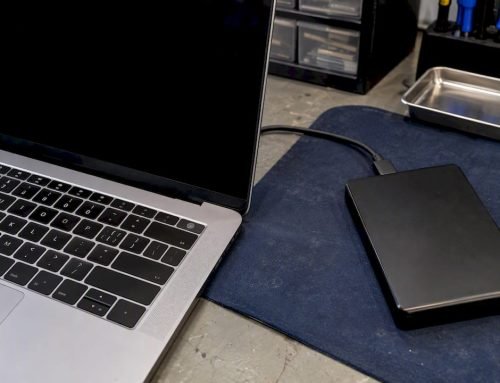
Stop all disk writes immediately. Sometimes SSD data can be recovered, but often it cannot. Whether recovery is possible depends heavily on TRIM activity, encryption status, and whether the failure is logical (deleted files) or physical (controller or NAND damage). If the data matters, power down the drive now and contact a professional lab before doing anything else.
TL;DR:
- Recovery chances drop to near zero within minutes after deletion on TRIM-enabled SSDs, especially if encryption or firmware issues are involved.
- Disabling TRIM or using unsupported drives can preserve deleted data longer, but encryption keys must be retained for successful recovery.
- Physical controller or NAND chip failures are more recoverable in labs, but encrypted drives or those with firmware issues are far less likely to yield usable data.
- DIY software recovery is only effective if the drive still mounts, and the failure is purely logical, with TRIM inactive and no encryption.
- Immediate professional diagnostic and intervention are crucial for critical or encrypted SSD failures, especially before attempting any software fixes.
Table of Contents
- What To Do Right Now to Protect Your Chances of Recovery
- Why TRIM, Encryption, and Controller Health Determine Recoverability
- Which Recovery Methods Actually Work, and Which Ones Make Things Worse
- Realistic Odds and What Recovery Actually Costs
- When It’s Time to Call a Professional Data Recovery Lab
- Backup Habits That Actually Protect SSD Data
- SSD vs HDD Recovery: Why Flash Failures Are a Different Animal
- A Recovery Specialist’s Honest Take on SSD Data Loss
- Get Professional SSD Recovery Help in West LA
- Sources
- FAQ
What To Do Right Now to Protect Your Chances of Recovery
The next few minutes decide whether your files are recoverable or gone permanently. Modern SSDs run background maintenance that can permanently erase deleted data almost as fast as you notice it’s missing, so every action you take from this point either preserves that window or closes it.
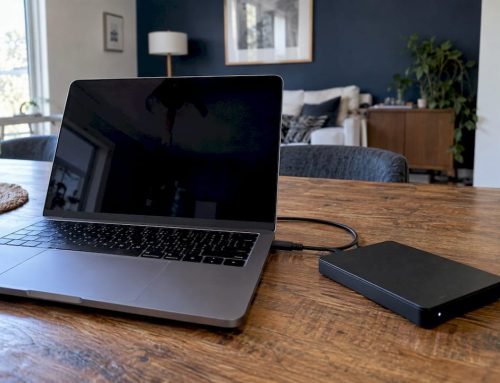
- Stop using the drive immediately. Power down the Mac or PC, or unmount the SSD if it’s an external unit. Every write operation, including a simple reboot or a background sync, risks triggering garbage collection on blocks marked for deletion.
- Disconnect the drive from its original system. If it’s a laptop’s internal SSD, do not keep working on that machine. If it’s removable, take it out and set it aside rather than plugging it into another port to “test” it.
- If you must check anything, boot from external media. Never boot the affected system normally when the SSD holding your lost data is still installed, since the OS itself generates writes on startup.
- Skip consumer HDD recovery tools. Software built for spinning platters isn’t designed for NAND flash and can trigger drive-level maintenance commands that finish erasing what TRIM already started.
- Write down what happened. Note error messages, when the drive stopped responding, recent software updates, and any unusual noises or behavior. A lab uses this history to narrow down whether you’re facing a controller fault, firmware corruption, or accidental deletion.
Pro Tip: If you’re a data recovery lab or a forensic examiner working from a preserved disk image, TRIM can sometimes be disabled to attempt recovery on that image. Disabling TRIM on a drive you use daily is a different matter entirely and will hurt performance and drive life over time, so that move belongs in a lab, not on your own machine.
Why TRIM, Encryption, and Controller Health Determine Recoverability
SSDs don’t fail or lose data the way hard drives do, and that difference is the reason so many recovery attempts that would work on an HDD go nowhere on flash storage.
TRIM and garbage collection are the biggest obstacles. When you delete a file, the operating system sends a TRIM command telling the SSD’s controller that those blocks are no longer needed. The drive’s garbage collector then physically erases them to prepare for new writes, and on modern consumer NVMe drives that cleanup can happen within seconds to minutes of deletion, according to practical testing on TRIM behavior. One academic study found recovery rates dropping to zero with TRIM enabled in their test environment, compared to full recovery when TRIM was disabled, which is about as stark a contrast as you’ll find in forensic SSD research.
- TRIM-enabled drive, minutes after deletion: recovery odds are near zero in most cases.
- TRIM disabled or unsupported: deleted data can remain intact until overwritten, similar to older HDD behavior.
- Self-encrypting drives (SED/Opal standard): losing the encryption key turns any raw NAND extraction into unreadable ciphertext.
- Controller or firmware failure with encryption present: the data may be physically intact but doubly inaccessible.
Encryption changes the entire calculus. Self-encrypting drives and OS-level encryption like FileVault on macOS or BitLocker on Windows protect your files by design, which is great for security and terrible for recovery if the key is lost. A Crypto Erase or PSID Revert command can render an SED unrecoverable almost instantly, and even a successful chip-off extraction of the NAND chips will hand you scrambled ciphertext rather than usable files unless the original key is available, according to SNIA’s whitepaper on SSD forensic challenges.
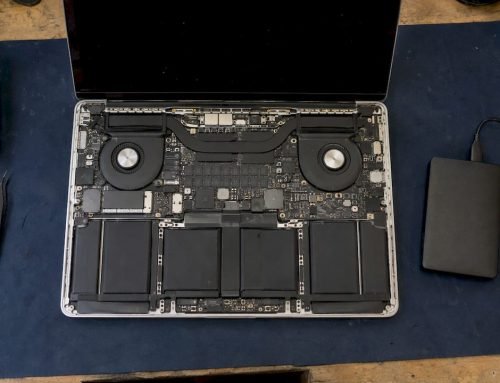
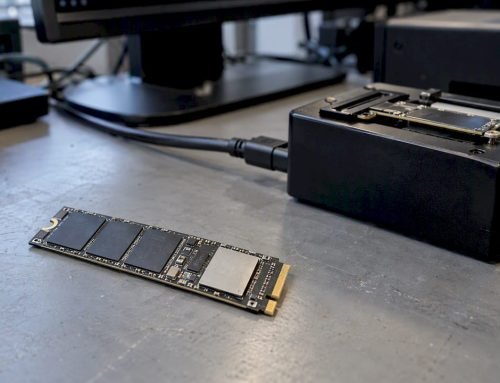
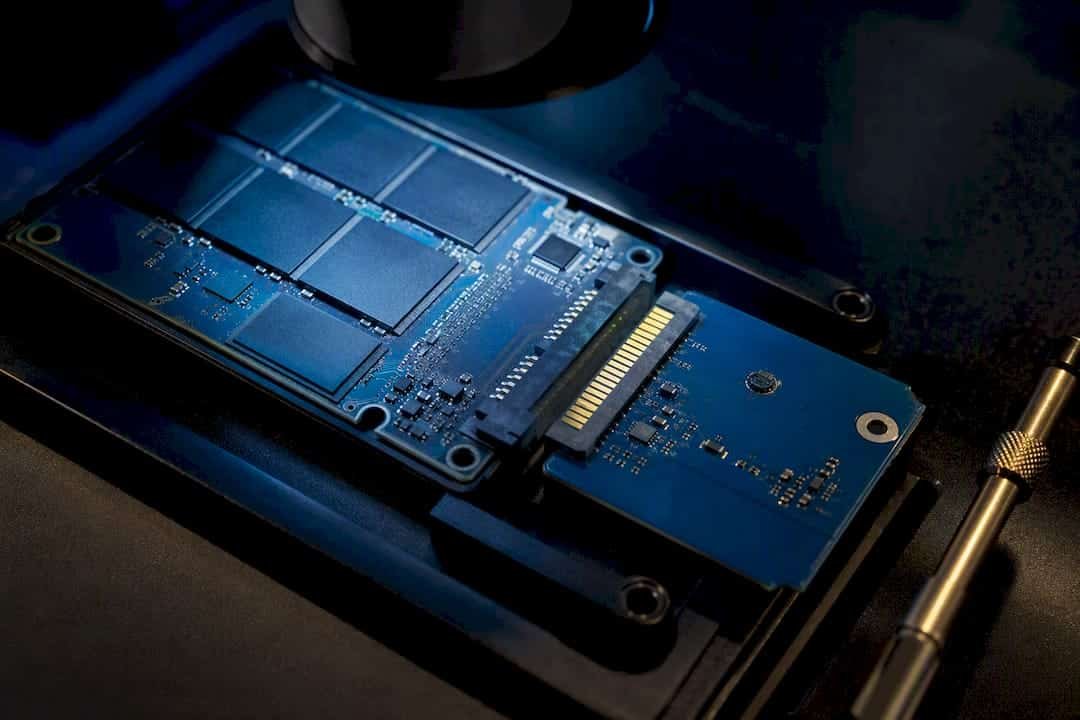
Controller and firmware issues are a different category of problem entirely. When an SSD’s controller chip or firmware fails, the NAND flash underneath frequently still holds your data intact. The problem is that the controller is the only thing that knows how to translate physical NAND addresses into the logical file structure your OS expects, through wear leveling and a logical-to-physical mapping table. When that map is corrupted or the controller can’t boot, you’re locked out of data that’s sitting right there.
Interface and file system also matter. APFS on Apple Silicon Macs, NVMe protocols, and drive-specific firmware all interact differently with TRIM timing, and some Intel Optane drives have shown higher deleted-data retention in testing than typical consumer SATA or NVMe SSDs, though Optane’s limited presence in current consumer devices makes this mostly a technical curiosity rather than a practical option for most readers.
Which Recovery Methods Actually Work, and Which Ones Make Things Worse
Not every SSD problem calls for the same fix, and picking the wrong one can turn a recoverable situation into a permanent loss.
Software-based file recovery works only in narrow circumstances: the drive still mounts, the failure is purely logical (accidental deletion or a corrupted partition table), and TRIM hasn’t already swept the blocks clean. If your Mac’s Trash was emptied and the drive is still visible, software recovery is worth a quick attempt before anything else, but the window is short and shrinking by the minute.
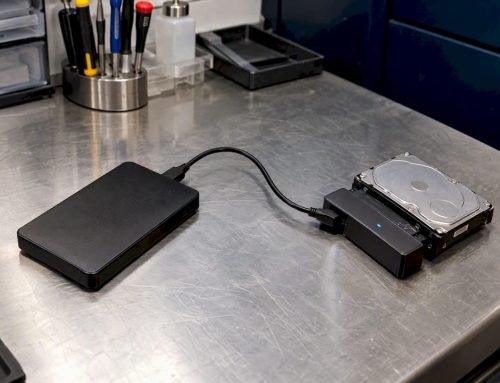
Lab-level techniques take over once software hits a wall.
- Service-mode firmware access lets technicians communicate with a malfunctioning controller through manufacturer-level diagnostic modes, often bypassing the corrupted portion of firmware that’s blocking normal access.
- Donor PCB swaps replace a damaged circuit board with an exact-match board from an identical drive model, since even minor firmware version mismatches between “compatible” boards can make the swap fail or corrupt data further.
- Chip-off recovery physically removes NAND flash chips from the circuit board and reads them directly with specialized hardware, which is the last resort when the controller itself is unrecoverable.
- Controller repair or replacement addresses cases where the NAND is healthy but the chip managing it has failed electrically rather than logically.
Chip-off comes with a catch worth repeating: if the drive was encrypted and the key isn’t recoverable, pulling data directly off the NAND chips yields unreadable ciphertext rather than your files. And even when a chip-off read succeeds cleanly, wear leveling scrambles data across chips in a pattern only the original controller’s mapping logic understood, so reassembly requires specialized reconstruction software built around that specific controller family.
The single biggest DIY risk is running the wrong tool at the wrong time. Consumer software built for hard drives can issue commands that trigger the SSD’s own maintenance routines, finishing the job TRIM started. Attempting a PCB swap without an exact firmware match is another common way well-meaning users turn a repairable controller fault into a total loss.
Realistic Odds and What Recovery Actually Costs
Recovery outcomes vary enormously by scenario, and the honest answer to “will this work” is almost always “it depends on which failure you’re dealing with.”
| Scenario | Recovery Outlook | Typical Cost Range |
|---|---|---|
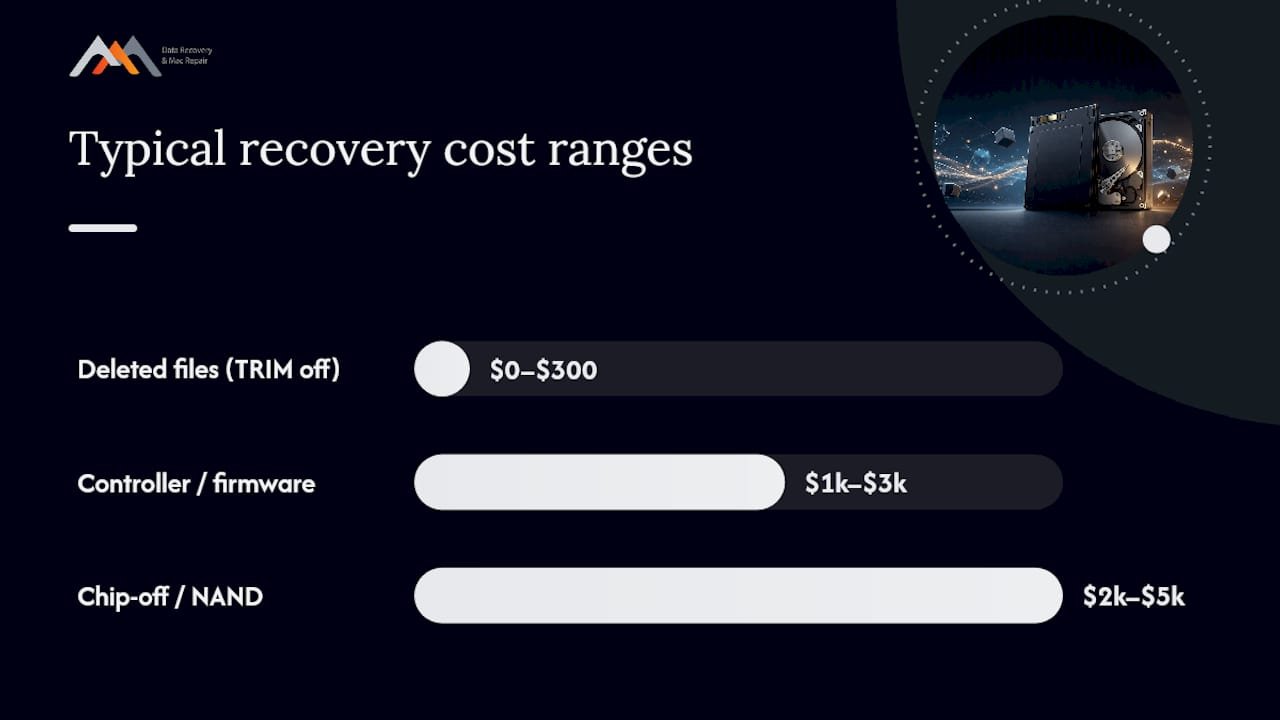
| Deleted files, TRIM disabled or unsupported | Often recoverable with software | Free to a few hundred dollars |
| Deleted files, TRIM active, minutes have passed | Very low odds | Usually not economical to pursue |
| Controller or firmware failure, no encryption | Frequently recoverable in a lab | a typical cost range from one thousand to nearly three thousand dollars |
| Chip-off or critical NAND-level recovery | Possible but complex | around two thousand to five thousand dollars or more |
| Encrypted SED with lost key or Crypto Erase | Rarely recoverable | Often not worth attempting |
These cost bands and timelines come from practitioner estimates across the industry, and they shift based on drive complexity. Proprietary controllers, encryption layers, and Apple Silicon’s tightly integrated storage architecture all add diagnostic time and, often, cost. A four-day turnaround for a straightforward controller repair can stretch to two or three weeks for a chip-off case requiring custom NAND reconstruction.
Some technically “possible” recoveries simply aren’t worth pursuing. If a lab quotes $3,000 to attempt a chip-off on a drive holding files you could reconstruct from other sources in an afternoon, the math doesn’t favor recovery. That calculation only makes sense once you know your specific failure type, which is why a proper diagnostic conversation matters more than guessing from a price list.
When It’s Time to Call a Professional Data Recovery Lab
Certain warning signs mean you should stop troubleshooting and pick up the phone rather than keep experimenting.
- The drive holds data you genuinely cannot afford to lose, whether personal photos or business files.
- The SSD doesn’t mount, isn’t recognized by the OS, or disappeared from Disk Utility entirely.
- You suspect a controller or firmware fault rather than simple accidental deletion.
- The drive uses FileVault, BitLocker, or hardware-level encryption and you’re unsure whether the key is intact.
At intake, a reputable lab starts with free diagnostics to identify whether you’re facing a logical, electronic, or NAND-level problem, then quotes a fixed fee only after confirming what’s actually recoverable. Have the drive model, operating system, a timeline of recent events, and any error messages ready. That history often points a technician toward the right approach before the drive is even opened.
Macwest Data Recovery & Mac Repair has diagnosed and repaired SSD failures across Los Angeles since 2006, with in-house logic board and component-level repair capability for cases where the failure traces back to the board itself. Same-day and emergency appointments are available for urgent cases, and the shop operates on a no recovery, no charge basis. Call 310-866-0828 to talk through your specific symptoms before deciding on next steps.
Backup Habits That Actually Protect SSD Data
The best SSD recovery strategy is never needing one, and SSDs demand a slightly different backup discipline than the hard drives most people grew up trusting.
Because TRIM can erase deleted data within minutes, a backup taken yesterday is worth more on an SSD than the same backup would be on an HDD, where accidental deletions sometimes stay recoverable for months. Set up automatic, scheduled backups rather than relying on manual habit. Time Machine on macOS or a scheduled imaging tool on Windows should run at least daily for anything you’d hate to lose.
Follow a real 3-2-1 approach: three copies of your data, on two different types of media, with one copy stored off-site or in the cloud. An external hard drive plugged into the same machine as your primary SSD protects against drive failure but not against theft, fire, or a ransomware attack that reaches every connected volume at once.
Encrypted drives need one extra safeguard that people forget: back up your recovery key separately from the drive itself. If your SSD uses FileVault or a hardware SED and you lose both the drive and the key, no lab technique in existence gets that data back. Store the key in a password manager or a printed copy in a safe location, not just in your head.
For business-critical systems, RAID configurations add redundancy that a single SSD can’t offer, though RAID is a resilience layer, not a replacement for offsite backups.
SSD vs HDD Recovery: Why Flash Failures Are a Different Animal
Hard drive recovery and SSD recovery share a name but almost nothing else in practice, and that gap explains why so much generic recovery advice online fails on flash storage.
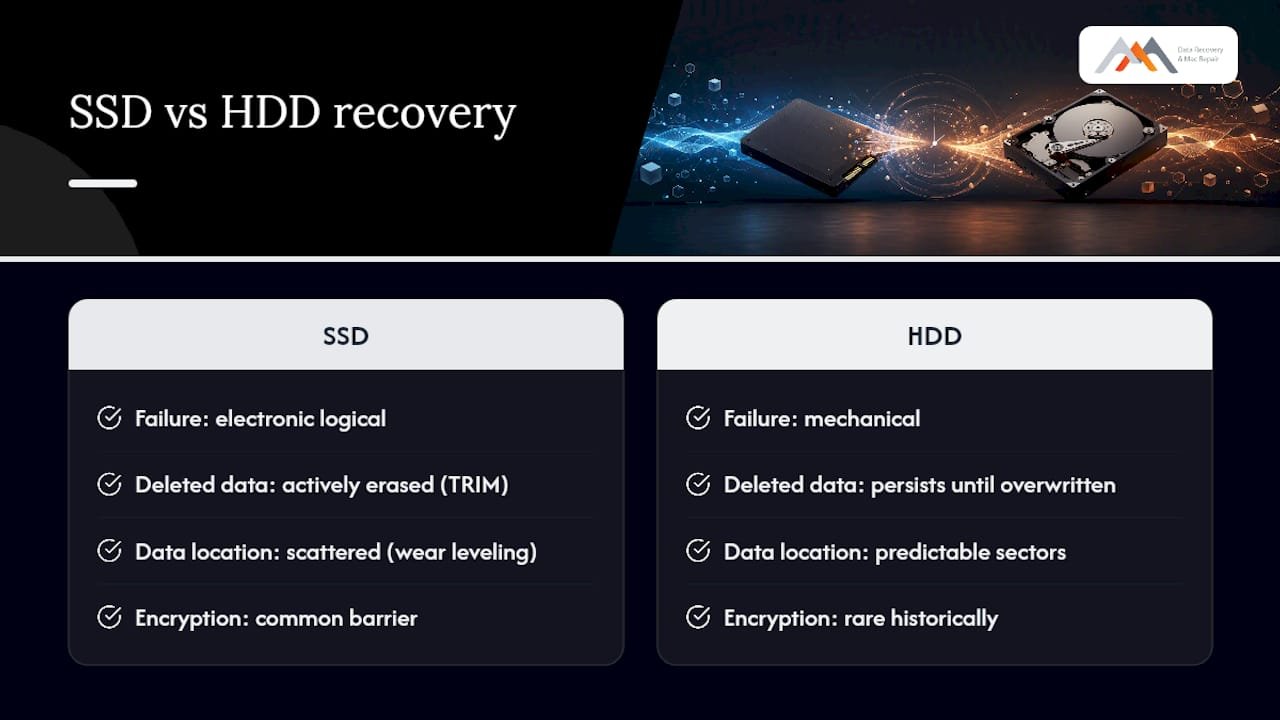
Hard drives fail mechanically. A clicking noise, a stuck read/write head, or a bad sector usually leaves the rest of the platter’s data physically undisturbed and readable once a technician swaps the failed component. Deleted files on an HDD often remain intact until new data physically overwrites that same disk location, sometimes for weeks or months.
SSDs fail electronically and logically, and they actively work against you. There’s no spinning platter to protect data through physical isolation. Instead, TRIM commands and garbage collection routines are designed to erase “deleted” blocks proactively to keep the drive fast, which means the drive itself is racing to destroy the exact evidence a recovery technician needs. A How-To Geek breakdown of SSD deletion mechanics puts it plainly: for most modern SSDs on current operating systems, deleted data should be treated as gone.
Encryption adds another layer HDDs rarely had until recently. Wear leveling scatters data across NAND cells in patterns no external tool can read without the controller’s mapping table, while an aging spinning disk’s sectors stay in predictable, physical locations. The upshot: SSD recovery relies far more on catching the problem within a short window and far less on the patient, methodical platter work that defines classic HDD recovery.
A Recovery Specialist’s Honest Take on SSD Data Loss
Prevention beats recovery every time, and nothing in this article changes that math. A reliable backup routine is still the only defense that works regardless of which failure mode hits your drive, because the recovery window for deleted files on a modern SSD is often measured in seconds to minutes, not the days or weeks people assume from HDD experience.
Where I’d push back on the common narrative: controller and firmware failures get treated online as death sentences, when in practice they’re often the most repairable category a lab sees, since the NAND underneath is frequently untouched. Encryption and Crypto Erase cases deserve the opposite reputation. They look fixable on paper and usually aren’t. Apple’s proprietary storage designs add real diagnostic time on top of all of this, which is exactly why generic recovery guides written for Windows PCs undersell how long a legitimate Mac SSD case takes to properly assess.
— Kaya
Get Professional SSD Recovery Help in West LA
Macwest Data Recovery & Mac Repair is the local alternative to shipping your failed SSD to an out-of-state mail-in service and waiting weeks for an update. Based at 12041 Wilshire Blvd, Ste 26, between the 405 and Santa Monica near UCLA and the Getty Center, the shop has handled SSD, RAID, and Mac-specific recovery cases for West LA, Santa Monica, Beverly Hills, Brentwood, Westwood, Venice, Hollywood, and Culver City clients since 2006. Diagnostics are free, the policy is no recovery, no charge, and same-day appointments are available for urgent controller failures, corrupted firmware, or encrypted drives you can’t unlock. Technicians work directly with logic board component repair, NVMe and SATA interfaces, and RAID 0, 1, 3, and 5 arrays rather than outsourcing the diagnostic work. If your SSD stopped mounting or you’re staring down a failed encryption key, start with a free diagnostic or call 310-866-0828 to get a same-day appointment on the books.
Sources
- SSD data recovery and TRIM: what’s actually possible (2026) – Save My Disk
- My SSD just died with no warning. What now? — Advanced Data Recovery
FAQ
How Much Does SSD Data Recovery Cost?
Costs vary by failure type: software recovery for simple deletions can be free to a few hundred dollars, while controller-level lab repairs typically run a typical cost range from one thousand to nearly three thousand dollars, and chip-off recoveries can reach around two thousand to five thousand dollars or more. Macwest offers free diagnostics before quoting a fixed fee; for current pricing details, see their data recovery page.
Does an SSD Store Data Permanently?
No. SSDs use TRIM commands and garbage collection to actively erase deleted blocks, often within seconds to minutes on modern NVMe drives, which is why deleted data disappears far faster than it typically does on a hard drive.
Is It Possible to Retrieve Data From a Dead SSD?
Sometimes. If the NAND flash is intact but the controller or firmware has failed, a lab can often recover data through firmware repair, a donor PCB swap, or chip-off extraction, though encrypted drives may still yield unreadable ciphertext even after a successful extraction.
How Can I Tell if My SSD Has Failed?
Common signs include the drive disappearing from Disk Utility or File Explorer, the system failing to boot, frequent freezes tied to disk access, or SMART error warnings. If any of these appear, stop using the drive immediately and get a professional diagnostic rather than continuing to test it yourself.
Should I Try Recovery Software Before Calling a Lab?
Only if the drive still mounts and the loss is a simple accidental deletion, since TRIM may have already erased the blocks by the time you notice. For anything involving a drive that won’t mount, unusual noises, or encryption, skip the software step and call a lab directly at 310-866-0828 to avoid worsening the damage.