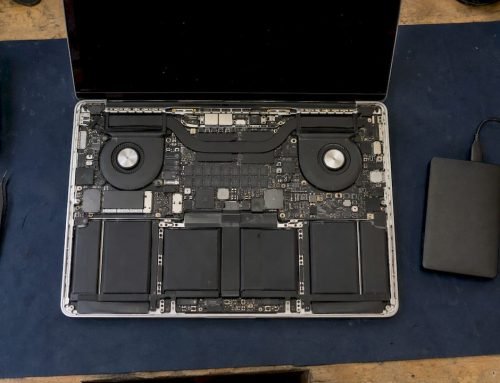
If your Mac plays the startup chime but the screen stays black, the Mac is usually powering on and passing its first hardware checks, so the fault most often sits in the display path (display cable, backlight, graphics circuitry or logic board) rather than in the chime itself. The Macintosh startup chime plays before the operating system loads and indicates that startup diagnostics found no fundamental hardware problem, which is why a chime with a dark screen points your attention at what happens after that point. This guide walks you through safe checks you can do in about ten minutes, explains what each symptom usually means, and tells you when to stop and bring the Mac to our lab at 12041 Wilshire Blvd, Ste 26, West Los Angeles. We offer same-day appointments, free diagnostics and a no recovery, no charge policy, and we have worked on Macs since 2006.
TL;DR
- A chime with a black screen usually means the Mac is starting but the display path (cable, backlight, GPU or logic board) is failing, so begin with a forced restart, an external monitor and Apple Diagnostics.
- Do not open the Mac, charge it repeatedly or run recovery utilities if it holds files you cannot lose: stop all disk writes and call us at 310-866-0828 for a same-day appointment.
- Macwest Data Recovery & Mac Repair has served West LA, Santa Monica and Beverly Hills since 2006, with free diagnostics and no recovery, no charge.
Table of Contents
- What the chime tells you, and what it does not
- Five-minute checks before you do anything else
- Symptom table: matching what you see to a likely cause
- Run Apple Diagnostics to separate hardware from software
- Hardware causes behind a chime with no display
- Stop all disk writes immediately if the files matter
- Our perspective
- Book a same-day appointment in West Los Angeles
- What to have ready when you call
- FAQ
- Sources
What the chime tells you, and what it does not
The chime confirms that the Mac received power, the firmware ran and basic self-tests passed. It does not confirm that the screen, the video signal or macOS is healthy. That gap is why so many people see a chime, a dark display and nothing else.
It also helps to separate the chime from beep codes, because they mean very different things. Apple documents the beep patterns like this:
- One beep every five seconds: the Mac is not detecting any memory (RAM).
- Three beeps, then a five-second pause, repeating: the memory failed an integrity check.
- Three long, three short, three long beeps: the Mac is restoring firmware to resolve a firmware issue.
If you hear a repeating beep rather than a single chime, the problem is memory or firmware, not the display, and the steps below apply differently. If you hear one normal chime and see nothing, keep reading.
Five-minute checks before you do anything else
These checks are safe: they do not write to your drive and they do not open the machine. Run them in order and stop as soon as the screen returns.
- Force a full power cycle. Apple advises pressing and holding the power button for up to 10 seconds until the Mac turns off, then turning it on again. A blank screen (black, gray or blue) can appear briefly during a normal startup, so give it a moment after the restart.
- Check power first. If the Mac has been in storage or the battery is flat, charge it for a while with a known-good adapter. If charging seems to have stopped, unplug the adapter from the wall, wait 60 seconds, reconnect it and try a different outlet.
- Disconnect everything. Remove docks, multi-port hubs, USB drives and external displays. iFixit’s troubleshooting guide specifically names docks and hubs as peripherals to unplug before diagnosing a black screen.
- Turn the brightness up. Press the brightness-up key several times. A screen dimmed to zero looks exactly like a dead screen.
- Look for the backlight. In a dark room, shine a flashlight at an angle across the display. A faint image means the panel is drawing but the backlight is not lit. On MacBooks with a white Apple logo on the lid, iFixit notes that the logo is lit by the display backlight, so a glowing logo means the backlight is working.
- Try an external monitor. Connect an HDMI or USB-C display. If a normal image appears there, the graphics processing is working and the fault is in the built-in display, its cable or its backlight circuit.
Resets that apply to your model
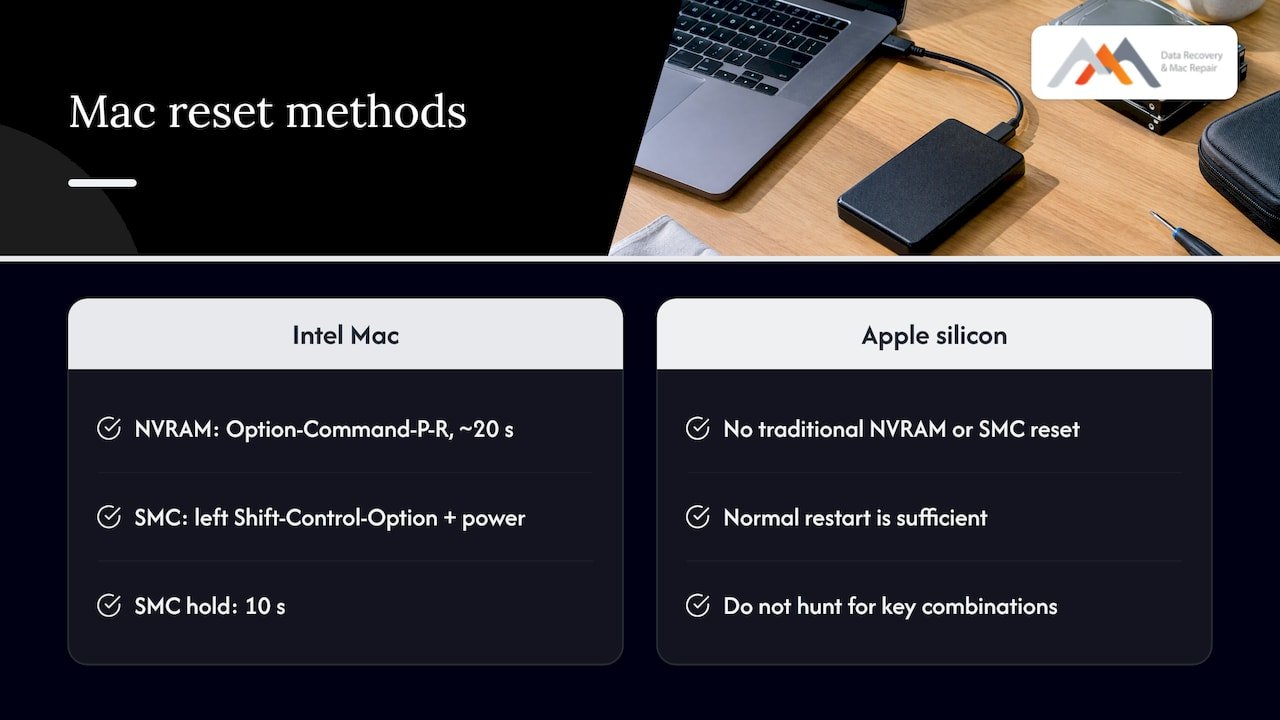
Resets depend on the chip inside your Mac. Intel Macs store settings such as display resolution in NVRAM, and you reset it by holding Option-Command-P-R for about 20 seconds at startup. On an Intel MacBook with a non-removable battery, the SMC reset is holding left Shift-Control-Option and the power button for 10 seconds, according to Oklahoma State University’s IT knowledge base. The same page notes that Apple silicon Macs have no traditional NVRAM or SMC reset, and a normal restart is sufficient. Do not hunt for key combinations on an Apple silicon Mac.
Symptom table: matching what you see to a likely cause
Use this table to narrow down the fault. It describes common patterns, not a guarantee, because several failures look alike until a technician measures the board.
| What you observe | Most likely area | What it suggests | Next step |
|---|---|---|---|
| Chime, dark screen, faint image under a flashlight | Backlight circuit or display assembly | Panel is drawing but not lit | Stop using it, book a diagnosis |
| Chime, external monitor works, built-in screen black | Display cable, panel or backlight | Graphics processing is working | Display-path repair |
| Image appears or flickers at certain lid angles | Display flex cable | Behavior that changes with the lid angle is typical of faulty flex cables | Do not keep flexing the lid |
| Chime, no image on screen or external monitor | Logic board, GPU or firmware | Video output failing at the source | Component-level diagnosis |
| Repeating beeps instead of a chime | RAM or firmware | Memory or firmware fault | See the beep codes above |
| Chime, fans spin, nothing else, after a spill | Liquid damage | Corrosion on the board or connectors | Power off, bring it in right away |
| Chime, then black screen, cursor moves with keyboard sounds | Software or display signal | Mac may be booting but not drawing | Try Apple Diagnostics and Recovery |
The flex cable pattern comes from iFixit’s advice for 2016 and later MacBook Pros and Retina-style MacBook Airs: close the lid, open it slowly, and watch whether the display behavior changes at different angles. If it does, that is indicative of faulty flex cables. Do this once to observe, not repeatedly, because every flex stresses a damaged cable further.
Run Apple Diagnostics to separate hardware from software
Apple Diagnostics runs without macOS, which makes it a clean way to tell a hardware failure from a software problem. Per Apple’s instructions:
- Apple silicon Mac: hold the power button until startup options appear, then press and hold Command-D until the Mac restarts.
- Intel Mac: turn the Mac on and immediately hold D, or Option-D if D does not work.
- macOS Tahoe 26 and later: you choose a specific diagnostic to run, such as one for the built-in display, keyboard or trackpad. Earlier versions run it automatically.
If the screen is fully black you may not be able to read the results, but connecting an external monitor first often lets you see them. Reference codes appear when testing finishes. According to Apple Gazette’s summary of the codes, VFD001 through VFD005 and VFD007 indicate a problem detected with the display, while VFD006 points to the graphics processor. A discussion on Apple Community makes the useful point that because macOS is not involved in these tests, a reported error code means a definite hardware failure.
Write down any code you see. When you call us at 310-866-0828, the code lets us tell you quickly whether you are likely facing a display-path repair or a logic board repair.
If you need a stand-in machine while yours is being repaired, a refurbished 2018 15-inch MacBook Pro can be a practical way to keep working and to check your backups restore cleanly.
Hardware causes behind a chime with no display
Display cable and backlight
On many MacBooks the display is driven through a flat flex cable that runs through the hinge and a separate backlight circuit on the logic board. Wear in the cable, a failed backlight driver or a damaged connector produces exactly the symptom you describe: normal startup sound, working keyboard, no picture. Our page on MacBook backlight failure explains the free checks that come first and when a restoration is needed.
Graphics and logic board faults
When an external monitor also stays dark, the fault is upstream of the screen. That can be a GPU failure, corrupted video firmware, a failed power rail or damage on the logic board itself. Our approach here is component-level logic board repair: we trace the failed circuit under magnification and repair or replace the individual component with precision micro-soldering, rather than swapping the entire board. That matters because a swapped board can mean your internal storage does not come back with it (see the data section below). You can read more in our guides to logic board failure signs and the step-by-step logic board repair process.
Liquid exposure
Even a spill from weeks ago can leave corrosion that shows up later as a black screen, intermittent power or no video. If there was any liquid event, power the Mac off and do not keep restarting it, since each power cycle can spread damage across the board. Our liquid damage repair service covers MacBook Air, MacBook Pro and other Macs.
Memory and firmware
On Macs that use the T2 chip or Apple silicon, Apple notes that if the Mac will not start from Recovery, you might need to revive or restore its firmware. That process is a recovery step in its own right, and it is worth getting the right guidance before attempting it on a machine that holds irreplaceable files.
Stop all disk writes immediately if the files matter
Stop all disk writes immediately if the Mac holds photos, client work, a thesis or anything without a current backup. A black screen does not mean the data is gone. In most display-path failures the drive or the soldered storage is intact, and the way to keep it that way is to avoid actions that change it.
In practice:
- Do not run disk repair tools, reinstall macOS or erase the drive to “fix” the screen.
- Do not repeatedly power cycle a Mac that smells of burning or has had liquid exposure.
- Do not open the case or reseat parts yourself.
- Do not install data recovery software onto the same Mac.
There is a practical reason to be careful. Apple’s US Retail Repair Terms state that it is your sole responsibility to back up data before service and that Apple is not responsible for loss, recovery or compromise of data. The Eclectic Light Company adds that a repair requiring the main logic board to be replaced is almost certain to wipe all documents and files, and that you should assume a Mac with a T2 or Apple silicon chip will be restored from backup afterward. With soldered storage and encryption tied to the board, the order of operations matters: get the data safe first, then repair.
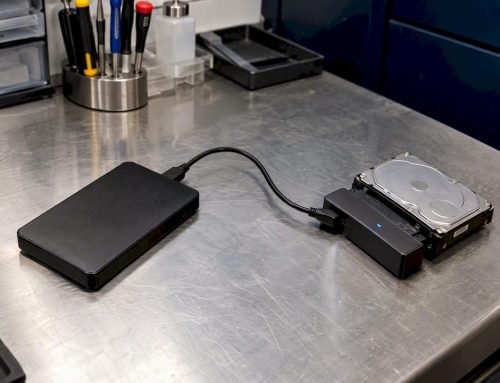
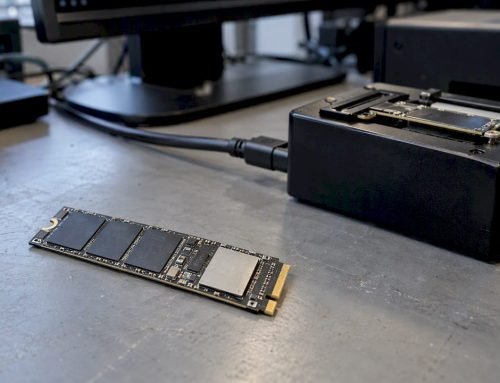
That is where we differ from a counter swap. Our lab uses forensic imaging and NAND access techniques, and we work with APFS volumes, NVMe storage and FileVault-encrypted drives, so we can approach the data side and the repair side together. Our Mac data recovery service handles internal drives, SSDs, RAID systems and memory cards, and our SSD recovery workflow explains what happens to a soldered SSD. For a longer-term habit, see our data loss prevention tips and our guide to backing up data from a hard drive.
Which storage and what we recover
| Device | Typical black-screen situation | What we work with |
|---|---|---|
| MacBook, iMac, Mac Mini with APFS volume | Display or board failure, drive intact | Forensic imaging, direct data extraction |
| Soldered NVMe SSD (newer MacBooks) | Board fault blocks access to storage | NAND access and component-level board repair |
| External and internal hard drives | Mac will not mount or start | Hard drive recovery |
| RAID 0, 1, 3 and 5 arrays, NAS | Mac or server will not boot | Server and RAID recovery |
| Memory cards | Photos from a camera or Mac slot | Memory card recovery |
If you manage a business Mac, a studio workstation or a RAID volume attached to the affected machine, mention it on the phone so we can plan the recovery before any repair begins.
Our perspective
A black screen with a chime is one of the more reassuring failures we see, because the Mac is telling you that the core of the machine is alive. In our experience, the useful question is not whether the Mac can be made to show a picture again, but in what order to do things so nothing you care about is put at risk.
We start with free diagnostics. We confirm whether the backlight, display path, graphics circuitry or logic board is at fault, and we tell you what we find before anything is done to the machine. Our work is component-level: precision micro-soldering and board repair that we believe often avoids a full board replacement, including on Apple Silicon Macs that some customers have been told cannot be repaired.
Because we run both repair and data recovery under one roof, your files are considered from the first minute. Our no recovery, no charge policy applies to data recovery, and we have been doing this in Los Angeles since 2006. If your Mac is in this state, bring it in as it is and let us handle the next step.
Kaya
Book a same-day appointment in West Los Angeles
If the checks above did not bring the screen back, or if the Mac has had a spill, a drop or files you cannot replace, the fastest path is to call 310-866-0828. We offer same-day appointments and emergency Mac repair, with free diagnostics at our lab. See our Mac repair service in Los Angeles for the full range of MacBook, iMac, Mac Mini and Mac Pro repairs, or visit our home page.
Where to find us
We are at 12041 Wilshire Blvd, Ste 26, Los Angeles, centrally placed between the 405 and Santa Monica, near UCLA and the Getty Center. We regularly serve:
- Westwood, Brentwood and Santa Monica
- Beverly Hills and Hollywood
- Venice and Culver City
- Greater Los Angeles, for individuals and businesses
Because we are a local lab rather than a mail-in service, you can drop the Mac off yourself, ask questions in person and avoid weeks of shipping your device and data out of town.
What to have ready when you call
A few details let us give you a better answer on the first call:
- Your Mac model and approximate year (the label on the underside, or the Apple menu if you can reach it).
- Whether it has an Apple silicon or Intel processor, if you know.
- What happened before the problem began: a spill, a drop, an update, a power surge or nothing at all.
- What you already tried, including any Apple Diagnostics reference code.
- Whether you have a recent Time Machine or cloud backup, and how important the files on the Mac are.
- Whether FileVault is turned on, and whether you have your login password and recovery key available.
FAQ
Why does my Mac chime but the screen stays black?
The chime plays early in startup and only shows that basic hardware tests passed. The black screen means the display, its cable, the backlight, the graphics circuitry or the logic board is not delivering an image. An external monitor and Apple Diagnostics will help you tell which.
What should I try first if my MacBook boots to a black screen?
Hold the power button for up to 10 seconds to turn the Mac off, then turn it on again. Disconnect all accessories, turn the brightness up and try an external display. If none of that works, avoid repeated restarts and call us for a free diagnosis.
Can I get my files back if the screen will not turn on?
Often yes, because a display failure does not usually damage the storage. Stop all disk writes, do not erase or reinstall macOS, and bring the Mac to us. We offer a no recovery, no charge policy for data recovery.
Is it worth repairing the logic board instead of replacing it?
A component-level repair addresses the failed part on the board, and it is designed to keep your original board, and therefore your original storage and data, in place. Whether it applies to your Mac depends on the fault, which we determine in our free diagnostics.
Do you offer same-day service in Los Angeles?
Yes, we offer same-day appointments and emergency Mac repair at our West LA lab on Wilshire Blvd. Call 310-866-0828 to reserve a time.
Sources
- Macintosh startup, Wikipedia
- If your Mac beeps during startup, Apple Support
- If your Mac starts up to a blank screen, Apple Support
- Use Apple Diagnostics to test your Mac, Apple Support
- MacBook Black Screen troubleshooting, iFixit
- How to Reset NVRAM/PRAM and SMC on macOS, Oklahoma State University
- Using Apple Diagnostics to Troubleshoot Your Mac, Apple Gazette
- Display Issues, Apple Community
- Repair Terms and Conditions, Apple
- Prepare your Mac for service or repair, The Eclectic Light Company