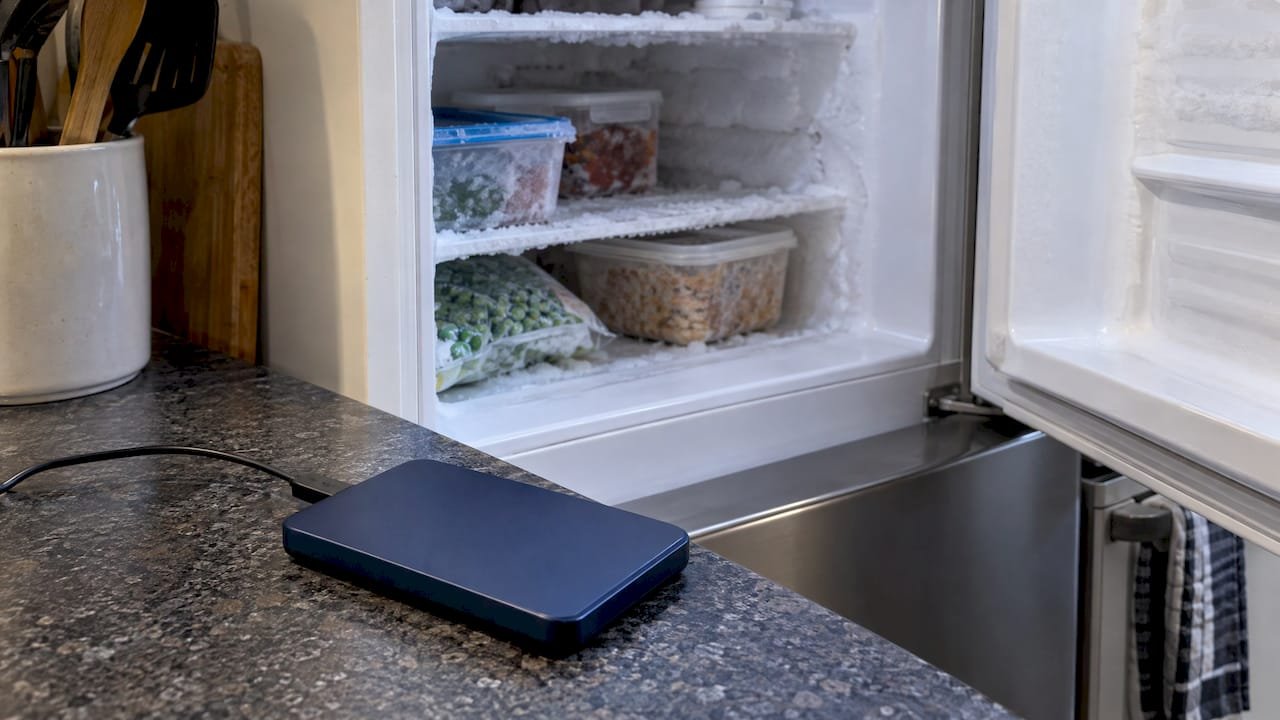
Stop all disk writes immediately, and keep the drive out of the freezer: putting a failed hard drive in the freezer does not repair it, and on a modern drive it is more likely to destroy your data than bring it back. The trick has a real history, but the mechanical problems it once worked around are rare today, while the condensation and thermal stress it causes are not. If your drive is clicking, beeping, or not mounting, the safest move is to power it down and call us at (310) 866-0828 for a same-day appointment and free diagnostics.
TL;DR
- The freezer trick was a last-ditch hack for older drives with stuck platters or marginal parts. It never repaired anything; at best it bought a short window of readability.
- Modern drives use fluid-bearing motors, better servo systems and improved head parking, so the original failure the trick targeted is uncommon.
- Condensation, ice and thermal contraction can turn a recoverable drive into a permanent loss, especially if it is powered on before it fully warms up.
- Power the drive off, do not run repairs on it, and bring it to a lab that images it safely. We have done this in Los Angeles since 2006, with free diagnostics and a no recovery, no charge policy.
Table of Contents
- Key takeaways
- Where the freezer trick came from
- Why it fails on modern drives
- What actually goes wrong in the freezer
- Symptoms, causes and the right first move
- What to do instead of freezing the drive
- Other data recovery myths that cost people their files
- What happens when you bring a drive to our lab
- Our perspective
- Same-day help in West Los Angeles
- FAQ
- Sources
Key takeaways
Freezing a hard drive is an outdated workaround that does not fix the underlying fault and can add condensation damage. The right response to a clicking, beeping, or silent drive is to stop using it and hand it to a professional lab before anything is written to or powered through it. Macwest Data Recovery & Mac Repair, at 12041 Wilshire Blvd, Ste 26 in West Los Angeles, offers same-day appointments, free diagnostics and no recovery, no charge.
Where the freezer trick came from
The idea circulated for years through blogs, Usenet threads and personal websites, and it spread because it occasionally seemed to work. TechTarget reported in 2007 that freezing a failed drive could sometimes restore temporary readability, but it described that as a short-lived way to copy data off, not a repair, and said the approach was no longer recommended for modern drives.
The mechanism most often cited is stiction. On older drives, failed lubrication could leave the read/write heads stuck to the platters or the spindle motor seized. PCWorld explained that cooling could contract parts enough to free them briefly. Other explanations floated at the time included weak solder joints on the controller board and slight head-stack alignment differences at low temperature.
The story also has a respectable origin. MIT Technology Review described a computer-forensics specialist who told the author about freezing broken drives overnight, after which the author tested stored failed drives and found that two temporarily became readable. Notice what that actually shows: a temporary window on old hardware, used by someone whose only goal was to copy data out once.
The lesson that got lost as the story spread online is the word “temporarily.” Nobody who understood the technique treated it as a fix.
Why it fails on modern drives
Drive engineering has moved on. According to the same TechTarget piece, modern drives use fewer components on the circuit board, fluid-bearing motors and better self-adjusting servos, whereas older drives used dedicated servos and more data surfaces, which made alignment differences far more significant. PCWorld added that improved lubrication and parking the heads off the platters make stiction rare.
In practical terms, the faults we see on drives brought into our lab are rarely the ones cold could ever address:
- Degraded or damaged read/write heads that produce the rhythmic clicking sound
- Firmware corruption or a damaged service area on the platters
- Bad sectors spreading across the surface
- Failed motor or spindle problems unrelated to lubrication
- Electrical damage from a power surge or a failing power supply
None of these is fixed by a drop in temperature. A cold drive with a worn head is still a drive with a worn head.
| Factor | Older drives (the era of the trick) | Modern drives |
|---|---|---|
| Spindle motor | Ball bearings; seizing was a known fault | Fluid bearings; seizing is uncommon |
| Head parking | Heads could rest on the platter and stick | Heads park off the platter, so stiction is rare |
| Servo system | Dedicated servo surface; alignment differences mattered | Self-adjusting servos tolerate small changes |
| Circuit board | More components, more chances of cold solder faults | Fewer components |
| What cold could do | Free a stuck part for a short time | Little upside, real downside |
The comparison above reflects the engineering changes described by TechTarget and PCWorld. Solid-state drives, including the soldered SSDs and NVMe storage in recent Macs, have no platters or heads at all, so the original rationale for the trick does not apply to them in any form.
What actually goes wrong in the freezer
A hard drive is not perfectly sealed. It has a small vent that equalizes air pressure, which means the air inside carries moisture. PCWorld reports that water vapor inside a drive can turn to ice crystals and cause corrosion, and that when the ice melts it can foul delicate electrical components. If the drive spins before that moisture is gone, the result can be catastrophic damage and permanent data loss.
There is a second, mechanical risk. InfoWorld’s recovery expert stressed that cold storage itself is not the main danger: powering up a cold drive is, because tiny dimensional changes at hard-drive tolerances can bring a head into contact with the platter. A head touching a platter can scrape away the magnetic layer where your files live, and that is not something any lab can reverse.
So the trick stacks two risks on a drive that is already unstable:
- Moisture and ice during the cooling and warming cycle
- Thermal contraction and expansion when you power the drive on
The upside is a short and uncertain window. The downside is a drive that goes from recoverable to unrecoverable. For irreplaceable family photos, a thesis, a client database or a production project, that is a bad trade, and it is why PCWorld’s conclusion was that the potential for damage outweighs any benefit on modern hardware.
Symptoms, causes and the right first move
People reach for the freezer because the drive has stopped responding and they feel they must do something. The table below matches common symptoms to what is usually happening and what to do first. These are our own working observations from the lab, not a guarantee for any individual drive.
| Symptom | Common cause | Safest first move |
|---|---|---|
| Rhythmic clicking or ticking | Head stack problem or firmware trouble | Power off, no repeated restarts; see clicking hard drive recovery |
| Repeating beeps | Power or controller fault | Power off; follow the beeping hard drive power checks once, then stop |
| Drive does not spin up | Motor, power or board failure | Do not tap, open or freeze it; see Mac hard drive stopped spinning |
| Drive was dropped | Head or platter damage | Disconnect at once; read what to do after a hard drive fell |
| Drive mounts but is slow, with freezing Finder | Growing bad sectors | Copy critical files only if it is accessible, then stop |
| Deleted or formatted drive | Logical loss, no mechanical fault | Stop all writes; do not install recovery software onto the same drive |
If you are unsure which row you are in, our guide to the signs of hard drive failure walks through the warning signs in more detail.
What to do instead of freezing the drive
Seagate’s own drive-health guidance, published on its openSeaChest wiki, says that if a drive is clicking, beeping or not spinning you should stop immediately and contact a professional recovery service, and that you should not open it, power it on repeatedly, run diagnostics or attempt repairs. If the drive is still accessible, copy the critical files first.
Turned into a sequence you can follow tonight:
- Stop all disk writes immediately. Close apps, pause Time Machine and cloud sync, and do not save or install anything to the affected disk.
- Power it down. On a Mac, shut down the machine; for an external drive, eject it if it still mounts, or unplug it if it does not.
- Do not retry. Every extra power cycle on a clicking drive is another chance for a head to scrape a platter.
- Do not open it. A drive opened outside a clean environment collects dust that can destroy the surface.
- Do not run repair tools. First Aid, fsck and similar utilities write to the disk and can overwrite the structures a lab needs.
- Note the details. Write down the drive model, what happened just before the failure and any error messages.
- Call for a diagnosis. We book same-day appointments at (310) 866-0828.
If the drive is working well enough to copy files, that is the time to act, and our backup guide for Mac users explains how to do it without stressing a weak disk. Once your data is safe, a proper backup routine means you never face this decision again.
Other data recovery myths that cost people their files
The freezer is the best-known myth, but it has company. These are the ones we hear most often from people who come to us after something has already gone wrong.
| Myth | The safer reality |
|---|---|
| “Running a repair utility will fix it.” | Repair tools write to the disk. On an unstable drive, that can overwrite or rearrange the very structures a recovery depends on. Imaging the drive first is the safer order. |
| “Clicking will go away if I keep trying.” | Repeated power-ups on a drive with mechanical symptoms add wear and can scratch the platters. Stop after the first sign. |
| “Deleted means gone forever.” | Often not. On a spinning disk, deleted files may remain until overwritten. Stop writing immediately, and read our deleted files guide. |
| “An SSD can be treated like a hard drive.” | TRIM and wear leveling can erase deleted data quickly on SSDs, so speed matters more. See why SSD data can vanish fast. |
| “Formatting wipes everything.” | A quick format usually rewrites structures, not every file. Do not copy new data onto it; see how to restore a formatted drive. |
| “A RAID protects me, so I do not need a backup.” | RAID 1, 3 and 5 tolerate a drive failure, and RAID 0 tolerates none, but none of them protects against deletion, corruption or a failed rebuild. |
The RAID point deserves its own caution. If an array degrades, do not force a rebuild or swap drives around at random, because a rebuild on a weak disk can push it over the edge. Our overview of RAID data recovery methods explains how we approach arrays, and our NAS recovery page covers network storage.
What happens when you bring a drive to our lab
A professional recovery is built around one principle: never work on the original more than necessary. For a Mac, that process typically runs like this.
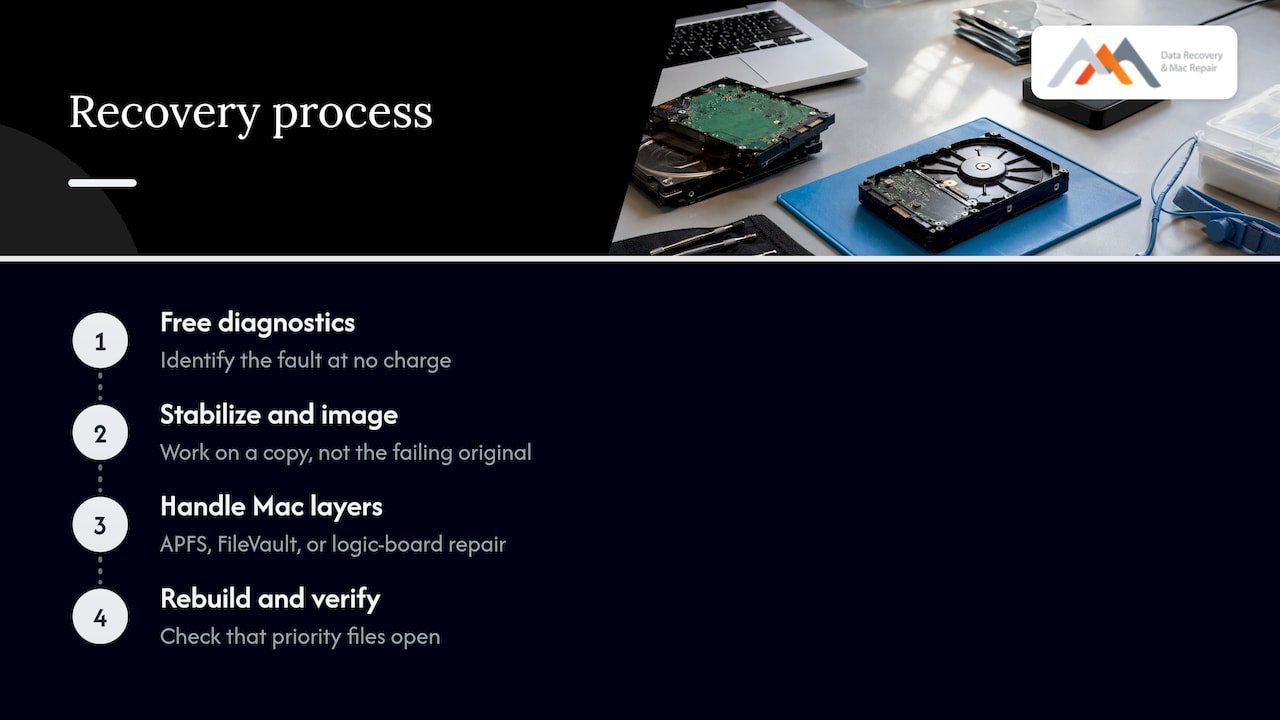
Free diagnostics. We examine the drive, the Mac and the connection to identify whether the fault is mechanical, electronic, firmware-related or logical. The diagnosis costs you nothing, and you get a clear explanation of what we found.
Stabilize and image. Where the drive can be read, we create a forensic image so that the recovery work happens on a copy, not on a failing original.
Handle the Mac-specific layers. Modern Macs add complexity: APFS containers and snapshots, FileVault encryption, and on many models soldered SSDs where NAND access depends on the Mac’s own logic board and security chip. When the storage cannot be removed, component-level logic board repair can be the route to the data, which is where our in-house micro-soldering work comes in.
Rebuild and verify. We reconstruct the file structure, then check that the files you named as priorities actually open.
No recovery, no charge. If we cannot recover your data, you do not pay for the recovery.
If you want the longer walk-through for Macs, see our step-by-step Mac hard drive data recovery guide and our overview of Mac hard drive failure and prevention.
Our perspective
We understand why people try the freezer. A failed drive feels like an emergency, the internet offers a free trick, and the story that it once worked is true enough to be convincing. But the people who knew the technique treated it as a last-ditch attempt to copy files off once, and today’s drives have changed so much that the trick is mostly an invitation to condensation and head contact.
What we see at our lab is that the best outcomes start with restraint. The customers who bring us a drive that was switched off at the first sign of trouble give us the most to work with. The ones who tried several fixes first, whether freezing, repeated restarts or repair software, leave us less to recover.
Our approach is to do the careful work in the right order: free diagnostics, a clear explanation, imaging before anything risky, and component-level repair when a soldered Mac needs it. We have worked on Mac and drive failures since 2006, and our no recovery, no charge policy exists so that you can ask for a diagnosis without gambling on the result.
If you are in West LA, Santa Monica or Beverly Hills, you can reach us the same day and drop the drive off in person instead of shipping a failing disk across the country.
Kaya
Same-day help in West Los Angeles
If your drive or Mac has failed, we can see you the same day. Macwest Data Recovery & Mac Repair handles Mac data recovery, external and internal hard drive recovery, SSD recovery, RAID and NAS recovery, memory cards, and Mac hardware repair including liquid damage and logic board work. Start on our data recovery page or, if the Mac itself is the problem, our Mac repair service.
We are at 12041 Wilshire Blvd, Ste 26, between the 405 and Santa Monica, near UCLA and the Getty Center. We serve West LA, Santa Monica and Beverly Hills, plus Brentwood, Westwood, Venice, Hollywood and Culver City. Call (310) 866-0828 to book.
FAQ
Does putting a hard drive in the freezer ever work?
On older drives it sometimes gave a short window of readability, usually by freeing a stuck part, and TechTarget reported that it was a temporary way to copy data, not a repair. On modern drives, the original problem is rare and the risk of condensation and head contact is real. We do not recommend it for any drive that holds data you care about.
How long should a drive sit in the freezer?
None. Older web posts mention 12 to 24 hours, but we advise against freezing a drive at all. If a drive has already been in the freezer, do not power it on, let it return to room temperature in a sealed, dry place, and bring it to a lab without connecting it.
Can I freeze an SSD or a MacBook?
No. An SSD has no platters or heads, so the trick has nothing to fix, and cold plus condensation can harm a Mac’s logic board and soldered components. If your MacBook will not boot or its SSD is not detected, call us for diagnostics instead.
What should I do if my hard drive is clicking?
Power it down right away and do not keep retrying. Seagate’s guidance is to contact a professional recovery service for a clicking, beeping or non-spinning drive, and not to open it or attempt repairs. We offer free diagnostics and same-day appointments in West LA.
Is it worth paying for professional recovery?
If the data is irreplaceable or tied to your work, yes, because a failed attempt at home can make the loss permanent. With us, diagnostics are free and our policy is no recovery, no charge, so you learn your options before committing to anything.
Sources
- Can freezing a hard drive that’s crashed restore it to life? (TechTarget)
- That old freezer trick to save a hard drive doesn’t work anymore (PCWorld)
- Cold Storage (MIT Technology Review)
- How to protect hard drives against cold weather hazards (InfoWorld)
- How To Check Drive Health (Seagate openSeaChest Wiki)