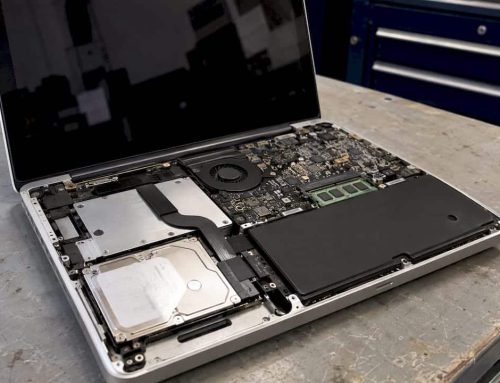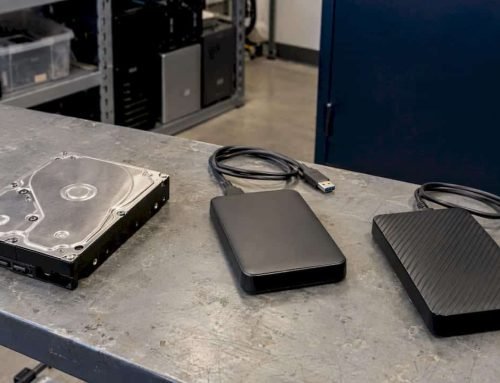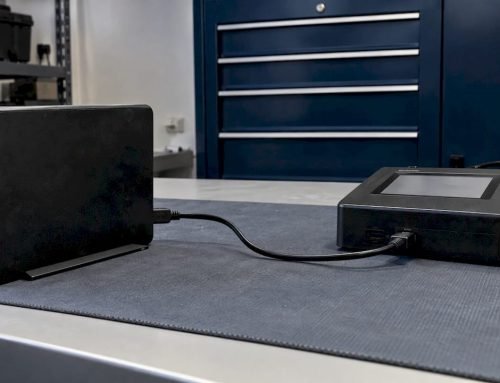
Stop all disk writes immediately: the single biggest factor in your recovery odds is whether new data has overwritten the old, and every minute your Mac stays in use can lower them. A poll of data recovery professionals put the overall success rate across all devices at about 70%, but your own outcome depends on the failure type, the drive technology and how quickly the drive is powered down. If you are in West LA, Santa Monica or Beverly Hills, call us at (310) 866-0828 for a same-day appointment and free diagnostics.
TL;DR
- A recovery “success rate” is only meaningful when you know what was counted: some labs count one recovered file, while you need all of your files intact.
- A January 2023 poll of recovery professionals put the overall rate across devices at roughly 70%, with flash and SSD media behaving differently from spinning hard drives.
- Logical problems (deleted files, a formatted volume) and physical problems (a failed logic board, a head crash, a damaged RAID member) have very different odds.
- On SSDs, TRIM can erase deleted data within minutes, so powering down early matters more than anything else you do.
- Since 2006 we have offered free diagnostics and a no recovery, no charge policy, so you learn the likely outcome before you pay.
Table of Contents
- Key Takeaways
- What a data recovery success rate actually measures
- What the industry reports, and how to read it
- How failure type changes your odds
- Deleted and formatted drives: the overwrite window
- SSDs and TRIM: why minutes matter
- RAID arrays: levels, rebuilds and risk
- Recovery software or a lab: where the line falls
- What to do in the first hour
- What a diagnostic tells you before you commit
- Get a same-day diagnosis in West LA
- FAQ
- Sources
Key Takeaways
Data recovery success depends less on a headline percentage and more on the failure type, the storage technology (APFS volumes on soldered NVMe SSDs, spinning disks, or RAID 0, 1, 3 and 5 arrays) and whether the device was powered down before data was overwritten. The most reliable way to learn your odds is a diagnostic by an in-house lab, and Macwest Data Recovery & Mac Repair in Los Angeles has provided free diagnostics, same-day appointments and a no recovery, no charge policy since 2006. Call (310) 866-0828 as soon as you notice data loss.
What a data recovery success rate actually measures
A success rate sounds like a simple promise: 90% means nine of ten drives come back. In practice there is no standard definition. The same industry poll that produced the 70% figure notes that success is subjective: some providers count a case as a success when a single file is recovered, while a customer usually needs every file, or at least the ones that matter.
That same source points out that rates can look better when a provider only accepts cases it already believes are recoverable. A number built that way describes the provider’s intake, not your drive.
Three questions turn any percentage into something you can use:
- What counted as a success? One file, most files, or everything you asked for?
- Were the files usable? A file that is listed in a recovery report but will not open is not a recovered file. Photos tolerate small gaps. A database, a Final Cut or Logic project, or an accounting file made of linked parts may be unusable if a fraction of it is missing.
- Which devices were included? A blended figure mixes healthy-controller hard drives with encrypted, soldered SSDs, and those are not the same job.
For a business, the third point matters most. A figure that blends consumer thumb drives with enterprise arrays says little about a four-disk RAID 5 holding your client files.
What the industry reports, and how to read it
The Data Recovery Professionals group’s January 2023 poll found an overall success rate of approximately 70% for all devices, and observed that the figure has been drifting down over time, partly because SSDs and flash drives are generally less likely to be recovered than hard drives. That is a useful ceiling for expectations, and it is also a reminder that the technology in your computer drives the result.
What this means for you: treat 70% as an industry-wide average across very different cases, not as a prediction. Your case sits somewhere on a spectrum, and the table below shows what pushes it up or down.
How failure type changes your odds
The table groups common Mac and storage failures by what decides the outcome. It is a guide to which factors matter, not a statistical promise, and we do not publish a percentage for each row because the outcome depends on the specific device.
| Failure type | Typical symptoms | What decides the outcome | Urgency |
|---|---|---|---|
| Deleted files, drive still working | Files missing after emptying Trash or a bad sync | Whether the freed space has been overwritten; on SSDs, whether TRIM has run | Very high: stop writes now |
| Quick-formatted or erased volume | Drive appears blank or asks to be initialized | How much new data was written afterward; state of the APFS or HFS+ structures | High |
| Corrupted APFS volume | Mac will not mount the disk, Disk Utility errors, boot loops | Whether metadata is readable and whether the drive itself is healthy | High |
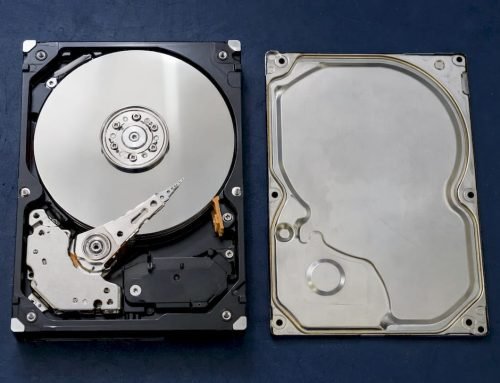
| Hard drive mechanical failure | Clicking, grinding, drive not spinning or not detected | Head and platter condition; repair in a controlled environment | Very high: do not power on repeatedly |
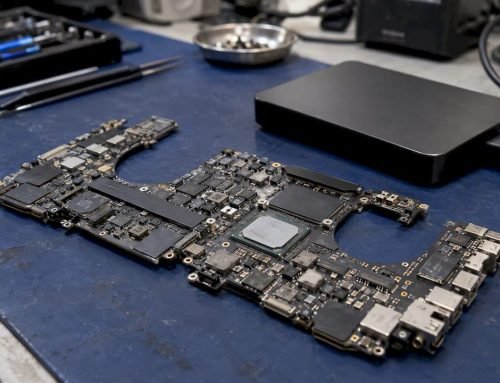
| Soldered SSD or logic board fault | Mac will not power on, no storage visible | Component-level logic board repair, access to the NVMe storage, FileVault status | High |
| Liquid damage | Mac dead after a spill, corrosion visible | Time before cleaning, extent of corrosion on the board | Very high: do not charge or power on |
| RAID member failure | Degraded array, volume will not mount | Number of failed members, RAID level, whether anyone rebuilt the array | Very high: do not rebuild |
| Memory card errors | Card not recognized or shows as unformatted | Whether the card was reused or reformatted | High |
The pattern is consistent: the more the device is used after the problem, the worse the odds, and physical faults get worse with repeated power-ups.
Deleted and formatted drives: the overwrite window
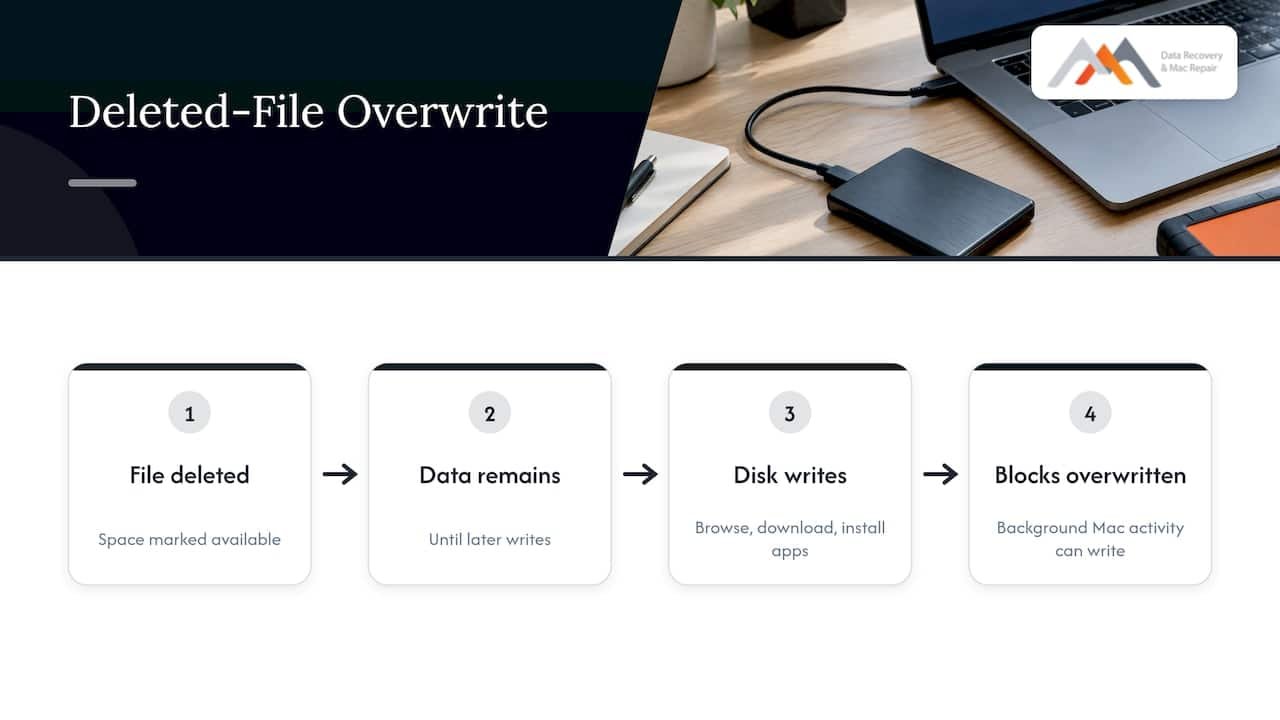
When you delete a file, the system usually marks its space as available rather than wiping it. The data is often still there until something else is written over it. That is why the first instruction in any data loss situation is to stop all disk writes. Browsing, downloading, installing a recovery app on the same disk, or even leaving a Mac running in the background can write data that lands on the very blocks you want back.
For internal drives, do not install anything on the affected volume. If the Mac boots from the drive you need to recover, shutting it down is safer than continuing to use it. Our guide on recovering deleted Mac files before TRIM runs walks through the first steps.
SSDs and TRIM: why minutes matter
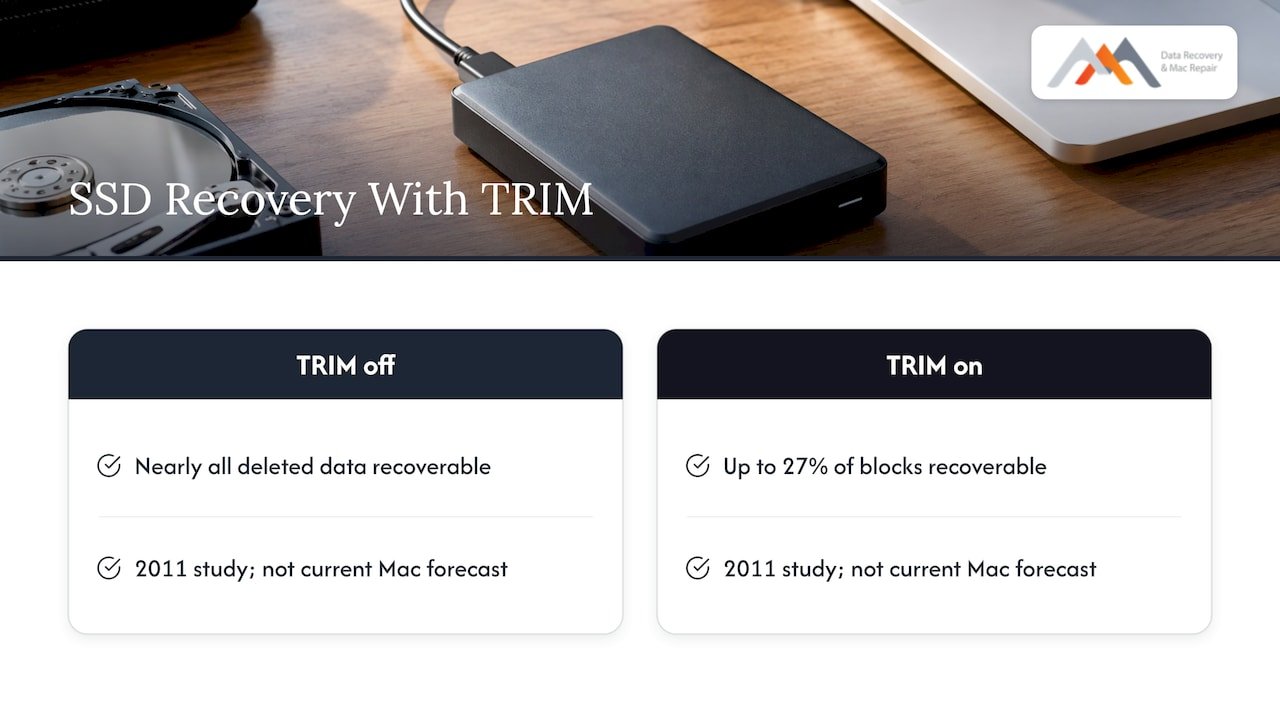
Solid-state drives behave differently from hard drives because of TRIM, a command that tells the drive which blocks no longer hold live data so it can clear them in advance. A Carnegie Mellon University study of 16 SSDs found that without TRIM, nearly all deleted data was recoverable, while with TRIM enabled only up to 27% of blocks were recoverable, depending on the controller manufacturer. The study was done in 2011 on the drives and operating systems of that time, so the exact numbers are not a forecast for a current NVMe Mac. The lesson holds: the sooner the drive is powered down after a deletion, the more there is to work with.
On modern Macs the SSD is usually soldered to the logic board, so you cannot pull the drive and connect it elsewhere. Recovery then involves the board itself, which is where component-level logic board repair and precision micro-soldering come in. We describe how that works for deleted files in SSD TRIM data recovery: what can still be saved, and why the clock is short in why SSD data can vanish in minutes.
If your MacBook uses FileVault, the data on the SSD is encrypted. Our approach is to identify first whether the barrier is the encryption or a hardware fault on the board, because a board that will not power on can often be addressed with repair before any data is read.
RAID arrays: levels, rebuilds and risk
RAID combines several drives into one volume, and the level you use sets the risk:
- RAID 0 stripes data across disks with no redundancy, so one failed member takes the whole volume offline. Our RAID 0 triage workflow covers what to do first.
- RAID 1 mirrors disks, so one member can fail without data loss, but a mirror does not protect against deletion or corruption, which are copied to both disks.
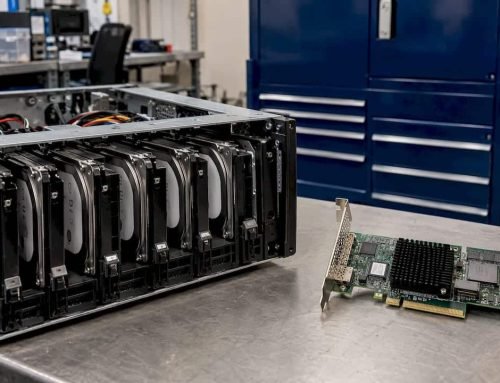
- RAID 3 and RAID 5 use parity, which lets the array survive one failed disk. The danger comes during a rebuild, when a second weak disk can fail under the load, or when an unprepared rebuild overwrites usable data.
For any degraded array, do not rebuild, do not re-initialize and do not swap in a new drive until the members have been imaged. Imaging each member first preserves what is there and lets the array be reconstructed from copies. If you manage servers or NAS units in Greater Los Angeles, our RAID data recovery page lists what we handle.
The business impact of a partial result is also worth planning for. A file server with intact documents but a broken database is not a success for the business that depends on the database, which is why testing restores matters as much as having backups. This overview of disaster recovery testing by system tier explains how often different systems should be tested.
Recovery software or a lab: where the line falls
Software works on logical problems on a drive that is still readable: an accidental deletion, a quick format, a damaged file system index. It cannot repair a failing head, a dead controller or a liquid-damaged board, and running it repeatedly on a failing drive can make the failure worse. Software also writes its output somewhere, and if that somewhere is the same disk, it may overwrite what you are trying to find.
We recommend a lab assessment when any of these are true:
- The drive clicks, beeps, vibrates or is not detected.
- The Mac will not power on, or it was exposed to liquid.
- The disk is an SSD or a soldered NVMe drive and the files were deleted recently.
- The device is part of a RAID or NAS array.
- The data is business-critical and a partial recovery would not be enough.
Our ISO Class 5 cleanroom data recovery page explains the environment used for hard drives with mechanical faults.
What to do in the first hour
- Stop all disk writes immediately. Close apps, stop downloads, and shut the Mac down normally if it is responsive.
- Do not open, charge or power on a liquid-damaged MacBook. Power can spread corrosion across the board.
- Do not rebuild, initialize or reformat. Disk Utility’s Erase and First Aid options can change the structures a lab needs.
- Keep the device as it is. Do not attempt to open a drive or freeze it, and avoid repeated power cycles on a clicking disk.
- Write down what happened. The time of deletion, any error messages and what you did afterward help us estimate the odds.
- Call for a same-day appointment. Our lab is at 12041 Wilshire Blvd, Ste 26, between the 405 and Santa Monica, near UCLA and the Getty Center.
What a diagnostic tells you before you commit
A diagnostic answers the question the percentage cannot: what is wrong with this device and what is likely to come back. Our diagnostics are free, and under our no recovery, no charge policy you do not pay if we cannot recover your data. That removes the risk from the decision, so the useful thing to do with a failing drive is bring it in before more writes happen. We serve Westwood, Brentwood, Santa Monica, Beverly Hills, Hollywood, Venice and Culver City, and our in-house lab means your device is not shipped to another facility.
Our perspective on success rates
When someone asks us for a success rate, we try to answer a better question: what exactly happened to this device, and what is still readable? A single percentage hides the difference between a deleted folder on a hard drive, a soldered SSD on an Apple Silicon board that will not power on, and a RAID 5 that someone tried to rebuild.
Since 2006 we have worked on Mac hardware and storage together, and that matters because on a modern Mac the data and the logic board are the same problem. Our in-house engineering includes precision micro-soldering, forensic imaging and component-level logic board repair, which is how we approach boards that have been turned away elsewhere.
Our advice is consistent: stop writing to the disk, keep the device powered down and bring it to us for a free diagnostic. Because we operate on a no recovery, no charge basis, we have every reason to be careful, and you have nothing to lose by asking early.
Kaya
Get a same-day diagnosis in West LA
If you have lost files from a MacBook, iMac, Mac Mini, Mac Pro, external drive, memory card or RAID array, our data recovery services cover each of them, and our Mac repair service handles the hardware side when the board itself has failed. Call (310) 866-0828 to book a same-day appointment.
FAQ
What is a good data recovery success rate?
A poll of recovery professionals in January 2023 put the overall figure at about 70% across all devices. A good rate is one that states what it counts, which devices it includes and whether files opened correctly afterward. For your own device, a diagnostic gives a better estimate than any average.
Does a 90% recovery mean I get 90% of my files?
Not necessarily. It might mean 90% of cases recovered something, or 90% of the files by count. For linked files such as databases or project packages, missing parts can make the rest unusable, so ask what was recovered and whether it opens.
Are my odds lower on an SSD than on a hard drive?
They can be, because of TRIM and encryption. A Carnegie Mellon study found that with TRIM enabled far less deleted data was recoverable than without it. Powering the Mac down right away and getting a diagnostic keeps the most options open.
Can data be recovered from a Mac that will not turn on?
Often the problem is on the logic board rather than in the stored data, and component-level repair can restore access to the soldered storage. Do not keep trying to power it on or charge it, especially after liquid exposure. We offer free diagnostics and a no recovery, no charge policy.
How fast should I act after deleting files?
Immediately. Stop all disk writes, shut the device down and call (310) 866-0828 for a same-day appointment. Every write or TRIM pass after the deletion can reduce what is recoverable.
Sources
- Uncovering the Truth about Data Recovery Success Rates (Data Recovery Professionals)
- Carnegie Mellon University SSD recovery study (DFRWS 2011)
- Disaster Recovery Testing: How Often Each System Tier Needs a Test