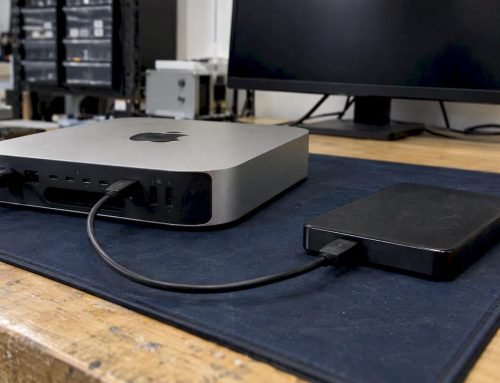
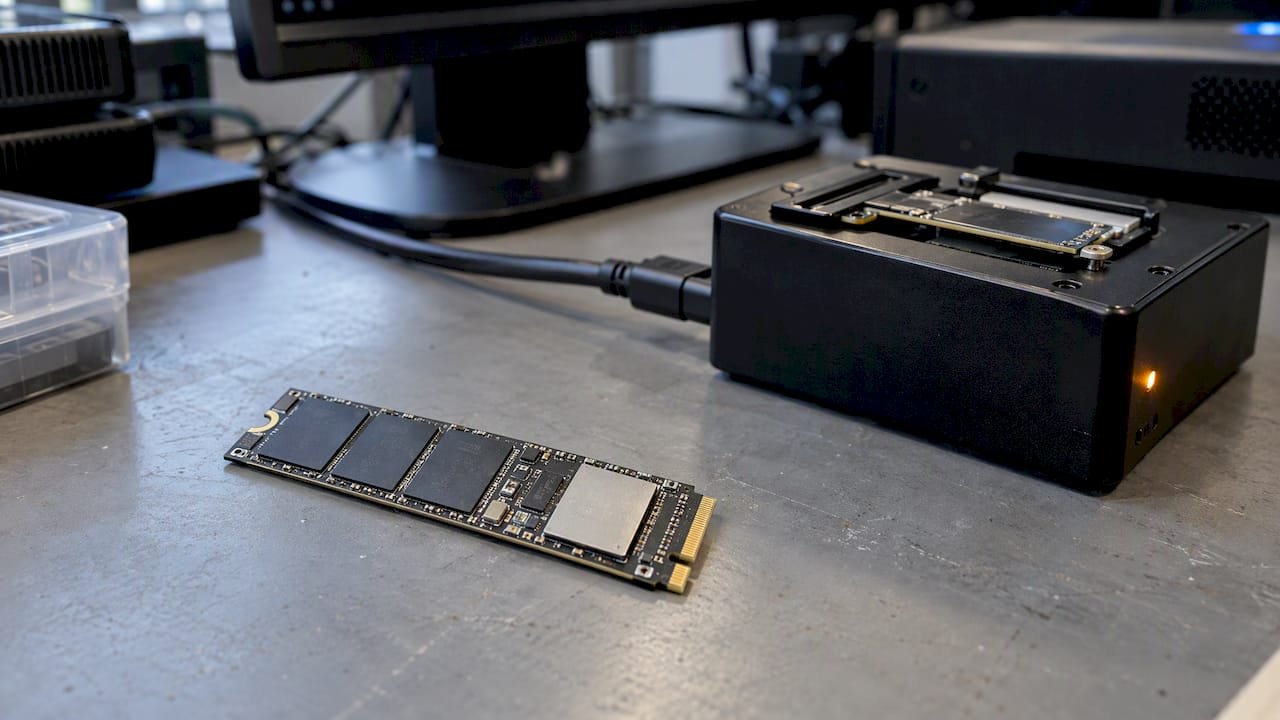
Stop all disk writes immediately: once TRIM has run on the blocks that held your deleted files, standard recovery software usually cannot bring them back, so every minute the drive stays powered and in use lowers your odds. Recovery after TRIM is sometimes still possible, depending on the drive, the operating system and how much time has passed, and the fastest way to find out is a free diagnostic. Call us at 310-866-0828 for a same-day appointment at 12041 Wilshire Blvd, Ste 26, West Los Angeles.
TL;DR
- Shut the Mac or PC down, stop using the SSD, and do not install recovery software on it: every write and every idle minute can let TRIM and garbage collection finish the job of erasing deleted data.
- Research shows that on a TRIM-enabled SSD with an operating system that supports TRIM, deleted data is unrecoverable in most cases, so a current backup is the dependable route.
- Outcomes vary by controller, firmware, file size, encryption and the type of failure; a dead or unmounting SSD is a different problem from a deleted file.
- Since 2006 we have offered Free Diagnostics and a no recovery, no charge policy, with same-day appointments for West LA, Santa Monica and Beverly Hills.
Table of Contents
- What TRIM does when you delete a file
- Can deleted files be recovered after TRIM?
- Deleted versus failed: two different problems
- What to do in the first ten minutes
- Formatting, encryption and RAID
- Recovery software versus a professional lab
- Prevention that actually works
- Who we serve and how to book
- Book a same-day evaluation
- FAQ
- Sources
What TRIM does when you delete a file
TRIM is a command the operating system sends to an SSD to say that certain blocks are no longer in use. According to TechTarget’s definition of SSD TRIM, the OS marks those blocks as invalid so the controller can skip them in future operations, which improves performance and reduces wear.
On a spinning hard drive, a deleted file stays physically on the platter until something overwrites it, which is why undelete tools work so well there. An SSD behaves differently because flash cannot be overwritten in place. It has to erase a block before writing new data to it, and that erase is slow. TRIM lets the controller erase invalid blocks ahead of time, in the background, so that future writes are fast.
The practical consequence is that “deleted” on an SSD can mean “scheduled for erasure.” Once the controller’s garbage collection has processed those blocks, the data is not just unlinked from the file system, it is gone from the flash.
Why the timing matters
TRIM is not instant in every case. The command tells the controller what is free, and the controller decides when to physically erase. That gap is the only window in which anything can be done, and it closes on its own while the drive is powered. A moderator on a Microsoft support thread advises that idle drive time can reduce recovery chances because of TRIM, and that you should not power the device on again if you plan to seek professional recovery.
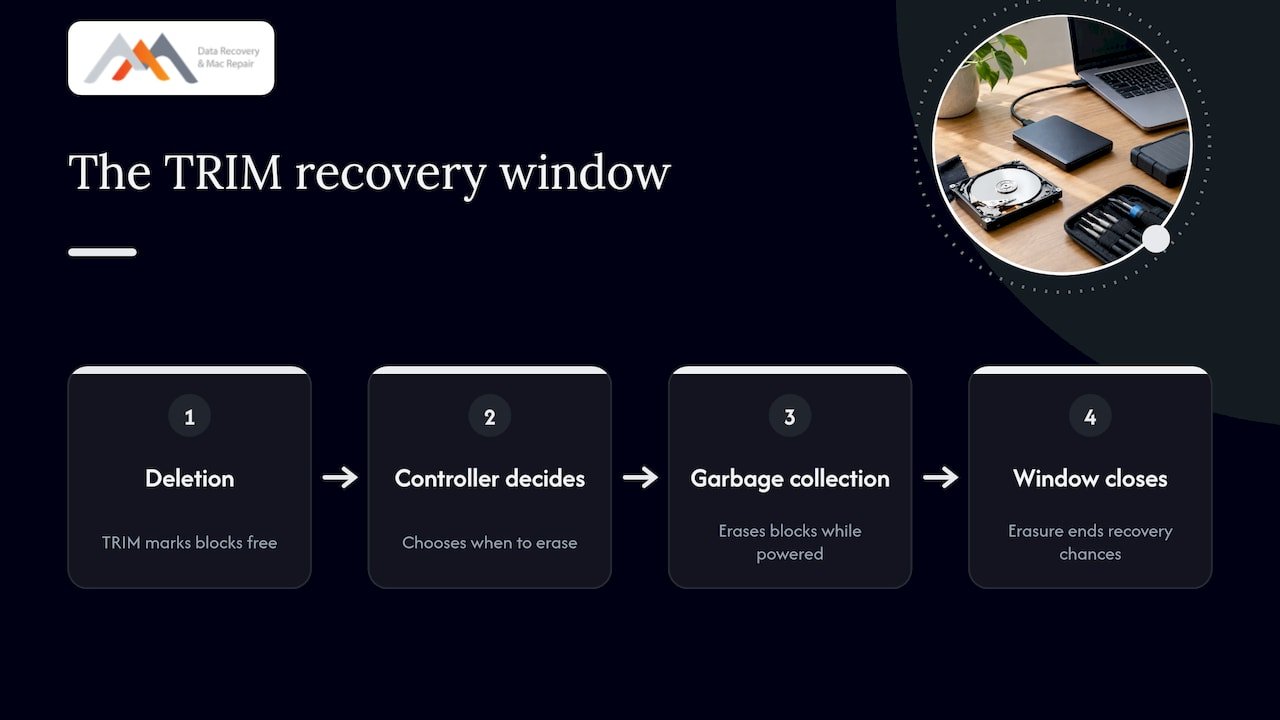
Forensic specialists make a similar point: shutting a computer down does not stop an SSD from erasing itself once it is powered back on, even when it is attached to write-blocking imaging hardware. In other words, the safest handling is to leave the drive off until it reaches a lab.
Can deleted files be recovered after TRIM?
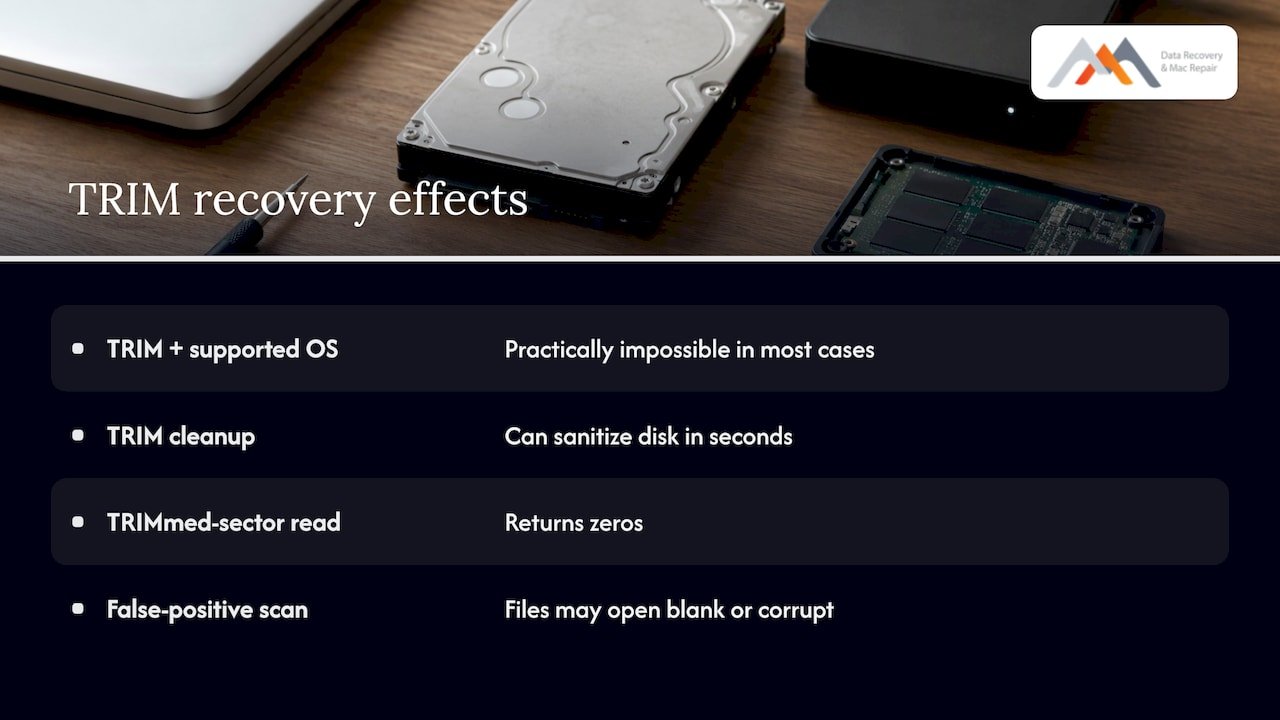
Usually not with consumer software, and honesty about that saves you time. A 2011 study published in Digital Investigation, “Empirical analysis of solid state disk data retention when TRIM is enabled” and related work from Carnegie Mellon researchers, found that recovery from TRIM-enabled SSDs on a TRIM-supporting operating system was practically impossible in most cases, and that TRIM can sanitize a disk in seconds.
Microsoft’s support guidance describes the same effect: once files are deleted from an SSD, TRIM communicates with the drive and the drive cleans up the data in the background, which makes ordinary undelete software ineffective, as noted in that Microsoft Q&A thread.
There is a second trap worth knowing about. Many SSDs answer a read request for a TRIMmed sector by returning zeros. Some recovery tools misread that response and report “recovered” files that open as blank or corrupt. If a scan shows a long list of files with correct names and sizes but nothing opens, this is the likely cause, and continuing to scan and write recovered files back to the same drive only makes things worse.
What changes the outcome
The same Carnegie Mellon study found that results varied with the operating system’s TRIM support, the SSD manufacturer and controller, and how the disk was used. Differences in manufacturer firmware and garbage collection algorithms significantly change how much data remains after a deletion.
A 2022 study from Auckland University of Technology on recovering SSDs at varying times and disk usage levels reported that larger files were more prone to permanent loss than smaller files. A companion thesis, a study of TRIM and garbage collection impact, concluded that the effect of time on recoverability can be predicted, with trends appearing as disk usage progressed.
Here is how those factors translate into what you should expect. This table is a general guide drawn from the research above, not a promise for any particular drive.
| Situation | What TRIM and garbage collection do | Realistic outlook |
|---|---|---|
| Files deleted, TRIM-capable OS, drive kept running | Blocks flagged, then erased in the background | Poor; recovery software rarely succeeds |
| Files deleted, drive powered off quickly | Erasure may not have completed | Worth a professional evaluation |
| Quick format of an internal SSD | Formatting can trigger TRIM across the volume | Poor to uncertain |
| Large files (video projects, disk images) | More blocks to erase, more exposure | Lower than small files |
| Drive in some RAID setups or certain external enclosures | TRIM often does not pass through | Better than an internal drive; recovery can occasionally be possible |
| SSD not detected, controller failure, no deletion | No TRIM event involved | Hardware-level recovery often possible |
The last two rows matter most, and they are where a lab differs from a software download.
Deleted versus failed: two different problems
People search “SSD TRIM data recovery” when they have deleted something, but a large share of SSD emergencies are not deletions at all. The drive stops mounting, the Mac boots to a question-mark folder, or a liquid spill takes out the logic board. TRIM did not cause any of those, and the data on the flash may be fully intact.
Use this table to see which situation you are in.
| Symptom | Likely category | First move |
|---|---|---|
| You emptied the Trash or pressed delete on important files | Logical deletion, TRIM may apply | Power down, stop all writes, call for evaluation |
| You erased or reformatted the wrong volume | Logical, TRIM may apply | Power down; do not reinstall macOS or Windows over it |
| Drive does not appear in Disk Utility or Disk Management | Controller, firmware or connection failure | Do not keep power cycling; bring it in |
| Mac will not power on after liquid exposure | Hardware, logic board | Disconnect power and do not charge it |
| Mac boots slowly, files vanish, errors during copy | Failing NAND or corrupted APFS structures | Back up what you can read, then stop |
| RAID array degraded or offline | Array failure, TRIM often not in play | Label drive order, do not rebuild |
For the first two rows, speed decides everything. For the rest, restraint decides everything: avoid repeated restarts, first-aid repairs and rebuild attempts that rewrite metadata.
What to do in the first ten minutes
Stop all disk writes immediately. Then work through these steps in order.
- Power the computer off. Hold the power button if the system will not shut down normally. Do not keep browsing, downloading or syncing.
- Do not install anything on the affected drive. Installing recovery software onto the same SSD writes data into the very blocks you want back.
- Do not run repair utilities or reinstall the OS. First Aid, chkdsk and reinstalling macOS or Windows all write to the volume.
- Do not try to “trim” or “optimize” the drive. Maintenance tools exist to complete exactly the erasure you are trying to avoid.
- Disconnect external SSDs and leave them unplugged. Do not leave them mounted on a second computer.
- Write down what happened. Note when files were deleted, which volume, whether the drive is encrypted with FileVault or BitLocker, and what you did afterward. This tells an engineer where to look.
- Call for a same-day appointment. The sooner the drive is evaluated, the more of the original state may be preserved.
If you have a Mac, our guide to what to do when you delete files on a Mac before TRIM acts covers the macOS-specific steps, and how to recover files after emptying the Trash walks through that common scenario.
Formatting, encryption and RAID
Formatting an SSD
A format is not the same as a delete, but on an SSD it can behave like one. Forensic analysts report that formatting can trigger TRIM, leaving deleted data inaccessible to standard reads even when the drive is acquired right away with write-blocking hardware. If you erased the wrong volume, do not repartition and do not restore a backup onto it until a professional has looked at the drive. Our walkthrough on restoring a formatted drive explains how we approach it.
Encrypted drives
FileVault on a Mac and BitLocker on Windows change the picture in two ways. First, encryption makes any fragments that do survive useless without the key, so you need your password or recovery key available. Second, if the encryption keys are lost or the security chip data is damaged, the data may be unrecoverable regardless of TRIM. Keep your recovery key and your Apple ID credentials ready when you come in.
RAID and external enclosures
TRIM does not pass through every storage layer. Forensic experts note that TRIM generally does not function in many RAID environments or on external drives attached through certain interfaces, which can occasionally allow data to be recovered. That makes the difference between a single internal NVMe drive and an SSD array significant.
If you run SSDs in RAID 0, 1, 3 or 5, treat a failure as a reconstruction problem. RAID 0 has no redundancy, so one failed member takes the volume with it. RAID 1 keeps a mirror, RAID 3 dedicates a drive to parity, and RAID 5 spreads parity across members and tolerates a single failure. In every case the right move is to label each drive’s slot, avoid forcing a rebuild, and bring the whole set. See our RAID recovery service and our RAID 0 triage workflow for the details.
Recovery software versus a professional lab
Software has a place. If you deleted a file from a hard drive, or from an SSD where TRIM was off, a scan from a second computer can work. Even then, the drive should be attached as a secondary device, the software should run from another disk, and recovered files should be saved to a third location.
On a TRIM-enabled internal SSD, software faces a hard limit: it can only read what the controller will give it, and the controller returns zeros for erased blocks. Research on tool behavior notes that many programs interpret these zero-filled responses as recovered files, producing false positives.
A lab does different things:
- Forensic imaging of the drive before anything else, so the original is read as few times as possible.
- Controller and NAND-level access when the drive no longer presents itself to the computer, including cases involving soldered SSDs.
- Logic board component repair with precision micro-soldering, for Macs where the SSD is on the board and the machine will not power up, so the storage can be reached.
- Reconstruction of APFS structures and, where applicable, NVMe namespaces and RAID metadata.
None of that brings back blocks the controller has already erased. What it does is separate the cases where data is physically gone from the many where the data is still on the flash and only the path to it is broken. That is why we offer Free Diagnostics: you learn which case you are in before you pay anything, and under our no recovery, no charge policy you owe nothing if we cannot recover your data.
When you are deciding whether a damaged machine is worth attempting, the same reasoning applies as in any repair versus replacement decision: the value of the contents, the drive type and the operating system all weigh on whether an attempt makes sense, and for most people the contents are worth far more than the hardware.
Our perspective
Most of the SSD calls we take begin with the same sentence: “I only deleted it a few minutes ago.” Those minutes are the whole story. We tell people to power down at once, because the controller keeps working whether or not the screen is on, and we would rather look at a drive that has been left alone than one that has been scanned five times.
What we try to do differently is separate what is gone from what is merely unreachable. A Mac that will not boot, an SSD that has dropped off the bus, a logic board damaged by liquid: these are cases where our in-house engineering, forensic imaging and component-level logic board repair can reach data that a basic scan never sees. We say so plainly when a deletion has probably been erased, and we say so before you spend anything, which is why diagnostics are free and why we do not charge when we cannot recover your data.
Since 2006 we have worked from a lab in West Los Angeles so that you can hand the device to an engineer the same day rather than mail it away and wait.
Kaya
Prevention that actually works
Because TRIM makes deletion on SSDs close to permanent, prevention beats every recovery option. Our recommendations:
- Run two kinds of backup. Time Machine or File History to an external drive, plus a second copy off-site or in cloud storage. A backup is the only guaranteed way back after TRIM.
- Test a restore once. A backup you have never opened is a guess.
- Be careful with “Empty Trash” and secure-delete habits on shared work machines, and pause before reformatting any volume.
- Keep your FileVault or BitLocker recovery key somewhere other than the encrypted machine.
- Treat early warning signs as urgent: slow copies, disappearing files, unexpected disk errors and sudden read-only volumes. Back up first, troubleshoot second.
- Remember that TRIM is a performance feature, not a data safety feature. You should not turn it off to protect deleted files, because that gives up performance and drive longevity benefits. The right protection is a backup.
If your concern is security rather than recovery, the same property works in your favor. The U.S. National Institute of Standards and Technology describes Clear, Purge and Destroy as media sanitization levels chosen according to how confidential the data is, and an ordinary delete on an SSD should not be mistaken for a formal sanitization. Anyone retiring a drive with sensitive contents should follow that guidance.
Who we serve and how to book
Macwest Data Recovery & Mac Repair is centrally located at 12041 Wilshire Blvd, Ste 26, between the 405 and Santa Monica, near UCLA and the Getty Center. We serve West LA, Santa Monica and Beverly Hills, along with Brentwood, Westwood, Venice, Hollywood and Culver City, for individuals and businesses alike.
What to bring:
- The drive, laptop or desktop, powered off and untouched since the loss
- Any charger or enclosure that came with it
- Your FileVault or BitLocker recovery key and Apple ID details, if the device is encrypted
- A short list of the folders or file types that matter most
Deletion, formatting, a dead SSD, liquid damage and failed arrays are all handled at the same lab. For storage cases see our Mac SSD recovery workflow and our overview of how quickly SSD data can vanish, and for forensic-grade handling see our page on forensic data recovery for Los Angeles Apple users.
Book a same-day evaluation
If you have lost files from an SSD, bring it to us before anything else is written to it. We offer Free Diagnostics, same-day appointments, and a no recovery, no charge policy on Mac, SSD, RAID and memory card data recovery. If the machine itself is damaged, our Mac repair service in Los Angeles covers MacBook, iMac, Mac Mini and Mac Pro, including logic board component repair. Call 310-866-0828 and tell us what happened and when.
FAQ
Can you recover files from an SSD after TRIM has run?
Usually not from blocks the controller has already erased. Research on TRIM-enabled SSDs found recovery practically impossible in most cases when the operating system supported TRIM. Where the drive was powered off quickly, or where the problem is hardware failure rather than deletion, an evaluation can still find recoverable data, and our diagnostics are free.
Does turning off my computer stop TRIM?
Powering off stops the background work while the drive is off, but it does not undo anything already erased. Forensic specialists warn that the drive can resume erasing when it is powered on again, so leave it off and bring it in rather than restarting it to check.
Is recovery different for a Mac with an APFS SSD than a Windows PC?
The TRIM principle is the same, but Macs often add soldered storage, FileVault encryption and a logic board that has to work before the drive can be read. That makes component-level logic board repair and the right encryption keys part of many Mac recoveries, which is why a Mac-focused lab can reach cases a generic scan cannot.
What does it cost to find out if my SSD is recoverable?
The diagnostic is free at our West LA lab, and under our no recovery, no charge policy you pay nothing if we cannot recover your data. We do not publish fixed recovery prices because the work depends on the drive and the failure, so we quote after the diagnostic.
Should I disable TRIM to make deleted files easier to recover?
No. Disabling it after a loss does not bring back blocks already erased, and turning it off in advance trades away performance and drive longevity. A tested backup is the dependable protection.
Sources
- What is SSD TRIM? (TechTarget)
- Empirical analysis of solid state disk data retention when TRIM is enabled (Carnegie Mellon, DFRWS 2011)
- Recovering Evidence from SSD Drives: Understanding TRIM, Garbage Collection and Exclusions (Forensic Focus)
- Recovery of Accidentally deleted desktop data (Microsoft Q&A)
- Recovery of SSDs at Varying Times and Disk Usage (Auckland University of Technology, 2022)
- A Study on the Impact of TRIM and Garbage Collection on SSD recoverability (Auckland University of Technology)
- NIST Special Publication 800-88 Revision 1, ITL Bulletin (2015)