Yes, AppleCare+ for Mac covers liquid damage from spills as accidental damage, but you pay a service fee per incident, and the standard one-year warranty does not cover liquid at all. Apple’s terms also exclude excessive or catastrophic damage such as a Mac that has been submerged, and neither plan recovers your files. Stop all disk writes immediately if the Mac holds data you cannot replace: shut it down, unplug every power source and leave it off until the damage has been assessed.
This guide explains what the plan pays for, what the fees are, how to check your coverage from another device, and how to protect your data before any repair begins. If you are in West Los Angeles and your Mac just got wet, you can call us at (310) 866-0828 and book a same-day appointment.
TL;DR
- AppleCare+ for Mac treats spills as accidental damage: the US fee is $99 for screen-only or external-enclosure-only damage and $299 for all other accidental damage, plus tax.
- Submersion, crushing and other excessive damage fall outside the terms, and the standard Apple warranty never covers liquid exposure.
- Apple deletes and reformats storage during hardware service, so your data is not protected by the plan.
- We have served Los Angeles since 2006, offer free diagnostics, and work on a no recovery, no charge basis for data recovery.
Table of Contents
- What AppleCare+ covers when a Mac gets wet
- What you pay: service fees for a liquid-damaged Mac
- What AppleCare+ does not cover
- What to do in the first hour after a spill
- Why AppleCare+ does not protect your data
- Symptoms of liquid damage and what they usually mean
- How to check your coverage and start a claim
- Same-day help for liquid-damaged Macs in West Los Angeles
- FAQ
- Sources
What AppleCare+ covers when a Mac gets wet
According to Apple’s AppleCare+ for Mac terms, if a Mac fails because of accidental damage from handling, including damage caused by liquid contact from spills, Apple will, at its discretion and subject to a service fee, either repair the defect or exchange the device. Apple’s AppleCare page confirms that liquid damage is part of the accidental damage protection.
Three details decide whether a claim works in practice:
- The plan must be active on the day of the spill. AppleCare+ is bought for a specific serial number and runs for a set period. A plan that has expired covers nothing.
- The event must be a spill, not an immersion. A coffee knocked over a keyboard is the situation the terms describe. A laptop that went into a bathtub, pool or sink is treated differently (see below).
- The fee applies per incident. Apple repairs or exchanges the device, and you pay the fee for that event.
If you are comparing protection options for a Mac you are about to buy, the Mac protection plan options from a Hollywood showroom are worth reading alongside Apple’s own terms, so you know exactly which events each plan treats as covered.
What you pay: service fees for a liquid-damaged Mac
Liquid damage normally falls into the larger fee tier, because the damage reaches the logic board, battery, keyboard or other internal parts rather than only the display or outer shell. Under the same US terms for AppleCare+ for Mac, the fees are:
| Type of damage | Service fee (US) | Notes |
|---|---|---|
| Screen-only or external-enclosure-only damage | $99 | Tier 1 accidental damage |
| All other accidental damage, including liquid damage inside the Mac | $299 | Tier 2 accidental damage |
| Other accidental damage on the MacBook Neo | $149 | Reported by AppleInsider |
Fees exclude applicable tax. Apple also publishes a fees and deductibles page that lists the same $99 and $299 tiers for Mac models and Apple Display, so check it for the model you own.
The fee is a fixed amount set by Apple. Repairs outside the plan are priced by the job, which depends on what failed. Our free diagnostics tell you which components are affected, and our liquid damage cost guide shows how repair pricing is structured in Los Angeles.

What AppleCare+ does not cover
The standard warranty
Apple’s support page on liquid damage states that liquid exposure damage to Mac computers and accessories is not covered by the one-year limited warranty or the AppleCare Protection Plan. Only an AppleCare plan that includes accidental damage protection changes that, subject to a service fee plus tax and the exclusions in the terms.
Excessive or catastrophic damage
The terms exclude excessive physical damage. Forbes reported that clause 5.1.3.1 lists products that have been crushed, bent or submerged in liquid, and that this exclusion does not apply to iPhones in the same way. AppleInsider adds that dropping a MacBook into a bathtub might not qualify for coverage even with an active plan.
In plain terms: a spill on the keyboard is the textbook covered event. A partial or full submersion can be refused. If your Mac was submerged, or Apple declines the claim, the machine can still often be repaired at component level, and that is where a lab with micro-soldering equipment becomes the practical next step.
Your files
This is the part most people discover too late, and it gets its own section below.
What to do in the first hour after a spill
Speed matters because liquid keeps corroding contacts while the board is powered. Apple’s guidance, in its support article on liquid-detection alerts, is to shut the Mac down and disconnect all power sources immediately. After at least a day, visually confirm the USB-C port is dry before you try to power on. Apple also says not to use external heat or compressed air, not to insert objects into the port, and not to put the Mac in rice.
Here is the sequence we give callers:
- Stop all disk writes immediately. Hold the power button until the Mac shuts off. Do not let it finish a background save, and do not run a Time Machine backup.
- Unplug the charger and every accessory. Charging while the port is wet can cause corrosion and permanent damage, per the same Apple page.
- Turn the Mac off, open the lid and tilt it so liquid drains away from the keyboard. Wipe only the surface you can see with a lint-free cloth.
- Do not press the power button to test it. A single power-on can short a wet logic board. Do not open the case yourself.
- Write down what spilled. Water, coffee, juice and soda behave differently. Sugary or salty liquids leave residue that keeps corroding after the Mac dries.
- Check coverage from another device and call us for a same-day appointment.
Our practical signs of MacBook water damage page explains what the board looks like once corrosion starts.
Why AppleCare+ does not protect your data
A repair covered by AppleCare+ fixes the hardware. It does not restore your files. Apple’s US terms do not cover damage to or loss of software or data, or recovery or reinstallation of user data, and during hardware service Apple deletes the contents and reformats the storage media. The UK terms say the same and advise backing up before a claim where possible.
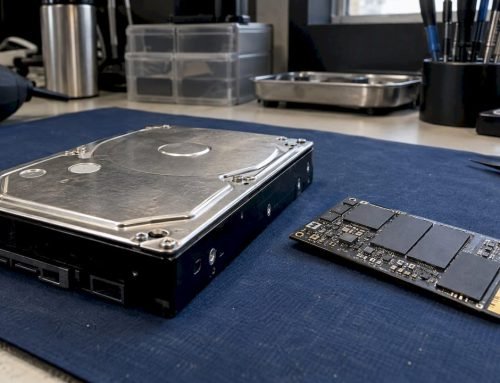
That matters most on modern Macs. Apple Silicon models and T2 Macs use soldered storage that is encrypted with APFS and FileVault, and the drive cannot be pulled out and read on another machine. If the logic board is damaged, the data sits behind it. If a Mac is swapped or reformatted, those files are gone for good.
So the order of operations is:
- Diagnose first. We test the board, power rails and storage path before any repair decision.
- Recover the data. We work at component level, including NAND and NVMe access, and use forensic imaging so we work from a copy and not the original.
- Then claim or repair. With your files safe, you can send the Mac to Apple under your plan or have us repair the logic board.
We do this for individuals and businesses across West LA. See our Mac data recovery services and, specifically for spills, how lab diagnostics protect your data after a MacBook spill.
Symptoms of liquid damage and what they usually mean
Sometimes a Mac looks fine after a spill and fails days later. AppleInsider lists charging problems, unresponsive keys, display issues, unexpected shutdowns and excessive heat as warning signs. Here is how we read them in the lab:
| Symptom | Likely cause | What we check | Data risk |
|---|---|---|---|
| Will not charge or power on | Corroded charging circuit, shorted power rail | Board inspection, current draw on a bench supply | High if left powered |
| Sticky or dead keys | Liquid under the keyboard, residue | Keyboard and top case, board edge | Low at first |
| Random shutdowns | Battery or power management damage | Battery, PMIC and related components | Medium |
| Flickering or dim display | Backlight circuit or display cable damage | Display assembly and board connectors | Medium |
| Overheating | Short circuit drawing current | Thermal inspection of the logic board | High |
| Liquid-detection alert on the USB-C port | Moisture in the port | Port and connector inspection | Medium |
Apple notes that current Mac laptops and some keyboards have Liquid Contact Indicators that show whether the product was exposed to liquid. Service providers use them to confirm what happened, so do not try to clean them off.
How to check your coverage and start a claim
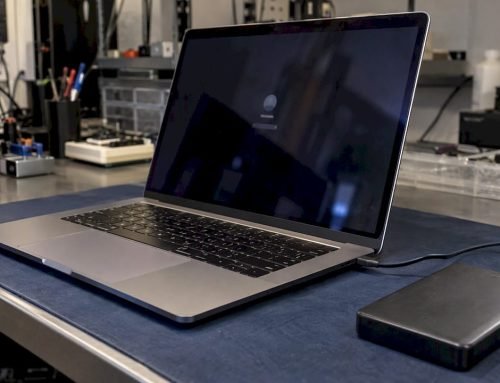
Before you decide where to take the Mac, confirm whether AppleCare is active. AppleInsider notes that you can use Apple’s coverage website from another device without turning on the damaged Mac. Have the serial number ready, found on the bottom of a laptop, on the original box or in your Apple Account.
The US terms say you can call Apple or use support.apple.com/country-selector, and you will need your Plan Agreement Number or Covered Device serial number. Apple may also ask for your Plan Confirmation and the original sales receipt.
Apple states that AppleCare+ offers repair at an Apple Store or one of more than 5,000 Apple Authorized Service Providers, plus onsite service and mail-in repairs, per its AppleCare page. Whichever route you choose, hand over only a Mac whose data is already secured.
Our perspective on spills, plans and data
We see the same pattern every month. Someone spills a drink, the Mac shuts down, and the first thought is the AppleCare claim. That is a reasonable instinct, and the plan is valuable for the hardware. The problem is that the plan was never designed to hold your files.
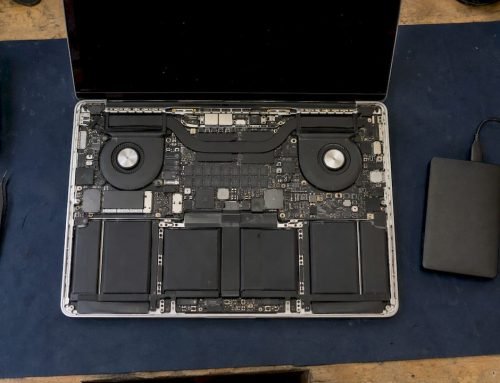
Our approach is to put the data first. Because the soldered SSD on a modern Mac is tied to the logic board and encrypted, the board is the key to the files. We work with precision micro-soldering, component-level logic board repair and forensic imaging, so we can often reach storage that a swap-and-replace repair would erase. Our claim is not that every board can be saved, and we say so plainly. Our free diagnostics tell you what is damaged before you commit to anything, and our no recovery, no charge policy means you pay for results.
We have been at this since 2006, in a lab on Wilshire Boulevard rather than a mail-in depot, so you can drop the Mac off and speak with the engineer who works on it. After the data is safe, the choice is yours: use your plan, or let us repair the board.
Kaya
Same-day help for liquid-damaged Macs in West Los Angeles
We offer same-day appointments for liquid-damaged MacBook Air, MacBook Pro, iMac and Mac Pro owners. Our lab is at 12041 Wilshire Blvd, Ste 26, between the 405 and Santa Monica, near UCLA and the Getty Center, and we serve Westwood, Brentwood, Santa Monica, Beverly Hills, Venice, Hollywood and Culver City. Diagnostics are free, and data recovery is no recovery, no charge.
Start with our Apple liquid damage repair page or call (310) 866-0828 now. If you want to understand the process first, read about our lab-first liquid damage repair.
FAQ
Does AppleCare+ cover water damage on a MacBook?
Yes, as accidental damage. Apple’s terms name liquid contact from spills as covered, subject to a service fee of $99 for screen-only or enclosure-only damage and $299 for all other damage, before tax. Submersion and other excessive damage are excluded.
Does the standard Apple warranty cover liquid damage?
No. Apple’s support page says liquid exposure is not covered by the one-year limited warranty or the AppleCare Protection Plan. Only a plan with accidental damage protection changes that, with a service fee.
Will Apple recover my data if my Mac is liquid damaged?
No. Apple’s terms exclude data recovery, and hardware service deletes the contents and reformats the storage. If the files matter, have the data recovered first. We can diagnose the Mac for free, and we charge nothing if we recover nothing.
What should I do right after spilling water on my Mac?
Shut it down, disconnect all power and do not charge it or power it on to test it. Apple advises against heat, compressed air, foreign objects in the port and rice. Then call us for a same-day appointment.
Can a liquid-damaged Mac be repaired if Apple refuses the claim?
Often yes. Many liquid failures come from corroded components on the logic board, which can be cleaned and repaired at component level. Our free diagnostics show what is repairable before you spend anything.
Sources
- Legal – AppleCare+ for Mac (US terms), Apple
- AppleCare, Apple
- AppleCare fees and deductibles, Apple
- About liquid damage to Mac computers and accessories, Apple Support
- If you see a liquid-detection alert on your MacBook Air or MacBook Pro, Apple Support
- How to save your wet Mac from water damage, AppleInsider
- Mac Owners: Beware Of The Crushing Limits Of AppleCare+, Forbes