TL;DR:
- Independent repair shops often perform more advanced hardware repairs and data recovery than Apple Stores.
- For soldered SSDs, micro-soldering expert specialists are usually the only way to recover data without replacing the entire logic board.
- Acting quickly after liquid or hardware failures increases chances of data preservation and successful repair outcomes.
Your MacBook just stopped working. Maybe it took a coffee spill, maybe the screen went black and won’t come back on, or maybe you opened your laptop to find months of work files simply gone. In Los Angeles, where every minute of downtime has real costs, finding the right repair provider quickly is not just a convenience — it is a decision that determines whether your data survives. The shop you call first matters more than most people realize, and choosing based on proximity or familiarity rather than actual capability can mean permanent data loss on modern MacBooks with soldered SSDs and T2 or Apple Silicon security chips.
Table of Contents
- How to evaluate Apple laptop repair services in Los Angeles
- Top Apple laptop repair and data recovery providers in Los Angeles
- Apple-authorized vs. independent repair: What really matters for Los Angeles users?
- Situational recommendations: Who should you trust with your Apple laptop?
- What most Apple users get wrong about data recovery and repair
- Connect with expert Mac repair and data recovery in Los Angeles
- Frequently asked questions
Key Takeaways
| Point | Details |
|---|---|
| Know your repair shop | Apple-authorized providers are best for warranty work, but independent specialists often excel at data recovery and complex repairs. |
| Immediate steps matter | Choosing the right first shop after damage or data loss can determine whether your files are saved or lost forever. |
| Independents recover more | Many L.A. independents can retrieve data from hardware failures Apple can’t address directly. |
| Diagnostics save headaches | Seek out shops that offer free or low-cost diagnostics before repairs. |
How to evaluate Apple laptop repair services in Los Angeles
With the stakes clear, let’s break down what makes a local repair provider truly reliable.
Not every repair shop in Los Angeles is equipped to handle every Mac problem. When evaluating a provider, the first question is whether they are Apple Authorized, an independent specialist, or a hybrid shop that operates both ways. Authorization matters for warranty coverage, but it says little about a shop’s ability to perform board-level diagnostics, micro-soldering, or NAND access on soldered SSD storage.
Here are the most important criteria to evaluate before handing over your MacBook:
- Authorization status: Apple Authorized Service Providers (AASPs) use genuine Apple parts and can perform in-warranty repairs. Independent shops have more flexibility in techniques and are often better suited for advanced data recovery.
- Turnaround time: Same-day and emergency services are available at some shops in Los Angeles. For data-critical failures, speed matters; the longer a damaged drive or board sits without assessment, the greater the risk of further degradation.
- Warranty on repairs: Reputable independent shops typically offer 90-day to one-year warranties on parts and labor. Always ask for this in writing before authorizing work.
- Price transparency: A trustworthy shop will provide written diagnostics and a clear quote before any work begins. Hidden fees and vague estimates are red flags.
- Specialized data recovery capability: This is the most overlooked criterion. Ask directly whether the shop has experience recovering data from soldered SSDs, APFS-formatted drives, FileVault-encrypted volumes, and T2 or Apple Silicon secured systems.
- Diagnostic process: Does the shop perform board-level diagnostics, or do they simply swap components? Shops that rely on board-level analysis give you far more accurate failure assessments.
Exploring your local Mac repair options ahead of an emergency gives you a significant advantage when hardware finally does fail. For MacBook Air repair specifically, confirm the shop has experience with the ultra-thin logic board designs that make component-level work especially delicate.
Pro Tip: Always ask whether diagnostics are free or low-cost before committing. Many Los Angeles shops, including independents with strong reputations, offer complimentary initial assessments. A free diagnostic also gives you a chance to evaluate the shop’s communication quality before authorizing any paid work.
Authorized repair services like Mac 911 in Santa Monica are frequently cited for fast logic board turnarounds and handling liquid spill cases, which reflects the kind of responsiveness L.A. users need. Use those benchmark expectations when calling any shop.
Top Apple laptop repair and data recovery providers in Los Angeles
Now, let’s see who stands out in L.A. for these repair needs.
Los Angeles has a wide spectrum of repair providers, from Apple’s own retail locations and AASPs to independent specialists focused entirely on board repair and data recovery. Understanding each type’s strengths helps you choose with confidence rather than guessing.
1. Apple Retail Stores and Apple Authorized Service Providers (AASPs)
These locations are the default choice for many MacBook users, and for good reason in certain situations. They use genuine OEM parts, maintain Apple’s repair standards, and are the only option for preserving an active AppleCare warranty. Common repairs like screen replacement, battery service, and keyboard replacements are handled efficiently.
However, when your MacBook’s main board fails and data recovery is the priority, authorized providers have a structural limitation. Their standard protocol for logic board failures often involves replacing the entire board rather than diagnosing and repairing at the component level. On newer MacBooks where the SSD storage is physically integrated onto the logic board, a board swap means your data is gone.
2. Independent specialists focused on board-level repair and data recovery
Shops specializing in micro-soldering and NAND-level data access represent the highest capability tier for severe Mac failures. These providers work directly on the board’s individual components, replacing failed capacitors, power management chips, or bridging circuits rather than swapping the entire unit. For soldered SSD recovery, authorized services may not be equipped to handle the chip-level access that independent specialists like MacWest perform as standard practice.
“When a MacBook Pro’s logic board fails and the SSD is soldered directly to it, the only way to retrieve data is through direct NAND access or board repair. Shops that replace boards without first imaging the NAND leave their clients with nothing.”
3. Hybrid shops with both authorization and advanced recovery capability
Some Los Angeles providers bridge both worlds, maintaining Apple authorization for warranty work while also employing certified data recovery technicians with micro-soldering skills. These are the most versatile options, though they can be harder to identify. Ask specifically whether they have both capabilities in-house or whether they outsource one function.
For clients needing a detailed explanation of what happens during component-level repairs, this logic board repair guide outlines the process step by step. Those dealing specifically with MacBook Pro data recovery will find that the board design of Pro models adds complexity that only experienced technicians should handle.
Pro Tip: Independents often succeed where Apple Stores cannot. If an Apple Store has quoted you a board replacement with no data recovery option, that is not the final word. Seek a second opinion from a shop with micro-soldering credentials and explicit NAND access experience before accepting data loss as inevitable.
Apple-authorized vs. independent repair: What really matters for Los Angeles users?
To decide who’s best for you, see how the main options stack up.
The following comparison covers the factors that matter most for MacBook users in Los Angeles, particularly those concerned about both hardware restoration and data preservation.
| Factor | Apple Authorized | Independent Specialist |
|---|---|---|
| Warranty preservation | Yes, required for active AppleCare | No (out-of-warranty repairs unaffected) |
| Genuine Apple parts | Always | Varies; quality parts available |
| Component-level repair | Rarely performed | Core service offering |
| Soldered SSD data recovery | Generally not available | Primary specialization |
| Turnaround time | 3 to 7 days typical | Often same-day or 24 to 48 hours |
| Cost | Fixed Apple pricing | Varies; often lower for board repair |
| Data safety during repair | Risk of data loss on board swap | Data preservation prioritized |
| FileVault and T2 handling | Standard process | Requires specialized expertise |
Data consistently shows that users who take modern MacBooks with soldered SSD failures exclusively to authorized repair centers face a significantly elevated risk of permanent data loss because the standard board replacement procedure does not include NAND recovery. Understanding Mac data recovery challenges specific to current MacBook architecture is essential before making a repair decision.
When to choose Apple Authorized:
- Your MacBook is under active AppleCare coverage and data is backed up
- The issue is cosmetic or involves a component Apple has a repair program for
- You need a manufacturer-certified fix for resale or insurance documentation
When to choose an independent specialist:
- Your SSD is soldered and data recovery is a priority
- You have liquid damage repair needs that require ultrasonic board cleaning and micro-soldering
- The device is out of warranty and cost efficiency matters
- An Apple Store has already quoted board replacement as the only option
Situational recommendations: Who should you trust with your Apple laptop?
Armed with real comparisons, here’s exactly what to do in the most stressful repair emergencies.
Situation 1: Water or liquid damage
Do not attempt to power on a water-damaged MacBook. This is the single most important instruction for liquid spill cases. Powering on a wet board causes shorts that permanently destroy components that could otherwise be saved. Your first call should be to a shop offering ultrasonic board cleaning, which uses high-frequency sound waves in a cleaning solution to remove corrosion from every surface of the logic board including areas that cannot be reached manually.
Authorized shops can handle liquid damage cases and Yelp-reviewed providers like Mac 911 in Santa Monica are noted for their liquid spill expertise. However, if data recovery is also needed, verify that the shop will attempt NAND access before or alongside board restoration.
Situation 2: Soldered SSD or main board failure
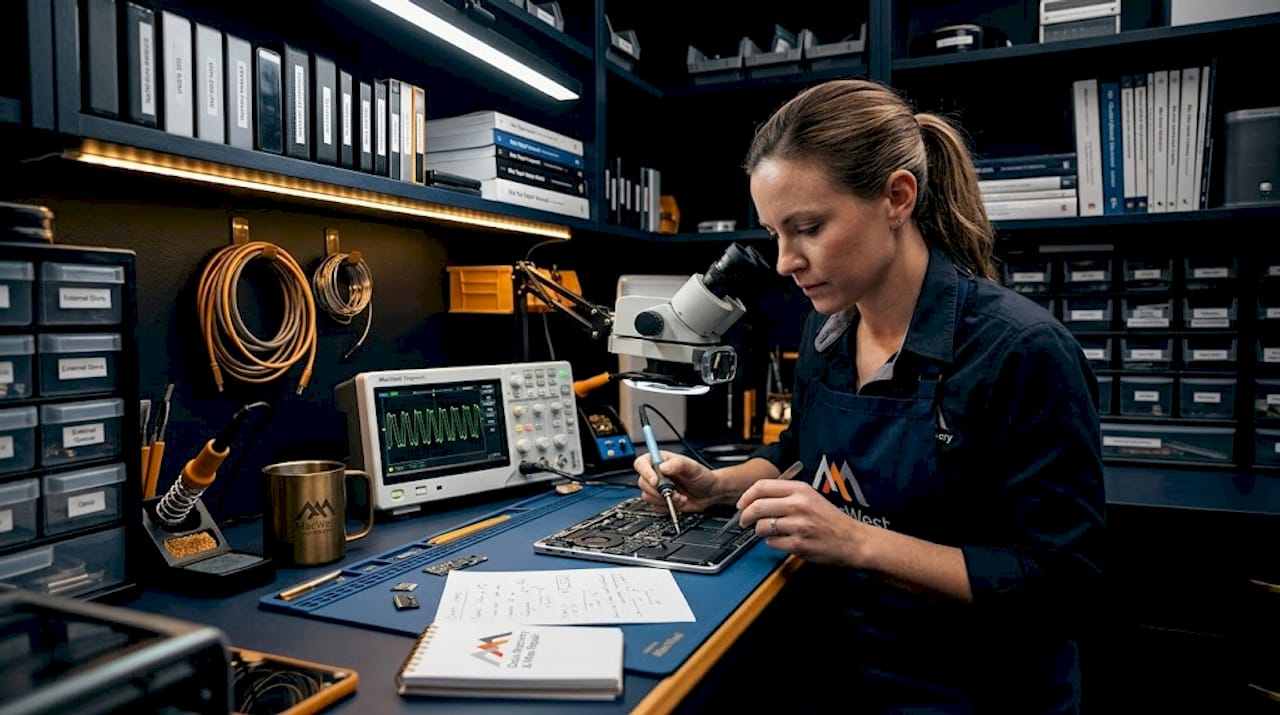
This is where independent specialists are not just better, they are often the only option. On MacBook models from 2016 onward, the SSD is soldered directly onto the logic board. A failed board does not mean the NAND storage chips are damaged; it means the pathway to access them is broken. Skilled technicians can bypass the failed circuitry to read the NAND directly, reconstruct the APFS file system, and restore your files to a new drive. This process requires specialized equipment and deep familiarity with Apple’s storage architecture.
Situation 3: Device won’t power up
A MacBook that refuses to power on presents multiple possible causes: a failed battery, a damaged power management chip, a shorted board trace, or a failed BIOS chip. Diagnostic shops with both board repair and data recovery skills give you the best outcome odds. Shops that only replace components will either misdiagnose or offer an expensive board swap that skips the root cause entirely.
| MacBook emergency | Ideal first call | Critical next step |
|---|---|---|
| Liquid spill | Independent with ultrasonic cleaning | Do not power on; call immediately |
| Won’t turn on | Board diagnostic specialist | Request free assessment first |
| Soldered SSD failure | Data recovery specialist | Ask about NAND direct access |
| Screen damage only | AASP or independent | Verify genuine display parts |
| Battery failure | AASP or trusted independent | Confirm battery model compatibility |
For a complete walkthrough of what to expect at each stage of the repair process, this step-by-step MacBook repair resource covers the full sequence from initial diagnostic to final testing. And for anyone currently dealing with file loss on top of hardware issues, reviewing available data recovery solutions before your appointment helps you ask the right questions.
What most Apple users get wrong about data recovery and repair
To wrap up, let’s expose the common repair mistake that still costs L.A. users thousands every year.
The reflexive instinct for most MacBook owners facing a serious failure is to go straight to an Apple Store or an authorized provider. That instinct is understandable. Apple’s brand carries significant trust, and the assumption is that Apple-certified repair equals the best possible outcome. In many cases, for simple hardware replacements, that assumption holds. But for data-critical failures on modern MacBooks, it can be one of the most expensive mistakes a user makes.
Here is the reality that independent repair specialists see constantly: a client brings a failed MacBook to an Apple Store first. The store quotes a logic board replacement. No mention is made of data recovery because the store’s process does not include it. The board is replaced, the old one is returned or discarded, and the client’s files, photos, business documents, and irreplaceable personal data are gone permanently. By the time the client calls a recovery specialist, the original board has often been wiped or destroyed.
The budget myth compounds the problem. Many L.A. users assume Apple’s pricing is competitive simply because it is official. In reality, board-level repair by an independent specialist often costs significantly less than an Apple-quoted full board replacement, and it comes with the added benefit of data preservation. Specialists who can isolate a failed power management chip and replace it for a fraction of the cost of a new board are delivering both financial value and data protection simultaneously.
The timing factor is just as important. Data recovery success rates drop significantly when a failed device sits without professional assessment. Every day of delay, especially following liquid damage, increases corrosion and secondary component failure. Calling a recovery specialist within hours rather than days is not an overreaction; it is the approach that produces results.
“Choosing the wrong first repair provider after a severe MacBook failure is often irreversible. There are no second chances once the original storage components are gone.”
As documented with authorized service providers, the focus of standard repair workflows is hardware restoration, not data retrieval. For L.A. users whose data is the priority, that distinction changes everything about which phone call to make first.
Connect with expert Mac repair and data recovery in Los Angeles
Ready to make your repair decision? Here’s how to get expert help in Los Angeles.
When your MacBook fails, whether it’s a liquid spill, a logic board issue, or files that have vanished, the margin for error is narrow. MacWest Data Recovery and Mac Repair has served Los Angeles clients since 2006, specializing in exactly the cases that other providers turn away.
From Mac repair experts handling logic board diagnostics and screen replacements to advanced hard drive data recovery from failing SSDs, RAID systems, and memory cards, the team at MacWest is equipped for the full range of Apple hardware and data emergencies. Before further damage occurs, review the data recovery steps available for your specific situation, and reach out for a same-day consultation. Your data and your device are worth the right call.
Frequently asked questions
Can Apple Stores recover data from a dead MacBook with a soldered SSD?
Apple typically replaces the logic board in these cases, which can result in the permanent loss of data stored on a soldered SSD; independent specialists may attempt board-level component repair to access the NAND storage directly before any replacement occurs.
Is a liquid-damaged MacBook always a lost cause?
No. Prompt ultrasonic cleaning and board diagnostics performed by a micro-soldering specialist can often save liquid-damaged devices, especially when the MacBook is brought in before any attempt to power it on.
Will going to an independent repair shop void my Apple warranty?
Repairs performed outside the warranty period on expired AppleCare are unaffected by shop choice; for MacBooks still under active AppleCare coverage, only an Apple-authorized repair center will preserve that warranty protection.
How much does MacBook data recovery cost in Los Angeles?
Costs vary based on the complexity of the failure; straightforward software-level recoveries can start under $100, while advanced board-level NAND access jobs on soldered SSD configurations can range considerably higher depending on the extent of component damage.