Remote data recovery is a network-based service where certified engineers access your physically operational storage device over the internet to restore data lost through logical failures, without ever touching the hardware. Stop all disk writes immediately if you suspect data loss. Every write operation after a deletion or corruption event risks overwriting the sectors that still hold your recoverable files. Services like DriveSavers, Ontrack, and R-Studio have built their reputations on exactly this kind of remote intervention, handling everything from accidentally deleted APFS volumes to corrupted NTFS partitions across thousands of miles.
The role of remote data recovery is most clearly understood by what it is not: it is not a workaround, and it is not a cheaper substitute for lab work. Remote recovery delivers the same results as in-lab service when the hardware is physically sound and the OS can still detect the drive. The critical distinction is that logical failures, including accidental formatting, deleted partitions, directory damage, and virus-corrupted file systems, are fully addressable without a technician ever opening your machine.
- Suited for: Accidental deletion, formatted drives, RAW partitions, corrupted directories, virus damage
- Not suited for: Physical platter damage, failed read/write heads, burned controller boards, clicking drives
- Prerequisite: The storage device must be physically functional and visible to the operating system
- First action: Cease all disk activity and contact a certified recovery engineer before attempting any self-repair
What are the real benefits of remote data recovery services?
Speed is the most immediate advantage. Recovery sessions can complete in as little as one hour depending on data volume and connection quality, compared to the days or weeks consumed by shipping a drive to a lab and waiting for a slot. For a business running distributed teams across Los Angeles, Santa Monica, and remote offices, that difference in turnaround is measurable in lost revenue and productivity.
Beyond speed, remote recovery removes the logistical friction that makes traditional lab recovery painful for enterprise environments. There is no drive packaging, no chain-of-custody shipping risk, and no waiting for a courier. IT professionals managing geographically dispersed systems can initiate a recovery session from any location where the affected storage is network-accessible.
- Faster turnaround: No shipping delay; sessions can begin within hours of the initial call
- Geographic reach: Engineers can assist clients across the country or globally without travel
- Cost efficiency: Eliminates logistics costs while pricing matches traditional in-lab recovery rates
- Encrypted sessions: Proprietary communication protocols and encrypted packets protect data in transit
- Large-scale capability: Remote recovery has successfully restored tens of millions of files and terabytes of data in documented cases
- Reduced downtime: Faster access to recovered data means business operations resume sooner
One point worth understanding clearly: the pricing for remote recovery is not discounted relative to lab work. The value is in speed and convenience, not in a lower invoice. Technician expertise drives the cost in both models.
How does the remote data recovery process actually work?
The process follows a structured sequence, and understanding each stage helps you set accurate expectations before you call.
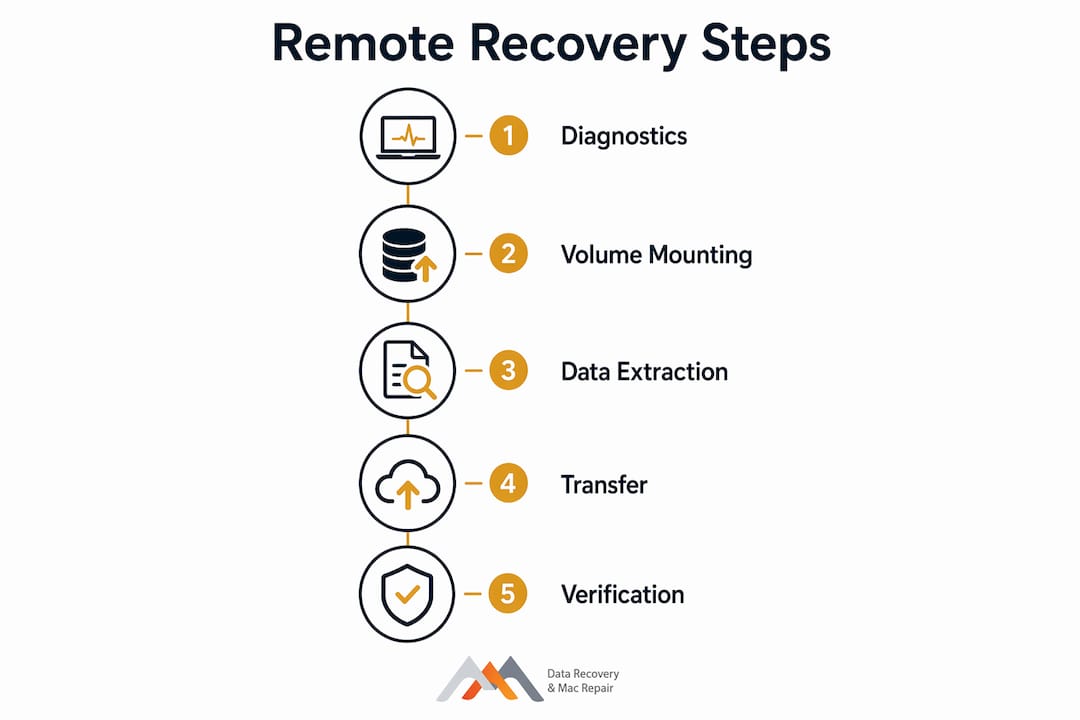
Stage 1: Initial remote diagnostics. A certified engineer connects to your system using proprietary, secured software and assesses the drive’s condition. The goal is to confirm the storage is physically functional and that the OS can detect it. This diagnostic phase determines whether remote recovery is viable or whether the drive needs to go to a lab.
Stage 2: Volume mounting or data extraction. If the volume can be made mountable, meaning the OS can read and write to it again, the engineer works to restore that state first. If mounting is not possible, the engineer copies the data directly to a separate destination on your system or a network location you designate.
Stage 3: Data transfer and verification. Recovered files are transferred to the target destination and verified for integrity. For large volumes, this stage is where network stability and bandwidth become critical factors. A dropped connection mid-transfer can complicate the process, though experienced engineers plan for this contingency.
| Recovery Stage | What Happens | Key Requirement |
|---|---|---|
| Remote diagnostics | Engineer assesses drive health and OS visibility | Drive must be detected by the OS |
| Volume mounting | Engineer attempts to restore read/write access | Logical failure only; no physical damage |
| Data extraction | Files copied to a designated destination | Sufficient free storage space on destination |
| Transfer and verification | Integrity check on recovered files | Stable network connection throughout |
| Session close | Secure disconnection; audit trail documented | Certified engineer oversight |
On-site staff cooperation is sometimes necessary, particularly when the destination storage needs to be prepared or when firewall configurations require adjustment to allow the secure remote connection. Strict proxy-server or firewall policies in high-security environments can block the connection entirely, which is one of the genuine constraints of the remote model.
Which data loss situations are suited for remote recovery?
Logical failures are the domain of remote recovery. If the hardware is intact and the drive spins up normally but your files are gone or inaccessible, remote recovery is a strong candidate. The scenarios below represent the most common cases where remote intervention succeeds.
- Accidental deletion: Files removed from the file system but not yet overwritten on disk
- Accidental formatting: A partition reformatted, leaving the underlying data potentially intact
- Partition corruption or loss: GPT or MBR table damage making volumes invisible to the OS
- RAW file system errors: Drive reporting as unformatted when data is still present
- Virus or ransomware damage: Logical corruption of file system structures without physical media damage
- Directory damage: Corrupted APFS, HFS+, NTFS, or ext4 directory trees preventing file access
- Remote branch office failures: Enterprise locations where shipping a drive is impractical or prohibited
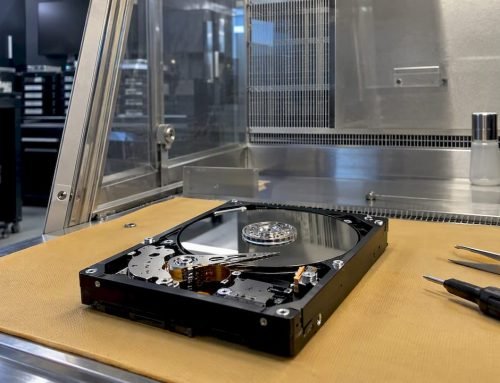
Remote recovery is not appropriate when the drive makes clicking or grinding sounds, when it fails to spin up, when the controller board has burned out, or when NAND flash cells on an NVMe SSD have failed at the hardware level. Those cases require a clean-room lab environment and specialized hardware tools. Attempting remote recovery on a physically damaged drive wastes time and risks further data loss.
How is your data kept secure during a remote recovery session?
Security is the concern most clients raise first, and it is a reasonable one. Allowing a third party to connect to your system remotely feels like a significant exposure. The reality is that professional remote recovery services use proprietary encrypted communication protocols, not generic remote desktop tools, and access is controlled exclusively by the certified engineer assigned to your case.
Each recovery session runs through a connection secured with encrypted packets, and the engineer’s access is scoped to the recovery task. No data is retained on the provider’s systems after the session closes. Reputable services also maintain audit trails documenting every action taken during the session, which matters for regulated industries and enterprise compliance requirements.
- Encrypted protocols: Proprietary software, not consumer-grade remote access tools
- Scoped access: Engineer access limited to the affected storage and recovery destination
- Audit trails: Session logs document all actions for compliance and chain-of-custody purposes
- No data retention: Recovered files go to your designated destination only
- Firewall considerations: High-security environments may need IT policy adjustments to permit the connection
For organizations operating under HIPAA, SOC 2, or similar frameworks, verifying that your chosen provider can supply documented evidence of these controls is a prerequisite, not an afterthought. Ask for their data handling policy before the session begins. Macwestlosangeles recommends reviewing data security during recovery protocols carefully before authorizing any remote session.

How do you evaluate the reliability of a remote recovery service?
Remote data recovery is a logistical and time-efficiency strategy, not a budget option. Pricing parallels traditional in-lab recovery because the cost driver is technician expertise, not facility overhead. Any provider offering remote recovery at a fraction of lab rates should prompt scrutiny about what they are actually delivering.
Choosing a reputable service means evaluating documented evidence handling, audit trail capabilities, certified technician credentials, and transparent pricing. DriveSavers, Ontrack, and R-Studio represent established industry standards, each emphasizing governance and chain-of-custody controls alongside technical recovery capability. These are not interchangeable commodities; the differences show up in how they handle edge cases, escalation, and post-recovery verification.
- Certified technicians: Verify that engineers hold recognized credentials and specialize in data recovery
- Transparent pricing: No-recovery, no-charge policies signal genuine confidence in outcomes
- Documented workflows: Ask for evidence of audit trails and session documentation
- Case management: Providers should assign a dedicated case manager, not a generic support queue
- Escalation path: Confirm the provider can transition to lab recovery if remote proves insufficient
- Track record: Remote recovery has been used in high-security military environments and across global enterprise deployments, demonstrating its reliability at scale
A common misconception is that remote recovery is “too good to be true.” The documented record includes recovery of extremely large file and database volumes from RAID systems and SQL databases, all performed remotely. The technology is mature; the question is whether the provider deploying it is qualified.
Macwestlosangeles on the role of remote data recovery in Apple Mac environments
Macwestlosangeles has been recovering data from Apple Mac systems since 2006, and the technical landscape for remote recovery in Apple environments has changed considerably over that time. The shift from HFS+ to APFS, the move to soldered NVMe SSDs on MacBook Pro and MacBook Air models, and Apple’s T2 and M-series security chips have all added layers of complexity that generic recovery tools cannot address.
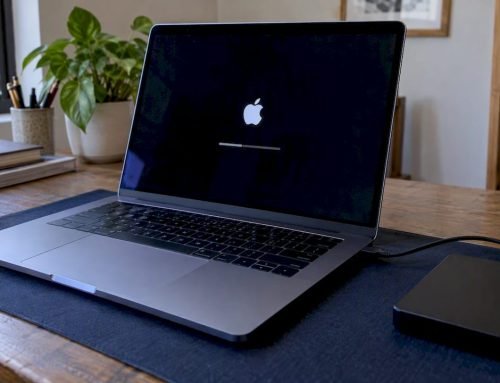
For remote recovery to succeed on a Mac, the drive must be accessible to macOS. On modern Macs with APFS volumes on NVMe storage, this means the system must boot or the drive must mount in Target Disk Mode or as an external volume. FileVault encryption adds another variable: the volume key must be accessible for the engineer to read the file system. These are not insurmountable obstacles, but they require an engineer who understands Apple’s storage architecture at a component level, not just someone running a generic recovery application.
Macwestlosangeles handles remote recovery for APFS volumes, RAID 0, RAID 1, RAID 3, and RAID 5 configurations, and NVMe-based Mac Pro and Mac Mini systems. For cases where the Mac’s logic board has failed or the SSD is soldered and unresponsive, professional hard drive recovery at the West LA facility is the appropriate path. Same-day appointments are available for urgent cases. Free diagnostics are provided before any recovery work begins, and the no-recovery, no-charge policy applies across all service types.
Pro Tip: If your Mac is not booting but you can hear the drive spinning normally, do not attempt to reinstall macOS or run Disk Utility’s First Aid before speaking with a recovery engineer. Either action can overwrite recoverable data on an APFS volume.
Clients in Brentwood, Westwood, Venice, Hollywood, Culver City, Santa Monica, and Beverly Hills can reach Macwestlosangeles directly at 310-866-0828 or visit the office at 12041 Wilshire Blvd, Ste 26, Los Angeles. For remote cases outside the immediate area, the same certified engineers handle the session with the same standards applied to every in-person case.
The experience behind each recovery is what separates a successful outcome from a failed attempt. Remote recovery is a tool; the engineer wielding it determines the result.
Key Takeaways
Remote data recovery succeeds when the storage device is physically functional, the OS can detect it, and a certified engineer manages the session using encrypted proprietary software.
| Point | Details |
|---|---|
| Logical failures only | Remote recovery addresses deletion, formatting, and corruption; physical damage always requires lab intervention. |
| Speed advantage | Sessions can recover data in as little as one hour, eliminating shipping delays entirely. |
| Security is built in | Encrypted proprietary protocols and scoped engineer access protect data throughout every session. |
| Pricing matches lab rates | Remote recovery costs reflect technician expertise, not facility savings; no-recovery, no-charge policies signal provider confidence. |
| Apple environments need specialists | APFS, NVMe, FileVault, and T2/M-series chips require engineers with deep Apple hardware knowledge for remote recovery to succeed. |
FAQ
What is remote data recovery?
Remote data recovery is a service where certified engineers access your storage device over the internet using secure, encrypted software to restore data lost through logical failures, without requiring physical access to the hardware.
What is the role of data recovery in IT operations?
Data recovery restores access to lost, deleted, or corrupted files, minimizing downtime and protecting business continuity when storage failures occur. Remote recovery extends this capability to distributed environments where physical access is restricted or impractical.
What are the four types of data recovery?
The four primary types are local file recovery, deep scan recovery, cloud-based rollback, and remote or network data recovery. Each applies to different failure scenarios and IT infrastructure configurations.
What is the primary function of a data recovery agent?
A data recovery agent, whether a certified engineer or an authorized IT role, is responsible for restoring access to encrypted or inaccessible data using verified credentials and documented procedures that preserve data integrity and chain-of-custody.
Can remote data recovery work on Apple Mac systems with APFS?
Yes, provided the APFS volume is detectable by macOS and FileVault encryption keys are accessible. Macwestlosangeles engineers have handled APFS remote recovery since Apple’s transition from HFS+, with same-day appointments available at 310-866-0828.