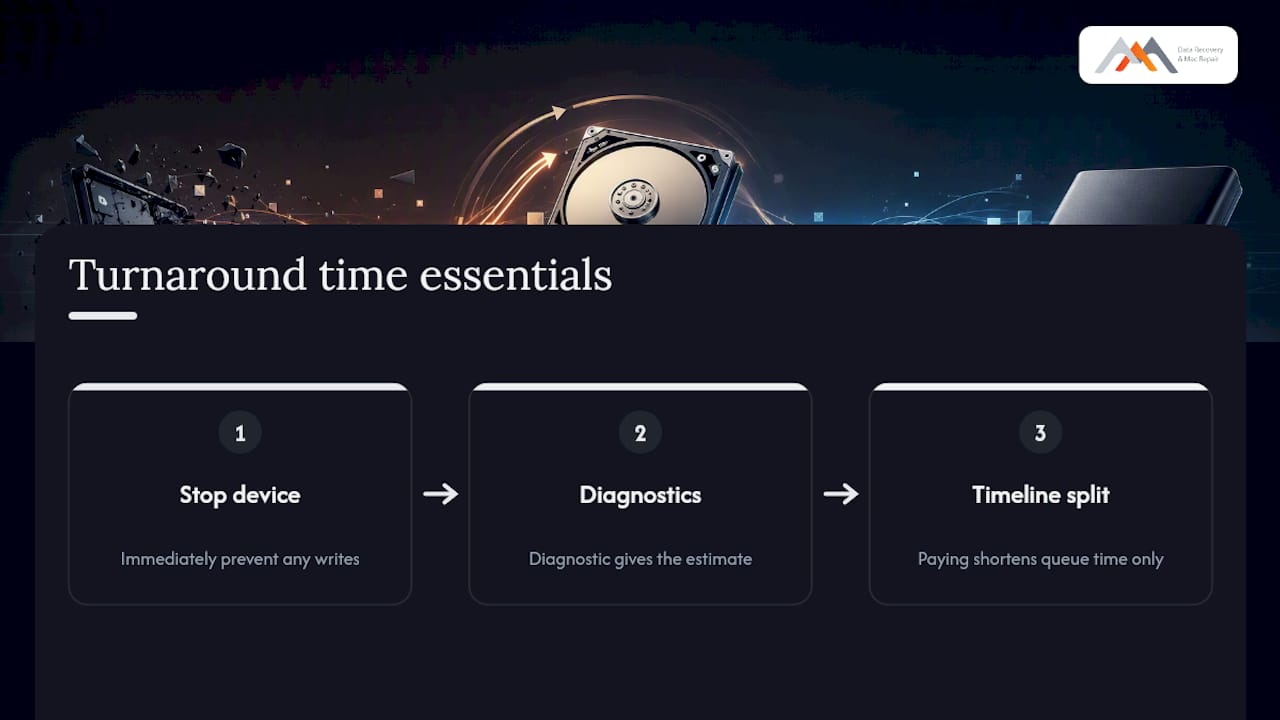
Professional data recovery turnaround time ranges from a few hours for simple logical cases to several weeks for complex physical or RAID work. Stop all disk writes immediately. Every additional write to a failing drive risks overwriting sectors that still hold recoverable data, shrinking your chances before a technician even sees the device.
Stop all disk writes immediately. Continued writes are the single fastest way to turn a recoverable situation into a permanent loss.
Planning ranges to keep in mind:
- Logical failures (deleted files, accidental format, APFS corruption): hours to 2 days
- Physical single-drive failures (HDD head crash, PCB damage, SSD firmware fault): often take more time due to mechanical or firmware repair
- Complex multi-drive or RAID cases (RAID 0, 1, 3, 5; NVMe arrays; donor-part sourcing): usually require a significantly extended timeline
Industry data confirms that businesses should plan for slower timelines whenever hardware repair or donor parts are likely, because a meaningful share of organizations cannot recover data within hours and need days or longer. The specific failure, not the device model, sets the calendar.
Key Takeaways
Data recovery turnaround time is determined by failure type and media behavior, not device model; logical cases resolve in hours to two days, while physical and RAID cases commonly take days to several weeks.
| Point | Details |
|---|---|
| Stop writes first | Powering down immediately prevents new writes from overwriting recoverable sectors. |
| Failure drives the timeline | Logical cases: hours to 2 days. Physical HDD: 3–14 days. RAID/complex: weeks. |
| Expedited service has limits | Priority tiers speed intake and attention but cannot shorten required engineering time. |
| 1 TB imaging varies widely | A stable drive images in ~3 hours; a degraded HDD can take 60–280 hours across multiple passes. |
| Macwest Data Recovery | Serving LA since 2006 with Free Diagnostics, No recovery, no charge, and same-day appointments at 310-866-0828. |
Table of Contents
- What do service-tier turnaround windows actually mean?
- What factors change how long your recovery will take?
- How long does recovery take by device type?
- When does expedited service actually help?
- What does the lab actually do, and where does time go?
- How can you shorten your turnaround before the lab starts?
- How long does recovering 1 TB of data actually take?
- What does the estimate process look like, and when can you expect updates?
- Macwest Data Recovery: local capabilities and how to reach us
- The part most guides get wrong about turnaround time
- Macwest Data Recovery is the direct path from data loss to recovered files
- Sources
- FAQ
What do service-tier turnaround windows actually mean?
Most professional labs structure their offerings into priority tiers. Understanding what each tier buys, and what it cannot change, prevents costly misunderstandings.
| Tier | Typical Start-to-Finish Window | What the Lab Prioritizes |
|---|---|---|
| ASAP / Emergency | Same day to 48 hours | Immediate intake, dedicated engineer, 24/7 continuous work |
| Priority | 2–5 business days | Next-available bench slot, daily status updates |
| Standard | 5 business days | Normal queue position, regular business hours |
| Economy | several weeks | Lowest queue priority, batch processing |
What each tier means in practice:
- ASAP/Emergency: The lab prioritizes starting quickly and working continuously, though total recovery time depends on the specific failure and device behavior.
- Priority: Your device receives accelerated attention compared to standard queue but does not guarantee faster engineering time.
- Standard: Suitable for non-urgent recoveries, with work performed during regular business hours in queue order.
- Economy: Designed for cases where timing is flexible and cost efficiency is preferred over speed.
Pro Tip: Paying for ASAP service speeds up intake and attention, but it cannot change the physics of a damaged drive. If a head swap or firmware patch is required, that engineering work takes the time it takes regardless of tier. Choose expedited service when business continuity or legal deadlines are at stake, not simply to feel like the case is moving faster.
What factors change how long your recovery will take?
The specific failure and how the device behaves during imaging set the timeline, not the brand name on the drive. Here are the core variables:
- Failure type: Logical failures (deleted files, corrupted APFS partition, accidental format) are fastest. Firmware failures require reverse-engineering or patching. Mechanical failures (seized spindle, failed read/write heads) demand physical intervention. NAND-level failures on SSDs may require chip-off procedures and translator rebuilds.
- Device type: HDDs with mechanical damage take longer than SSDs with logical issues. NVMe drives with soldered controllers add complexity. Phones with encrypted NAND storage require specialized extraction tools.
- Drive capacity: A 500 GB drive with stable reads may image in hours. A 4 TB drive with degraded heads can take days just for the initial clone pass.
- Fragmentation and corruption: Heavily fragmented file systems or multi-layer corruption require more passes and longer validation.
- Encryption: FileVault encryption, hardware-level T2/T1 chip encryption, or BitLocker all add decryption steps that extend the timeline after data is extracted.
- RAID complexity: RAID 0 requires correct member ordering and stripe-size discovery. RAID 5 and RAID 3 involve parity reconstruction. RAID 1 mirrors are simpler but still require member verification. Multi-disk arrays routinely push cases into multi-week timelines.
- Parts and donor availability: Head assemblies, PCB boards, and compatible donor drives must match firmware revisions. Sourcing the right donor can add days.
- Previous recovery attempts: DIY software runs or a prior lab’s failed attempt can scatter file system metadata, making reconstruction harder.
- Tooling and firmware development: Some proprietary firmware variants require labs to develop new patches or translator maps before imaging can begin.
Many labs report that a substantial minority of complex cases require donor parts or firmware engineering, which can add days to weeks beyond the initial estimate. Planning for that possibility from the start avoids surprises.
How long does recovery take by device type?
Drive size and read stability directly affect scan times: small drives with stable reads often scan in hours, while large or mechanically damaged drives add many hours or days to imaging and extraction.
| Device Type | Typical Recovery Range | Primary Time Driver |
|---|---|---|
| Phone / flash memory | Hours to 2 days | NAND access, encryption, chip-off if needed |
| SSD / NVMe (logical) | hours to 2 days | File system scan, APFS reconstruction |
| SSD / NVMe (firmware fault) | 2–7 days | Firmware patch, translator rebuild |
| HDD (logical / no mechanical damage) | Hours to 2 days | Imaging speed, file system complexity |
| HDD (mechanical damage) | 3–14 days | Head swap, donor sourcing, slow multi-pass imaging |
| RAID array (logical) | 1–5 days | Member ordering, parameter discovery |
| RAID array (physical members) | 1–6 weeks | Per-member physical repair, then reconstruction |
A 1 TB HDD example: A healthy drive imaging at a stable 100 MB/s takes roughly 3 hours for a full clone. A drive with degraded heads may read at 1–5 MB/s with frequent retries, pushing that same 1 TB clone to 60–280 hours across multiple passes. That single variable explains why two identical-model drives can have radically different timelines.
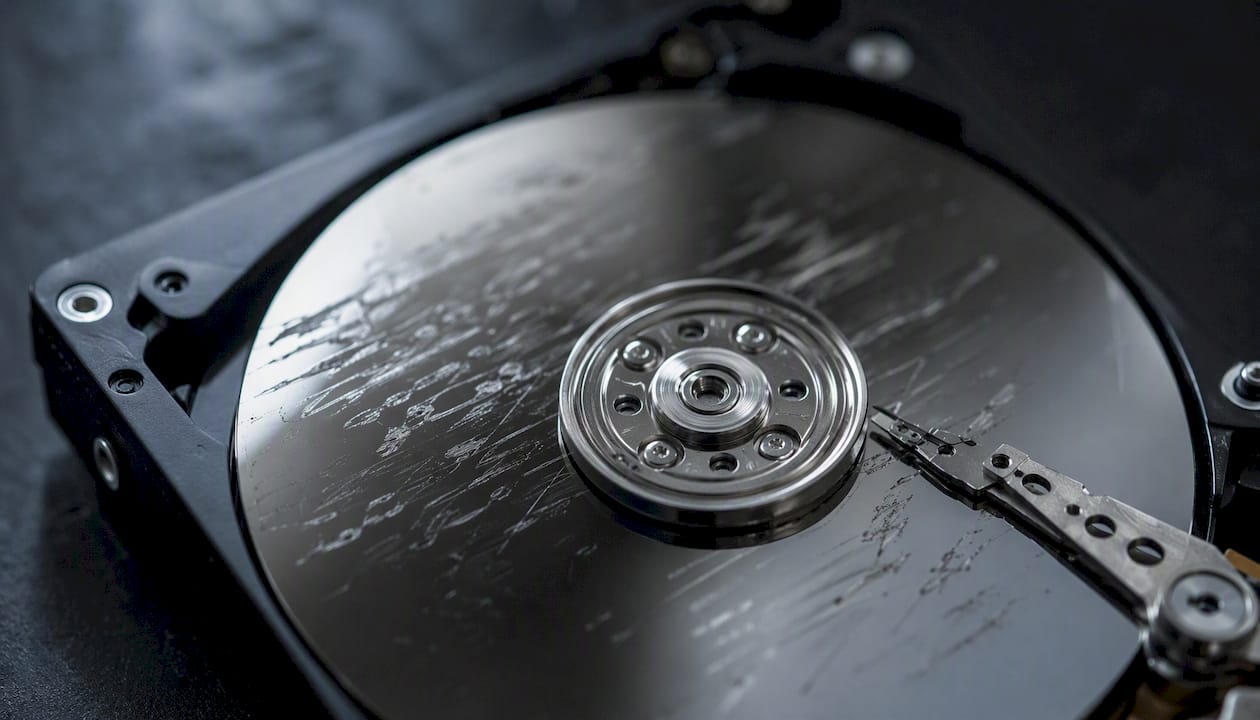
Every case is unique. The device model alone does not determine the timeline. The failure does.
SSD-specific issues, including TRIM, controller faults, and firmware corruption, can make recoveries specialized and sometimes unrecoverable if deleted blocks were cleared by TRIM before the lab received the drive. Act quickly on SSD losses.
When does expedited service actually help?
Expedited service changes specific, concrete things. It does not override engineering reality.
What paying for priority buys:
- Faster intake processing and immediate triage
- Continuous work, including nights and weekends
- A dedicated engineer rather than a shared queue
- Accelerated parts sourcing and donor-drive procurement
- More frequent status updates and direct engineer access
When expedited service is worth the premium:
- A business server is down and every hour costs revenue
- A legal deadline requires data to be available by a specific date
- The data is irreplaceable (a deceased family member’s files, a one-time event recording)
- A ransomware attack has a countdown timer
When to conserve budget and choose standard service:
- The data is backed up elsewhere and this is a secondary copy
- The failure is purely logical with no mechanical symptoms
- The timeline is flexible and weeks of wait time are acceptable
Pricing for expedited tiers varies by lab and case complexity. Rush fees are typically structured as a flat premium or a percentage uplift on the base recovery cost. Get a written quote specifying what the expedited fee covers before authorizing work.
What does the lab actually do, and where does time go?
Professional recovery begins with imaging: stable devices can be cloned quickly, but physically damaged media often read slowly and require careful multi-pass imaging that sets much of the total timeline.
The full workflow:
- Intake and free diagnostics: The lab receives the device, logs it, and performs a non-destructive initial assessment to identify the failure class and estimate complexity.
- Evaluation and quote: The technician issues a written estimate covering the expected range and turnaround tier. No work proceeds without authorization.
- Imaging and cloning: The original media is cloned to a working image. This is often the longest phase. Fragile drives require slow read speeds, retries, and multiple passes.
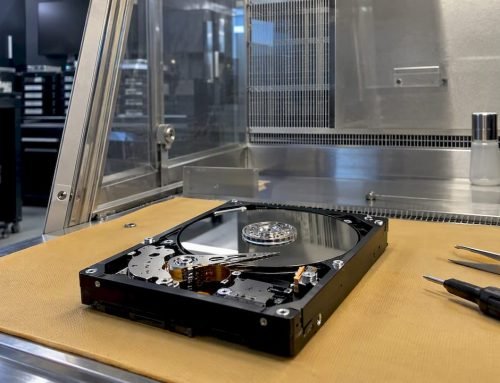
- Component repair: Head swaps in a cleanroom, PCB or logic board component repair, or chip-off NAND extraction happen here when physical damage is confirmed.
- Firmware work or translator rebuild: Proprietary firmware variants may require patching or a full translator map rebuild before the drive responds correctly.
- Data extraction: Files and file system structures are extracted from the working image, not the original media.
- Validation and delivery: The recovered data is verified for integrity, then delivered via encrypted transfer or physical media.
Pro Tip: Imaging first, before any repair attempt, is the single most protective step a lab can take. Working from a clone means the original media is never touched again after the initial read. Labs that skip this step and work directly on the original drive risk permanent loss if a second failure occurs mid-recovery.
How can you shorten your turnaround before the lab starts?
The actions you take in the first 30 minutes after data loss have a direct effect on both recovery odds and total turnaround time.
- Stop all disk writes immediately. Power down the device if possible. Do not run disk repair utilities, reinstall the OS, or copy files to the affected drive.
- Photograph all error messages. Screen captures of SMART alerts, kernel panics, or error codes give the technician a head start on diagnosis.
- Note the device make, model, OS version, and file system (APFS, HFS+, NTFS, exFAT). Include the macOS version for Mac devices.
- Record your RAID configuration if applicable: RAID level (0, 1, 3, 5), member drive order, stripe size, and controller model.
- Gather serial numbers for all affected drives and the enclosure or NAS.
- Include power adapters and cables when shipping or dropping off. Missing adapters delay intake.
- Disable Find My and remove device locks before shipping when it is safe to do so. Activation Lock on a Mac or iPhone prevents the lab from accessing the device.
- Use original or anti-static packaging. Wrap drives in anti-static bags, then cushion with at least two inches of foam or bubble wrap on all sides. Never ship a bare drive in a padded envelope.
For local customers in West LA, Santa Monica, Beverly Hills, Brentwood, Westwood, Venice, Hollywood, and Culver City: call Macwest Data Recovery at 310-866-0828 to arrange a same-day drop-off at 12041 Wilshire Blvd, Ste 26, Los Angeles. Same-day appointments are available, and local drop-off eliminates shipping time entirely.
How long does recovering 1 TB of data actually take?
This is one of the most common planning questions, and the answer depends almost entirely on media stability, not just capacity.
| Scenario | Imaging Speed | Estimated Imaging Time for 1 TB |
|---|---|---|
| Healthy HDD, stable reads | ~100 MB/s | ~3 hours |
| Degraded HDD, slow reads | 1–5 MB/s | 60–280 hours (multiple passes) |
| SSD, logical failure, stable | 100 MB/s | Under 1 hour |
| SSD, firmware fault | Varies widely | Days (firmware work required first) |
| NAND chip-off | Lab-dependent | 1–5 days after extraction |
Key factors that change throughput:
- Whether the drive must rest between read attempts to prevent thermal shutdown
- How many bad sectors trigger retries and slow the imaging pass
- Whether a head swap is needed before stable reads are possible
- Whether the SSD controller responds at all before firmware intervention
Small drives with stable reads often scan in hours, while multi-terabyte drives with mechanical issues add many hours or days to the imaging phase alone. The 1 TB figure is a capacity label, not a complexity label. A 1 TB drive with four failed read heads takes far longer than a 4 TB drive with a simple logical deletion.
What does the estimate process look like, and when can you expect updates?
Labs that advertise free diagnostics and no-success fees are a reliable trust signal for how they handle the entire case. The diagnostic-first model protects you from paying for work that cannot succeed.
Communication timeline you should expect:
- Same day or within 24–48 hours of receipt: Initial diagnostic findings and a preliminary estimate covering the recovery class, expected turnaround range, and pricing tier options.
- Before work begins: Written authorization request. No reputable lab proceeds without your explicit approval of the quote.
- During imaging and repair: Status updates at meaningful milestones (imaging started, imaging complete, repair phase entered, data extraction underway).
- At validation: Confirmation of what was recovered, file list or summary, and delivery method options.
- At delivery: Encrypted transfer link or physical media, with confirmation of receipt.
Trust signals to look for when selecting a lab:
- Free Diagnostics: No charge to assess the failure and issue a quote.
- No recovery, no charge: You pay only if data is successfully recovered.
- Since 2006: Longevity in this field reflects accumulated tooling, firmware libraries, and engineering experience.
- Privacy handling: Files are accessed only to the extent necessary for validation. Reputable labs do not browse or copy your personal data beyond what recovery requires.
Macwest Data Recovery: local capabilities and how to reach us
Macwest Data Recovery has served Los Angeles since 2006, specializing in Apple Mac data recovery and hardware repair from a central Westside location at 12041 Wilshire Blvd, Ste 26, between the 405 and Santa Monica Freeway, near UCLA and the Getty Center.
Core services include HDD and RAID data recovery, SSD and NVMe recovery (including APFS and FileVault cases), phone and flash memory extraction, logic board component repair, and full Mac hardware repair for MacBook, iMac, Mac Mini, and Mac Pro. The lab handles RAID 0, 1, 3, and 5 configurations, chip-off NAND procedures, and firmware-level work for cases that standard tools cannot address.
Every case begins with Free Diagnostics and operates under a No recovery, no charge policy. Same-day appointments are available for customers in West LA, Santa Monica, Beverly Hills, Brentwood, Westwood, Venice, Hollywood, and Culver City.
- Phone: 310-866-0828
- Address: 12041 Wilshire Blvd, Ste 26, Los Angeles, CA
- Same-day drop-off: Available by appointment
Pro Tip: Call 310-866-0828 before shipping your device. A five-minute conversation with a technician can confirm whether your case qualifies for same-day intake and whether any preparation steps (disabling Find My, gathering RAID config notes) will speed up the diagnostic phase.
The part most guides get wrong about turnaround time
Most articles on data recovery timelines spend their energy on the ranges, the tiers, and the checklists. Those are useful. What they consistently underweight is the single most consequential variable: what you do in the first ten minutes after the failure.
The conventional advice is to “contact a professional quickly.” That is correct but incomplete. The more precise instruction is to stop the device cold, right now, before you search for a lab, before you call anyone, before you try one more reboot to see if it comes back. Every write operation after a failure, including the OS writing logs, swap files, or journal entries on a drive that is still spinning, narrows the window of what is recoverable. On a TRIM-enabled SSD, the window can close in seconds.
The second thing guides underweight is the difference between queue time and engineering time. Paying for ASAP service compresses queue time to near zero. It does not compress the hours a head swap takes in a cleanroom, or the days a firmware patch requires. Customers who pay emergency rates and then feel frustrated that the case still took a week are reacting to a misunderstanding the lab should have corrected at intake. Ask specifically: “How much of the estimated timeline is queue time, and how much is engineering time?” A good lab answers that question directly.
Finally, the free diagnostics step is not a formality. It is the only honest basis for a turnaround estimate. Any lab that quotes you a firm timeline before examining the device is guessing. The diagnostic is where the real estimate lives.
Macwest Data Recovery is the direct path from data loss to recovered files
When you are weighing your options after a drive failure, the difference between a lab that has seen your exact failure before and one that is encountering it for the first time is measured in days, sometimes weeks. Macwest Data Recovery has been recovering data from Mac hardware, HDDs, SSDs, NVMe drives, RAID arrays, and flash memory in Los Angeles since 2006. That depth of experience with APFS, FileVault, soldered NVMe controllers, and logic board component repair means fewer surprises mid-case and more accurate estimates from the start.
Free Diagnostics. No recovery, no charge. Same-day appointments for West LA, Santa Monica, Beverly Hills, and surrounding neighborhoods. Schedule your same-day data recovery appointment or call 310-866-0828 now.
Sources
- What Happens During Data Recovery?
- How Long Does Data Recovery Take? Realistic Timelines
- How Long Does Hard Drive Data Recovery Take? (2026 Guide)
FAQ
How long does data recovery usually take?
Most logical recoveries (deleted files, accidental format, file system corruption) complete within hours to two days. Physical failures and RAID cases commonly take 3–14 days for single drives and several weeks for multi-disk arrays, depending on parts availability and engineering complexity.
What is the success rate of file recovery?
Success rates vary by failure type and how quickly the device reaches a lab. Logical cases on stable media have high recovery rates. Mechanical failures with prior DIY attempts, or SSDs where TRIM has cleared deleted blocks, carry lower odds. Free Diagnostics at intake gives you an honest probability assessment before any charges apply.
Do data recovery labs look at your files?
Technicians access files only to the extent necessary to validate that recovery was successful, typically by confirming file types, folder structures, and a sample of critical files you identify. Reputable labs do not browse, copy, or retain personal data beyond what the recovery process requires.
How long does it take to recover 1 TB of data?
A 1 TB drive with stable reads images in roughly 3 hours at ~100 MB/s. A mechanically degraded drive reading at 1–5 MB/s can require 60–280 hours across multiple imaging passes. The capacity is fixed; the read speed is not, and that gap is what drives the range.